
1. Entwodiksyon
Thank you for choosing the RORSOU C6 Active Noise Cancelling Headphones. These headphones are designed to provide a superior audio experience with advanced noise-cancelling technology, comfortable wear, and versatile connectivity options. This manual will guide you through the setup, operation, and maintenance of your new headphones.

Image: RORSOU C6 Active Noise Cancelling Headphones, Rose Gold variant.
2. Pake kontni
Tanpri asire w ke tout atik yo prezan nan pakè w la:
- RORSOU C6 Active Noise Cancellation Bluetooth Headphones
- Kab odyo backup 3.5mm
- USB Chaje Kab
- Manyèl Itilizatè (dokiman sa a)
- Travel Protective Storage Bag
3. Pwodwi souview ak Kontwòl
Familiarize yourself with the physical features and control buttons of your RORSOU C6 headphones.

Image: Detailed diagram illustrating the location and function of control buttons and ports on the RORSOU C6 headphones.
- Ogmante Volim (+) / Pwochen Mizik: Click for volume up, long press for next track.
- Diminye Volim (-) / Chante Anvan: Click for volume down, long press for previous track.
- Power Button / Play/Pause: Long press to power on/off, click to play/pause music.
- Bouton ANC: Click to activate/deactivate Active Noise Cancelling.
- Kalite-C Port: Pou chaje kas ekoutè yo.
- 3.5mm Audio Jack: Pou koneksyon odyo ak fil.
4. Enstalasyon
4.1. Pè Bluetooth
- Asire w ke kas ekoutè yo etenn.
- Long press the Power Button until the LED indicator flashes blue, indicating pairing mode.
- On your device (smartphone, tablet, PC), enable Bluetooth and search for "RORSOU C6" in the list of available devices.
- Select "RORSOU C6" to connect. The LED indicator will turn solid blue once connected.
4.2. Filè Koneksyon
To use the headphones with a wired connection:
- Connect one end of the provided 3.5mm audio cable to the 3.5mm audio jack on the headphones.
- Connect the other end of the cable to your audio source's 3.5mm port.
- Kas ekoutè yo ap chanje otomatikman nan mòd filaire.
5. Operasyon Enstriksyon
5.1. Anile aktif bri (ANC)
The RORSOU C6 features advanced Active Noise Cancelling technology to reduce ambient noise.

Image: Visual representation of Active Noise Cancelling reducing external noise.
- To activate ANC, click the dedicated ANC button. You will hear an audible confirmation.
- To deactivate ANC, click the ANC button again.
5.2. Kalite Audio
Equipped with 40mm dynamic drivers, the C6 headphones deliver high-fidelity audio with deep bass, rich mids, and crisp highs, ensuring every detail of your music is clear.
5.3. Lavi batri ak chaje
The headphones offer up to 60 hours of playtime on a single charge. A full charge takes approximately 2 hours using the provided USB charging cable.

Image: Close-up of the RORSOU C6 earcups and adjustable headband, emphasizing comfort.
5.4. Comfort and Portability
The RORSOU C6 headphones feature ultra-soft protein leather earcups and an adjustable headband for extended comfortable wear. Their lightweight and foldable design allows for easy storage in the travel protective bag, making them ideal for travel and daily use.
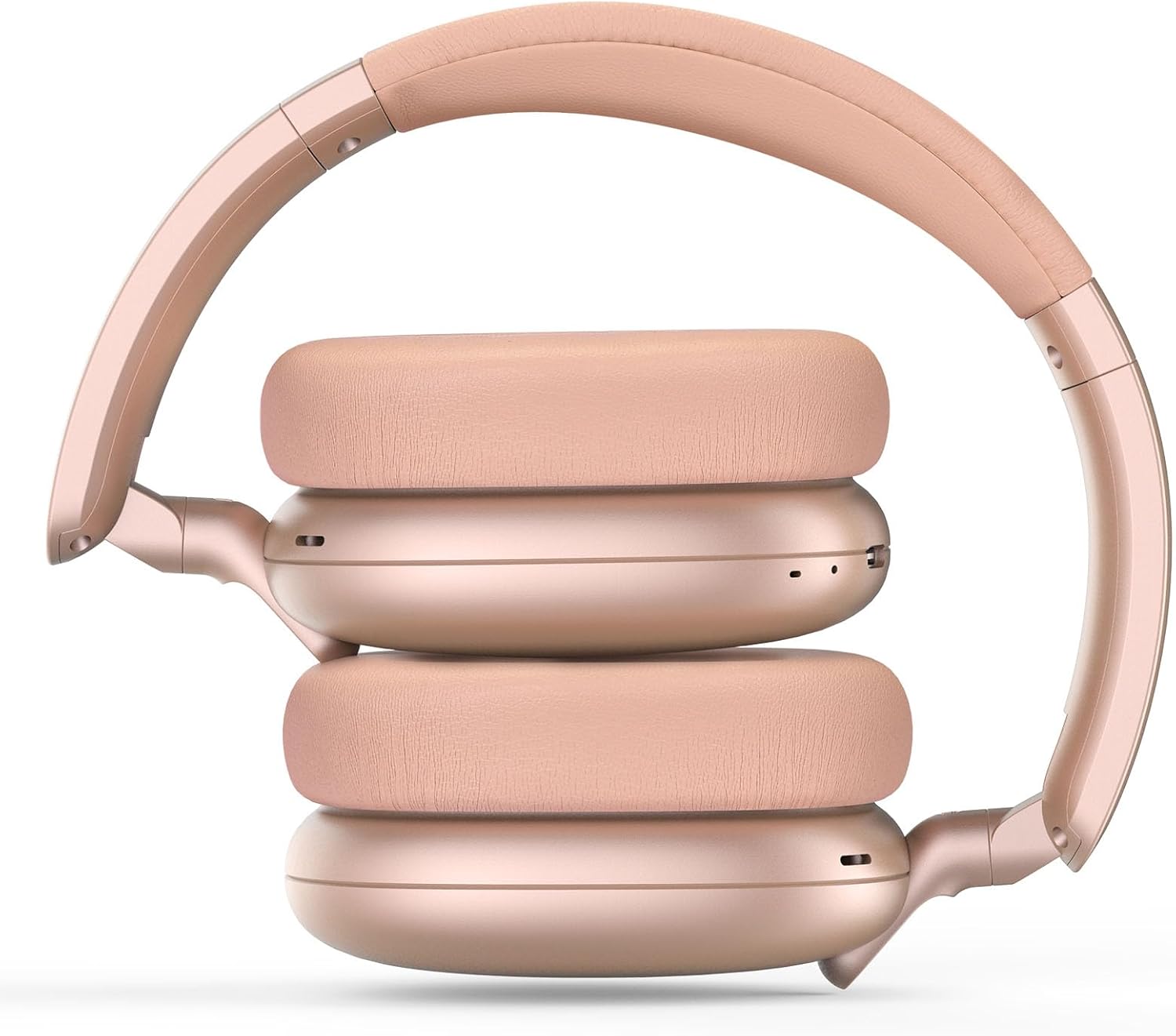
Image: RORSOU C6 headphones shown in their folded configuration, demonstrating portability.
6. Espesifikasyon
| Karakteristik | Spesifikasyon |
|---|---|
| Non modèl | C6 |
| Mak | RORSOU |
| Koneksyon Teknoloji | Bluetooth 5.4, Wired, Wireless |
| Teknoloji kominikasyon san fil | Bluetooth |
| Karakteristik Kontwòl Bri | Anile aktif bri |
| Ekoutè Jack | 3.5mm Jack |
| Gwosè Chofè Audio | 40 Milimèt |
| Lavi batri | 60 èdtan |
| Tan pou chaje | 2 èdtan |
| Pwa atik | 230 gram (8.1 ons) |
| Karakteristik espesyal | Adjustable Headband, Detachable Cable, Foldable, Lightweight, Noise Cancellation |
7. Antretyen
To ensure the longevity and optimal performance of your RORSOU C6 headphones, follow these maintenance guidelines:
- Netwayaj: Sèvi ak yon twal mou epi sèk pou netwaye kas ekoutè yo. Evite itilize pwodui chimik ki agresif oswa materyèl abrazif.
- Depo: When not in use, store the headphones in the provided travel protective storage bag to prevent dust and scratches.
- Evite kondisyon ekstrèm: Pa ekspoze kas ekoutè yo nan tanperati ekstrèm, imidite, oswa limyè solèy dirèk.
- Rezistans dlo: These headphones are not water resistant. Avoid contact with liquids.
NAN. Depanaj
If you encounter any issues with your RORSOU C6 headphones, please refer to the following common solutions:
- Pa gen pouvwa: Ensure the headphones are fully charged. Connect them to a power source using the USB charging cable.
- Pa ka konekte atravè Bluetooth: Make sure the headphones are in pairing mode (flashing blue LED). Ensure Bluetooth is enabled on your device and it is within range (10 meters). Try restarting both the headphones and your device.
- Pa gen son: Check the volume levels on both the headphones and your connected device. If using a wired connection, ensure the 3.5mm cable is securely plugged into both ends.
- ANC pa travay: Ensure the ANC function is activated by pressing the ANC button.
- Kalite odyo pòv: Ensure the headphones are within Bluetooth range of your device. If using a wired connection, try a different 3.5mm cable.
9. Garanti ak sipò
RORSOU is dedicated to providing high-quality products with excellent after-sale service. Your RORSOU C6 headphones come with a 365-day Hassle-Free Limited Protection. If you have any questions or require support, please contact RORSOU customer service. We aim to respond within 12 hours.