
1. Entwodiksyon
Welcome to the user manual for your DOOGEE Note58 Pro Android 16 Smartphone. This guide provides essential information to help you set up, operate, maintain, and troubleshoot your device. Please read this manual thoroughly to ensure optimal performance and longevity of your smartphone.
2. Karakteristik kle
- Sistèm operasyon Android 16: Experience the latest Android 16 OS, optimized for 64-bit applications, offering enhanced startup and response times. Enjoy a user-friendly interface with features like Private Space for sensitive data and App Pair for efficient multitasking.
- Generous Memory & Storage: Equipped with 32GB RAM (8GB physical + 24GB expandable virtual RAM) and 256GB internal storage, expandable up to 2TB via a TF card. This configuration supports smooth multitasking and ampespas pou tout moun ou yo files.
- Immersive 90Hz HD+ Display: Features a 6.75-inch HD+ IPS display with a 90Hz refresh rate and 1600x720 resolution for a fluid visual experience. Includes two eye-care modes to reduce strain during extended use.
- Sistèm Kamera Segondè Rezolisyon: Capture vivid images with the 16MP main camera and natural selfies with the 8MP front camera. Additional depth and macro cameras enhance photographic capabilities.
- Batri ki dire lontan: A large 6250mAh battery provides extended usage, allowing you to comfortably use your phone for photography, gaming, and work throughout the day without frequent recharging.
- Advanced Connectivity & Navigation: Supports Bluetooth 5.2 for stable, low-power connections and Wi-Fi 5 for fast data transfer. Integrated GPS, GLONASS, Galileo, and BeiDou systems ensure accurate navigation in diverse environments.
- Konsepsyon dous: Boasts an ultra-thin 8.6mm profile with a dirt-resistant finish and a smooth sand-textured back cover for a stylish and comfortable grip.
3. Enstalasyon
3.1 Mete kat SIM ak kat TF
- Jwenn plato kat SIM lan sou bò aparèy ou an.
- Insert the provided SIM ejector tool into the small hole next to the tray and push gently until the tray pops out.
- Mete kat Nano-SIM ou yo ak/oswa kat TF ou yo nan fant ki fèt pou sa sou plato a. Asire w ke kontak lò yo fè fas anba.
- Pouse plato a tounen nan aparèy la avèk prekosyon jiskaske li vin plat.
3.2 Limen/Etenyen
- To power on: Press and hold the Power button (located on the right side) until the DOOGEE logo appears.
- To power off: Press and hold the Power button, then select "Power off" from the options on the screen.
- To restart: Press and hold the Power button, then select "Restart" from the options on the screen.
3.3 Asistan Enstalasyon Inisyal
Upon first power-on, follow the on-screen instructions to complete the initial setup, including language selection, Wi-Fi connection, Google account login, and security settings.
4. Operasyon Enstriksyon
4.1 Jès ekran taktil
- Tape: Touche ekran an yon fwa pou chwazi yon atik, louvri yon aplikasyon, oswa peze yon bouton.
- Manyen epi kenbe: Touch and hold an item to access contextual menus or drag items.
- Glise: Drag your finger across the screen to scroll, switch screens, or dismiss notifications.
- Zongle: Sèvi ak de dwèt pou agrandi oswa diminye foto yo epi web paj.
4.2 Ba Navigasyon
The navigation bar at the bottom of the screen typically includes:
- Bouton tounen: Retounen nan ekran anvan an.
- bouton lakay: Retounen nan ekran kay la.
- Recents button: Montre dènyèman itilize aplikasyon yo.
4.3 Karakteristik Sekirite Sosyal
The Note58 Pro supports multiple security options:
- Degaje anprent: Register your fingerprint for quick and secure unlocking. The fingerprint sensor is typically integrated into the power button.
- Debloke figi: Use the front camera to unlock your device with facial recognition.
- Modèl, PIN, Modpas: Standard Android security options.

Image: Face Unlock and Fingerprint Sensor
5. Itilizasyon kamera
The DOOGEE Note58 Pro features a versatile camera system to capture your moments.
5.1 Main Camera (16MP)
The 16MP main camera captures clear and detailed photos. Open the Camera app and select "Photo" mode for standard shots.

Image: Rear Camera Setup
5.2 Kamera Devan (8MP)
The 8MP front camera is ideal for natural-looking selfies and video calls. Switch to the front camera within the Camera app.

Image: 8MP Front Camera
5.3 AI Camera Features
Utilize Google AI Camera features for enhanced photography, including object recognition, text extraction, and scene analysis.

Image: Google AI Camera Features
6. Koneksyon
6.1 Koneksyon Wi-Fi
Pou konekte ak yon rezo Wi-Fi:
- Ale nan Anviwònman > Rezo ak entènèt > Wi-Fi.
- Aktive Wi-Fi sou.
- Chwazi rezo ou vle a nan lis la epi antre modpas la si sa nesesè.

Image: High-Speed Wi-Fi 5
6.2 Bluetooth Pairing
Pou pè ak yon aparèy Bluetooth:
- Ale nan Anviwònman > Aparèy ki konekte > Bluetooth.
- Aktive Bluetooth la.
- Make sure your other device is in pairing mode.
- Select the device from the list and follow any on-screen prompts.
6.3 Fonksyonalite NFC
The Note58 Pro supports NFC for contactless payments and data transfer. Ensure NFC is enabled in settings to use this feature.

Image: Multifunctional NFC
*Note: Mobile payment services like Google Pay may not be supported in all regions.
7. Jesyon batri
The DOOGEE Note58 Pro is equipped with a 6250mAh large-capacity battery for extended use.
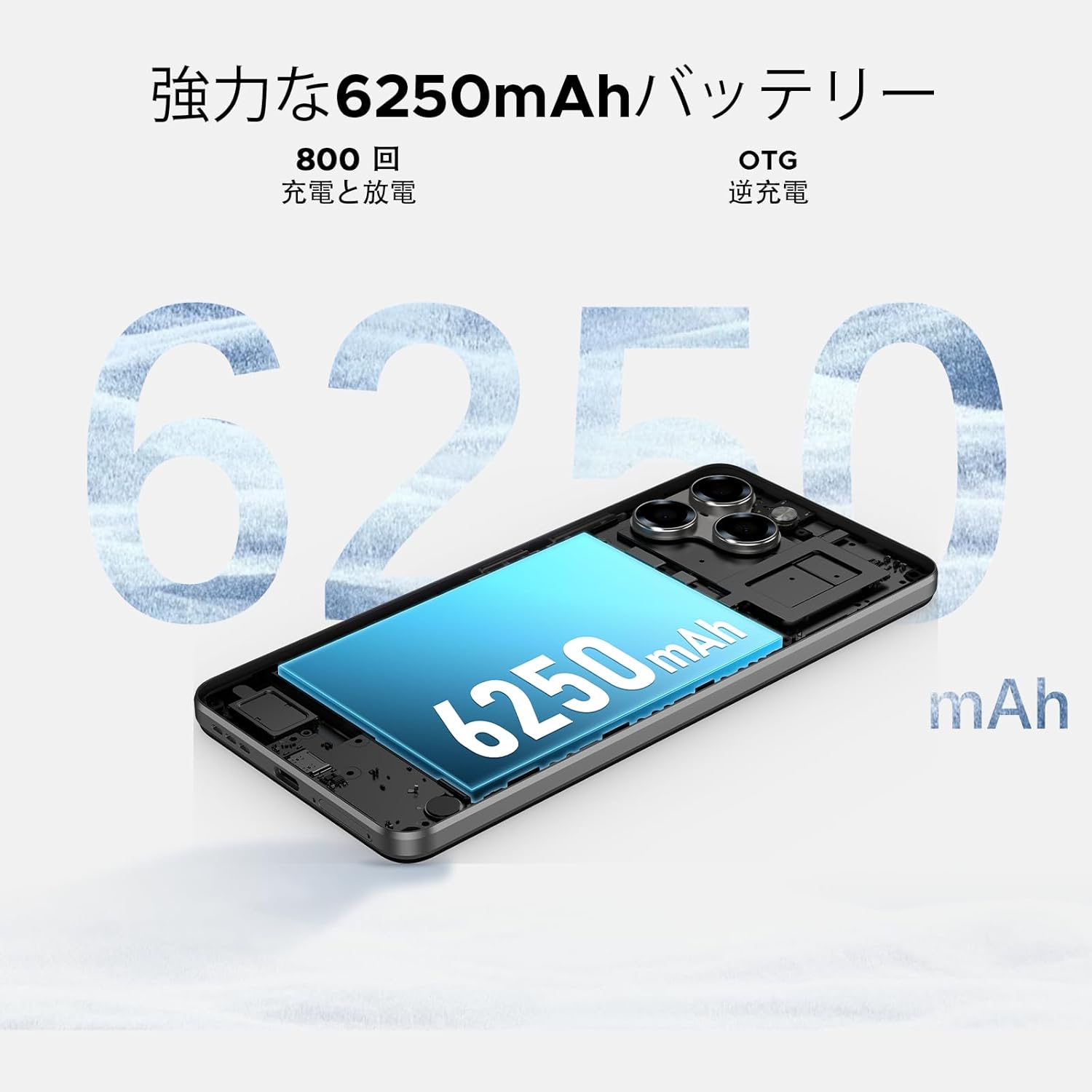
Image: 6250mAh Large Capacity Battery
7.1 Chaje aparèy ou an
Use the provided Type-C cable and charger to charge your smartphone. Connect the Type-C end to the phone's charging port and the adapter to a power outlet. The battery icon on the screen will indicate charging status.
7.2 Optimizasyon Batri
To maximize battery life, consider the following:
- Diminye klète ekran an.
- Etenn Wi-Fi, Bluetooth, ak GPS lè yo pa itilize.
- Fèmen aplikasyon ki an background.
- Enable battery saver mode in Settings.
8. Storage & Performance
The Note58 Pro offers robust performance and ample storage for your needs.
8.1 Memwa (RAM)
With 32GB of RAM (8GB physical + 24GB expandable virtual RAM), the device ensures smooth multitasking and efficient app handling, even under heavy usage.
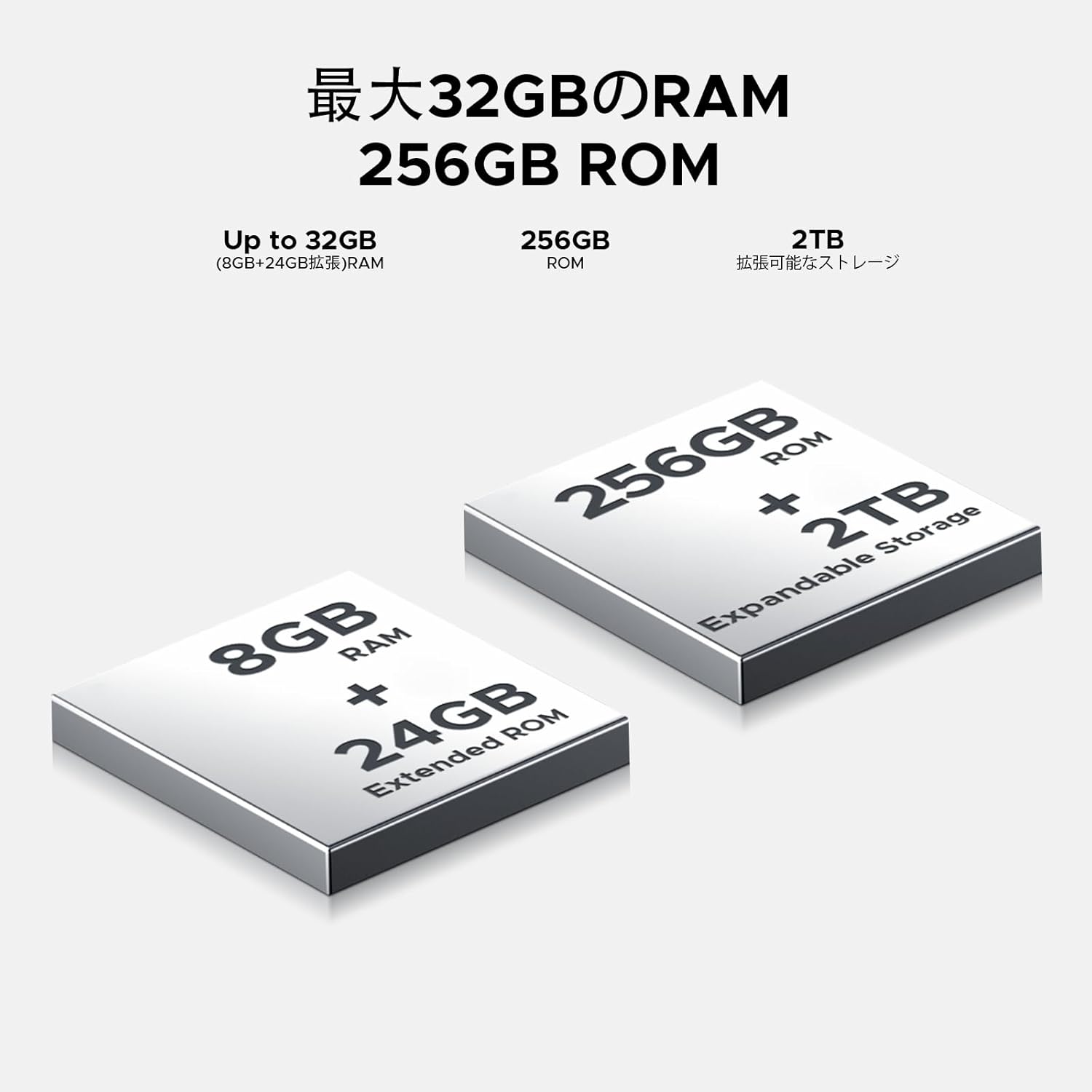
Image: 32GB RAM + 256GB ROM
8.2 Internal Storage (ROM)
The 256GB internal storage provides sufficient space for your apps, photos, and videos. For additional storage, you can expand it up to 2TB using a TF (microSD) card.

Image: 256GB ROM with 2TB Expandable Storage
8.3 processeur
Powered by the Unisoc T7250 Octa-core processor, the device delivers reliable performance for daily tasks, gaming, and multimedia consumption.

Image: Powerful T7250 Octa-core Processor
9. Montre
The DOOGEE Note58 Pro features a 6.75-inch HD+ IPS display with a 90Hz refresh rate, providing a smooth and vibrant visual experience.

Image: 6.75-inch 90Hz HD+ Display
9.1 Eye-Care Modes
To reduce eye strain, activate the eye-care modes available in the display settings. These modes adjust color temperature to provide a more comfortable viewing experience, especially in low light.
9.2 Widevine L1 Support
The device supports Widevine L1, allowing you to stream high-definition content from popular platforms like Hulu, Amazon Prime Video, and HBO Max.

Image: Seamless Visual Experience with Widevine L1
10. Navigasyon
The DOOGEE Note58 Pro integrates four major global positioning systems for accurate navigation.

Image: Precise Navigation System
10.1 Supported Systems
- GPS: Sistèm Pozisyon Global
- GLONASS: Globalnaya Navigatsionnaya Sputnikovaya Sistema
- Galileo: European satellite navigation system
- Beidou: Chinese satellite navigation system
These systems ensure reliable location tracking and navigation whether you are in urban areas, mountainous regions, or remote locations.
11. Antretyen
11.1 Netwaye aparèy ou an
To clean your smartphone, use a soft, lint-free cloth. Avoid using harsh chemicals or abrasive materials, as these can damage the screen and finish. For stubborn smudges, lightly dampRense twal la avèk dlo oswa yon pwodui netwayaj ekran ki fèt pou aparèy elektwonik.
11.2 Mizajou lojisyèl
Tcheke epi enstale mizajou lojisyèl regilyèman pou asire aparèy ou an gen dènye karakteristik yo, patch sekirite yo, ak amelyorasyon pèfòmans yo. Ale nan Anviwònman > Sistèm > Aktyalizasyon sistèm lan pou tcheke pou mizajou.
11.3 Jesyon Depo
Tanzantan review ou estoke files and applications. Delete unnecessary items to free up space and maintain optimal device performance. You can also offload large files to cloud storage or an external TF card.
NAN. Depanaj
If you encounter issues with your DOOGEE Note58 Pro, try the following common troubleshooting steps:
- Aparèy pa limen: Asire w batri a chaje. Konekte chajè a epi tann kèk minit anvan ou eseye limen l ankò.
- Aplikasyon yo ap plante oswa bloke: Close the problematic app and reopen it. If the issue persists, restart your device. Clear the app's cache and data in Anviwònman > Aplikasyon yo > [Non Aplikasyon an] > Depo ak kach.
- Koneksyon Wi-Fi/Bluetooth ki pòv: Ensure Wi-Fi/Bluetooth is enabled and you are within range of the network/device. Try forgetting the network/device and reconnecting. Restart your router if it's a Wi-Fi issue.
- Pèfòmans ralanti: Close unnecessary background apps. Clear cached data. Check for available software updates. Consider performing a factory reset as a last resort (back up your data first).
- Kat SIM pa detekte: Ensure the SIM card is correctly inserted and that your carrier's frequency bands are supported by the device. Restart the phone.
- Batri a vide byen vit: Review itilizasyon batri nan Anviwònman > Batri to identify power-hungry apps. Reduce screen brightness, disable unnecessary features (GPS, Bluetooth, Wi-Fi), and enable battery saver mode.
If these steps do not resolve your issue, please refer to the Warranty & Support section for further assistance.
13. Espesifikasyon
| Karakteristik | Spesifikasyon |
|---|---|
| Mak | DOOGEE |
| Nimewo Modèl | N58 Pro |
| Sistèm operasyon | Android 16 |
| Gwosè ekran | 6.75 pous |
| Kalite ekspozisyon | LCD |
| Gwosè memwa RAM enstale a | 32 GB |
| Kapasite Depo memwa | 256 GB (Ekspansib jiska 2TB atravè kat TF) |
| Kapasite batri | 6250 mAh |
| Kamera prensipal | 16 MP |
| Kamera devan | 8 MP |
| Koneksyon Teknoloji | Bluetooth 5.2, Wi-Fi 5, 4G Dual SIM, NFC |
| Sistèm Navigasyon | GPS, GLONASS, Galileo, BeiDou |
| Pwa atik | 199 gram |
| Dimansyon pake | 19.2 x 10.4 x 5.2 cm |
| Ane lage | 2025 |
14. Garanti & Sipò
The DOOGEE Note58 Pro comes with a one-year warranty from the date of purchase.
14.1 Frequency Band Compatibility
Before purchase, please verify that the device's supported frequency bands are compatible with your local carrier. Supported bands include:
- GSM: B2/3/5/8
- WCDMAB: 1/2/4/5/8
- TDD: 38/40/41
- FDD: B1/2/3/4/5/7/8/18/19/20/25/26/28A/28B/66
14.2 Sipò teknik
Should you encounter any issues or require technical assistance, please contact our customer support. Our technical specialists are committed to responding within 48 hours.

Image: Customer Service Information
15. Pake kontni
The following items are included in your DOOGEE Note58 Pro package:
- 1x DOOGEE Note58 Pro Smartphone
- 1x Kalite-C Kab
- 1x Chargeur
- 1x SIM Card Pin
- 1x Packaging Box
- 1x ka telefòn

Imaj: Kontni pake a
16. Opsyon koulè
The DOOGEE Note58 Pro is available in the following colors:
- Inkstone Black
- Amber Gold
- Silver (as seen in product videos)

Image: Color Options
17. Videyo pwodwi yo
17.1 DOOGEE Note58 Pro Overview
Video: This video provides a quick overview of the DOOGEE Note58 Pro, showcasing its unboxing, design, camera features, and multimedia capabilities. It highlights the phone's sleek appearance and user experience.