
1. Entwodiksyon
The Elitech DIT-220 is a high-precision, non-contact infrared thermometer designed for safe and accurate temperature measurement across various applications. This device utilizes laser targeting for precise aim and features adjustable emissivity to ensure accurate readings on different surface types. It is suitable for use by professionals, DIY enthusiasts, and in household settings for monitoring temperatures in industrial, commercial, and domestic environments.
2. Enfòmasyon sou Sekirite
Please read all safety warnings and instructions carefully before using this product. Failure to follow these instructions may result in injury or damage to the device.
- Sekirite lazè: Do not look directly into the laser beam or point it at people or animals. The laser is used for targeting only and should be used with caution.
- Mezi ki pa gen kontak: This thermometer measures surface temperature. It is not intended for measuring body temperature.
- Sekirite elektrik: Do not use the device near strong electromagnetic fields. Keep the device dry and avoid exposure to moisture or extreme temperatures.
- Sekirite batri: Use only the specified battery type (2x AAA). Ensure correct polarity when installing batteries. Remove batteries if the device will not be used for an extended period. Do not mix old and new batteries or different types of batteries.
- Antretyen: Pa eseye demonte oswa modifye aparèy la. Konfye tout antretyen bay pèsonèl kalifye.
3. Pake kontni
Verifye ke tout atik yo prezan nan pakè a:
- Elitech DIT-220 Infrared Thermometer
- 2 x AAA pil
- Manyèl Itilizatè (dokiman sa a)
4. Pwodwi Features
- Lajè ranje tanperati: Mezi soti nan -50 ° C a 530 ° C (-58 ° F a 986 ° F).
- Tan repons rapid: Provides readings in approximately 0.5 seconds.
- Segondè Presizyon: ±1.5°C (±2.7°F) or ±1.5% for temperatures between -50°C and 50°C.
- Vize lazè: Integrated laser pointer for precise aiming at the target surface.
- Emisyon reglabl: User-adjustable emissivity from 0.10 to 1.00 for accurate readings on various materials.
- Rapò Distans-a-Pwen (D:S): 12:1, ensuring accurate measurement from a safe distance.
- MAX/MIN/AVG Mode: Automatically tracks maximum, minimum, and average temperatures during a measurement session.
- Ekspozisyon LCD retroeklere: Provides clear visibility of readings in various lighting conditions.
- Auto Fèmen-off: Konsève lavi batri a pa otomatikman etenn apre yon peryòd inaktivite.
- Rapèl Low Battery: Endike lè pil bezwen ranplasman.
- °C/°F Chanjman: Chanje fasilman ant inite Celsius ak Fahrenheit.

Figi 1: Elitech DIT-220 Infrared Thermometer highlighting its main features.
5. Enstalasyon
5.1 Enstalasyon batri
- Jwenn kouvèti konpatiman pil la sou manch tèmomèt la.
- Louvri kouvèti lòj batri a.
- Mete de pil AAA, asire w polarite ki kòrèk la (+ ak -) jan yo endike anndan konpatiman an.
- Fèmen kouvèti lòj batri a byen.

Figi 2: Elitech DIT-220 components and battery compartment location.
5.2 Limen/Etenyen
To power on the device, simply press the measurement trigger. The device will automatically power off after a period of inactivity to conserve battery life.
6. Operasyon Enstriksyon
6.1 Pran yon mezi
- Point the thermometer at the target surface. Ensure the laser pointer (if activated) is aimed at the center of the area you wish to measure.
- Press and hold the measurement trigger. The laser will activate, and the current temperature will be displayed on the LCD screen.
- Release the trigger to hold the measurement on the display. The 'HOLD' icon will appear.
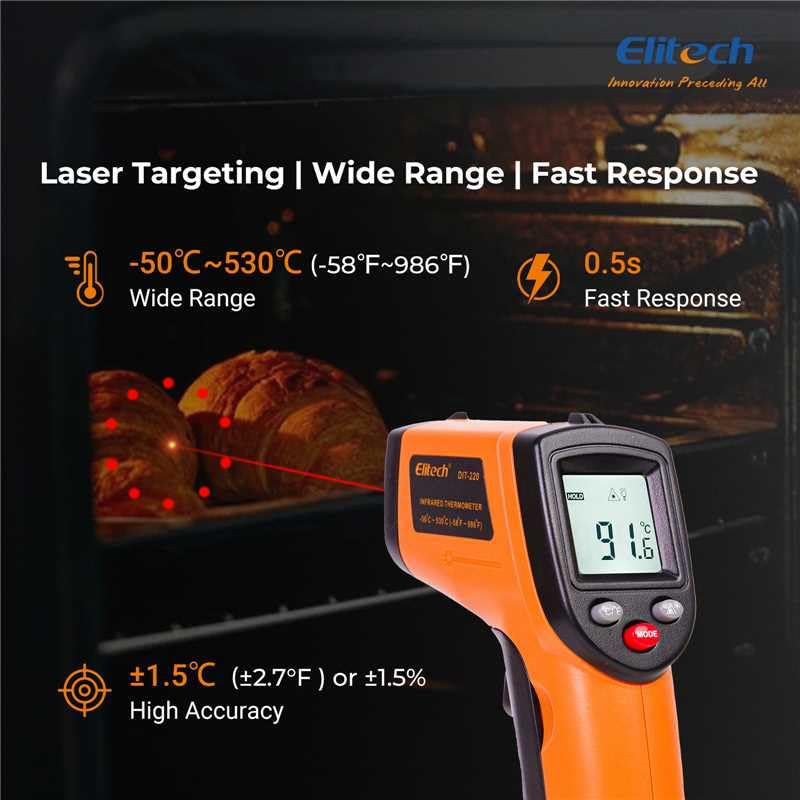
Figi 3: Using the DIT-220 for non-contact temperature measurement with laser targeting.
6.2 Understanding Distance-to-Spot Ratio (D:S)
The DIT-220 has a Distance-to-Spot ratio of 12:1. This means that as you move further from the target, the area being measured (spot size) increases. For accurate readings, ensure the target area is larger than the spot size. For exampSa vle di, nan yon distans 12 pous, tach mezi a ap gen 1 pous an dyamèt.

Figi 4: Illustration of the 12:1 Distance-to-Spot ratio.

Figi 5: Visual guide for maintaining correct measurement distance.
6.3 Ajiste Emisivite
Different materials emit infrared energy differently. The DIT-220 allows you to adjust the emissivity (ε) from 0.10 to 1.00 to compensate for this and achieve more accurate readings. Refer to a standard emissivity table for common materials or adjust empirically.
- Peze a MÒD button to cycle through settings until 'EMS' (Emissivity) is displayed.
- Use the Up/Down arrow buttons to adjust the emissivity value.
- Peze a MÒD bouton ankò pou konfime epi sòti.
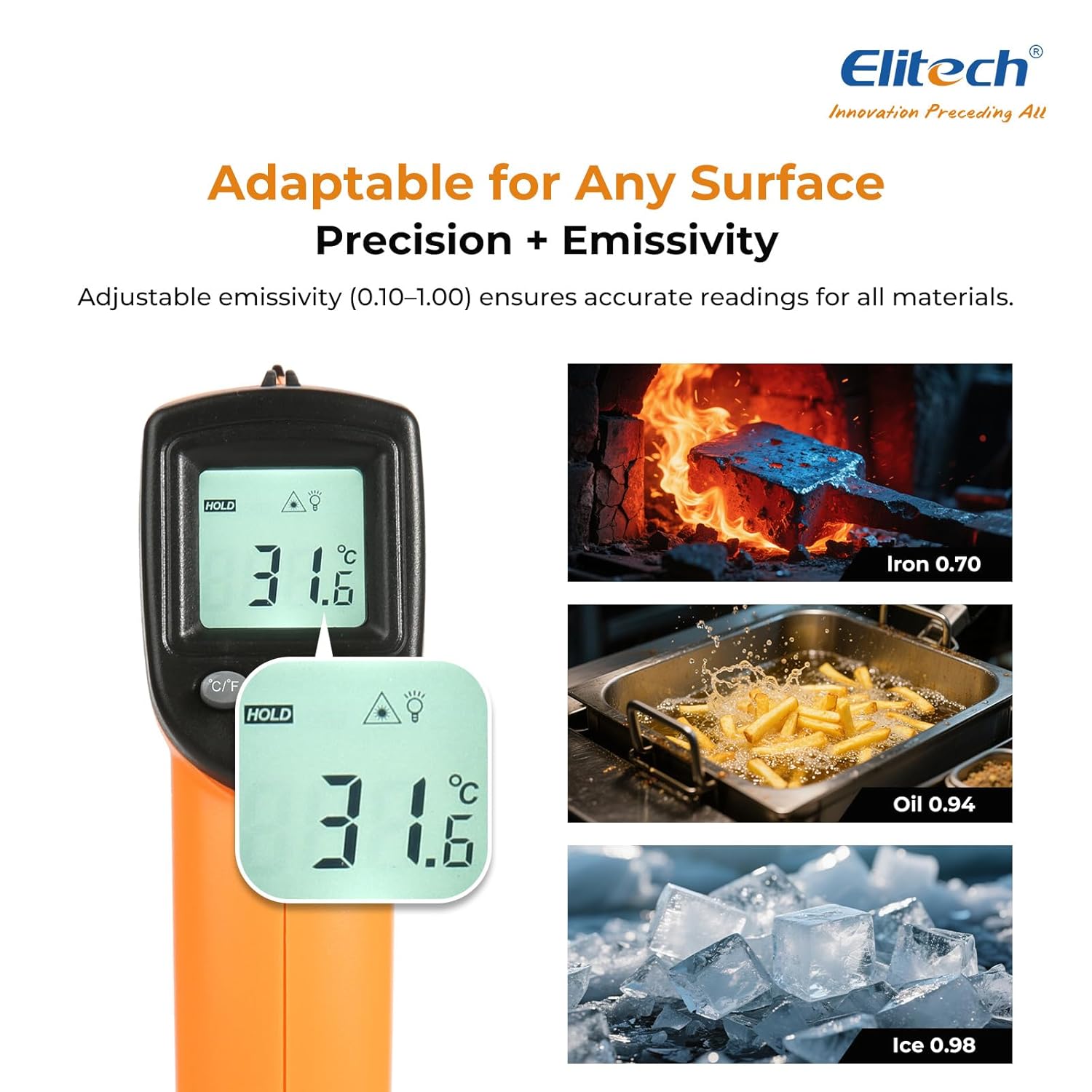
Figi 6: Adjustable emissivity feature and examples for different materials.
6.4 Using MAX/MIN/AVG Modes
These modes are useful for monitoring temperature fluctuations over time.
- While holding the measurement trigger, press the MÒD button repeatedly to cycle through MAX (Maximum), MIN (Minimum), and AVG (Average) display modes.
- The corresponding icon will appear on the screen, showing the respective temperature value recorded during the current measurement session.
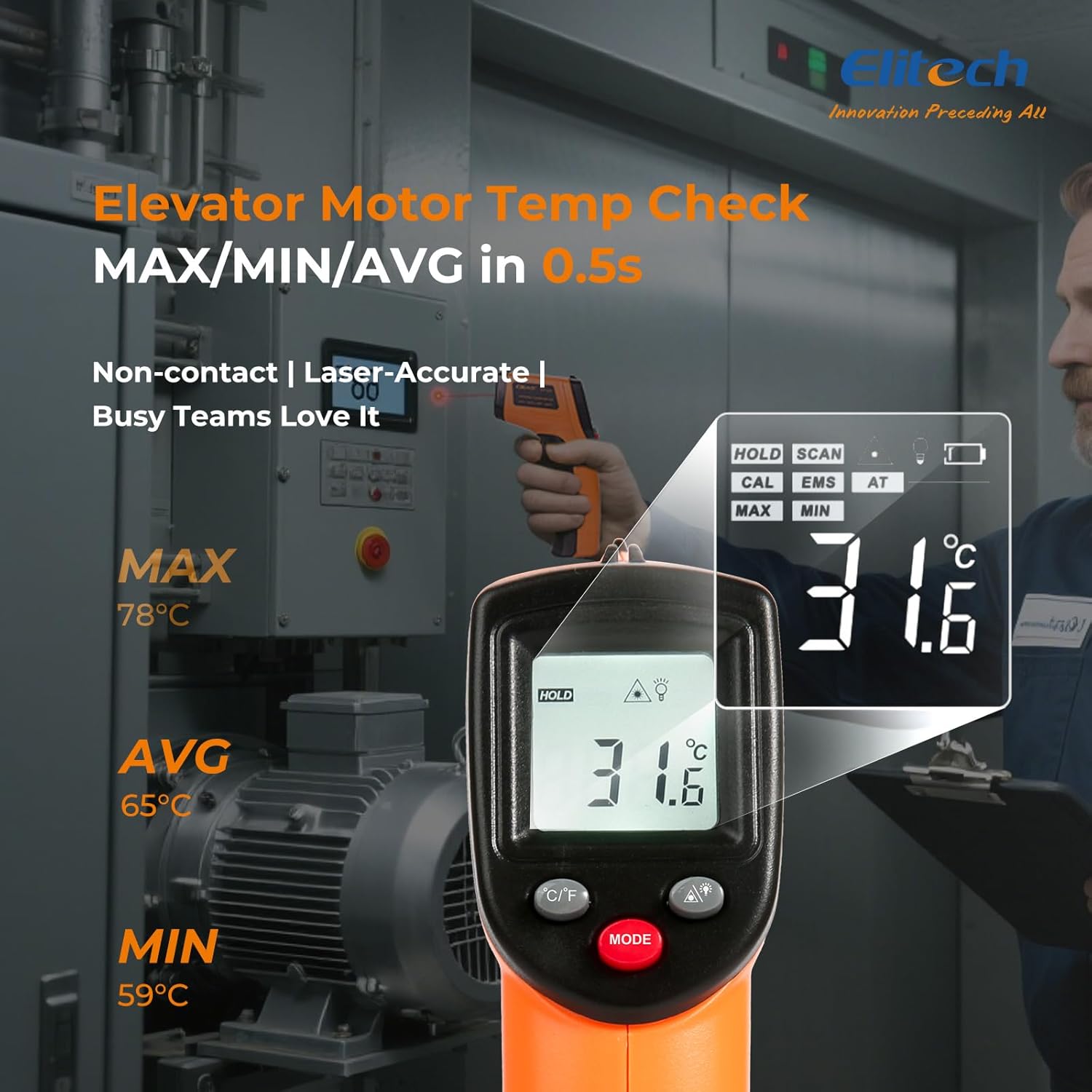
Figi 7: Displaying MAX, MIN, and AVG temperature readings.
6.5 Chanjman Inite Tanperati (°C/°F)
To switch between Celsius and Fahrenheit, press the °C/°F button located on the device.
7. Antretyen
7.1 Netwayaj
- Netwaye lantiy la ak yon mou, damp cloth or cotton swab. Do not use abrasive cleaners or solvents.
- Siye aparèy la casinSiye ak yon twal mou epi sèk.
7.2 Ranplasman batri
When the low battery indicator appears on the display, replace the two AAA batteries as described in the Setup section (5.1 Battery Installation).
7.3 Depo
Store the thermometer in a cool, dry place, away from direct sunlight and extreme temperatures. Remove batteries if storing for extended periods.
NAN. Depanaj
| Pwoblèm | Kòz posib | Solisyon |
|---|---|---|
| Ekran an montre 'Lo' oswa 'Hi' | Tanperati a pa nan limit mezi a. | Ensure the target temperature is within -50°C to 530°C (-58°F to 986°F). |
| Lekti kòrèk | Incorrect emissivity setting; measurement distance too far/close; lens dirty. | Adjust emissivity for the target material. Maintain appropriate D:S ratio. Clean the lens. |
| Aparèy pa limen | Pil yo mouri oswa yo mal enstale. | Replace batteries with new AAA batteries. Check battery polarity. |
| Lazè pa travay | Laser may be disabled or faulty. | Check if the laser function is enabled via the MODE button. If not, contact support. |
9. Espesifikasyon
| Karakteristik | Spesifikasyon |
|---|---|
| Modèl | DIT-220 (EU-DIT-220) |
| Ranje Tanperati | -50 ° C a 530 ° C (-58 ° F a 986 ° F) |
| Presizyon | ±1.5°C (±2.7°F) or ±1.5% (for -50°C to 50°C) |
| Tan repons | 500 milisgond (0.5 segonn) |
| Rapò Distans-a-Pwen (D:S) | 12:1 |
| Emisyon | Reglabl 0.10 - 1.00 |
| Sous pouvwa | 2 x AAA pil (enkli) |
| Kalite ekspozisyon | Digital, Backlit LCD |
| Karakteristik espesyal | Non-contact, Laser Target, MAX/MIN Mode, Auto Calibration |
| Materyèl | Plastik |
| Pwa atik | 30 gram |
| Dimansyon pake | 18.7 x 9.7 x 3.6 cm |
10. Garanti ak sipò
Elitech products are designed for reliability and performance. For warranty information, technical support, or service inquiries, please contact Elitech customer support through their official website or the retailer where the product was purchased. Please have your model number (DIT-220) and purchase date available when contacting support.