
1. Entwodiksyon
Thank you for choosing the Ntaanoo MP51 3-in-1 Magnetic Power Bank. This device is designed to provide convenient and efficient charging for your mobile devices, featuring magnetic wireless charging, a built-in USB-C cable, and an additional USB-C port, along with an integrated stand. Please read this manual thoroughly before use to ensure proper operation and to maximize the product's lifespan.
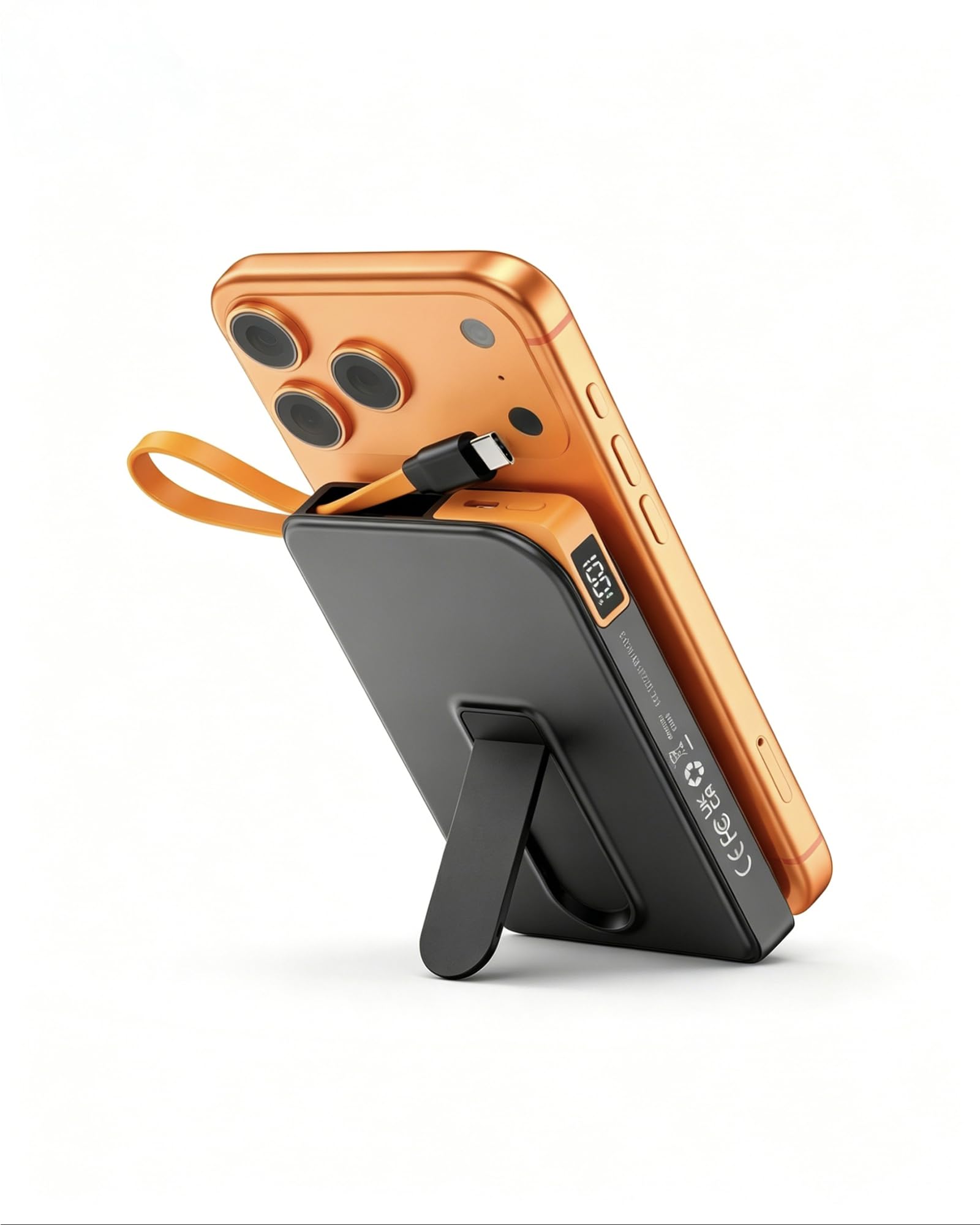
Image: The Ntaanoo MP51 3-in-1 Magnetic Power Bank, highlighting its sleek and portable form factor.
2. Pwodwi souview
The Ntaanoo MP51 is a versatile 10000mAh power bank offering multiple charging solutions. It features a strong magnetic attachment for compatible devices, a built-in USB-C cable, and an additional USB-C port for simultaneous charging of up to three devices. The integrated foldable stand allows for hands-free viewpandan y ap chaje.
Karakteristik kle:
- Kapasite 10000mAh: Bay ample pouvwa pou chaj miltip.
- 3-an-1 chaje: Supports magnetic wireless charging, built-in USB-C cable charging, and external USB-C port charging.
- Chaje rapid: Up to 22.5W wired charging and 5-15W magnetic wireless charging.
- Sipò Pliyab Entegre: For convenient hands-free use in portrait or landscape mode.
- Dirije ekspozisyon dijital: Montre pousantaj batri an tan reyèltage.
- Kontra enfòmèl ant ak pòtab: Designed for easy carrying in pockets or bags.
- Multi-Protection Safety System: Includes temperature, overcharge, and short-circuit safeguards.

Imaj: Detaye view of the Ntaanoo MP51, illustrating its various components and features.
3. Ki sa ki nan bwat la
- 1 x Ntaanoo 10000mAh Magnetic Power Bank (MP51)
- 1 x Built-in USB-C Cable
- 1 x manyèl itilizatè
4. Enstalasyon
Chaje Power Bank la
- Connect the power bank to a power adapter (not included) using the built-in USB-C cable or an external USB-C cable.
- The LED digital display will show the charging progress.
- Once the display shows "100%", the power bank is fully charged.
Pou yon pèfòmans optimal, chaje bank pouvwa a nèt anvan premye itilizasyon li.
5. Operasyon Enstriksyon
5.1 Chaje san fil mayetik
- Ensure your device is MagSafe compatible (e.g., iPhone 12/13/14/15/16/17 series).
- Align the power bank with the back of your MagSafe-compatible device. The magnets will snap into place, and charging will begin automatically.
- The LED display on the power bank will show its remaining charge, and your phone will indicate wireless charging.
Nòt: For best results, use without a case or with a MagSafe-compatible case. Non-MagSafe cases may prevent proper magnetic attachment and charging.

Image: Magnetic attachment of the power bank to an iPhone, showing the charging indicator on the phone screen.
5.2 Wired Charging (Built-in & External USB-C)
- Sèvi ak kab USB-C entegre a: Pull out the integrated USB-C cable from the side of the power bank and plug it directly into your compatible device (e.g., iPhone 15/16/17, Samsung Galaxy, USB-C Android phones).
- Using the External USB-C Port: Connect your device's charging cable to the external USB-C port on the power bank.
- Charging will begin automatically. The power bank can charge up to three devices simultaneously (one wirelessly, one via built-in cable, one via external port).

Image: Illustrates the Ntaanoo MP51 charging three devices concurrently using its magnetic, built-in USB-C, and external USB-C connections.
5.3 Using the Integrated Stand
- Locate the foldable stand on the back of the power bank.
- Gently pull out the stand until it locks into an open position.
- Attach your phone magnetically to the power bank.
- Place the power bank with your attached phone on a flat surface. The stand allows for both vertical and horizontal viewing angles while charging.

Image: The Ntaanoo MP51's foldable stand in use, supporting a phone for hands-free viewpandan chaje.
5.4 Tcheke Nivo Batri
Press the power button on the side of the power bank. The LED digital display will illuminate, showing the current battery percentage.
6. Enfòmasyon sou Sekirite
- Pa ekspoze bank pouvwa a nan tanperati ekstrèm, limyè solèy dirèk, oswa dife.
- Evite lage l, frape l, oswa demonte l.
- Kenbe lwen dlo ak lòt likid.
- Pa sèvi ak li si aparèy la domaje oswa anfle.
- The power bank features built-in protections against overcharge, short-circuit, and high temperatures.
- A slight warming of the device during magnetic charging is normal and safe.
- Kenbe soti nan atenn timoun yo.

Image: Visual representation of the power bank's advanced safety mechanisms.
7. Antretyen
- Netwaye bank ekstèn lan avèk yon twal mou epi sèk. Pa sèvi ak pwodui chimik ki agresif oswa materyèl abrazif.
- Sere aparèy la nan yon kote ki fre, sèk lè li pa itilize.
- Recharge the power bank at least once every three months to maintain battery health.
NAN. Depanaj
Aparèy pa chaje:
- Ensure the power bank itself is charged. Check the LED display.
- For magnetic charging, verify your device is MagSafe compatible and that no non-MagSafe case is interfering.
- For wired charging, ensure cables are securely connected to both the power bank and your device.
- Eseye yon lòt kab chaje oswa adaptè kouran.
Chaje dousman:
- Ensure you are using a fast-charging compatible cable and adapter for the power bank.
- For wireless charging, ensure proper alignment and remove any non-MagSafe cases.
- Chaje plizyè aparèy an menm tan ka diminye vitès chaj endividyèl yo.
Magnetic Attachment is Weak:
- Ensure your phone is MagSafe compatible.
- Remove any non-MagSafe cases or use a MagSafe-compatible case.
- Check for any foreign objects between the power bank and your phone.
9. Espesifikasyon
| Karakteristik | Detay |
|---|---|
| Non modèl | MP51 |
| Kapasite batri | 10000 Miliamp Orè |
| Kalite Connector | USB Type C, Wireless Magnetic |
| Rapid Charging Performance | USB-C Cable UP to 22.5W; Wireless Magnetic UP to 15W |
| Aparèy konpatib | Apple iPhone 12/13/14/15/16/17 series, Samsung Galaxy, most USB-C Android phones |
| Karakteristik espesyal | Built-in Cable, Built-in Stand, Digital Display, Lightweight, Over Charging Protection, Short Circuit Protection, Auto Shut-Off, Fast Charging, Wireless Charging |
| Dimansyon Atik L x W x Epesè | 4.31"L x 2.73"Lajè x 0.69"Epesè |
| Kalite selil batri | Lityòm Polymère |

Image: Compatibility and charge cycle information for different iPhone models.
10. Garanti ak Sipò Kliyan
The Ntaanoo MP51 3-in-1 Magnetic Power Bank comes with a 2-ane garanti. Ntaanoo is committed to delivering high-quality products and offers responsive Sipò kliyan 24 sou 7, XNUMX jou sou XNUMX for any inquiries, repairs, or replacements.
For assistance, please contact Ntaanoo customer support through the official websit entènèt la oswa platfòm acha ou a.