
Entwodiksyon
This manual provides detailed instructions for setting up, operating, maintaining, and troubleshooting your DOOGEE U11 Pro Android 16 Tablet. Please read this manual thoroughly before using your device to ensure optimal performance and longevity.
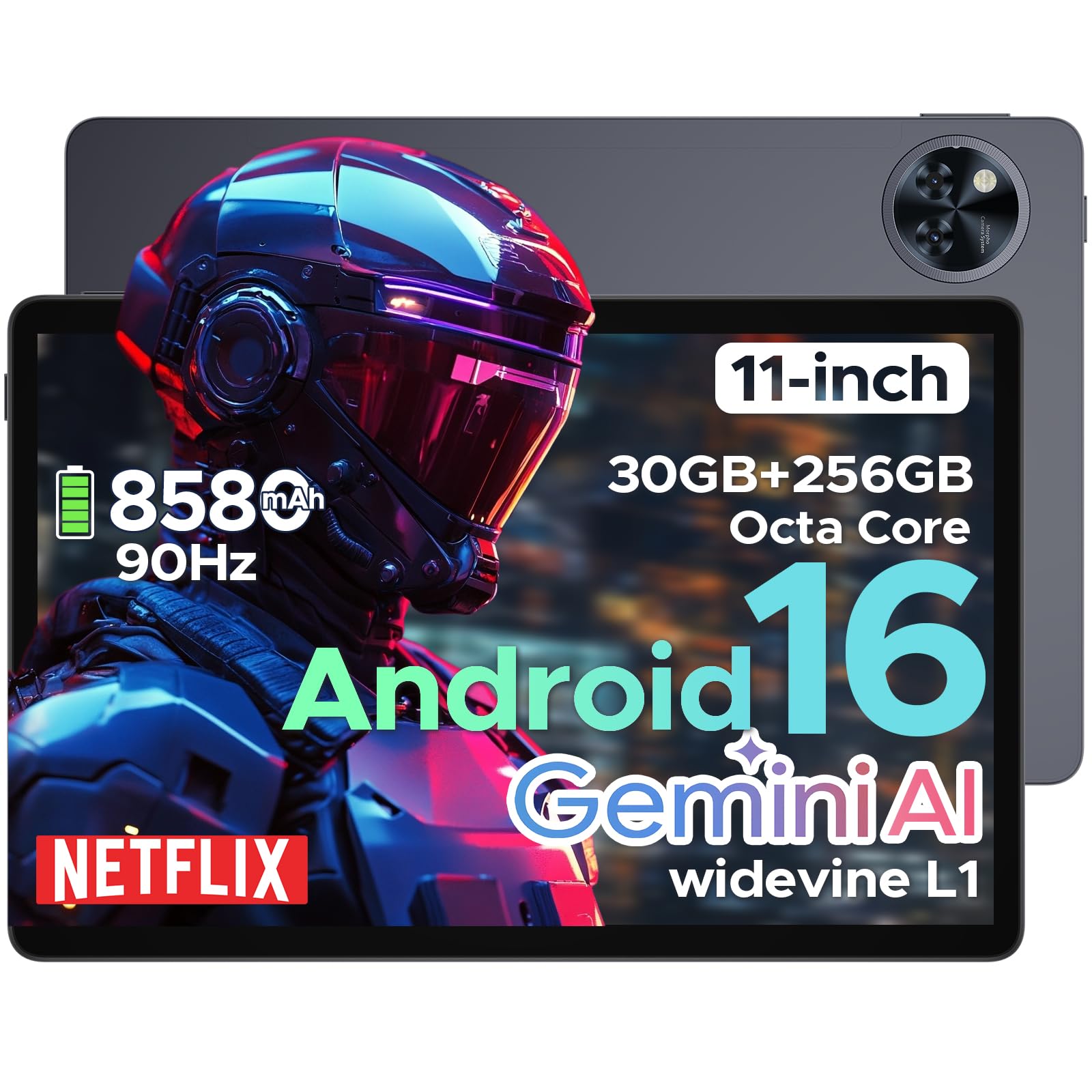
The DOOGEE U11 Pro is an 11-inch tablet featuring the Android 16 operating system with Gemini AI integration. It is powered by a MediaTek Unisoc T7200 octa-core processor, offers 30GB RAM (6GB physical + 24GB expansion) and 256GB internal storage (expandable up to 2TB via MicroSD/TF card). Key features include a 90Hz display, an 8580mAh battery, 13MP rear and 5MP front cameras, Face ID, Bluetooth 5.0, 5G WiFi, and Widevine L1 support for high-definition streaming.
Enstalasyon
1. Pake kontni
Verifye ke tout atik yo prezan nan pakè a:
- DOOGEE U11 Pro Tablet
- Adaptè chaje
- USB-C kab
- Zouti èkstrè SIM
- Gid Quick Start
- Kat Garanti
2. Chaje tablèt la
Before first use, fully charge the tablet. Connect the USB-C cable to the tablet's charging port and the adapter to a power outlet.
Imaj: The DOOGEE U11 Pro tablet connected to a charger, illustrating the charging process.
3. Powering On / Off
- Pou limen: Peze epi kenbe bouton Power la jiskaske logo DOOGEE a parèt.
- Pou etenn: Peze epi kenbe bouton Power la, apresa chwazi "Power Off" nan opsyon yo.
- Pou rekòmanse: Peze epi kenbe bouton Pouvwa a, answit chwazi "Rekòmanse" nan opsyon yo.
4. Inserting SIM/MicroSD Card
Use the provided SIM ejector tool to open the SIM/MicroSD card tray. Insert your SIM card (if applicable) and/or MicroSD card into the designated slots, ensuring correct orientation. Close the tray securely.

Imaj: A close-up of the tablet's side, indicating the location of the SIM/MicroSD card tray.
Enstriksyon Operasyon
1. Android 16 System and Gemini AI
The DOOGEE U11 Pro runs on Android 16, offering enhanced app permission control and privacy features. Integrated Gemini AI intelligently manages system resources for tasks like photo editing and real-time translation, providing a smarter and faster user experience.

Imaj: Visual representation of the Android 16 system interface and Gemini AI capabilities.

Imaj: A comparison chart highlighting improvements in Android 16 over Android 15, including privacy, performance, and user interface enhancements.
2. Ekspozisyon ak Vizyèl
The 11-inch HD IPS display features a 90Hz refresh rate for smooth scrolling and vibrant colors. It supports a resolution of 1280x800 pixels and offers Widevine L1 certification for 1080p HD content streaming on platforms like Prime Video and Netflix.

Imaj: Yon ilistrasyon ki montreasing the 11-inch 90Hz HD IPS display with its key specifications like resolution and refresh rate.

Imaj: A graphic indicating Widevine L1 support for various streaming platforms, ensuring high-quality video playback.
Videyo: This video demonstrates the immersive visual experience of the DOOGEE U11 Pro tablet, highlighting its display quality and smooth operation.
3. Pèfòmans ak Depo
The tablet is equipped with a MediaTek Unisoc T7200 octa-core processor, 30GB RAM (6GB physical + 24GB virtual), and 256GB internal storage. Storage can be expanded up to 2TB using a MicroSD/TF card (sold separately). The built-in Memory Manager helps optimize performance by clearing unnecessary files.

Imaj: Yon entèn view highlighting the Unisoc T7200 Octa-core Processor, 256GB ROM, and 30GB RAM (6GB+24GB virtual).
4. Lavi batri ak chaje
The 8580mAh battery provides extended usage times. AI battery management helps reduce standby power drain. The tablet also supports OTG reverse charging, allowing it to function as a power bank for other devices.

Imaj: A graphic illustrating the 8580mAh battery and estimated usage times for standby, music, video, and web Navigasyon.
Videyo: This video demonstrates the extended power capabilities of the DOOGEE U11 Pro, including its large battery and reverse charging feature.
5. Cameras and Security
The tablet features a 13MP rear camera for capturing documents and photos, and a 5MP front camera optimized with AI for video calls and selfies. Face Unlock provides quick and secure access to your device.

Imaj: A close-up of the tablet's rear camera module, highlighting its design.

Imaj: An image showing the tablet's front camera in use for video calls.
6. Odyo ak Konektivite
Experience clear sound with HD dual speakers. The tablet supports Bluetooth 5.0 for wireless audio and includes a 3.5mm headphone jack. Connectivity options include 5G WiFi and built-in GPS for accurate navigation. It also features an FM Radio function.

Imaj: A visual summary of the tablet's audio features (dual speakers, 3.5mm jack) and connectivity (GPS, WiFi 5).
Videyo: This video highlights the smart, smooth, and safe features of the DOOGEE U11 Pro, including its PC-level WPS Office and FM Radio functions.
Antretyen
- Netwayaj: Sèvi ak yon twal mou ki pa gen pousyè pou netwaye ekran an ak kò a. Evite pwodui chimik ki agresif.
- Mizajou lojisyèl: Tcheke epi enstale mizajou sistèm yo regilyèman pou asire pèfòmans ak sekirite optimal.
- Swen batri: Evite tanperati ekstrèm. Pa kite batri a dechaje nèt souvan.
- Jesyon Depo: Netwaye sa ki pa nesesè detanzantan files ak aplikasyon pou libere espas depo epi kenbe pèfòmans.
Depanaj
1. Tablet Not Turning On
- Ensure the tablet is sufficiently charged. Connect it to a charger for at least 30 minutes.
- Peze epi kenbe bouton Pouvwa a pandan 10-15 segonn pou fòse yon rekòmanse.
2. Aplikasyon ki bloke oswa ki bloke
- Fèmen epi relouvri aplikasyon an.
- Efase kach ak done aplikasyon an nan Anviwònman > Aplikasyon.
- Asire w ke aplikasyon an mete ajou ak dènye vèsyon an.
- Rekòmanse tablèt la.
3. Poor Wi-Fi Connection
- Ensure you are within range of the Wi-Fi router.
- Rekòmanse routeur Wi-Fi ou a ak tablèt la.
- Bliye rezo a nan paramèt Wi-Fi yo epi rekonekte li.
4. Pèfòmans Ralanti
- Fèmen aplikasyon ki pa itilize nan background nan.
- Klè kachèt ak tanporè files using the built-in Memory Manager.
- Asire w ke gen ase espas depo ki disponib.
- Perform a factory reset as a last resort (Nòt: This will erase all data. Back up important files premye).
Espesifikasyon
| Karakteristik | Spesifikasyon |
|---|---|
| Non modèl | U11 Pro |
| Sistèm operasyon | Android 16 |
| Processeur | MediaTek Unisoc T7200 Octa-Core |
| RAM | 30GB (6GB fizik + 24GB ekspansyon) |
| Depo Entèn | 256GB |
| Depo dilatabl | Jiska 2TB atravè kat MicroSD/TF |
| Gwosè ekran | 11 pous |
| Rezolisyon ekran | 1280 x 800 piksèl |
| Rafrechisman pousantaj | 90Hz |
| Kapasite batri | 8580mAh |
| Kamera dèyè | 13MP |
| Kamera devan | 5MP |
| Kalite san fil | 802.11ax (5G WiFi) |
| Bluetooth | Bluetooth 5.0 |
| Dimansyon (LxWxH) | 10.13 x 6.65 x 0.31 pous |
| Koulè | Gray (variant specific) |
| Karakteristik espesyal | Gemini AI, Widevine L1, Face ID, OTG Reverse Charging, HD Dual Speakers, GPS, FM Radio, Built-in PC-level WPS Office |
Garanti ak sipò
DOOGEE offers comprehensive support for its products:
- Garanti 30 jou pou ranbousman: Si ou pa satisfè ak acha ou a, ou ka retounen li nan 30 jou pou yon ranbousman konplè.
- 2-ane garanti limite: The DOOGEE U11 Pro Tablet comes with a 2-year limited warranty covering manufacturing defects.
- 24/7 Sipò sou entènèt: For any technical assistance or inquiries, please contact DOOGEE customer service available 24/7.
For more information, please visit the official DOOGEE websit la oubyen gade kat garanti ki nan pakè w la.