
1. Entwodiksyon
Thank you for choosing the roborock Q10 S5 Robot Vacuum and Mop Cleaner. This manual provides essential information for setting up, operating, and maintaining your device to ensure optimal performance and longevity. Please read this manual thoroughly before using the product and keep it for future reference.
2. Enfòmasyon sou Sekirite
To reduce the risk of injury, electric shock, fire, or damage, please observe the following safety precautions:
- Timoun ki gen laj 8 an ak pi wo a ak moun ki gen kapasite fizik, sansoryèl oswa mantal redwi oswa ki pa gen eksperyans ak konesans yo kapab itilize aparèy sa a si yo te ba yo sipèvizyon oswa enstriksyon konsènan itilizasyon aparèy la an sekirite epi yo konprann danje ki genyen ladan yo. .
- Timoun yo ta dwe sipèvize pou asire ke yo pa jwe ak aparèy la.
- Netwayaj ak antretyen itilizatè pa dwe fèt pa timoun san sipèvizyon.
- Do not use the robot in areas with open flames or fragile objects.
- Asire w ke waf chaje a mete sou yon sifas ki plat kont yon miray.
- Only use the original power adapter provided with the device.
- Do not expose the robot to direct sunlight or moisture.
- Before cleaning, remove power cords, small objects, and fragile items from the floor.
3. Pwodwi souview
Familiarize yourself with the components of your roborock Q10 S5 robot vacuum.
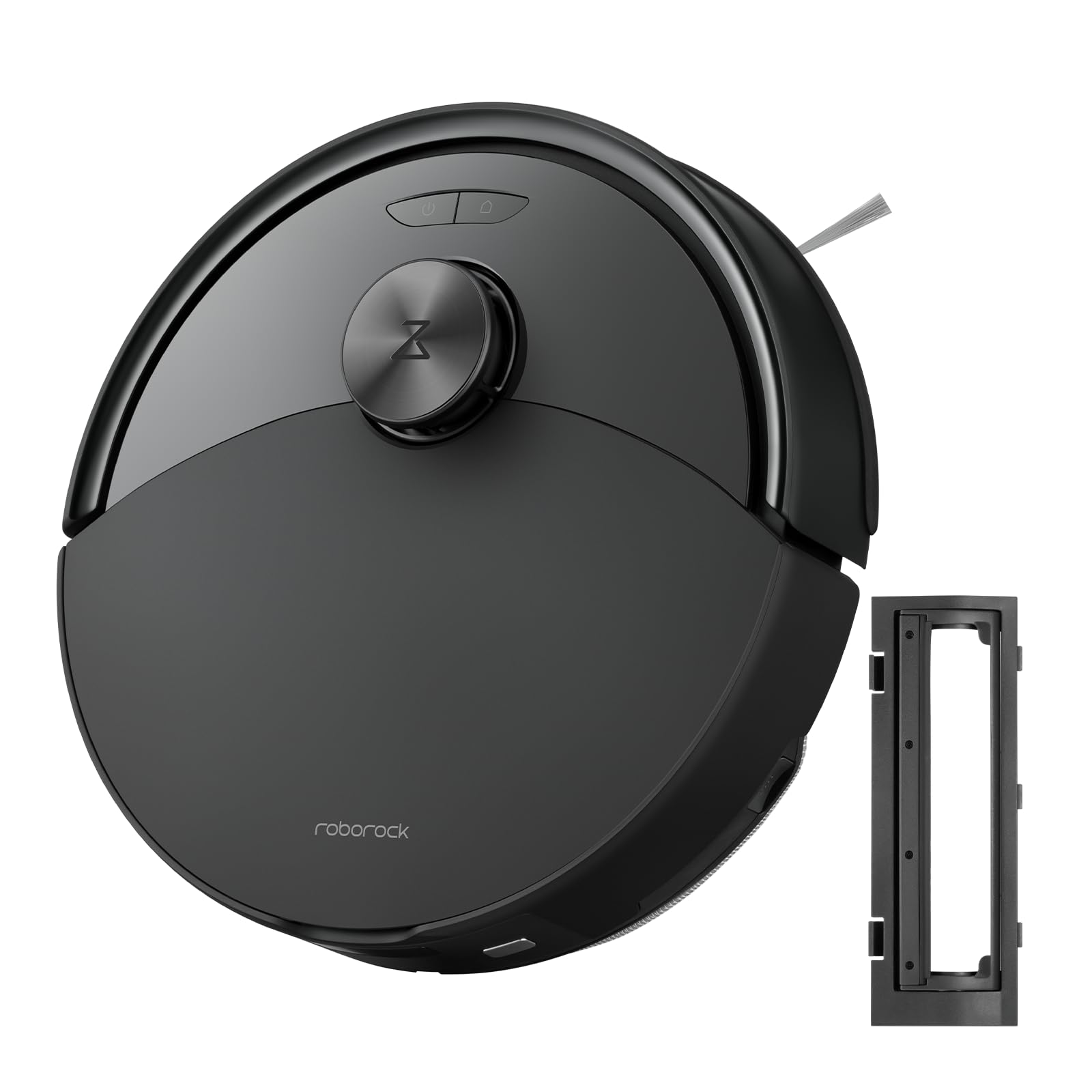
Figi 1: The roborock Q10 S5 Robot Vacuum and Mop Cleaner. This image shows the top view of the robot, highlighting its sleek black design and main control buttons.
Konpozan robo:
- Kouvri Top: Lifts to reveal the dustbin and Wi-Fi indicator.
- Pouvwa/Pwòp bouton: Press to start/pause cleaning, hold to turn on/off.
- Dock/Spot Clean Button: Press to send the robot back to the dock, hold for spot cleaning.
- Capteur LDS: For navigation and mapping.
- Eksepsyonèl: Detects obstacles.
- Bwòs bò: Bale debri sou kwen ak bor yo.
- Bwòs prensipal: Collects dirt and debris from floors. Features a floating design for better contact.
- Rou Omnidireksyonèl: For movement.
- Kontak chaje: Li konekte ak waf chaje a.
- Capteur falèz: Anpeche robo a tonbe nan eskalye yo.
- Tank dlo ak pad mop: For mopping functionality.
Waf chaje:
- Dock Location Beacon: Helps the robot locate the dock.
- Kontak chaje: Transfers power to the robot.
- Power Cable Port: Konekte adaptè pouvwa a.
4. Enstalasyon
- Depake robo a: Carefully remove the robot and all accessories from the packaging. Remove any protective films or shipping materials.
- Enstale bwòs bò a: Press the side brush onto its post until it clicks into place.
- Mete Dock Chaje a:
- Mete waf chaje a sou yon sifas ki di, plat, kont yon miray.
- Ensure there is at least 0.5 meters (1.6 feet) of clear space on both sides and 1.5 meters (4.9 feet) in front of the dock.
- Konekte kab kouran an nan dock chaje a epi branche li nan yon priz miray.
- Inisyal chaj: Place the robot on the charging dock. The robot will automatically turn on and begin charging. For first-time use, fully charge the robot before operation (approximately 4-6 hours). The power indicator light will breathe white during charging and turn solid white when fully charged.
- Telechaje App a: Chèche pou "Roborock" in the App Store or Google Play Store, or scan the QR code on the packaging to download and install the app.
- Konekte ak Wi-Fi:
- Open the Roborock app and follow the on-screen instructions to add your device.
- Asire w ke telefòn ou konekte ak yon rezo Wi-Fi 2.4 GHz.
- Peze epi kenbe la Waf epi Pouvwa buttons simultaneously for 3 seconds until you hear the "Resetting Wi-Fi" voice alert.
- Follow the app's instructions to complete the connection.
5. Operasyon Enstriksyon
Kòmanse yon netwayaj:
- Soti nan Robo: Peze a Pouvwa button once. The robot will start cleaning.
- Soti nan aplikasyon an: Open the Roborock app and tap the "Clean" button.
Pausing/Resuming/Stopping:
- Pòz: Peze nenpòt bouton sou robo a oubyen tape "Pòz" nan aplikasyon an.
- Rezime: Peze a Pouvwa button or tap "Resume" in the app.
- Sispann: To stop a cleaning cycle, press the Waf button to send the robot back to the charging dock, or tap "Stop" in the app.
Fonksyon Mopping:
- Ranpli tank dlo: Open the water tank cover, fill with clean water, and close securely.
- Mete kousen mop la: Wet the mop pad and wring it out. Slide it into the mop pad slot until it is securely attached.
- Start Mopping: The robot will automatically detect the mop module and switch to mopping mode. You can adjust water flow levels in the app.
Karakteristik aplikasyon:
- Jesyon Kat: Create and save maps, set no-go zones, virtual walls, and invisible barriers.
- Netwayaj Chanm Selektif: Choose specific rooms to clean.
- Pwograme netwayaj: Set cleaning schedules for different times and days.
- Custom Cleaning Modes: Ajiste puisans aspirasyon an ak nivo koule dlo a.
- Kontwòl Remote: Kontwole mouvman robo a manyèlman.
6. Antretyen
Regular maintenance ensures your roborock Q10 S5 operates efficiently. Always turn off the robot and unplug the charging dock before performing any maintenance.
Dustbin and Filter (Weekly):
- Lift the top cover of the robot.
- Retire poubèl la.
- Louvri kouvèti bwat fatra a epi vide sa ki ladan l nan yon bwat fatra.
- Remove the filter. Tap it gently to remove dust. The filter can be rinsed with water; ensure it is completely dry before reinstallation (allow 24 hours).
- Rinse the dustbin with water if necessary and allow it to dry completely.
- Reinstall the dry filter and dustbin.
Main Brush (Weekly):
- Vire robo la sou.
- Press the tabs to remove the main brush cover.
- Retire bwòs prensipal la.
- Use the cleaning tool (if provided) or scissors to cut and remove any hair or debris tangled around the brush.
- Reinstall the main brush and cover, ensuring it clicks into place.
Side Brush (Monthly):
- Devise bwòs bò a.
- Remove any hair or debris.
- Reattach and tighten the screw.
Sensors and Charging Contacts (Monthly):
- Siye tout detèktè yo (detèktè falèz, detèktè miray, fenèt detèktè LDS) ak kontak chaje yo sou robo a ak sou waf la ak yon twal mou epi sèk.
Mop Pad (After Each Use):
- Retire pad mop la nan tank dlo a.
- Rinse thoroughly with water and allow it to air dry completely before next use.
NAN. Depanaj
If you encounter issues with your robot, please refer to the following table before contacting support.
| Pwoblèm | Kòz posib | Solisyon |
|---|---|---|
| Robo pa limen. | Batri a fèb oswa li pa chaje. | Mete robo a sou baz chaj la epi asire w ke l ap chaje. |
| Robo pa ka konekte ak Wi-Fi. | Modpas Wi-Fi ki pa kòrèk, rezo 5GHz, oswa siyal ki fèb. | Ensure correct 2.4GHz Wi-Fi, reset Wi-Fi on robot, move closer to router. |
| Robo a bloke souvan. | Obstacles, tangled cables, or dirty sensors. | Clear floor, clean sensors, use no-go zones in app. |
| Pòv pèfòmans netwayaj. | Full dustbin, dirty filter, tangled brushes. | Empty dustbin, clean/replace filter, clean main/side brushes. |
| Robo a fè yon bri dwòl. | Debris in main brush, side brush, or wheels. | Inspect and clean all brushes and wheels for obstructions. |
If the problem persists, please refer to the Roborock app for more detailed error messages or contact customer support.
8. Espesifikasyon
| Karakteristik | Detay |
|---|---|
| Modèl | Q10 S5 |
| Dimansyon | Apeprè 353 x 350 x 96.5 mm (13.9 x 13.8 x 3.8 pous) |
| Pwa | Apeprè. 3.7 kg (8.16 liv) |
| Batri | Lithium-Ion (Capacity not specified, typical for robot vacuums) |
| Rated pouvwa | Approx. 60W (Typical for robot vacuums) |
| Kapasite pou fatra | Approx. 470 ml (Typical for robot vacuums) |
| Kapasite tank dlo | Approx. 300 ml (Typical for robot vacuums) |
| Pouvwa pou aspirasyon | Up to 10,000 Pa (HyperForce Suction Power from feature bullets) |
| Koneksyon Wi-Fi | 2.4 GHz |
Remak: Espesifikasyon yo ka chanje san avètisman.
9. Garanti ak sipò
roborock products are manufactured to the highest quality standards. For detailed warranty information, please refer to the warranty card included in your product packaging or visit the official roborock website. For technical support, troubleshooting assistance, or to purchase replacement parts, please contact roborock customer service through the app or their official websit.
Ofisyèl Websit: www.roborock.com