
1. Enfòmasyon enpòtan sou sekirite
Please read this manual carefully before using the MiLESEEY S50 Laser Distance Meter. Failure to follow these instructions may result in laser radiation exposure, electric shock, fire, or serious injury.
Sekirite lazè
The MiLESEEY S50 emits Class II laser radiation. Do not stare directly into the laser beam. Direct exposure to the laser beam may cause eye injury.
- Kalite lazè: Class II Green Laser (500-530nm, <1mW) and Class II Red Side Laser (630-670nm, <1mW).
- Never look directly into the laser beam or point it at other people.
- Pa demonte oswa modifye aparèy la.
- Kenbe aparèy la pa rive nan men timoun yo.
2. Pwodwi souview
The MiLESEEY S50 is a professional laser distance meter designed for accurate and efficient measurements in various environments. It features advanced green laser technology for enhanced visibility and a wide range of measurement functions.
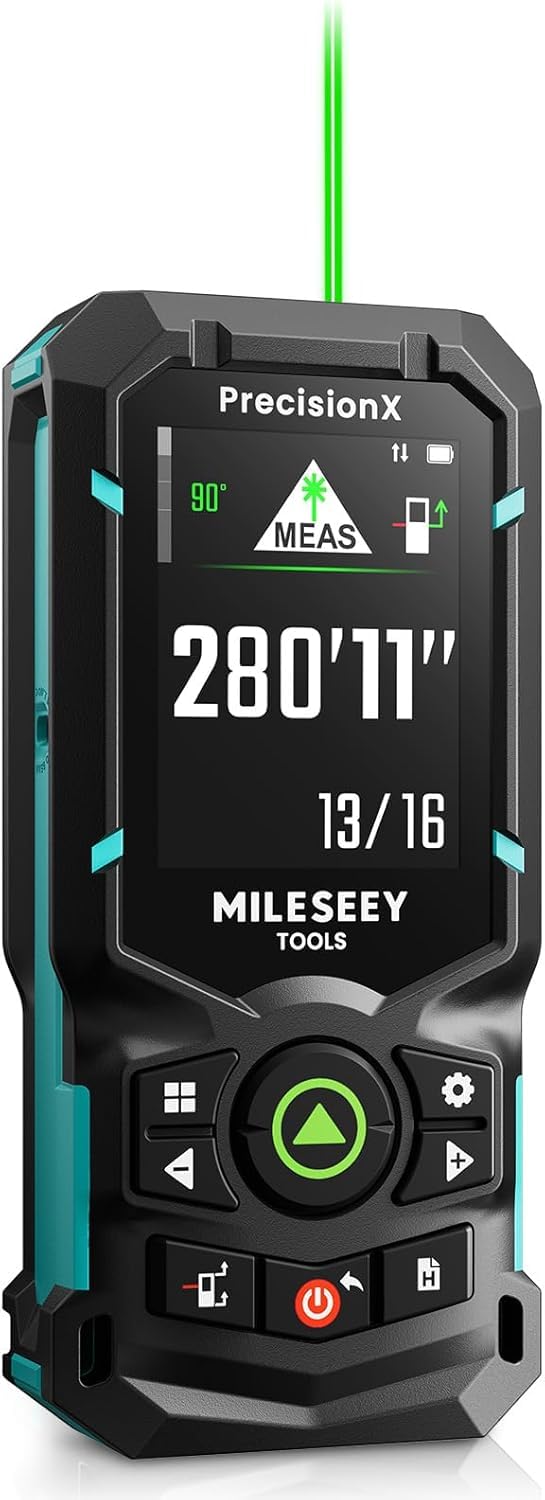
Image: The MiLESEEY S50 Professional Green Laser Distance Meter.
Karakteristik kle
- 4x Brighter Green Laser: Provides superior visibility compared to standard red lasers, especially in outdoor conditions.
- High Precision & Speed: Utilizes MILESEEY's patented PowerBurst™ technology for stable measurements up to 120m with ±1.5mm accuracy, even in challenging conditions. Up to 8 measurements per second.
- 18 Measurement Modes: Includes P2P (Point-to-Point), area, volume, indirect measurements, continuous measurement, and more.
- Flexible References & Units: Easily switch between 4 reference points (front, rear, tripod, lateral laser) and 8 units (ft, 0'00"1/32, 0'00"1/16, in1/32, in1/16, in1/16, cm, m).
- 6.1 cm IPS Backlit Screen: High-resolution display with automatic black and white background switching for clear readings in various lighting conditions.
- Rechargeable NiMH Batteries: Powered by 2xAA 1800mAh NiMH batteries, offering all-day use and USB-C charging.
- Entegrasyon Aplikasyon Entelijan: Streamline workflow with smart applications for visualizing measurements on floor plans, exporting data, creating reports, and unlimited cloud storage.
- Konsepsyon dirab: Constructed from robust engineering plastic, IP54 dust and water-resistant.

Image: Enhanced visibility of the green laser beam.

Image: PowerBurst technology for consistent precision.

Image: The 6.1 cm IPS backlit screen in different lighting conditions.
Kontni pake
The MiLESEEY S50 package includes:
- 1 x MiLESEEY S50 Laser Distance Meter
- 1 x Ka Depo
- 1 x Lanyard
- 2 x Pil AA NiMH rechargeable
- 1 x USB-C chaje kab
- 1 x manyèl itilizatè
- 1 x Gid Quick Start

Image: Contents of the MiLESEEY S50 box.
3. Enstalasyon
Enstalasyon batri ak chaje
The MiLESEEY S50 uses 2xAA NiMH rechargeable batteries. Ensure batteries are correctly inserted according to polarity markings. For optimal performance, fully charge the batteries before first use.
- Louvri kouvèti lòj batri a.
- Insert the 2xAA NiMH batteries, observing the correct polarity.
- Fèmen kouvèti lòj batri a byen.
- Connect the device to a power source using the provided USB-C cable for charging. The screen will indicate charging status.

Image: MiLESEEY S50 with batteries and USB-C charging cable.
Limen / Off
- Pou pouvwa sou, peze la Pouvwa bouton.
- Pou koupe pouvwa a, peze epi kenbe Pouvwa bouton an pou kèk segonn. Aparèy la ap etenn otomatikman apre yon peryòd inaktivite pou konsève batri.
4. Operasyon Enstriksyon
Mezi debaz
To perform a single distance measurement:
- Dirije lazè a sou sifas sib la.
- Peze a MEAS button (green triangle). The measurement will be displayed on the screen.
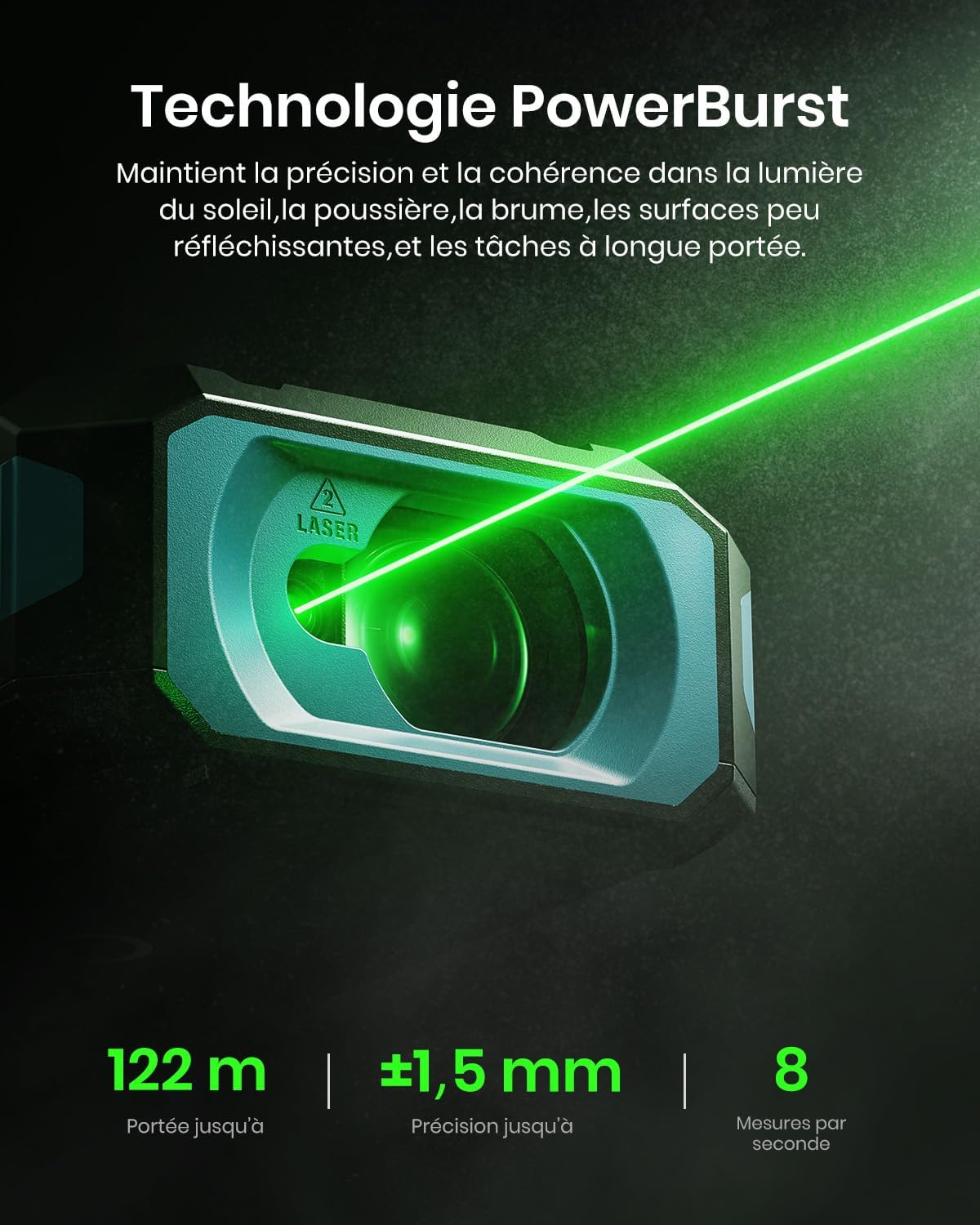
Image: Performing a basic distance measurement.
Changing Units and Reference Points
- Peze a Inite button to cycle through available measurement units (e.g., meters, feet, inches).
- Peze a Referans button to change the measurement reference point (front, rear, tripod, lateral laser).
Chwazi mòd mezi
The MiLESEEY S50 offers 18 different measurement modes. Press the Mode button to cycle through the available functions. The screen will display an icon representing the selected mode.

Image: Visual representation of the 18 measurement modes.
5. Karakteristik avanse
P2P (Point-to-Point) Measurement
The P2P mode allows you to measure the distance between two points from a single location, which is particularly useful for inaccessible areas.
- Select the P2P measurement mode.
- Aim the laser at the first target point and take a measurement.
- Aim the laser at the second target point and take another measurement.
- The device will calculate and display the distance between the two points.

Image: Demonstrating P2P measurement functionality.
Smart App Entegrasyon
Connect your MiLESEEY S50 to the Smart Life app for enhanced functionality and data management.
- Telechaje aplikasyon "Smart Life" la nan magazen aplikasyon aparèy ou an.
- Follow the in-app instructions to pair your S50 device via Bluetooth.
- Yon fwa konekte, ou kapab view measurements on floor plans, export data, create reports, and utilize unlimited cloud storage for your projects.

Image: Smart Life app integration with the MiLESEEY S50.
Lateral Laser Alignment
The red lateral laser alignment feature helps in precise alignment and layout tasks, providing visible markers up to 1 meter.

Image: Using the red lateral laser for alignment.
6. Antretyen
- Netwaye aparèy la regilyèman ak yon mou, damp twal. Pa sèvi ak pwodui netwayaj abrazif oswa solvang.
- Ensure the laser lens is clean and free from dust or debris for accurate measurements.
- Sere aparèy la nan bwat pwoteksyon li lè w pa itilize li pou evite domaj.
- Si aparèy la pa pral itilize pou yon peryòd pwolonje, retire pil yo.
NAN. Depanaj
| Pwoblèm | Kòz posib | Solisyon |
|---|---|---|
| Aparèy pa limen. | Low or depleted batteries; incorrectly inserted batteries. | Charge or replace batteries; check battery polarity. |
| Mezi ki pa kòrèk. | Dirty laser lens; unstable measurement surface; extreme environmental conditions. | Clean the lens; ensure a stable measurement; avoid measuring in conditions outside specified operating range. |
| Reyon lazè a pa vizib. | Limyè anbyen klere; lazè a etenn. | Use in lower light conditions or use the green laser for better visibility; ensure laser is activated. |
| Cannot connect to Smart Life app. | Bluetooth is off; device not in pairing mode; app issues. | Ensure Bluetooth is enabled on your phone; restart both devices; check app permissions. |
8. Espesifikasyon
| Karakteristik | Detay |
|---|---|
| Mak | Mileseey |
| Nimewo Modèl | S50 |
| Ranje Mezi | Jiska 120m |
| Presizyon Mezi | ± 1.5 mm |
| Laser Type (Main) | Class II Green Laser (500-530nm, <1mW) |
| Laser Type (Lateral) | Class II Red Laser (630-670nm, <1mW) |
| Ekspozisyon | 6.1 cm IPS Backlit Screen |
| Sous pouvwa | 2xAA NiMH 1800mAh Rechargeable Batteries |
| Port chaje | USB-C |
| Materyèl | Akrilonitril Butadien Styrene, Kawoutchou |
| Rezistans dlo | IP54 (Rezistan a pousyè ak dlo) |
| Pwa | 150 gram |
9. Garanti ak sipò
The MiLESEEY S50 Laser Distance Meter comes with a Garanti manifakti 24 mwa soti nan dat acha a. Garanti sa a kouvri domaj nan materyèl ak atizan konn fè nan itilizasyon nòmal.
For warranty claims, technical support, or any inquiries, please contact Mileseey customer service through the retailer where the product was purchased or visit the official Mileseey websit pou enfòmasyon kontak.
Tanpri konsève prèv acha ou a pou validasyon garanti a.