
1. Entwodiksyon
This manual provides essential information for the setup, operation, maintenance, and troubleshooting of your NIMO 17.3-inch FHD IPS Laptop, model Nimo N176. Please read this guide thoroughly to ensure proper use and to maximize the lifespan of your device.

Image 1.1: The NIMO 17.3-inch FHD IPS Laptop, model Nimo N176, showcasing its full display and keyboard.
2. Pake kontni
Verifye ke tout atik ki nan lis anba a yo enkli nan anbalaj pwodwi ou a:
- 1 x Nimo N176 Laptop
- 1 x Chargeur rapid Kalite-C 65W PD
- 1 x Manyèl Itilizatè (dokiman sa a)
- Windows 11 Home Operating System (pre-installed)
3. Enstalasyon
3.1 Premye pouvwa sou
- Unpack the laptop and charger from the box.
- Connect the Type-C 65W PD Fast Charger to the laptop's Type-C port and a power outlet.
- Louvri kouvèti laptop la. Laptop la ka limen otomatikman, oubyen ou ka bezwen peze bouton pouvwa ki sitiye sou klavye a.
- Follow the on-screen instructions to complete the initial Windows 11 setup, including language, region, network connection, and user account creation.
3.2 Chaje òdinatè pòtab la
The NIMO laptop includes a Type-C 65W PD fast charger and a 6.56ft USB-C to USB-C cable. This charger supports Power Delivery (PD) for efficient charging.
- Connect the charger to the laptop's Type-C port.
- A full charge provides approximately 5 hours of average battery life.
- The charger can also be used to charge other compatible USB-C devices such as tablets and smartphones.

Image 3.2: The included Type-C 65W PD Fast Charger and USB-C cable, capable of charging the laptop and other compatible devices.
3.3 Enstalasyon Lektè Anprent Dwèt
The laptop features a built-in fingerprint sensor on the touchpad for secure and quick login.
- Navigate to Windows Settings > Accounts > Sign-in options.
- Locate the 'Fingerprint recognition (Windows Hello)' section.
- Follow the on-screen prompts to register your fingerprint. You may need to set up a PIN first.
- Once registered, you can use your fingerprint to unlock the laptop.

Image 3.3: Close-up of the touchpad showing the integrated fingerprint sensor for one-touch secure login.
4. Operasyon Enstriksyon
4.1 Keyboard Backlight
The NIMO N176 laptop is equipped with a backlit keyboard for improved visibility in low-light conditions.
- To toggle the backlight on/off or adjust its brightness, use the dedicated function keys (usually Fn + Fx, where Fx is a specific function key with a backlight icon). Refer to the keyboard layout for the exact key combination.
Image 4.1: The backlit keyboard illuminated, demonstrating its utility for typing in dim environments.
4.2 Webcam Privacy Switch
For enhanced privacy, the laptop features a physical switch to disable the webCam.
- Locate the small physical switch next to the webcam lens at the top of the display.
- Slide the switch to cover the lens for privacy. Slide it back to uncover the lens and enable the webCam.

Image 4.2: The laptop's integrated webcam with its physical privacy switch, shown in both open and closed positions.
4.3 Pò koneksyon
The Nimo N176 laptop offers various ports for connecting external devices:
- USB 2.0 pò: 1 port, typically for peripherals like mice or keyboards.
- Pò USB 3.0: 3 ports, for high-speed data transfer with compatible devices.
- Type-C Port (PD Charge Only): For power input using the provided charger.
- Type-C Port (Multifunction): Supports data transfer and potentially video output (check specific model capabilities).
- HDMI Port: Pou konekte ak ekran ekstèn oswa pwojektè.
- Kas ekoutè Jack: Pou pwodiksyon odyo nan kas ekoutè oswa oratè ekstèn.
- Mikwo SD kat plas: For expanding storage or transferring data from memory cards.
- Fant Kensington Lock: Pou sekirite fizik laptop la.

Image 4.3: Diagram illustrating the various connectivity ports available on the NIMO N176 laptop, including USB, HDMI, and Type-C ports.
5. Antretyen
5.1 RAM and SSD Upgrade
The NIMO N176 laptop is designed to support user-upgradable RAM and SSD components.
- Avètisman: Opening the laptop to perform upgrades may void your warranty if not done correctly or if damage occurs. Consult professional assistance if you are unsure.
- Ensure the laptop is powered off and disconnected from the charger before attempting any internal modifications.
- Refer to the detailed service manual (if available) or contact NIMO support for specific instructions on accessing and replacing RAM and SSD modules.
Imaj 5.1: Entèn view of the NIMO laptop, highlighting the locations of the RAM and SSD for potential upgrades.
5.2 Netwaye òdinatè pòtab ou a
Regular cleaning helps maintain the laptop's appearance and performance.
- Ekran: Sèvi ak yon twal mou ki pa gen pousyè, espesyalman fèt pou aparèy elektwonik.ampen it slightly with water or a screen cleaner. Avoid harsh chemicals.
- Klavye ak chasi: Sèvi ak yon twal mou. Pou pousyè tè ki difisil pou retire, yon ti kras mouye.ampened cloth with mild soap solution can be used, ensuring no liquid enters openings. Compressed air can remove dust from between keys.
- Always power off the laptop and disconnect it from power before cleaning.
NAN. Depanaj
This section addresses common issues you might encounter with your NIMO N176 laptop.
- Laptop la pa limen: Ensure the charger is properly connected and the power outlet is functional. Try a different outlet. If the battery is completely drained, it may take a few minutes of charging before the laptop responds.
- Ekran an vid: Check if the laptop is powered on. Try connecting an external monitor to see if there's a display output. Adjust screen brightness using function keys.
- Pwoblèm koneksyon Wi-Fi: Ensure Wi-Fi is enabled in Windows settings. Restart your router and the laptop. Check for updated network drivers.
- Pèfòmans ralanti: Close unnecessary applications. Check for sufficient free space on the SSD. Run a virus scan. Consider upgrading RAM or SSD if performance remains consistently low.
- Klavye a oswa touchpad la pa reponn: Restart the laptop. Check for updated drivers in Device Manager. Ensure the touchpad hasn't been accidentally disabled via a function key.
For more complex issues or if the problem persists, please refer to the Warranty and Support section for contact information.
7. Espesifikasyon
Detailed technical specifications for the NIMO N176 laptop:
| Karakteristik | Spesifikasyon |
|---|---|
| Mak | NIMO |
| Non modèl | Nimo N176 |
| Gwosè ekran | 17.3 pous |
| Rezolisyon ekran | 1920 x 1080 piksèl (FHD IPS) |
| Processeur | Intel Pentium N100 (4 Cores, up to 3.4GHz) |
| RAM | 8 GB DDR4 (3200 MHz) |
| Disk Drive | 512 GB SSD (PCIe) |
| Koprosesè grafik | Grafik entegre (Intel) |
| Sistèm operasyon | Windows 11 Kay |
| Kalite san fil | Wi-Fi 6 (802.11a/b/g/n/ac), Bluetooth 5.2 |
| Pò USB | XNX x USB NAN, X NAN X USB NAN |
| Lòt pò | HDMI, Type-C (PD Charge Only), Type-C (Multifunction), Headphone Jack, Micro SD Slot |
| Webkam | 2 MP dèyè Webcam Resolution (Note: Front webcam is typically 720p HD) |
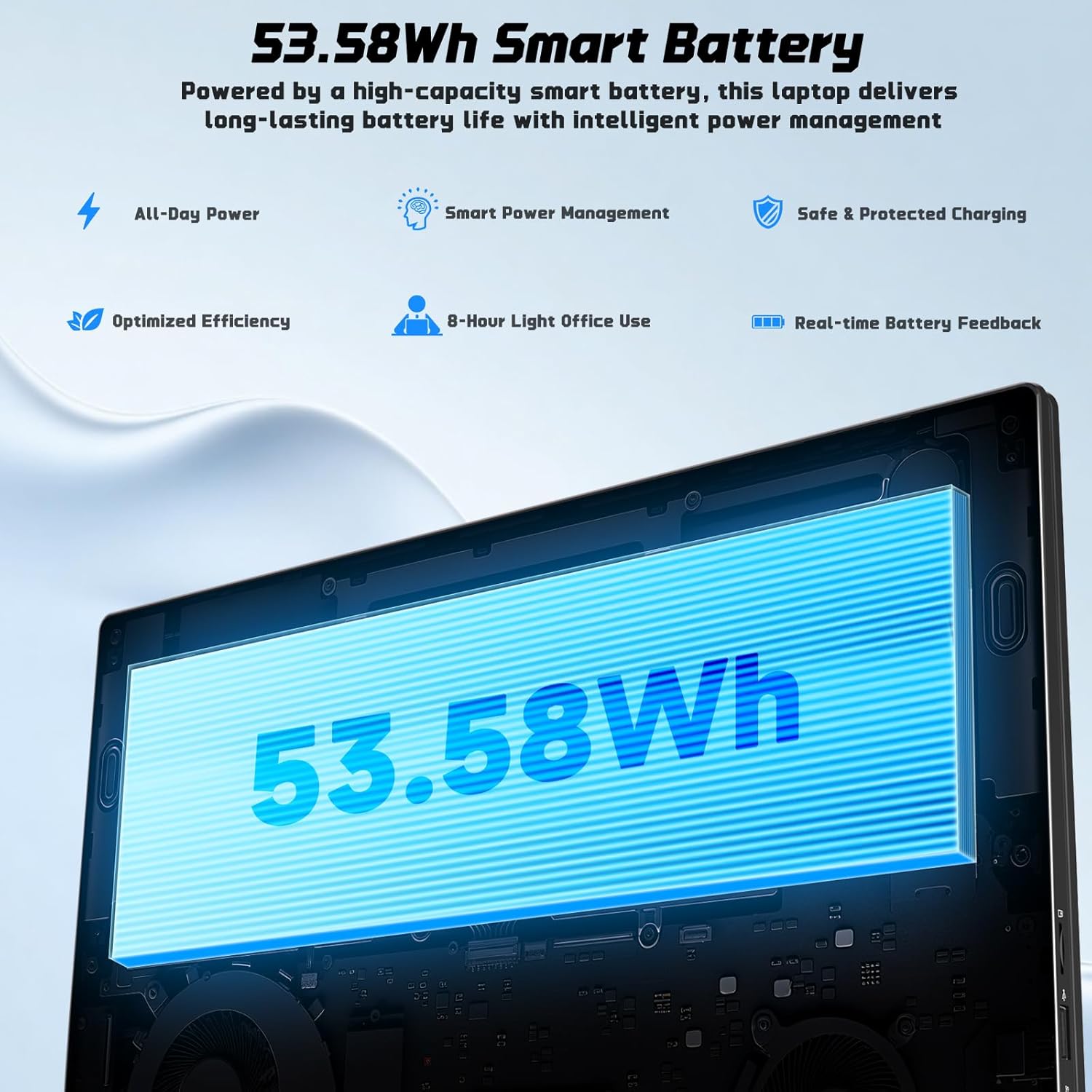
| Lavi batri | Approx. 5 Hours (53.58Wh Lithium Polymer) |
| Pwa atik | 3.84 liv |
| Dimansyon pwodwi | 15.66 x 9.99 x 0.74 pous |
| Karakteristik espesyal | Backlit Keyboard, Fingerprint Reader, HD Audio, Memory Card Slot, Numeric Keypad |

Image 7.1: The NIMO laptop's 17.3-inch FHD IPS display, highlighting its visual clarity and anti-glare properties.

Image 7.2: Visual representation of the Intel N100 processor, indicating its performance capabilities.

Image 7.3: Diagram illustrating the 53.58Wh smart battery, emphasizing its capacity and power management features.
8. Garanti ak sipò
NIMO provides comprehensive support for your product.
- Garanti manifakti a: Your NIMO N176 laptop is covered by a 2-year manufacturer's warranty. This warranty covers defects in materials and workmanship under normal use.
- Règleman retounen: A 90-day hassle-free return and exchange service is offered by NIMO Direct Inc.
- Sipò Kliyan: For any concerns, technical assistance, or warranty claims, please contact NIMO's dedicated support team. Refer to the contact information provided on the NIMO official websit la oubyen nan dokimantasyon acha ou a.
Image 8.1: Visual representation of NIMO's after-sales service, including domestic assembly, 90-day returns, and 2-year support.