
1. Entwodiksyon
This user manual provides comprehensive instructions for the NEC VersaPro VH-1 laptop. It covers setup, operation, maintenance, and troubleshooting to ensure optimal performance and user experience. Please read this manual thoroughly before using your device.
The NEC VersaPro VH-1 is a lightweight and high-performance 12.5-inch Full HD laptop, featuring a 7th Generation Intel Core i5-7Y54 processor. It is designed for efficient web browsing, business applications, and remote work. With pre-installed Windows 11 Pro and MS Office 2019, it is ready for immediate use upon arrival.
2. Pwodwi souview
2.1 Karakteristik kle
- Lightweight & Thin Design: Weighing approximately 921g, this 12.5-inch FHD laptop is highly portable, fitting easily into a backpack for commuting, business trips, or mobile work.
- 7th Gen Intel Core i5-7Y54 Processor: Equipped with an efficient and power-saving Intel Core i5-7Y54 (up to 3.2GHz) processor, offering sufficient performance for browsing, online meetings, and Office applications. It also features quiet operation and low heat generation.
- High-Speed SSD Storage: Features an SSD for fast boot-up and smooth operation, handling large files and multiple applications without lag.
- Rich Connectivity & Type-C Expansion: Gen ladann yon Web camera, Wi-Fi, Bluetooth, HDMI, and a Type-C port for versatile connections to peripherals and external monitors. The Type-C port supports future expansion.
- Pre-installed Software: Comes with Windows 11 Pro and MS Office 2019 pre-installed, allowing immediate document creation, report preparation, and web konferans.
2.2 Idantifikasyon konpozan
Familiarize yourself with the various parts of your NEC VersaPro VH-1 laptop.

Imaj: Divès views of the NEC VersaPro VH-1 laptop, showing the front, back, top, and keyboard layout.

Imaj: Bò kote view of the laptop highlighting available ports including USB 3.0, LAN, Headphone Jack, HDMI, SD Card Slot, and Power Connector.
3. Enstalasyon
3.1 Premye pouvwa-sou
- Konekte pouvwa: Branche adaptè AC a nan pò kouran laptop la epi answit nan yon priz miray.
- Pouvwa sou: Open the laptop lid and press the power button. The laptop will begin the initial boot process.
- Enstalasyon Windows: Swiv enstriksyon ki sou ekran an pou konplete konfigirasyon Windows 11 Pro a, ki gen ladan lang, rejyon, koneksyon rezo, ak kreyasyon kont itilizatè.
3.2 Aktivasyon Lojisyèl
Your laptop comes with MS Office 2019 pre-installed. Follow the prompts to activate your Office suite using your Microsoft account or product key.

Image: The laptop displaying the Windows 11 interface, with logos indicating Windows 11 Pro and MS Office 2019 are installed and ready for use.
4. Operasyon Enstriksyon
4.1 Itilizasyon debaz
- Klavye: The laptop features a Japanese layout keyboard designed for comfortable and accurate typing.
- Touchpad: Use the integrated touchpad for navigation and gestures.
- Web Kamera: Bati-an an web camera and dual microphones are ideal for remote work, online meetings, and video calls.

Image: A user engaged in a video conference call on the NEC VersaPro VH-1 laptop, demonstrating its web camera and dual microphone capabilities for remote work and online learning.
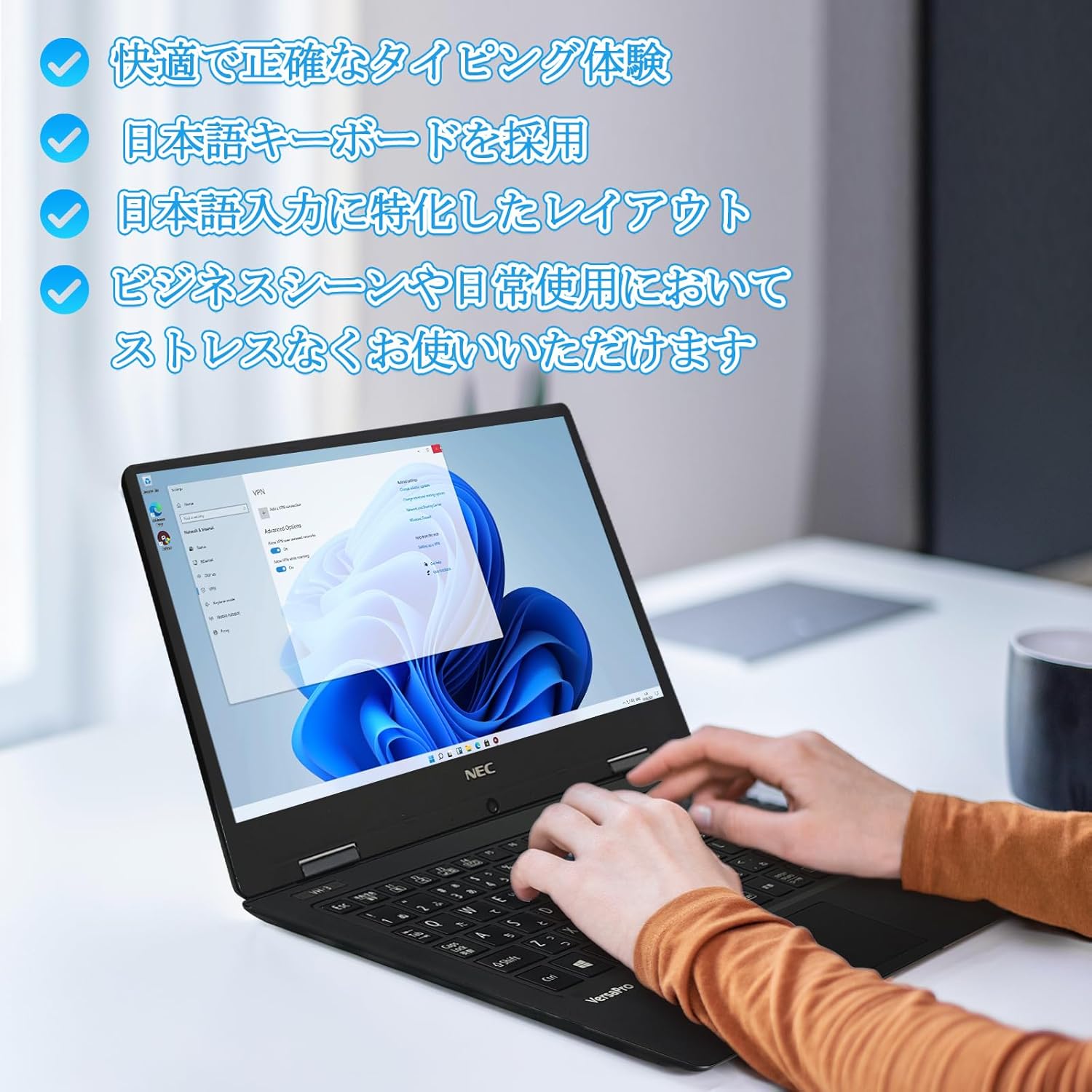
Image: Close-up of hands typing on the laptop's keyboard, illustrating the comfortable and precise typing experience provided by the Japanese layout keyboard.
4.2 Koneksyon
- Wi-Fi: Konekte sou rezo san fil pou jwenn aksè a entènèt.
- Bluetooth: Pair with Bluetooth-enabled devices such as headphones or mice.
- HDMI: Konekte ak ekran ekstèn oswa pwojektè.
- Kalite-C: Use the Type-C port for data transfer, charging compatible devices, or connecting to a USB-C hub for additional ports.
5. Antretyen
5.1 Netwayaj
- Ekran: Sèvi ak yon ti moso twal mou, ki san pèl dampLave avèk dlo oswa yon pwodui netwayaj ekran. Pa flite likid dirèkteman sou ekran an.
- Klavye ak Chasi: Sèvi ak yon twal mou pou siye sifas yo. Pou pousyè tè ki difisil pou retire, siye yon ti kras.amp Ou ka itilize twal. Evite pwodui chimik ki agresif.
5.2 Swen Batri
- Pou pwolonje lavi batri a, evite tanperati ekstrèm.
- Si w ap sere laptop la pou yon bon bout tan, asire w ke batri a chaje a apeprè 50-70%.
NAN. Depanaj
6.1 Pwoblèm komen ak solisyon
| Pwoblèm | Solisyon posib |
|---|---|
| Laptop la pa limen. | Ensure the AC adapter is securely connected to both the laptop and a working power outlet. Check if the power button is functioning correctly. |
| Pwoblèm koneksyon Wi-Fi. | Verify Wi-Fi is enabled in Windows settings. Restart your router and the laptop. Check for updated network drivers. |
| External display not detected. | Ensure the HDMI cable is securely connected. Press Windows key + P to cycle through display modes. Check external display input settings. |
| Pèfòmans ralanti. | Fèmen aplikasyon ki pa nesesè yo. Tcheke pou pwosesis an background ki konsome resous. Asire w ke gen ase espas lib sou SSD a. Fè yon eskanè sistèm pou malveyan. |
Si ou rankontre pwoblèm ki pa nan lis la a oswa ou bezwen plis asistans, tanpri al gade seksyon sipò a.
7. Espesifikasyon
| Karakteristik | Detay |
|---|---|
| Mak | NEC |
| Non modèl | VasaPro VH-1 |
| Nimewo Modèl Pwodwi | VKT12 |
| Gwosè ekran | 12.5 pous |
| Rezolisyon | 1920x1080 Pixels (FHD) |
| Mak CPU | Intel |
| Kalite CPU | Core i5 7Y54 |
| CPU vitès | 1.2 GHz (Max 3.2 GHz) |
| Konte processeur | 2 |
| Gwosè memwa RAM | 4 GB |
| Maksimòm memwa sipòte | 8 GB |
| Kalite memwa | DDR3 SDRAM |
| Gwosè Disk Difisil | 1 TB |
| Kalite Disk Di | SSD |
| Koprosesè grafik | Intel HD Graphics 615 |
| Deskripsyon kat grafik | Entegre |
| Sistèm operasyon | Windows 11 Pro |
| Kalite san fil | Bluetooth, Wi-Fi (802.11n) |
| Pò USB 3.0 | 2 |
| Pò HDMI | 1 |
| Kalite kondwi optik | Okenn |
| Pwa atik | 1.5 Kilograms (Shipping Weight) |
| Batri | 1 12V battery (included), 24 Watt-hours, 4 Lithium Ion cells |
8. Garanti ak sipò
For warranty information and technical support, please refer to the documentation provided with your purchase or contact the retailer. Specific warranty terms may vary.