
Entwodiksyon
Thank you for choosing the Dyurwa ZY02 Portable Bluetooth Speaker. This manual provides essential information for setting up, operating, and maintaining your speaker to ensure optimal performance and longevity. The Dyurwa ZY02 offers wireless stereo sound, IPX7 waterproofing, dynamic RGB lights, and TWS pairing capabilities, making it ideal for various environments including outdoors, home parties, travel, and beach use.
Ki sa ki nan bwat la
- 1 x Dyurwa Bluetooth Speaker
- 1 x manyèl itilizatè
- 1 x Power Cable (Micro USB)
Enstalasyon
Chaje Oratè a
Before first use, fully charge your Dyurwa ZY02 speaker. Connect the included Micro USB cable to the charging port on the speaker and a compatible USB power adapter (not included). A full charge typically takes 2-3 hours. The speaker features up to 12 hours of playtime, which may vary based on volume levels and light settings.

Image: The Dyurwa ZY02 speaker highlighting its 12-hour battery life, with a note that continuous playtime is achieved under 50% volume and light-off settings.
Pè Bluetooth
- Pouvwa sou: Peze epi kenbe bouton pouvwa a (⏻) on the speaker until you hear an audible prompt and the LED indicator flashes.
- Aktive Bluetooth: Sou telefòn mobil ou, tablèt ou, oswa lòt aparèy ki gen Bluetooth, ale nan paramèt Bluetooth yo epi aktive Bluetooth.
- Chwazi Aparèy: Look for 'Dyurwa ZY02' in the list of available devices and select it to pair.
- Konfimasyon: Once successfully paired, you will hear a confirmation tone, and the LED indicator will turn solid blue.

Image: The Dyurwa ZY02 speaker wirelessly connected to a smartphone and a television, illustrating its Bluetooth 5.3 rock-solid connection for instant, skip-free pairing.
Vrè Stereo Wireless (TWS) Pairing
To achieve a true stereo sound experience, you can pair two Dyurwa ZY02 speakers together:
- Asire w ke tou de oratè yo limen epi yo pa konekte ak okenn lòt aparèy Bluetooth.
- On one speaker (this will be the primary speaker), press and hold the TWS pairing button (often indicated by an infinity symbol or two interlocking circles) for a few seconds.
- Oratè prensipal la ap chèche oratè segondè a. Yon fwa konekte, ou ap tande yon son konfimasyon.
- Now, connect your device to the primary speaker via Bluetooth as described above. Both speakers will play audio in stereo.
Operasyon Speaker
Fonksyon bouton
The Dyurwa ZY02 features intuitive controls on its top panel:
- Bouton pouvwa (⏻): Peze epi kenbe pou limen/etenn aparèy la. Peze yon ti kras pou tcheke eta batri a.
- Bouton mòd (M): Short press to switch between Bluetooth, AUX, or TF Card modes.
- Volim desann (-): Peze yon ti kras pou diminye volim nan. Peze lontan pou ale nan mizik anvan an.
- Bouton Jwe/Pòz (▶): Kout peze pou jwe oswa pran yon poz mizik.
- Volim moute (+): Peze yon ti kras pou ogmante volim nan. Peze lontan pou pwochen mizik la.
- TWS/Connect Button (∞): Press and hold for TWS pairing. Short press to disconnect TWS.
- Bass Button (BASS): Short press to activate/deactivate enhanced bass mode.
- Bouton Limyè (💡): Short press to cycle through dynamic RGB light modes.

Image: The Dyurwa ZY02 speaker showcasing its control panel with buttons for power, mode, volume, play/pause, TWS, bass, and light functions.
Dynamic RGB Light Show
Enhance your listening experience with the speaker's dynamic RGB light show. Press the Light button (💡) to cycle through various colored light modes that sync to the beat of your music. Customize the light effects to match your preference and elevate the atmosphere of any gathering.

Image: The Dyurwa ZY02 speaker with its dual drivers illuminated by vibrant, dynamic RGB lights, demonstrating the light show feature.
Antretyen
Enpèmeyab (IPX7)
The Dyurwa ZY02 speaker boasts an IPX7 waterproof rating, meaning it can be submerged in up to 1 meter of water for 30 minutes. This makes it suitable for use in the shower, at the beach, by the pool, or during outdoor activities like hiking and kayaking. Ensure the charging port cover is securely closed before exposing the speaker to water.
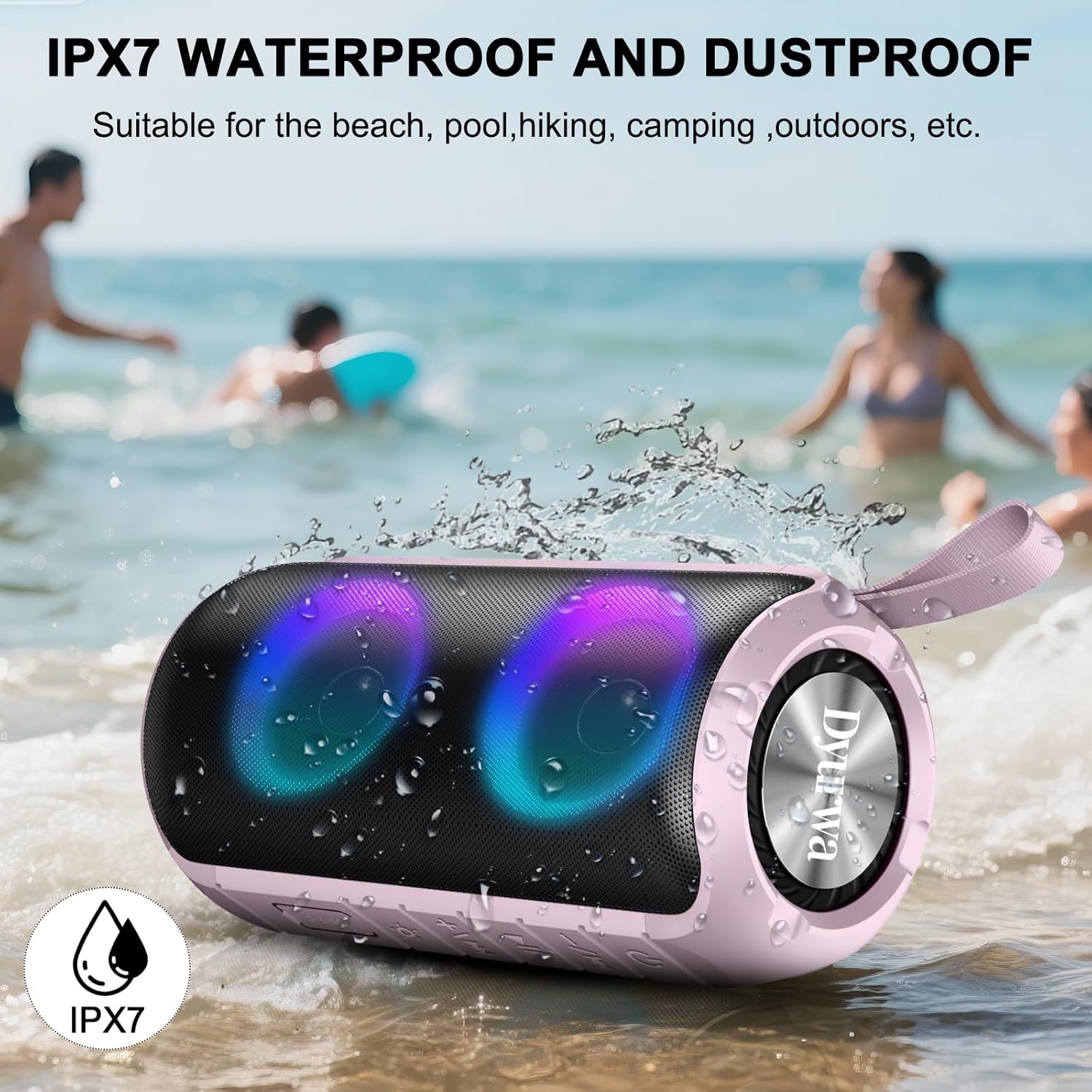
Image: The Dyurwa ZY02 speaker being splashed with water at a beach, illustrating its IPX7 waterproof and dustproof capabilities.
Netwayaj ak Depo
Pou netwaye oratè ou a, sèvi ak yon twal mou.amp cloth. Avoid using harsh chemicals or abrasive cleaners. Store the speaker in a cool, dry place away from direct sunlight and extreme temperatures when not in use for extended periods.
Depanaj
- Oratè a pa vle limen: Asire w ke oratè a byen chaje. Konekte l nan yon sous kouran epi eseye ankò.
- Pa kapab konekte atravè Bluetooth: Make sure the speaker is in Bluetooth pairing mode (flashing LED). Check that Bluetooth is enabled on your device and that the speaker is within range (up to 33 feet/10 meters). Forget previous pairings on your device and try pairing again.
- Pa gen son: Check the volume levels on both the speaker and your connected device. Ensure the speaker is correctly paired and not in another mode (e.g., AUX, TF Card).
- Kalite son pòv: Move the speaker closer to your device to improve Bluetooth signal. Ensure there are no obstructions between the speaker and your device.
- Pwoblèm koneksyon TWS: Ensure both speakers are fully charged and not connected to any other device. Follow the TWS pairing instructions carefully.
Espesifikasyon
| Karakteristik | Detay |
|---|---|
| Mak | Dyurwa |
| Non modèl | ZY02 |
| Koneksyon Teknoloji | Bluetooth 5.3 |
| Kalite Oratè | Deyò |
| Karakteristik espesyal | Music Player, RGB Lights, TWS Pairing, IPX7 Waterproof |
| Aparèy konpatib | Smartphone, Tablet, Computer |
| Oratè maksimòm pwodiksyon pouvwa | 180 Watts |
| Playtime | Up to 12 hours (varies by volume/light settings) |
| Tan pou chaje | 2-3 èdtan |
| Nivo rezistans dlo | IPX7 ki enpèmeyab |
| Dimansyon pwodwi | 2.54"D x 5"W x 4"H |
| Pwa atik | 1.36 liv |
| Batri | 1 Yon batri obligatwa (enkli) |
Garanti ak sipò
For warranty information or technical support, please refer to the contact details provided on the product packaging or visit the official Dyurwa websit la. Kenbe resi acha ou kòm prèv acha pou nenpòt reklamasyon garanti.