
Rubicon Model20
Rubicon DX14 Electric Wheelchair User Manual
Modèl: DX14
1. Entwodiksyon
This manual provides essential information for the safe and effective operation, maintenance, and care of your Rubicon DX14 Electric Wheelchair. Please read this manual thoroughly before using the wheelchair to ensure proper understanding of its features and functions.
2. Enfòmasyon sou Sekirite
Always prioritize safety when operating the Rubicon DX14 Electric Wheelchair. Failure to follow safety guidelines can result in injury or damage to the product.
- Ensure the wheelchair is fully charged before extended use.
- Always use the seatbelt provided.
- Avoid operating the wheelchair on excessively steep inclines or unstable surfaces beyond its rated capabilities.
- Kenbe men ak rad lwen pati k ap deplase.
- Pa depase kapasite maksimòm pwa 330 liv.
- Consult a healthcare professional for guidance on safe operation if you have any medical conditions.
3. Enstalasyon ak Asanble
3.1 Depliye chèz woulant lan
The Rubicon DX14 is designed for quick and easy unfolding. Follow these steps:
- Place the folded wheelchair on a flat, stable surface.
- Grasp the backrest and gently pull upwards until the frame locks into place.
- Lower the seat and ensure it is securely positioned.
- Unfold the footrest to its operational position.
The wheelchair folds in approximately 3 seconds for compact storage and transport.
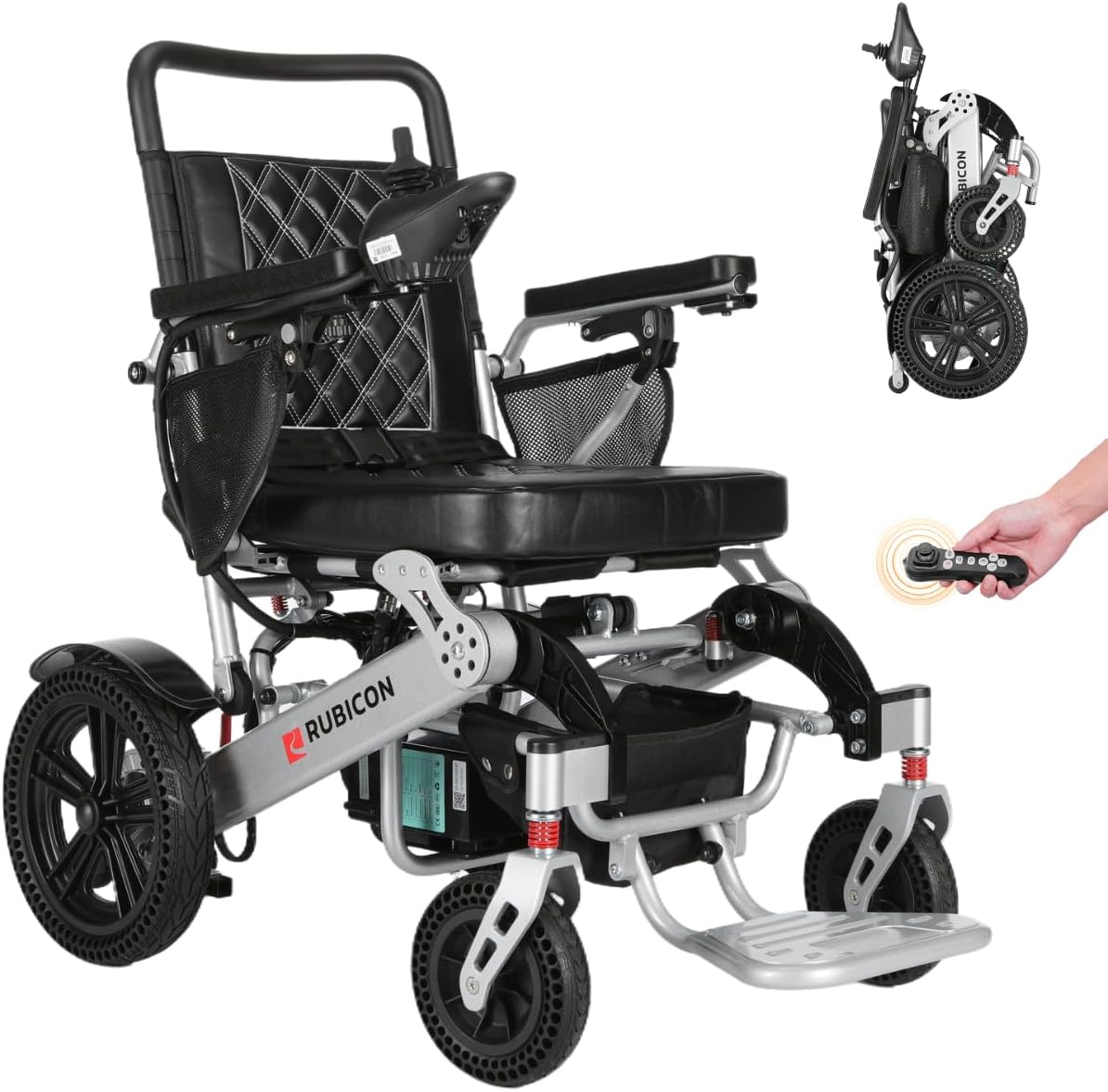
Image: The Rubicon DX14 Electric Wheelchair shown in both its folded and unfolded states, highlighting its compact design and readiness for use.
3.2 Joystick Installation and Adjustment
The joystick controller can be mounted on either the left or right armrest for user comfort. It features adjustable length.
- Insert the joystick cable into the designated port on the armrest.
- Secure the joystick to your preferred armrest using the provided fasteners.
- Adjust the joystick's length by loosening the adjustment knob, sliding it to the desired position, and tightening the knob.
3.3 Batri Chaje
The Rubicon DX14 is equipped with dual 12AH Lithium batteries. An off-vehicle charging cable is included for convenience, allowing you to charge the batteries without removing them from the seat.
- Connect the charger to the charging port on the wheelchair or directly to the battery if removed.
- Ploge plato a nan yon priz elektrik estanda.
- The charging indicator light on the charger will show the charging status.
- Yon fwa konplètman chaje, dekonekte plato a.

Image: An illustration depicting the Rubicon DX14's long-range battery system and the convenience of off-vehicle charging.
4. Operasyon Enstriksyon
4.1 Limen/Etenyen
To power on the wheelchair, press the power button on the joystick controller. To power off, press and hold the power button until the display turns off.
4.2 Driving with the Joystick
The 360-degree joystick provides precise control for movement in all directions. Gently push the joystick in the desired direction to move. The further you push, the faster the wheelchair will travel.

Imaj: Yon imaj detaye view of the Rubicon DX14's 360-degree control joystick, showing buttons for power, horn, speed display, speed deceleration, and speed acceleration.
4.3 Ajisteman vitès
Use the speed adjustment buttons on the joystick to increase or decrease your travel speed. The current speed setting is displayed on the joystick panel.
4.4 Electric and Manual Mode
The Rubicon DX14 can operate in both electric and manual modes. To switch to manual mode, simply flip the red lever located near the rear wheels. In manual mode, the wheelchair functions like a traditional wheelchair, allowing it to be pushed by an attendant.
4.5 All-Terrain Performance
Equipped with powerful 300 Watt x 2 dual motors (600W total) and posi-traction capabilities, the DX14 is designed to handle various terrains, including grass, ramps, sand, mud, snow, and bumpy roads. Its electromagnetic brake ensures safety and stability.

Image: The Rubicon DX14 Electric Wheelchair positioned on a dirt path, illustrating its suitability for various terrains including brick, muddy, grass, and bumpy surfaces.
4.6 Manèvabilite
With a turning radius of just 32 inches, the Rubicon DX14 offers excellent maneuverability, making it suitable for navigating tight indoor spaces and fitting through standard doorways.
4.7 Bluetooth Remote Control
The Rubicon DX14 includes a smart Bluetooth remote controller, allowing caregivers to drive or adjust the wheelchair from a distance with ease and safety.
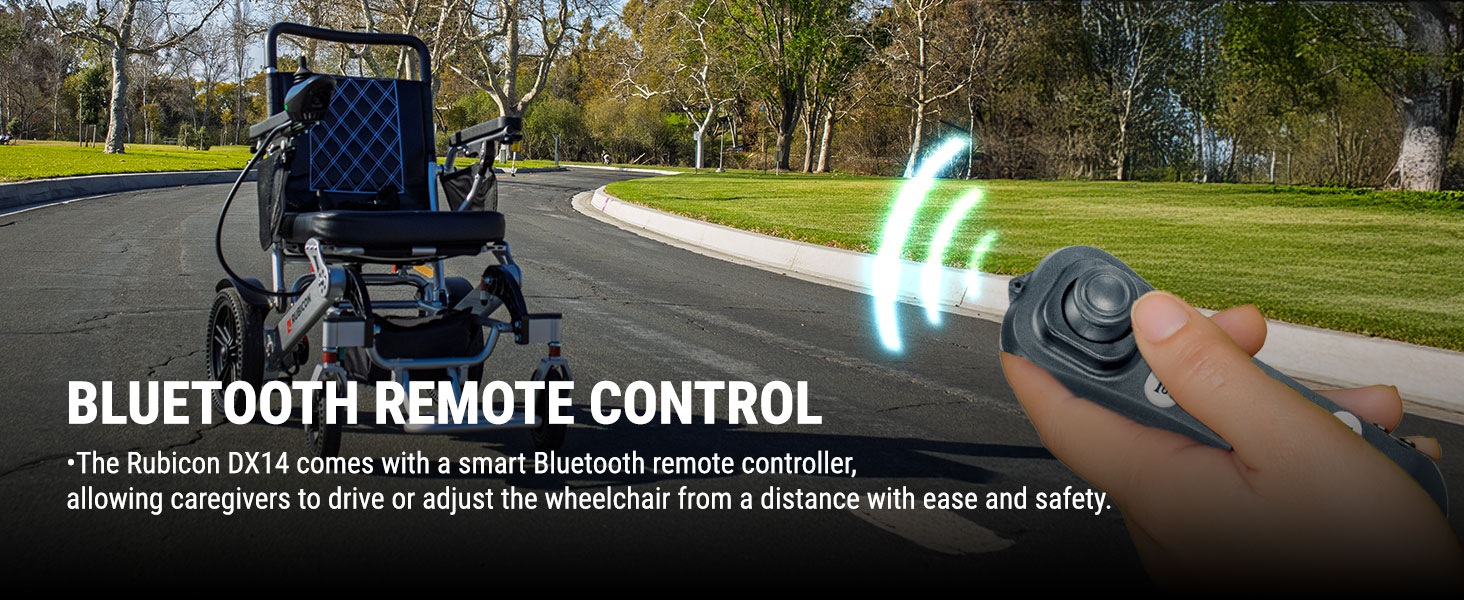
Image: A hand holding the Bluetooth remote control for the Rubicon DX14, with the wheelchair in the background, demonstrating remote operation.
Video: An official video demonstrating the Rubicon DX14 Electric Wheelchair's features, including its 360-degree joystick and all-terrain capabilities.
5. Antretyen
5.1 Netwayaj
The high-density single-cell foam seat is breathable and removable for easy cleaning. Use a damp cloth with mild soap to clean the frame and other surfaces. Avoid using abrasive cleaners or excessive water.
5.2 Swen Batri
To prolong battery life, charge the batteries regularly, even if the wheelchair is not in frequent use. Store the wheelchair and batteries in a cool, dry place.
5.3 Enspeksyon Jeneral
Periodically inspect all components for wear and tear, including tires, brakes, and electrical connections. If any issues are found, contact customer support for assistance.
NAN. Depanaj
If you encounter any issues with your Rubicon DX14 Electric Wheelchair, please refer to the following common troubleshooting tips:
- Chèz woulant lan pa limen: Ensure the battery is fully charged and properly connected. Check that the power button on the joystick is pressed correctly.
- Pèt kouran pandan operasyon: The battery may be low. Recharge the battery immediately.
- Unresponsive joystick: Check all cable connections to the joystick. Ensure no debris is obstructing the joystick's movement.
- Bwi etranj: Stop using the wheelchair immediately and inspect for any loose parts or obstructions. Contact customer support if the noise persists.
For issues not covered here, please contact Rubicon customer support.
7. Espesifikasyon
| Karakteristik | Spesifikasyon |
|---|---|
| Modèl | DX14 |
| Mak | Rubicon |
| Range | Jiska 30 mil |
| Motè | 2 x 300W (600W total) |
| Batri | Dual 12AH Lithium-Ion |
| Kapasite pwa | 330 liv |
| Pwa chèz woulant | 64 liv |
| Wotè ki plwaye | 13 pous |
| Reyon vire | 32 pous |
| Materyèl | Aircraft-grade Aluminum Alloy, Polyurethane |
| Manifakti | Innv Tech |
| ASIN | B0FFPTWX5G |
8. Garanti ak sipò
8.1 Enfòmasyon sou Garanti
The Rubicon DX14 Electric Wheelchair comes with the following warranty:
- Ankadreman: 1 ane
- Motor and Joystick Controller: 1 ane
- Batri: 6 mwa
Tanpri kenbe prèv ou achte pou reklamasyon garanti.
8.2 Sipò pou Kliyan
Rubicon is a US-based company headquartered in California. We are committed to providing Gold Standard Customer Support to all our customers. For any questions, technical assistance, or warranty claims, please contact our support team.
Ou ka jwenn enfòmasyon kontak sou sit ofisyèl nou an websit la oubyen atravè platfòm acha ou a.
Ask a question about this manual
Ask about setup, troubleshooting, compatibility, parts, safety, or missing instructions. Manuals+ will review the question and use this page’s manual context to help answer it.