
1. Entwodiksyon
Thank you for choosing the WiMiUS P62 Pro 4K Projector. This manual provides essential information for setting up, operating, and maintaining your projector to ensure optimal performance and longevity. Please read this manual thoroughly before use and retain it for future reference.
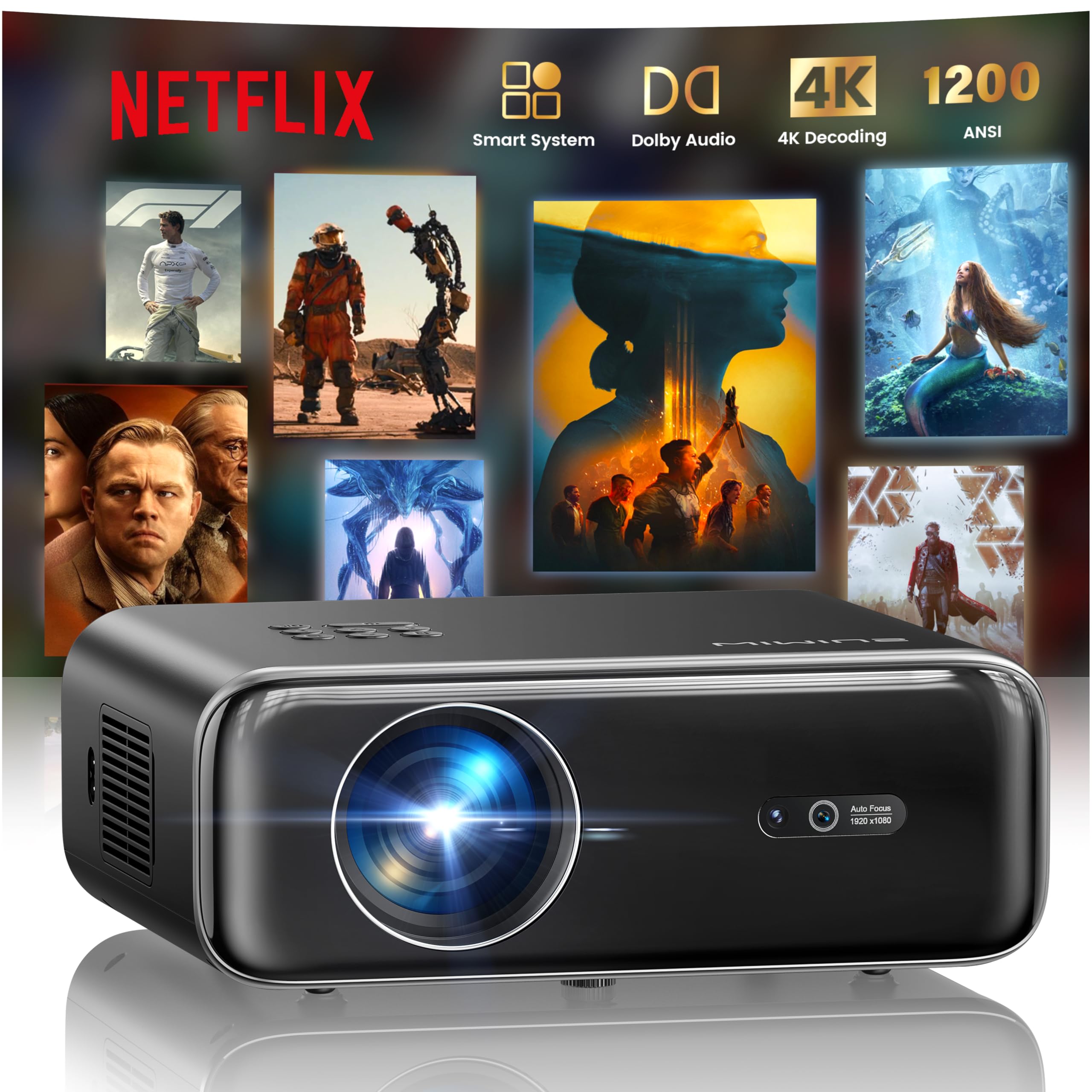
The WiMiUS P62 Pro 4K Projector, a compact and powerful device designed for home entertainment.
2. Ki sa ki nan bwat la
Carefully unpack your WiMiUS P62 Pro projector and ensure all items are present:
- WiMiUS P62 Pro Projector (Netflix included)
- Kontwòl Remote
- Lens Cap
- Kòd pouvwa
- HDMI kab
- Twous netwayaj
- Gid Quick Start

Contents of the WiMiUS P62 Pro package, including the projector, remote, and essential cables.
3. Pwodwi souview ak Karakteristik kle yo
The WiMiUS P62 Pro is a versatile 4K-supported projector designed for a superior home cinema experience. Its key features include:
- Segondè klète: 1400 ANSI lumens for clear images even in ambient light.
- Rezolisyon natif natal 1080P: Supports 4K Ultra HD input for crisp visuals.
- Smart OS with Official Apps: Pre-installed Netflix, YouTube, Prime Video, Plex, and access to over 20,000 apps.
- AI Intelligent Adjustment: Automatic focus, keystone correction, obstacle avoidance, and screen alignment.
- Dolby Audio: Integrated dual 36W speakers with Dolby Audio for immersive sound.
- Koneksyon versatile: WiFi 6, Bluetooth 5.4 (bidirectional), HDMI (ARC & CEC), USB.
- Konsepsyon pòtab: Compact dimensions (25.7 x 20 x 10.3 cm) and lightweight (1.8 kg) for easy transport.
- Pwoteksyon je: Utilizes diffuse reflection imaging technology to reduce eye strain.

The WiMiUS P62 Pro offers a revolutionary home cinema experience with integrated streaming apps like Netflix, YouTube, and Prime Video.

Experience exceptional audio quality with integrated Dolby Audio and powerful Hi-Fi speakers.
4. Enstalasyon
Follow these steps for initial setup of your projector:
- Plasman: Position the projector on a stable, flat surface or mount it (ceiling or tripod). Ensure adequate ventilation around the device. The projector can be placed between 1 to 6 meters from the projection surface.
- Koneksyon pouvwa: Konekte kòd kouran an nan pwojektè a epi answit nan yon priz kouran.
- Pouvwa sou: Peze bouton pouvwa a sou pwojektè a oswa kontwòl remote la pou limen li.
- Ajisteman otomatik: The projector features AI-powered auto-focus and auto-keystone correction. It will automatically adjust the image for clarity and shape. It also includes intelligent obstacle avoidance and automatic screen alignment.
- Manual Adjustments (if needed): If further adjustments are required, use the remote control to access settings for focus, keystone, and zoom (50%-100%).

The projector features intelligent screen adaptation 3.0, including auto-focus, auto-keystone correction, and obstacle avoidance.
5. Operasyon Enstriksyon
5.1 Power On/Off
- Pou limen: Peze bouton pouvwa a sou pwojektè a oswa kontwòl remote la.
- Pou etenn: Peze bouton pouvwa a ankò. Konfime fèmen l si yo mande w.
5.2 Navigation and Source Selection
- Use the remote control's directional buttons and OK button to navigate the on-screen menu.
- Select your desired input source (HDMI 1, HDMI 2, USB, or Smart Apps) from the main menu.
5.3 Anviwònman Imaj ak Son
- Access the settings menu to adjust picture parameters such as brightness, contrast, color, and aspect ratio.
- Adjust sound volume and audio modes. The integrated Dolby Audio provides rich sound.

Enjoy an ultimate gaming experience with low latency and a 60Hz refresh rate.

Easily display your work or presentations on a larger screen.
6. Koneksyon
The WiMiUS P62 Pro offers multiple connectivity options:
- Pò HDMI (x2): Connect devices like laptops, gaming consoles, Blu-ray players. HDMI 2 supports ARC (Audio Return Channel) and CEC (Consumer Electronics Control) for simplified audio setup and control.
- Pò USB (x2): Play media directly from USB drives or connect external devices.
- WiFi 6: Connect to your home network for internet access and streaming. Supports screen mirroring from iOS, Android, and Windows 10 devices for seamless content sharing.
- Bluetooth 5.4 (Bidirectional): Connect external Bluetooth speakers or headphones for enhanced audio. The projector can also act as an independent Bluetooth speaker when connected to a phone.

The rear panel of the projector features multiple connectivity ports including HDMI and USB.

Synchronize and enjoy with multiple connectivity options for seamless entertainment.
7. Smart Features
7.1 Integrated Streaming Applications
The projector comes with officially certified streaming applications pre-installed, providing direct access to a vast library of content:
- Netflix
- YouTube
- Premye Videyo
- Plex
- And more via the integrated App Store.

Access official integrated apps like Netflix and Plex directly from your projector.

Explore more applications through the integrated App Store.
7.2 AI-Powered Image Adjustment
The projector utilizes advanced AI algorithms for automatic image optimization:
- Konsantre Auto: Automatically adjusts the image sharpness.
- Koreksyon Keystone Auto: Corrects distorted images to a perfect rectangle.
- Evite Obstak Entelijan: Detects and adjusts the projection to avoid objects in the path.
- Otomatik aliyman ekran: Optimizes the image to fit the projection surface.

AI-optimized intelligent configuration ensures the best image quality wherever you are.
7.3 Web Navigasyon
Navigate the internet directly on your projector using the integrated web browser. This allows you to access websites, news, and online content without needing an external computer.

Browse la web directly on your projector with the integrated navigation feature.
8. Antretyen
Proper maintenance ensures the longevity and performance of your projector:
- Netwayaj lantiy: Use the provided cleaning kit or a soft, lint-free cloth to gently clean the projector lens. Avoid abrasive materials or harsh chemicals.
- Vantilasyon: Asire w ouvèti vantilasyon pwojektè a klè epi san obstak pou anpeche li chofe twòp. Pa mete pwojektè a sou sifas mou ki ka bloke sikilasyon lè a.
- Retire pousyè: Periodically clean the exterior of the projector with a soft, dry cloth to remove dust.
- Depo: Lè w pa itilize pwojektè a pou yon bon bout tan, sere l nan yon kote ki fre epi sèk, de preferans nan anbalaj orijinal li oswa nan yon kouvèti pwoteksyon.
NAN. Depanaj
If you encounter issues with your WiMiUS P62 Pro projector, refer to the following common problems and solutions:
| Pwoblèm | Kòz posib | Solisyon |
|---|---|---|
| Pa gen imaj ki parèt | Power cable disconnected, incorrect input source, lens cap on. | Check power connection, select correct input source, remove lens cap. |
| Imaj la twoub | Out of focus, projector moved. | Allow auto-focus to engage or manually adjust focus using the remote. |
| Imaj la defòme (fòm trapèz) | Pwojektè a pa pèpandikilè ak ekran an. | Allow auto-keystone correction to engage or manually adjust keystone settings. |
| Pa gen son | Volume too low, external audio device not connected, incorrect audio output. | Increase volume, check external audio connections, ensure correct audio output is selected. |
| Pa ka konekte ak WiFi/Bluetooth | Incorrect password, device out of range, network issue. | Verify password, move devices closer, restart router/projector. |
For further assistance, please refer to the contact information in the Warranty and Support section.
10. Espesifikasyon
Detailed technical specifications for the WiMiUS P62 Pro Projector:
- Mak: WiMiUS
- Modèl: P62 Pro
- Klate: 1400 ANSI Lumèn (38000 Lumèn)
- Rezolisyon natif natal: 1920 x 1080P
- Rezolisyon ekspozisyon maksimòm: 3840 x 2160 (4K Ultra HD Support)
- Pwopòsyon kontras: 40000:1
- Kalite ekspozisyon: LCD oswa dirije
- Koneksyon Teknoloji: Bluetooth 5.4, HDMI, USB, Wi-Fi 6
- Itilizasyon Rekòmande: Home Cinema, Gaming, Live TV & Sports, Outdoor, Camping
- Karakteristik espesyal: AI Auto Focus/Keystone, Obstacle Avoidance, Screen Alignment, Official Apps (Netflix, etc.), Dolby Audio, HDMI ARC/CEC
- Distans pwojeksyon: 1 a 6 mèt
- Gwosè imaj: 40 a 300 pous
- Kalite kontwòl: Kontwòl Remote
- Pwa: 1.8 Kilogram
- Dimansyon: 25.7 x 20 x 10.3 cm
- Kodaj videyo: H.264, H.265

The projector boasts 1400 ANSI lumens and a 40000:1 contrast ratio for remarkable brilliance.

Jwi viewing without harmful blue light, reducing eye fatigue.
11. Garanti ak sipò
The WiMiUS P62 Pro Projector comes with a 2-year warranty. For any questions or support needs regarding your projector, please refer to the service information provided in the Quick Start Guide or contact WiMiUS customer support directly. You can often find support contact details on the manufacturer's official websit la oubyen atravè platfòm acha ou a.