
1. Entwodiksyon
Thank you for choosing the VELATEMOR Unlocked Portable WiFi Hotspot 4G LTE. This device provides high-speed internet access on the go, allowing multiple devices to connect simultaneously. Designed for portability and ease of use, it ensures you stay connected whether at home or traveling.
2. Pake kontni
Tanpri tcheke kare a pou atik sa yo:
- 1 x VELATEMOR Portable Hotspot
- 1 x USB-C Supply Cable
- 1 x manyèl itilizatè
- 1 x Built-in 2100mAh Lithium-ion Battery
3. Gid Enstalasyon
Follow these steps to set up your portable WiFi hotspot:
- Chaje aparèy la: Before initial use, fully charge the hotspot using the provided USB-C cable and a compatible power adapter. The LED display will indicate charging status.
- Mete kat SIM:
- Retire kouvèti dèyè pwen aksè a avèk prekosyon.
- Locate the SIM card slot. This device supports a Micro SIM card.
- Insert your activated Micro SIM card into the slot, ensuring the gold contacts face downwards and the notched corner aligns correctly.
- Secure the SIM card by gently pushing the locking mechanism (if present) or ensuring it is fully seated.
- Replace the battery and the back cover securely.
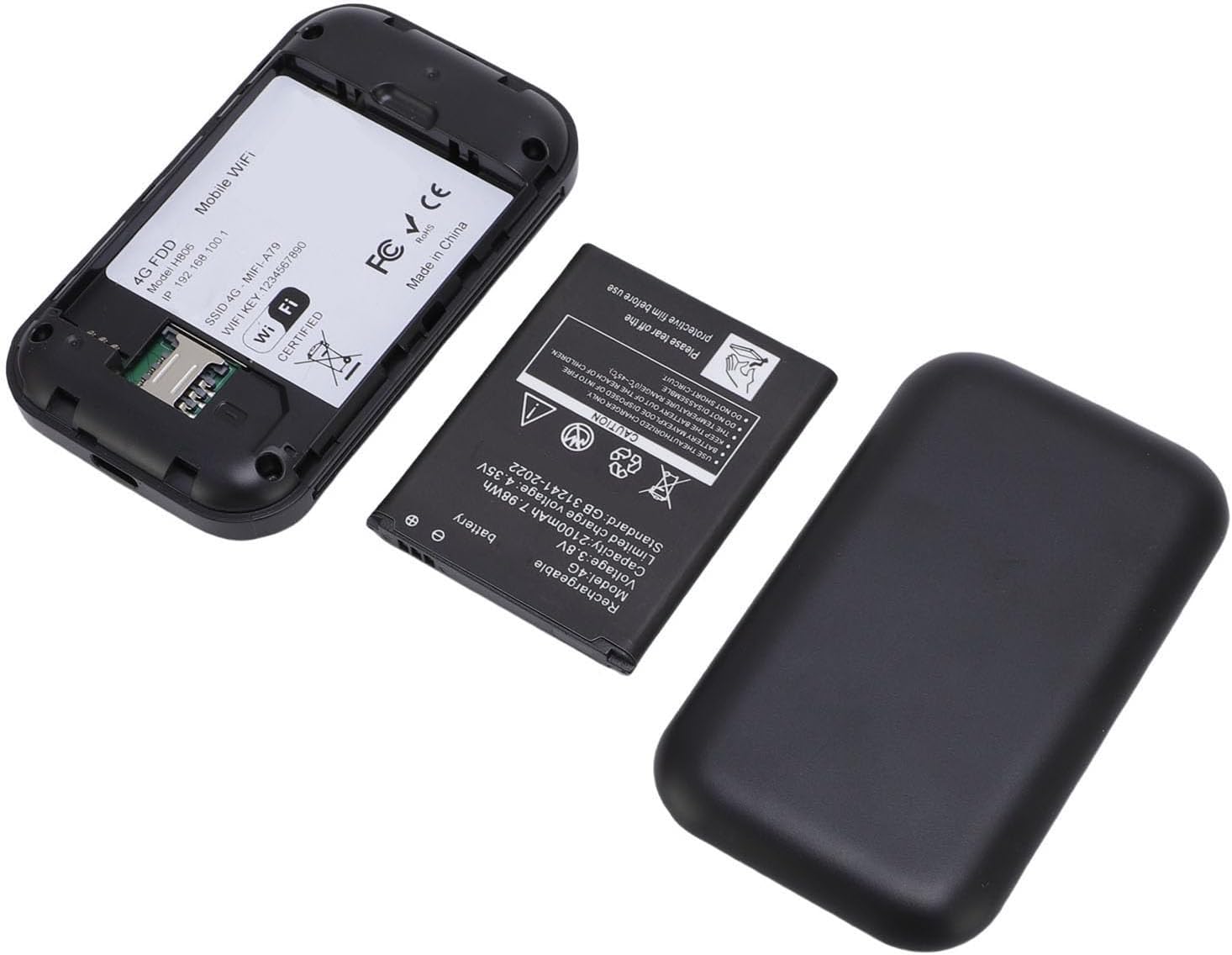
Image: Back of the VELATEMOR Portable WiFi Hotspot with the cover removed, revealing the battery compartment and the Micro SIM card slot. The SIM card slot is clearly visible for insertion.
- Pouvwa sou: Press and hold the power button (usually located on the side or front) until the device powers on and the display illuminates.
- Konekte ak Wi-Fi:
- Once powered on, the device's screen will display the Wi-Fi Network Name (SSID) and Password.
- On your smartphone, tablet, or laptop, search for available Wi-Fi networks.
- Select the SSID displayed on your hotspot's screen and enter the corresponding password to connect.
- Access Admin Panel (Optional): For advanced settings such as changing the SSID, password, or APN settings, connect a device to the hotspot's Wi-Fi and open a web browser. Enter the default IP address (e.g., 192.168.0.1) into the address bar. Refer to the included user manual for default login credentials.
4. Operasyon Enstriksyon
Using your VELATEMOR Portable WiFi Hotspot is straightforward:
- Konekte plizyè aparèy: The hotspot supports connecting up to 10 devices simultaneously. Simply repeat the Wi-Fi connection steps for each device.
- Monitoring Device Status: The colorful LED display provides real-time information on battery level, 4G/5G signal strength, Wi-Fi status, and the number of connected devices.
- Ploge epi jwe: The device is designed for immediate use. Once the SIM card is inserted and the device is powered on, it will automatically establish a 4G internet connection.
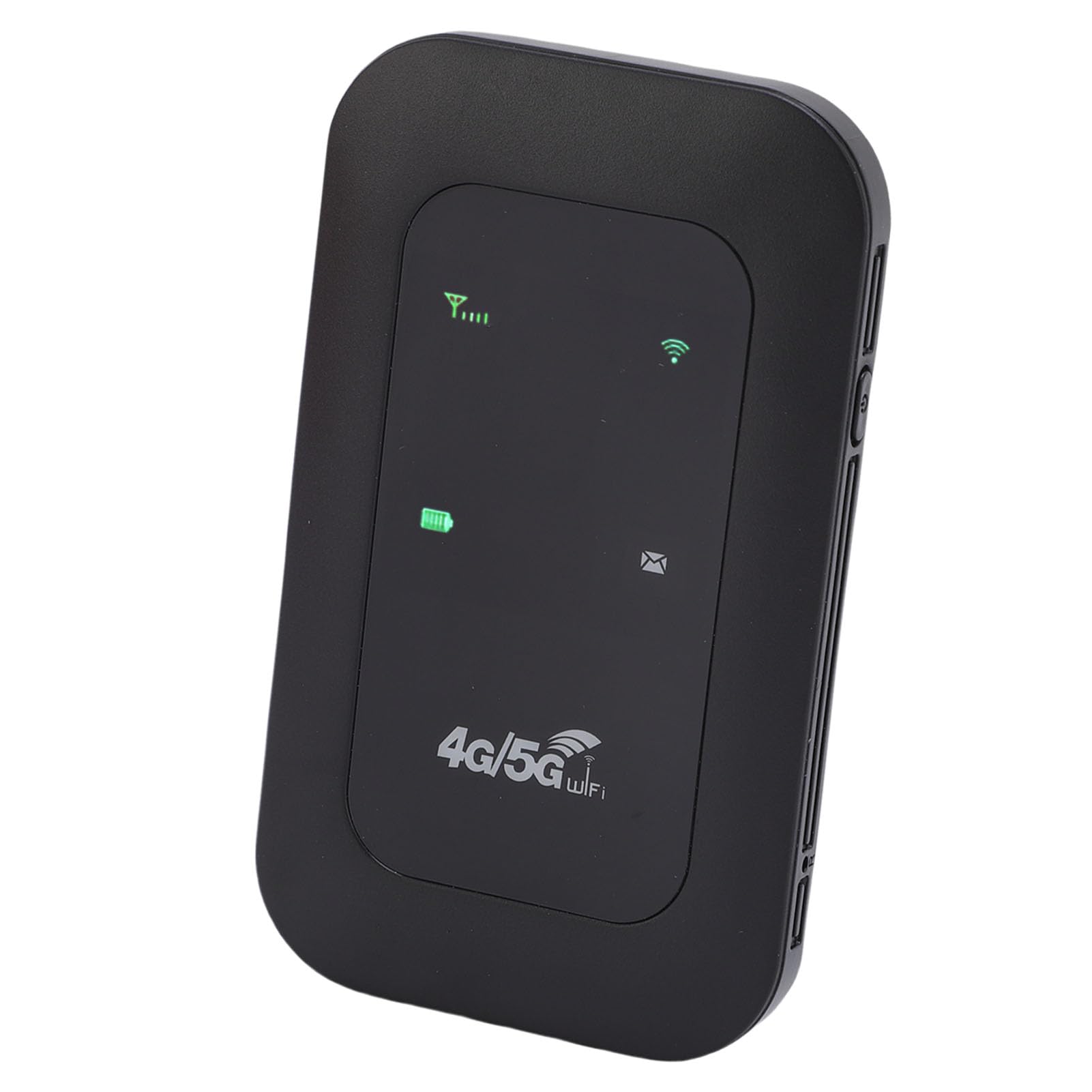
Image: The VELATEMOR Portable WiFi Hotspot, a sleek black device, is displayed with icons highlighting its key features: a Type-C interface, support for 4G/5G high-speed internet, and a 2100mAh battery.
5. Karakteristik kle
- 4G/5G WiFi Fast Connection: Connect to the internet without broadband; just insert a 4G/5G SIM card for high-speed access. It's backward compatible, providing fast speeds even without a 5G network.
- 300Mbps High Speed Network: Supports LTE CAT4 standard, delivering speeds up to 300Mbps (network strength dependent). Equipped with a SIM card slot and built-in battery, it can work with external power sources for unlimited usage time.
- Portable with Long Battery Life: A built-in 2100mAh battery provides over 10 hours of continuous use, ensuring stable and fast internet access for home or travel.
- Sipòte plizyè aparèy: Supports network bands B1/B3/B5/B40 and connects up to 10 devices simultaneously, including smartphones, tablets, and laptops.
- Ploge epi jwe: Convenient USB-C power supply for easy use. Connect to a power device, insert the SIM card, and enjoy 4G internet anywhere. The colorful LED display shows the device's battery level.
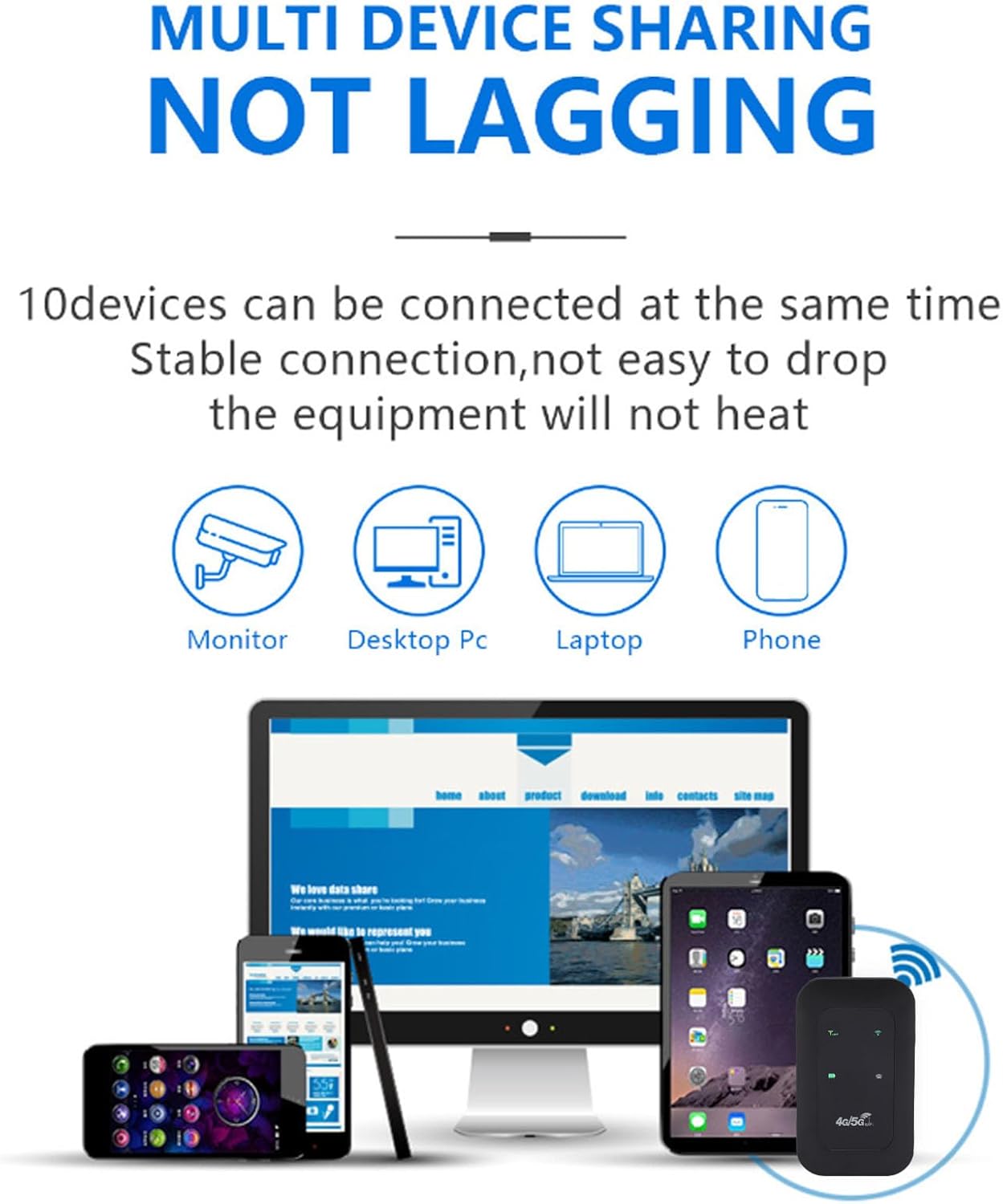
Image: An infographic showing the VELATEMOR Portable WiFi Hotspot enabling multi-device sharing. It highlights that up to 10 devices, including monitors, desktop PCs, laptops, and phones, can be connected simultaneously without experiencing lag.
6. Espesifikasyon teknik
| Mak | VELATEMOR |
| Nimewo Modèl | VELATEMORhysg9o5g1u |
| Bann rezo | LTE: B1/B3/B5/B40, WCDMA: B1 |
| Wireless Kominikasyon Creole | 802.11 b/g/n (Wi-Fi 4) |
| Wireless Network Transmission Frequency | Jiska 300Mbps |
| Kalite batri | Built-in 2100mAh Lithium-ion Battery |
| Koneksyon Teknoloji | LTE, Wi-Fi |
| Kantite pò | 1 (USB-C for power) |
| Pwotokòl Sekirite Sosyal | WPA2, WPA3 |
| Kouvèti | Up to 100 meters (outdoors) |
| Itilizasyon Rekòmande | Andedan kay la / Deyò |
7. Antretyen
To ensure the longevity and optimal performance of your hotspot, please follow these maintenance guidelines:
- Kenbe aparèy la sèk epi lwen imidite.
- Evite ekspoze aparèy la nan tanperati ekstrèm (cho oswa frèt).
- Netwaye aparèy la avèk yon twal mou epi sèk. Pa sèvi ak pwodui netwayaj likid oswa ayewosòl.
- Manyen aparèy la ak atansyon pou anpeche domaj fizik.
- Sere aparèy la nan yon kote ki fre epi sèk lè w pa itilize li pou yon bon bout tan.
NAN. Depanaj
If you encounter issues with your hotspot, try the following solutions:
- No Signal/No Internet:
- Ensure your SIM card is correctly inserted and activated with a data plan.
- Check the signal strength indicator on the device's display. Move to an area with better network coverage if the signal is weak.
- Restart the hotspot device.
- Verify APN settings through the admin panel (refer to your SIM card provider for correct APN details).
- Pa ka konekte ak Wi-Fi:
- Ensure the hotspot is powered on and Wi-Fi is enabled.
- Double-check the Wi-Fi Network Name (SSID) and Password.
- Move your connecting device closer to the hotspot.
- Rekòmanse tou de pwen aksè a ak aparèy ki konekte a.
- Vitès Entènèt ki ba:
- Check the signal strength. Weak signal can lead to slow speeds.
- Diminye kantite aparèy ki konekte yo.
- Ensure your data plan has sufficient high-speed data remaining.
- Rekòmanse pwen aksè a.
- Aparèy pa limen:
- Asire w batri a chaje. Konekte aparèy la nan yon sous kouran.
- Tcheke si batri a byen mete.
9. Garanti ak sipò
The VELATEMOR Portable WiFi Hotspot comes with a manufacturer warranty for 90 days from the date of purchase.
For technical support, warranty claims, or further assistance, please refer to the contact information provided in your product packaging or visit the official VELATEMOR websit.