
NIMO Nimo N155
NIMO 15.6-inch FHD Laptop Nimo N155 User Manual
Modèl: Nimo N155
1. Entwodiksyon
This manual provides essential information for setting up, operating, and maintaining your NIMO 15.6-inch FHD Laptop Nimo N155. Please read this manual thoroughly before using your device to ensure proper function and longevity.

Figure 1: NIMO 15.6-inch FHD Laptop Nimo N155 Overview
The NIMO N155 laptop is equipped with an AMD Ryzen 7 6800H processor, 32GB DDR5 RAM, and a 1TB PCIe 4.0 SSD, designed for efficient performance in various computing tasks. It features a 15.6-inch Full HD IPS anti-glare display, a backlit keyboard, and an integrated fingerprint sensor for enhanced security and user experience.
2. Ki sa ki nan bwat la
Verifye ke tout atik yo prezan nan pakè a:
- 1 x Nimo N155 Laptop
- 1 x Chargeur rapid Kalite-C 100W PD
- 1 x Manyèl Itilizatè (dokiman sa a)
- Windows 11 Home Operating System (pre-installed)
3. Inisyal Enstalasyon
3.1. Chaje òdinatè pòtab la
Before first use, connect the laptop to the power adapter and charge it fully. The Type-C 100W PD Fast Charger provides rapid charging capabilities.
- Connect the Type-C charger to a power outlet.
- Plug the Type-C connector into one of the Type-C ports on your laptop.
- The charge LED indicator will illuminate, indicating that the laptop is charging.

Figure 2: Connecting the Type-C 100W PD Fast Charger
3.2. Limen
Press the power button located on the keyboard to turn on the laptop. Follow the on-screen instructions to complete the initial Windows 11 setup, including language selection, network connection, and user account creation.
4. Laptop Components and Ports
Familiarize yourself with the various components and ports of your NIMO N155 laptop.

Figi 3: Pò ak Konektè Laptop
4.1. Pò bò gòch yo
- USB 2.0 pò: For connecting older USB devices.
- USB 3.0 pò: Pou konekte aparèy USB gwo vitès.
- Mikwo SD kat plas: For reading and writing to Micro SD cards.
- Kas ekoutè Jack: Pou konekte kas ekoutè oswa oratè ekstèn.
- Fant Kensington Lock: Pou pwoteje laptop ou a ak yon kadna konpatib.
4.2. Pò bò dwat yo
- Chaje ki ap dirije: Endike estati chaje.
- Type-C (PD/Charging) Port: Primarily for power delivery and charging.
- Type-C (Multifunction) Port: Supports data transfer and display output.
- Pò USB 3.0 (x2): Pou konekte aparèy USB gwo vitès.
- HDMI Port: Pou konekte ak ekran ekstèn oswa pwojektè.
4.3. Konpozan Entèn yo
- Processeur: AMD Ryzen 7 6800H (8 Cores, 16 Threads, up to 4.7 GHz).
- Grafik: Integrated AMD Radeon 680M GPU.
- RAM: 32GB DDR5 (upgradeable).
- Depo: 1TB PCIe 4.0 SSD (upgradeable).
- Ekspozisyon: 15.6-inch FHD (1920x1080) IPS Anti-Glare Display.
- WebCam: 2.0 MP with privacy shield.
- San fil: 802.11a/b/g/n/ac (Wi-Fi 5) and Bluetooth 5.2.

Figi 4: Detay sou processeur AMD Ryzen 7 6800H la

Figure 5: High-Speed RAM and PCIe SSD
5. Kijan pou itilize òdinatè pòtab ou a
5.1. Montre
The 15.6-inch Full HD IPS display offers a resolution of 1920x1080 pixels. Adjust brightness and display settings through Windows settings (Right-click on desktop > Display settings).
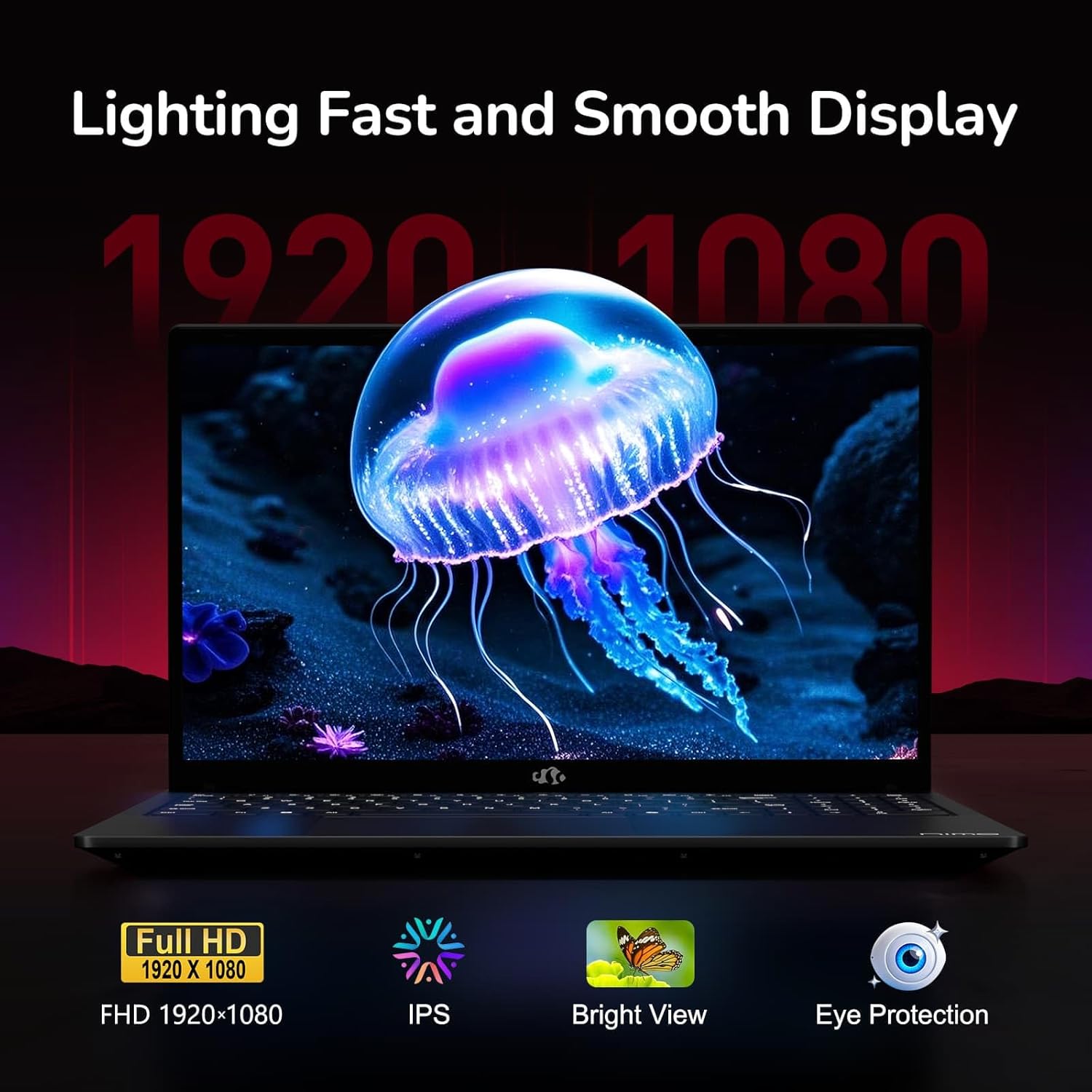
Figure 6: Laptop Display Features
5.2. Klavye ak Touchpad
The laptop features a backlit keyboard and a responsive touchpad with multi-touch gesture support. The integrated fingerprint sensor is located on the touchpad for secure login.
- Klavye retroeklere: Peze Fn + Fx (where Fx is the backlight key, typically F3 or F4) to adjust keyboard backlight brightness.
- Capteur anprent: Enroll your fingerprints via Windows Settings > Accounts > Sign-in options for quick and secure access.
- Webcam Privacy Shield: Slide the physical cover over the webcam for privacy when not in use.

Figure 7: Keyboard and Input Features

Figure 8: Seamless Security Integration (Fingerprint and Webcam Shield)
5.3. Jesyon pouvwa
The laptop is equipped with a 4700mAh (53.58Wh) Lithium Polymer battery. Battery life can vary based on usage. To optimize battery life, adjust power settings in Windows and close unnecessary applications.

Figure 9: Battery Specifications
6. Antretyen ak Swen
6.1. Netwayaj
- Sèvi ak yon twal mou ki pa gen pousyè pou netwaye ekran an ak deyò a.
- Pou mak ki difisil pou jwenn, dampRense twal la avèk dlo oswa yon pwodui netwayaj ekran. Evite pwodui chimik ki agresif.
- Asire w ke laptop la etenn epi debranche anvan ou netwaye li.
6.2. Depo ak manyen
- Sere laptop la nan yon kote ki fre epi sèk, lwen limyè solèy dirèk ak tanperati ekstrèm.
- Evite mete objè lou sou laptop la.
- Pa ekspoze laptop la nan likid.
6.3. Amelyorasyon
The NIMO N155 laptop supports detachable RAM and SSD, allowing for user upgrades. Refer to the official NIMO support website or contact customer service for detailed upgrade instructions to avoid voiding your warranty.
NAN. Depanaj
This section addresses common issues you might encounter with your NIMO N155 laptop.
| Pwoblèm | Solisyon posib |
|---|---|
| Laptop la pa limen. | Asire w ke plato a byen konekte epi ke batri a gen ase chaj. Eseye yon lòt priz kouran. |
| Ekran an vid. | Check if the laptop is powered on. Adjust screen brightness. Connect to an external monitor to check if the issue is with the laptop's display. |
| Pwoblèm koneksyon Wi-Fi. | Asire w ke Wi-Fi aktive nan paramèt Windows yo. Rekòmanse routeur ou a ak laptop la. Mete ajou chofè Wi-Fi yo. |
| Limyè klavye a pa fonksyone. | Press the Fn key combined with the appropriate function key (e.g., F3 or F4) to toggle or adjust the backlight. |
| Fingerprint sensor not responding. | Ensure your finger is clean and dry. Re-enroll your fingerprints in Windows settings. Update fingerprint sensor drivers. |
If you encounter issues not listed here or require further assistance, please contact NIMO customer support.
8. Espesifikasyon teknik
| Karakteristik | Spesifikasyon |
|---|---|
| Non modèl | Nimo N155 |
| Ekspozisyon | 15.6-inch FHD (1920x1080) IPS Anti-Glare |
| Processeur | AMD Ryzen 7 6800H (8 Nwayo, 16 Fil, jiska 4.7 GHz) |
| Grafik | Integrated AMD Radeon 680M |
| RAM | 32GB DDR5 4800 MHz (Dual-channel, upgradeable) |
| Depo | 1TB PCIe 4.0 SSD (upgradeable) |
| Sistèm operasyon | Windows 11 Kay |
| Koneksyon san fil | Wi-Fi 5 (802.11a/b/g/n/ac), Bluetooth 5.2 |
| Pò | 1x USB 2.0, 3x USB 3.0, 2x Type-C (1x PD, 1x Multifunction), 1x HDMI, 1x Micro SD, 1x Headphone Jack, 1x Kensington Lock |
| Webkam | 2.0 MP (with privacy shield) |
| Batri | 4700mAh / 53.58Wh Lithium Polymer |
| Adaptè pouvwa | Type-C 100W PD Fast Charger |
| Dimansyon (LxWxH) | 14.07 x 8.98 x 0.76 pous (357.4 x 228 x 19.2 mm) |
| Pwa | 3.8 liv (1.7 kg) |
| Karakteristik espesyal | Klavye retroeklere, lektè anprent, odyo HD, klavye nimerik |
9. Garanti ak sipò
9.1. Garanti manifakti a
Laptop NIMO N155 ou a vini ak yon Garanti manifakti 2 zanGaranti sa a kouvri domaj nan materyèl ak nan fabrikasyon anba itilizasyon nòmal. Tanpri konsève prèv acha ou pou reklamasyon garanti.
9.2. Règleman pou Retounen Atik
NIMO offers a Règleman pou retounen pwodwi a san pwoblèm nan 90 jou from the date of purchase. For details on eligibility and the return process, please refer to your purchase documentation or contact customer support.
9.3. Sipò pou Kliyan
For technical assistance, warranty claims, or any other inquiries, please visit the official NIMO support website or contact their customer service team. Contact information can typically be found on the NIMO brand store page or included documentation.
NIMO Brand Store: Visit NIMO Store on Amazon
Ask a question about this manual
Ask about setup, troubleshooting, compatibility, parts, safety, or missing instructions. Manuals+ will review the question and use this page’s manual context to help answer it.