
1. Entwodiksyon
Thank you for choosing the Xuevcn BS01 Bluetooth Speaker. This manual provides essential information for setting up, operating, and maintaining your speaker. Please read it thoroughly before use to ensure optimal performance and longevity of your device.
Kontni pake:
- Xuevcn BS01 Bluetooth Speaker
- Gid Quick Start
- Kab chaje (USB-C)
2. Enfòmasyon sou Sekirite
- Pa ekspoze oratè a nan tanperati ekstrèm oswa nan limyè solèy dirèk pou yon bon bout tan.
- Evite jete oswa soumèt oratè a nan gwo enpak.
- Kenbe oratè a lwen aparèy medikal yo.
- Pa eseye demonte oswa modifye oratè a. Sa ap anile garanti a.
- Asire w kouvèti pò chaje a byen fèmen lè w ap itilize oratè a toupre dlo pou kenbe klasifikasyon enpèmeyab IPX7 li a.
- Sèvi sèlman ak kab chaje ki vini ak li a oswa yon kab ekivalan sètifye.
3. Pwodwi souview
The Xuevcn BS01 is a portable Bluetooth speaker featuring IPX7 waterproofing, stereo pairing capabilities, LED light functions, and a built-in microphone for hands-free calls.

This image displays the Xuevcn BS01 Bluetooth Speaker from an angled perspective, highlighting its cylindrical design, textured black finish, and the vibrant, multi-color LED light strip running along its side. Visible control buttons include power, volume up/down, play/pause, and a mode button, indicating its multi-functional capabilities.
Kontwòl ak pò:
- Bouton pouvwa: Peze epi kenbe pou limen/ete.
- Volim moute (+): Ogmante volim.
- Volim desann (-): Diminye volim.
- Bouton jwe/poz: Jwe/mete mizik sou poz, reponn/fini apèl.
- Mode Button (Light Icon): Cycle through LED light modes.
- USB-C chaje pò: Pou chaje oratè a.
4. Enstalasyon
4.1 Chaje Oratè a
- Open the protective cover of the charging port.
- Connect the USB-C charging cable to the speaker's charging port.
- Konekte lòt bout kab la nan yon adaptè kouran USB (pa enkli) oubyen nan yon pò USB òdinatè.
- Endikatè LED la ap montre eta chaj la. Li pral etenn oswa chanje koulè lè li fin chaje nèt.
- Close the protective cover firmly after charging to maintain waterproofing.
4.2 Power On/Off
- Pou limen: Press and hold the Power button (ⓘ) for approximately 3 seconds until you hear an audible prompt and the LED lights activate.
- Pou etenn: Press and hold the Power button (ⓘ) for approximately 3 seconds until you hear an audible prompt and the LED lights turn off.
4.3 Bluetooth Pairing
- Asire w ke oratè a limen epi li nan mòd koneksyon Bluetooth (endikatè LED la ap flache).
- Sou aparèy mobil ou a, aktive Bluetooth.
- Chèche pou available Bluetooth devices and select "Xuevcn BS01" from the list.
- Once connected, you will hear an audible confirmation, and the LED indicator will stop flashing.
- Oratè a ap rekonekte otomatikman ak dènye aparèy ki te konekte a lè li limen, si li disponib.
5. Operasyon Enstriksyon
5.1 Mizik lèktur
- Jwe/Poz: Press the Play/Pause button (▶▌▌) once.
- Volim moute: Peze bouton '+' la.
- Volim desann: Peze bouton '-' la.
- Pwochen Track: Peze epi kenbe bouton '+' la.
- Track Previous: Peze epi kenbe bouton '-' la.
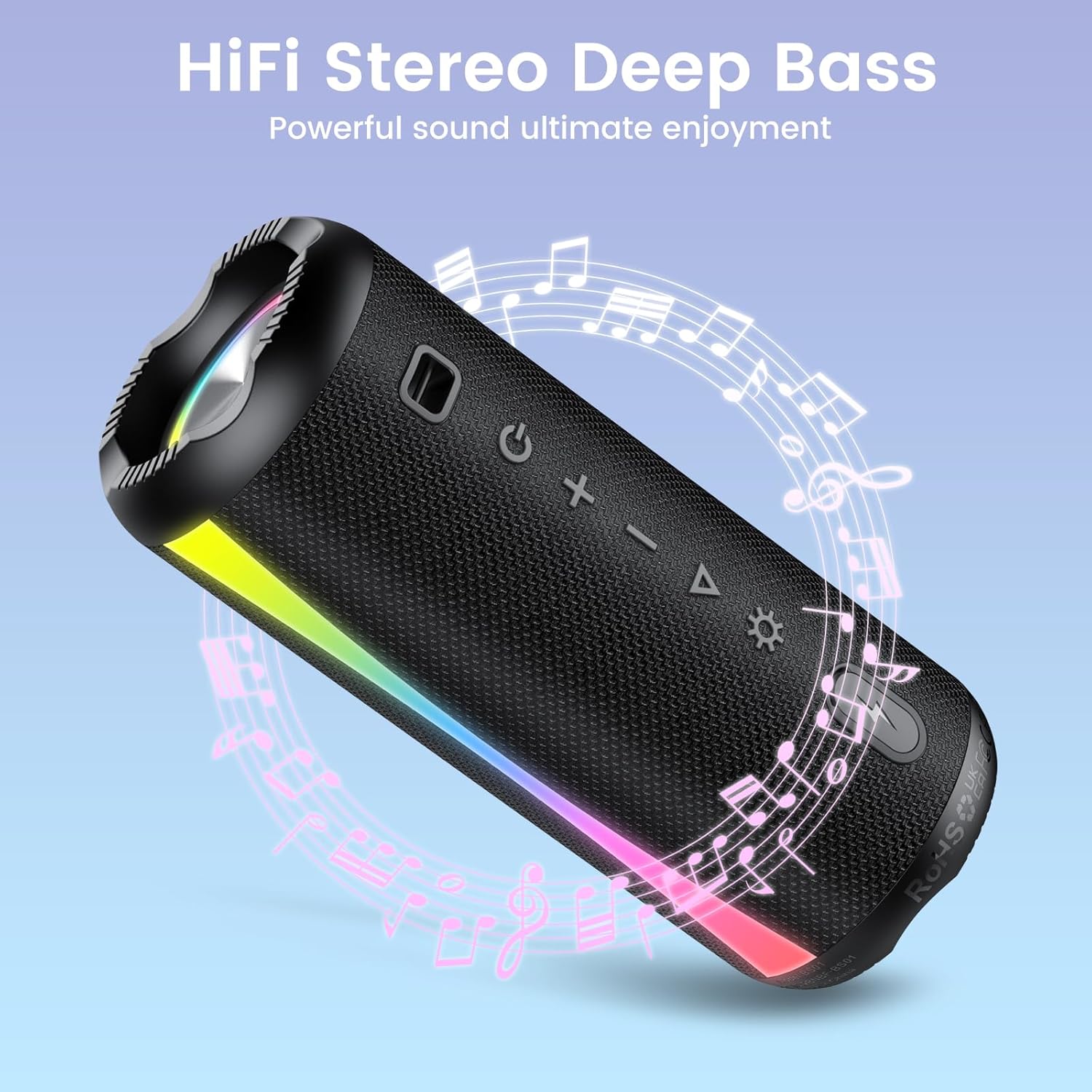
The speaker is shown with graphic elements of musical notes and sound waves, emphasizing its HiFi stereo and deep bass audio capabilities for an enhanced listening experience.

This image features the speaker alongside a circular clock graphic, illustrating its extended battery life of up to 15 hours of uninterrupted playback.
5.2 Call Function (Built-in Microphone)
- Reponn apèl: Press the Play/Pause button (▶▌▌) once when a call comes in.
- Fini apèl: Press the Play/Pause button (▶▌▌) once during a call.
- Rejte apèl: Press and hold the Play/Pause button (▶▌▌) for 2 seconds.
5.3 mòd limyè ki ap dirije
Press the Mode button (Light Icon) to cycle through different LED light modes. The speaker offers various rhythmic lightscapes that can sync with your music.

Yon fèmen view of the speaker's ends, showcasing the dynamic RGB lighting feature that syncs with music, creating a vibrant visual experience.
5.4 Stereo Pairing (True Wireless Stereo - TWS)
You can pair two Xuevcn BS01 speakers together for a true wireless stereo sound experience.
- Asire w ke tou de oratè yo limen epi yo pa konekte ak okenn aparèy Bluetooth.
- On one speaker (this will be the primary speaker), press and hold the Play/Pause button (▶▌▌) for 3-5 seconds until you hear a pairing tone.
- The two speakers will automatically connect to each other. You will hear a confirmation tone once paired.
- Kounye a, konekte aparèy mobil ou a ak oratè prensipal la atravè Bluetooth jan sa dekri nan seksyon 4.3.
- Audio will now play through both speakers in stereo.

This image depicts two Xuevcn BS01 speakers in an outdoor social setting, illustrating their ability to be wirelessly paired for a true stereo sound experience, enhancing audio coverage.
6. Antretyen
6.1 Netwayaj
- Siye oratè a ak yon mou, damp twal.
- Pa sèvi ak pwodui netwayaj abrazif, alkòl, oswa solvan chimik.
- Ensure the charging port cover is closed before cleaning with a damp twal.
6.2 Depo
- Store the speaker in a cool, dry place away from direct sunlight.
- If storing for an extended period, charge the battery every 3-6 months to maintain battery health.

The speaker is shown with water splashing over it, visually confirming its IPX7 waterproof rating, making it suitable for use near water or in wet conditions.

An image showing the speaker clipped to a backpack during a hike, emphasizing its lightweight and portable design, ideal for on-the-go use and outdoor adventures.
NAN. Depanaj
- Oratè a pa limen: Asire w batri a chaje. Konekte l nan yon sous kouran epi eseye ankò.
- Pa ka konekte ak yon aparèy Bluetooth:
- Asire w ke oratè a nan mòd koneksyon (LED la ap flache).
- Asire w ke Bluetooth aktive sou aparèy ou an.
- Deplase oratè a pi pre aparèy ou an.
- Bliye oratè a nan lis Bluetooth aparèy ou an epi eseye konekte li ankò.
- Pa gen son oswa volim ki ba:
- Ogmante volim nan tou de sou oratè a ak sou aparèy ki konekte a.
- Asire w ke oratè a byen konekte atravè Bluetooth.
- Koneksyon stereo a pa fonksyone:
- Ensure both speakers are disconnected from any other Bluetooth devices before initiating TWS pairing.
- Repete etap koneksyon TWS yo ak anpil atansyon.
8. Espesifikasyon
| Karakteristik | Spesifikasyon |
|---|---|
| Non modèl | BS01 |
| Mak | Xuevcn |
| Koneksyon Teknoloji | Bluetooth |
| Kalite Oratè | Ba son (pòtab) |
| Oratè maksimòm pwodiksyon pouvwa | 5 Watts |
| Repons Frekans | 150 Hz |
| Audio Sòti Mode | Antoure |
| Evalyasyon ki enpèmeyab | IPX7 |
| Dimansyon pwodwi | 2"D x 2"W x 2"H |
| Pwa atik | 1.26 liv |
| Batri | 2 A pil obligatwa (enkli) |
| Konpozan ki enkli | Gid Quick Start |
9. Garanti ak sipò
The Xuevcn BS01 Bluetooth Speaker comes with a standard manufacturer's warranty. Please refer to the warranty card included in your package for specific terms and conditions.
For technical support, troubleshooting assistance, or warranty claims, please contact Xuevcn customer service through the retailer's platform or the contact information provided in your product packaging.