
1. Entwodiksyon
This manual provides detailed instructions for the Molczov Zigbee 3.0 USB Dongle Gateway, model GW70-MQTT. This device functions as a universal Zigbee gateway, enabling the management of various Zigbee devices within open-source home automation platforms such as Home Assistant, Zigbee2MQTT, and Open HAB. It is designed for seamless integration and reliable performance in your smart home ecosystem.

Figure 1: Molczov Zigbee 3.0 USB Dongle Gateway in use with a laptop.
2. Pwodwi souview
2.1 Karakteristik kle
- Universal Zigbee Gateway: Equipped with Z-Stack 3.x.0 coordinator firmware, eliminating the need for manual flashing.
- Gwo konpatibilite: Supports Zigbee 3.0 standards and is compatible with most open-source Zigbee devices from various brands, including smart door sensors, door locks, switches, and bulbs.
- Fast and Stable Connection: Features high-performance chips (90CC2652P CP2102N) with 20dBm output gain for enhanced signal coverage. An integrated encryption engine ensures stable signal transmission.
- Konsepsyon dirab: Constructed with an aluminum housing to minimize external signal interference and promote a reliable connection.
- Enstalasyon fasil: Designed for quick integration into existing smart home ecosystems with minimal setup steps.
2.2 Kontni pake a
The Molczov Zigbee 3.0 USB Dongle Gateway package includes:
- 1 x Zigbee USB Dongle

Figure 2: Physical features of the Zigbee USB Dongle, including its rotatable antenna, metal casing, and detachable components.
3. Enstriksyon Enstalasyon
The Molczov Zigbee 3.0 USB Dongle Gateway is designed for straightforward installation. Follow these steps to integrate it into your home automation system:
- Connect the Dongle: Plug the Zigbee USB dongle into an available USB port on your computer, VPS server, Linux server, or any microcontroller running a compatible home automation platform (e.g., Home Assistant).
- Platform Configuration: Access your chosen home automation platform (Home Assistant, Zigbee2MQTT, Open HAB). The dongle comes with pre-installed Z-Stack 3.x.0 coordinator firmware, so manual flashing is not required for initial setup as a coordinator.
- Premye konfigirasyon: Follow the platform-specific instructions to detect and configure the new Zigbee gateway. This typically involves adding a new Zigbee integration or device.
- Add Zigbee Devices: Once the dongle is recognized as a gateway, you can begin pairing your Zigbee-compatible devices (sensors, switches, bulbs, etc.) through your home automation platform.
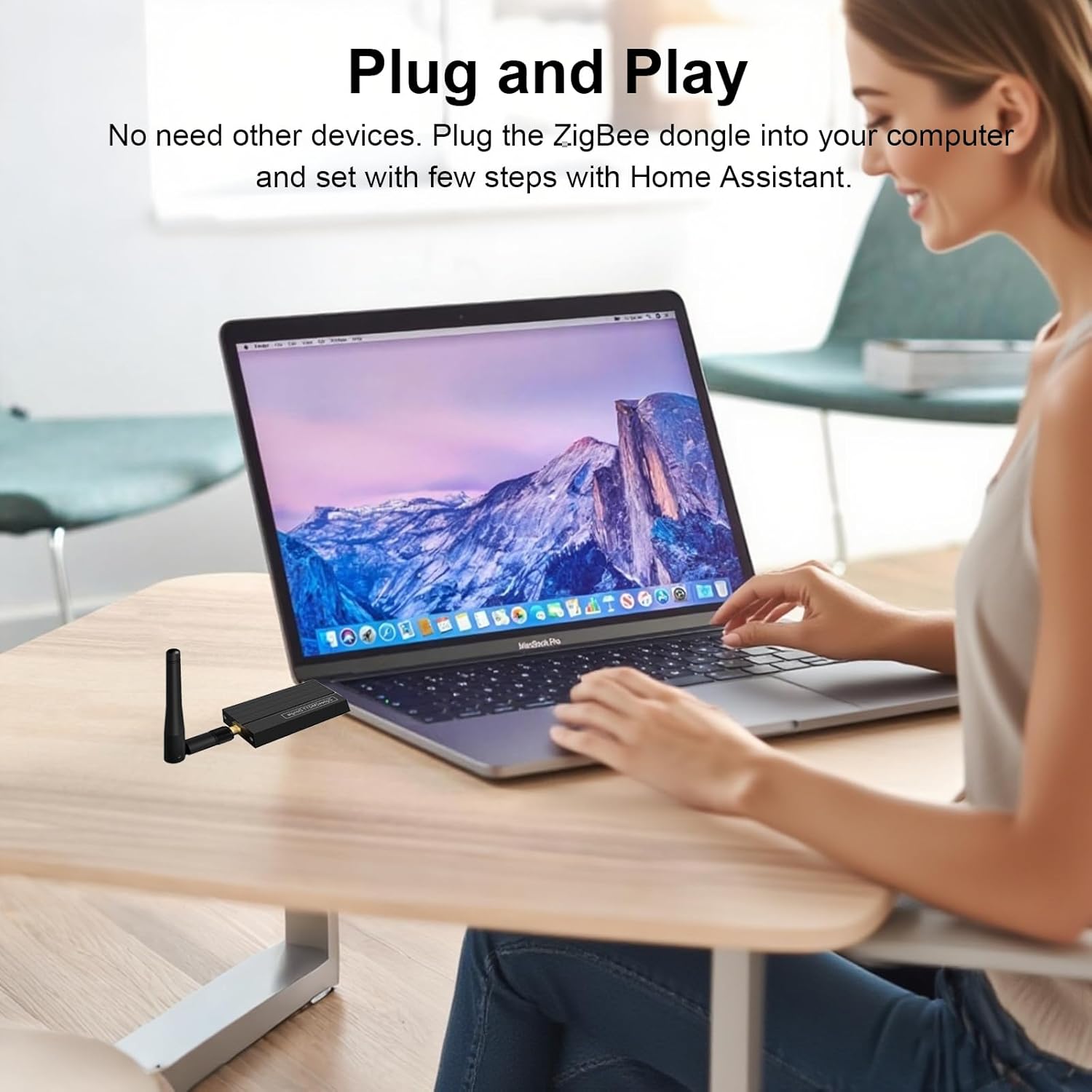
Figure 3: The dongle offers a simple 'Plug and Play' installation process.
4. Operasyon Enstriksyon
Once set up, the Molczov Zigbee 3.0 USB Dongle Gateway allows you to manage and control your Zigbee devices.
4.1 Managing Zigbee Devices
Use your chosen home automation platform's interface to:
- Pè Aparèy yo: Initiate the pairing process for new Zigbee devices.
- Aparèy kontwòl: Send commands to turn devices on/off, adjust settings, or trigger automations.
- Siveye sitiyasyon: View the current status and data from your Zigbee sensors.

Figure 4: The dongle acts as a universal gateway for a wide range of Zigbee devices.
4.2 Fonksyonalite Routeur
The dongle can also be configured as a Zigbee router to extend your network range. This requires flashing router firmware onto the device. Consult your platform's documentation (e.g., Zigbee2MQTT) for specific instructions on flashing router firmware.

Figure 5: The dongle can be reconfigured as a Zigbee router to expand network coverage.
4.3 Multi-Platform Access
The Molczov Zigbee dongle supports integration with various smart home platforms and ecosystems, including Home Assistant, Zigbee2MQTT, Open HAB, Google Assistant, HomeKit, SmartThings, Amazon Alexa, Mijia, Aqara, and Philips Hue.

Figure 6: The dongle supports access across multiple smart home platforms.
5. Antretyen
To ensure optimal performance and longevity of your Molczov Zigbee 3.0 USB Dongle Gateway, consider the following maintenance guidelines:
- Kenbe pwòp: Periodically wipe the dongle with a dry, soft cloth to remove dust.
- Kondisyon anviwònman: Evite ekspoze aparèy la nan tanperati ekstrèm, imidite ki wo, oswa limyè solèy dirèk.
- Vantilasyon: Ensure the dongle is placed in an area with adequate airflow to prevent overheating.
- Entegrite Siyal: The aluminum housing helps maintain signal integrity; avoid placing the dongle near large metal objects or other sources of electromagnetic interference.
NAN. Depanaj
If you encounter issues with your Molczov Zigbee 3.0 USB Dongle Gateway, consider the following:
- Kle a pa detekte: Ensure the dongle is securely plugged into a functional USB port. Try a different USB port or restart the host device (computer, server).
- Device Pairing Issues: Verify that your Zigbee devices are in pairing mode. Check the logs of your home automation platform for error messages. Ensure the dongle's firmware is compatible with your devices.
- Siyal/Koneksyon pòv: Relocate the dongle to a more central position or use a USB extension cable to improve antenna placement. Consider flashing the dongle as a router to extend network coverage if you have many devices or a large area.
- Platform-Specific Problems: Consult the documentation and community forums for Home Assistant, Zigbee2MQTT, or Open HAB for platform-specific troubleshooting steps.

Figure 7: The dongle's advanced chips and Z-Stack 3.x.0 firmware contribute to a stable and reliable connection.
7. Espesifikasyon
| Karakteristik | Detay |
|---|---|
| Nimewo Modèl | GW70-MQTT |
| Mak | Molczov |
| Manifakti | Molczov |
| Dimansyon pwodwi | 4 x 1.2 x 0.4 pous |
| Pwa atik | 1.44 ons (0.04 kilogram) |
| Koneksyon | Zigbee 3.0, USB |
| Firmware | Z-Stack 3.x.0 Coordinator (pre-installed) |
8. Garanti ak sipò
For warranty information and technical support, please refer to the Molczov official websit la oubyen kontakte revandè w la. Kenbe prèv acha w la pou nenpòt reklamasyon sou garanti a.