
1. Entwodiksyon
The Machenike KG98 is a versatile mechanical gaming keyboard designed for various uses including work, gaming, and study. It features multi-device connectivity, hot-swappable switches, an ergonomic structure, and customizable RGB lighting. This manual provides detailed instructions for setup, operation, and maintenance to ensure optimal performance and user experience.
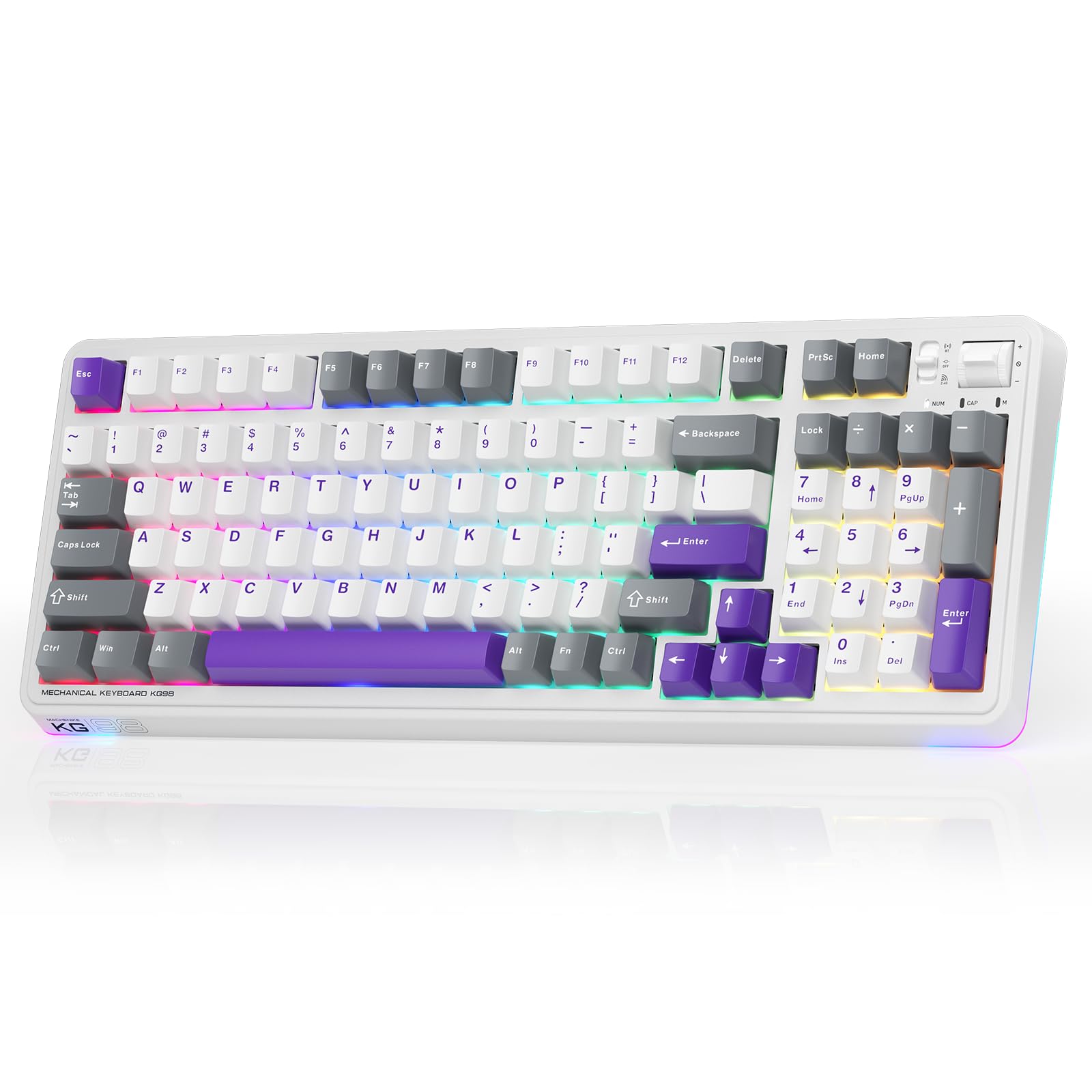
Figure 1: Machenike KG98 Mechanical Gaming Keyboard
2. Ki sa ki nan bwat la
Tanpri verifye ke tout atik yo prezan lè w ap debale l:
- Machenike KG98 Mechanical Keyboard
- 2 switch lineyè gri pre-lubrifye anplis
- Keycap Puller
- Kab USB (Tip-A a Kalite-C)
- Manyèl Itilizatè (dokiman sa a)

Figure 2: Box Contents of the KG98 Keyboard
3. Enstalasyon
3.1 Mòd Konektivite
The KG98 keyboard supports three connection modes: Wired (USB-C), 2.4G Wireless, and Bluetooth (BT5.0). A mode switch is located on the top-right side of the keyboard.
- Branche Mode: Connect the provided USB-C cable to the keyboard and your computer. The mode switch should be in the middle (USB) position.
- 2.4G Wireless Mode: Locate the 2.4G USB dongle (usually stored magnetically on the keyboard's underside). Insert the dongle into your computer's USB port. Slide the mode switch to the bottom (2.4G) position. The keyboard will automatically connect.
- Mòd Bluetooth: Slide the mode switch to the top (BT) position. On your device (computer, tablet, smartphone), search for Bluetooth devices and select 'Machenike KG98'. The keyboard's indicator light will flash blue during pairing.
3.2 Chaje klavye a
The keyboard is equipped with an 8000mAh battery. To charge, connect the USB-C cable to the keyboard and a power source (e.g., computer USB port, USB wall adapter). The indicator light will show charging status.

Figure 3: Connectivity and Multimedia Control Switches
Video 1: Machenike KG98 Mechanical Keyboard Overview (Kontni Vandè)
This video demonstrates the unboxing, various features, and connectivity options of the Machenike KG98 Mechanical Keyboard, including switch removal and typing sound tests.
4. Operasyon Enstriksyon
4.1 Konbinezon kle fonksyon
The KG98 keyboard utilizes the 'Fn' key for various secondary functions. Refer to the included user manual for a comprehensive list of Fn key combinations for both Windows and macOS, including multimedia controls, brightness adjustments, and system functions.
4.2 Kontwòl ekleraj RGB
The keyboard features 16.8 million customizable RGB backlighting and dual-sided RGB light strips. Use the following key combinations to adjust the lighting:
- Fn + Shift: Cycle through various RGB lighting effects.
- Fn + Enter: Change the solid color of the current lighting effect.
- Fn + Flèch Anwo/Anba: Ajiste klète limyè dèyè a (4 nivo).
- Fn + Flèch agoch/adwat: Adjust animation speed (4 levels).
- Fn + Page Up/Page Down: Change side light strip color.
- Fn + Home/End: Change side light strip mode/speed.
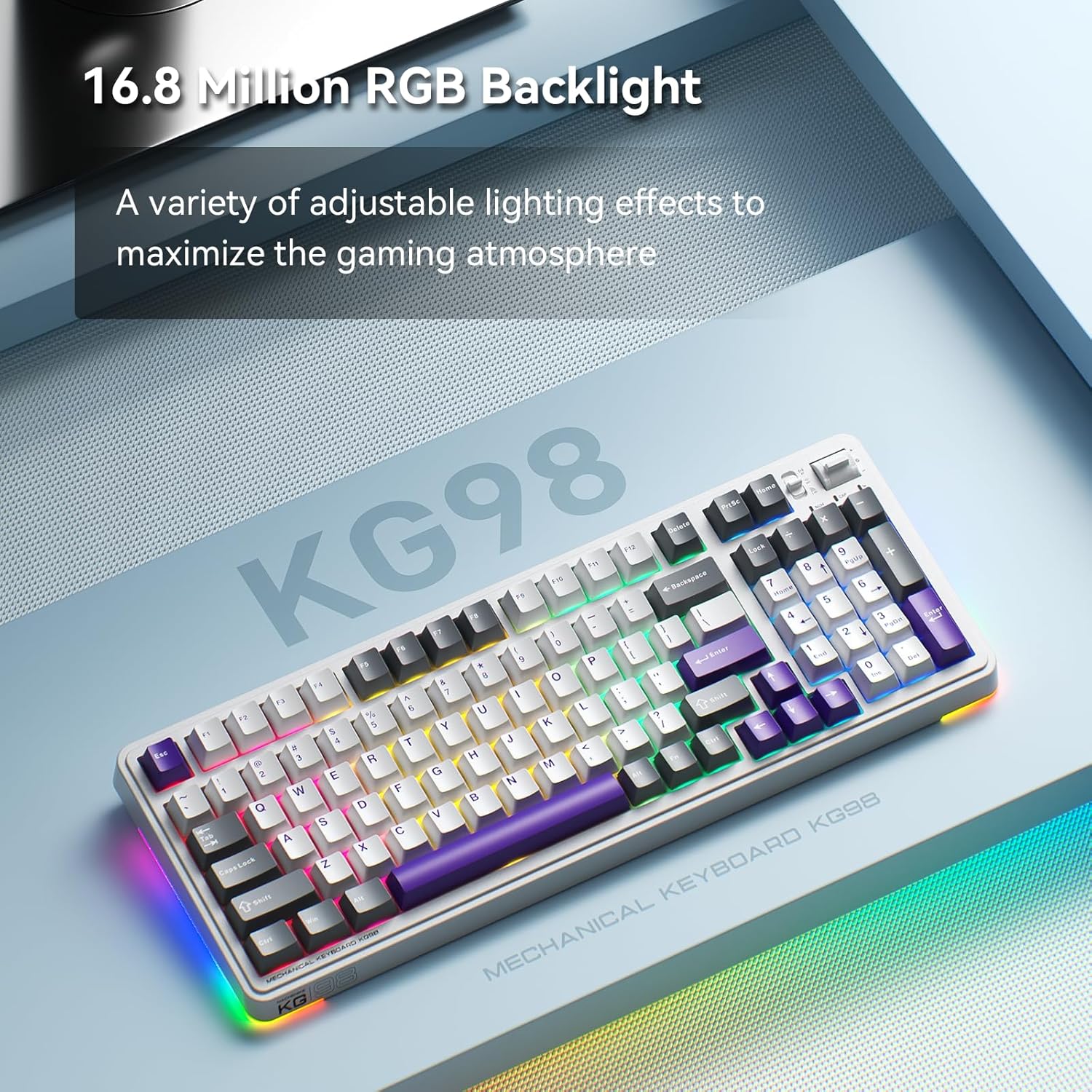
Figure 4: Customizable RGB Backlighting
4.3 Multimedia and Volume Controls
A multi-functional toggle switch is located on the top-right of the keyboard, allowing for quick adjustments:
- Vire: Ajiste volim monte oswa desann.
- Peze: Aktive/dezaktive son odyo a.
- Peze epi kenbe: Chanje nan mòd ekleraj RGB yo.
5. Personnalisation
5.1 Switch ki ka ranplase a cho
The KG98 keyboard features hot-swappable sockets, allowing you to easily replace switches without soldering. This enables personalization of typing feel and sound. Use the included keycap puller and switch puller to remove and install switches. The keyboard supports both 3-pin and 5-pin switches.

Figure 5: Hot-Swappable Switches
5.2 Ranplasman kle
The keyboard comes with durable PBT keycaps. You can replace these with aftermarket keycaps of your choice to further customize the keyboard's aesthetics. Use the keycap puller to safely remove keycaps.
5.3 Pèsonalizasyon lojisyèl
Download the official Machenike software to unlock advanced customization options, including:
- Key remapping for individual keys.
- Macro recording and assignment.
- Detailed RGB lighting effects and color customization.
- Adjusting debounce time and sleep settings.
6. Espesifikasyon
| Nimewo Modèl | KG98 |
| Dimansyon pwodwi | 16.61"L x 7.48"L x 2.16"H |
| Pwa atik | 3.39 liv |
| Koneksyon Teknoloji | BT5.0 (Bluetooth), 2.4G Wireless, USB-C Wired |
| Deskripsyon klavye | Joint san fil mekanik klavye |
| Klavye ekleraj | RGB |
| Batri | 1 batri ityòm Ion (enkli) |
| Karakteristik espesyal | Noise-canceling, Hot-swappable switches, Multi-functional switch |
| Aparèy konpatib | Konsole jwèt, Laptop, PC, Smartphone, Tablèt |
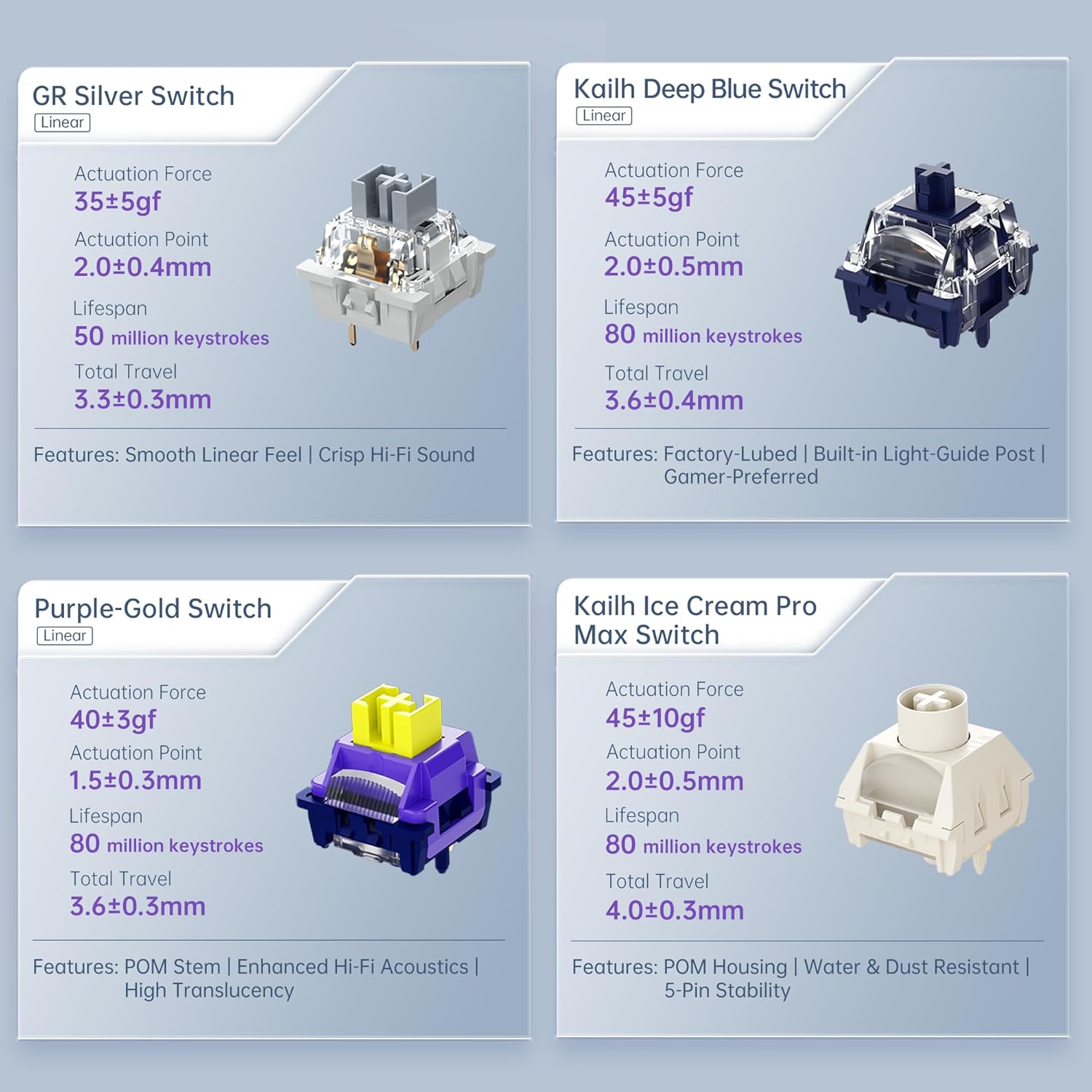
Figure 6: Premium 5-Layer Acoustic Filling Design
7. Antretyen
To ensure the longevity and optimal performance of your Machenike KG98 keyboard, follow these maintenance guidelines:
- Netwayaj: Regularly clean the keyboard with a soft, dry cloth. For deeper cleaning, remove keycaps using the provided puller and use compressed air to clear debris from between switches.
- Evite likid: Do not expose the keyboard to liquids. If spills occur, immediately disconnect the keyboard and allow it to dry completely before re-using.
- Depo: Sere klavye a nan yon kote ki fre epi sèk, lwen limyè solèy dirèk ak tanperati ekstrèm.
NAN. Depanaj
If you encounter issues with your Machenike KG98 keyboard, try the following troubleshooting steps:
- Pa gen repons: Ensure the keyboard is properly connected in wired mode, or that the 2.4G dongle/Bluetooth is correctly paired and the mode switch is in the correct position. Check battery level.
- Pwoblèm Koneksyon: For wireless modes, ensure the keyboard is within range of your device. Try re-pairing Bluetooth or re-inserting the 2.4G dongle.
- Limyè RGB pa travay: Check brightness settings (Fn + Up Arrow). Ensure the lighting mode is active (Fn + Shift).
- Kle yo pa anrejistre: If individual keys are not working, try replacing the switch using the provided tools and extra switches.
- Pwoblèm lojisyèl: Ensure you have the latest version of the Machenike software installed. Restart your computer and the software.
- Reset faktori: If problems persist, you can perform a factory reset via the customization software.
9. Garanti ak sipò
For warranty information, technical support, or service inquiries, please contact Machenike customer support through their official website or the contact details provided with your purchase. Keep your proof of purchase for warranty claims.