
Pwodwi souview
The ASTRO Gaming A20 Gen 2 Wireless Headset provides a high-quality audio experience for gaming across multiple platforms. Designed for comfort and performance, it features low-latency wireless connectivity and a convenient flip-to-mute microphone.
Karakteristik kle:
- Konpatibilite Pwochen Jenerasyon an: Seamlessly works with PlayStation 5, PlayStation 4, Windows, and Mac OS.
- Lag-Free Wireless Audio: 2.4GHz USB wireless transmitter ensures low-latency, high-quality sound.
- Batri ki dire lontan: Up to 15 hours of wireless gaming on a single charge.
- Mikwofòn baskile pou fèmen: Flexible boom mic with an intuitive flip-to-mute function for instant control.
- Konfò tout lajounen: Lightweight design with padded headband and ear cushions for extended wear.
Ki sa ki nan bwat la
- A20 Headset san fil
- USB transmetè
- USB-C pou USB-A chaje kab
Enstriksyon Enstalasyon
Follow these steps to set up your ASTRO Gaming A20 Gen 2 Wireless Headset:
- Chaje kas ekoutè a: Connect the headset to a power source using the provided USB-C to USB-A charging cable. Ensure the headset is fully charged before first use for optimal battery life.
- Connect the USB Transmitter: Plug the USB transmitter into an available USB port on your PlayStation console (PS5 or PS4) or your Windows/Mac computer. The transmitter facilitates the 2.4GHz wireless connection.
- Pouvwa sou: Turn on your ASTRO Gaming A20 Gen 2 Wireless Headset. The headset should automatically pair with the USB transmitter. Refer to your device's audio settings to ensure the headset is selected as the input and output device.
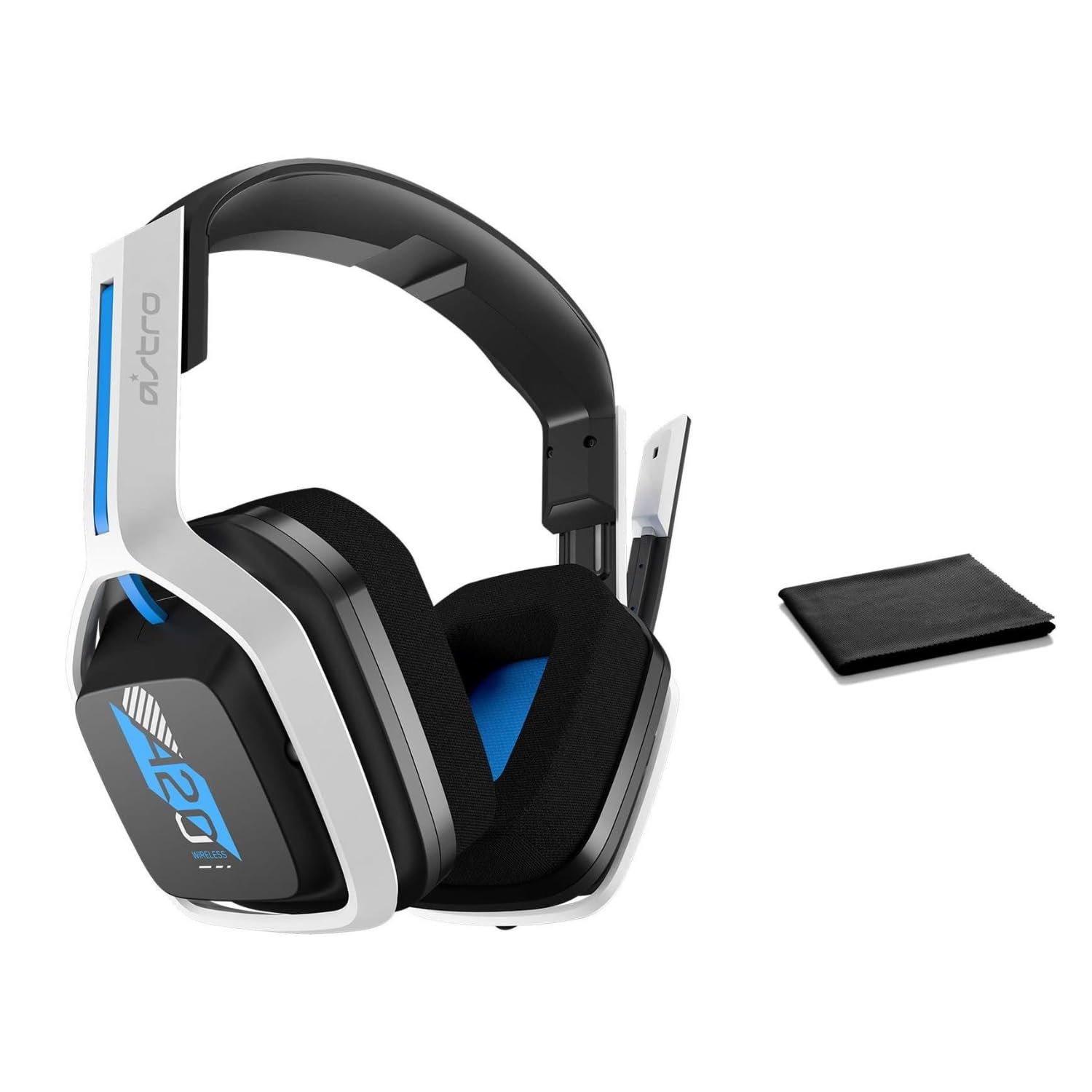
Image: The ASTRO Gaming A20 Gen 2 Wireless Headset, ready for use.
Enstriksyon Operasyon
Fonksyonalite Mikwofòn
The headset features a flexible boom microphone with a flip-to-mute function. To mute your microphone, simply flip the boom arm upwards. To unmute and activate the microphone, flip the boom arm back down to its original position.
Kontwòl Volim
Adjust the audio volume using the dedicated volume control located on the headset. Rotate the dial or press the buttons (depending on the specific model variant) to increase or decrease the sound output.
Antretyen
To ensure the longevity and optimal performance of your headset:
- Netwayaj: Use the included premium microfiber cloth to gently wipe down the headset and accessories. This helps keep your headset dust-free and smudge-free.
- Depo: Sere kas ekoutè a nan yon kote ki pwòp epi sèk, lwen tanperati ekstrèm ak limyè solèy dirèk lè w pa ap itilize li.
- Swen batri: For best battery health, avoid fully discharging the headset frequently. Charge it regularly.
Depanaj
If you encounter issues with your ASTRO Gaming A20 Gen 2 Wireless Headset, consider the following:
- No Audio/Microphone Not Working: Ensure the USB transmitter is securely plugged into your device and the headset is powered on and paired. Check your device's audio settings to confirm the headset is selected as the default input/output. For the microphone, ensure it is not in the 'flipped-up' (muted) position.
- Pwoblèm Koneksyon: Try unplugging and re-plugging the USB transmitter. If issues persist, try connecting to a different USB port.
- Batri pa chaje: Verify the charging cable is properly connected to both the headset and the power source. Try a different USB port or power adapter.
- Mizajou mikrolojisyèl: Visit the official ASTRO Gaming support website for any available firmware updates for your headset, as these can resolve various performance issues.
Espesifikasyon
| Karakteristik | Detay |
|---|---|
| Non modèl | 939-001876 |
| Mak | ASTRO Gaming |
| Koneksyon Teknoloji | San fil |
| Kominikasyon san fil | 2.4GHz Wireless |
| Aparèy konpatib | Mac OS, PlayStation 4, Playstation 5, Windows |
| Lavi batri | 15 èdtan |
| Tan pou chaje | 15 èdtan |
| Mikwofòn | Flip-pou-Mute |
| Plasman Zòrèy | Sou Zòrèy |
| Pwa atik | 11.2 ons (318 gram) |
| Materyèl | Plastik |
| Konpozan ki enkli | A20 Wireless Headset, USB transmitter, USB-C to USB-A charging cable |
Garanti ak sipò
For detailed warranty information and technical support, please refer to the official ASTRO Gaming websit la oubyen kontakte sèvis kliyan yo. Kenbe prèv acha ou pou reklamasyon garanti.