
1. Entwodiksyon
This manual provides essential information for setting up, operating, maintaining, and troubleshooting your VIBOX I-12 Gaming PC. This complete gaming system includes a 22-inch monitor, gaming keyboard, gaming mouse, headset, LED mouse pad, and a USB Wi-Fi 6 + Bluetooth 5.4 adapter. It is powered by an AMD Ryzen 3 3200G processor with integrated Radeon Vega 8 graphics, 16GB of DDR4 RAM, and a 500GB SSD, running on Windows 11 Home.
Please read this manual thoroughly before using your new PC to ensure optimal performance and longevity.
2. Enstalasyon
2.1 Debalaj ak Kontni
Carefully unpack all components from the box. Ensure the following items are present:
- VIBOX I-12 PC Tower
- 22-pous ki monitè kè bebe
- Klavye Gaming
- Sourit Gaming
- Headset
- Dirije Mouse Pad
- USB Wi-Fi 6 AX900 and Bluetooth 5.4 Adapter
- Power Cables (for PC and Monitor)
- HDMI kab
- Dokimantasyon (manyèl sa a)

Image: The VIBOX I-12 Gaming PC tower, showcasing its internal components and white chassis.
2.2 Konekte periferik
- Siveye: Connect the 22-inch monitor to the PC tower using the provided HDMI cable. Ensure both ends are securely plugged in.
- Klavye ak sourit: Connect the gaming keyboard and mouse to the available USB ports on the rear or front of the PC tower.
- Headsets: Plug your headset into the audio jacks (headphone and microphone) on the front or rear of the PC.
- Wi-Fi/Bluetooth Adapter: Insert the USB Wi-Fi 6 + Bluetooth 5.4 adapter into an available USB port.
- Pouvwa: Connect the power cable to the PC tower and then to a wall outlet. Connect the monitor's power cable to the monitor and a wall outlet. The PC uses a Type C/EF – 2 pin (European/hybrid FR-DE plug) power connection.

Imaj: Gwo plan view of the PC's versatile connectivity panel, highlighting USB 3.0, USB 2.0, headphone jack, RGB change button, and power button.
2.3 Premye pouvwa-sou
Once all connections are secure, press the power button on the front of the PC tower. The system will boot up, and Windows 11 Home will guide you through the initial setup process, including language selection, network connection, and user account creation.
3. Kijan pou w itilize òdinatè w la
3.1 Fenèt 11 Lakay
Your VIBOX I-12 PC comes pre-installed with Windows 11 Home, optimized for gaming. Key features include:
- DirectStorage: For faster game loading times.
- Oto HDR: Enhances graphics for supported games.
- Xbox Game Pass Integration: Seamless access to a library of games.
- Optimized CPU Performance: Ensures smooth gameplay and multitasking.
- Windows Defender & Windows Hello: Enhanced security features.
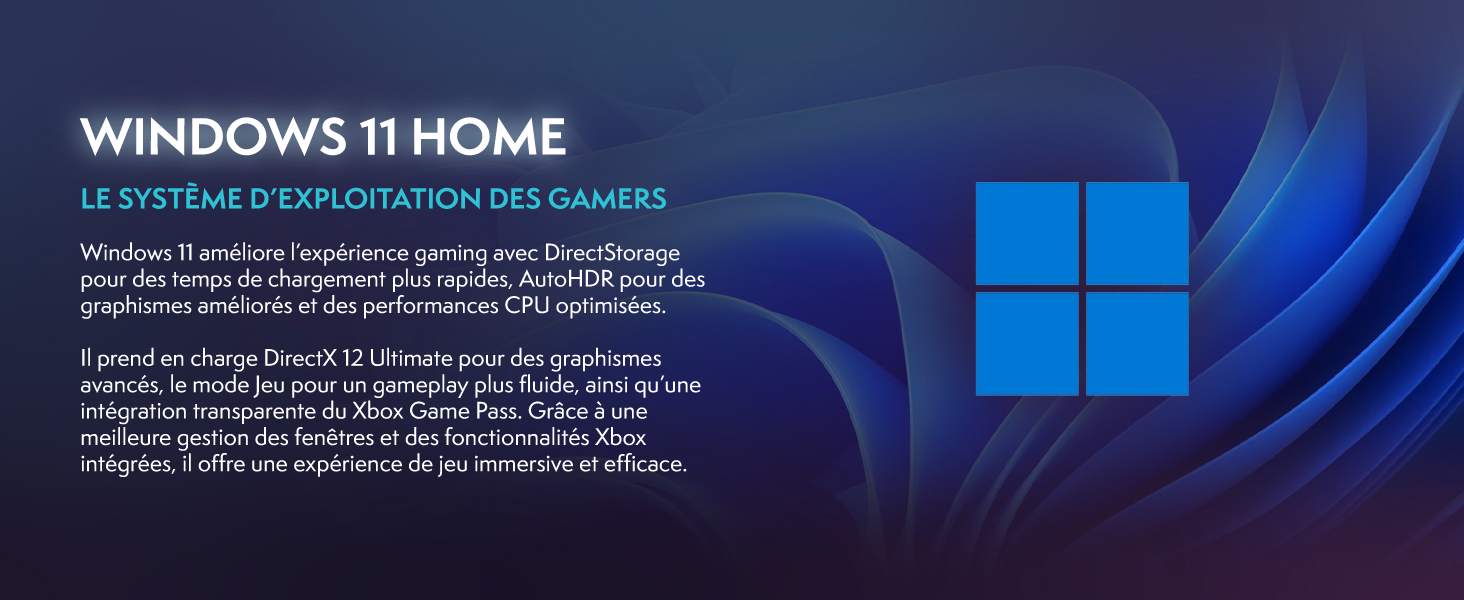
Image: Promotional image for Windows 11 Home, highlighting its gaming-centric features like DirectStorage and Auto HDR.
3.2 Pèfòmans jwèt
The AMD Ryzen 3 3200G processor with integrated Radeon Vega 8 graphics provides solid performance for popular games at 1080p resolution. Performance may vary depending on game settings and specific titles.

Image: Performance comparison for Minecraft and Fortnite, showing average FPS at 1920x1080 resolution with different graphics settings.

Image: Performance comparison for Counter-Strike 2 and Grand Theft Auto V, showing average FPS at 1920x1080 resolution with different graphics settings.
3.3 Koneksyon
The VIBOX I-12 offers comprehensive connectivity options:
- San fil: Integrated Wi-Fi 6 (802.11ax) and Bluetooth 5.4 for high-speed wireless networking and peripheral connections.
- Branche: Ethernet port for stable wired internet connection.
- Pò USB: Multiple USB 3.0 and USB 2.0 ports for various peripherals.
- Sòti videyo: HDMI port for display connection.
4. Antretyen
4.1 Netwayaj jeneral
To ensure optimal performance and longevity, regularly clean your PC. Use a soft, dry cloth to wipe down the exterior. For dust accumulation, especially on vents and fans, use compressed air. Toujou etenn epi debranche òdinatè a anvan ou netwaye li.
4.2 Sistèm refwadisman
The VIBOX I-12 features a mesh design and 6 Hex RGB 120mm fans for exceptional airflow and cooling. Periodically check the fan vents for dust buildup, which can impede airflow and lead to overheating. The tempered glass side panel is articulated and magnetic, allowing for easy access to internal components for cleaning and maintenance.

Image: Diagram illustrating the exceptional airflow and next-generation cooling design of the VIBOX I-12 PC tower.
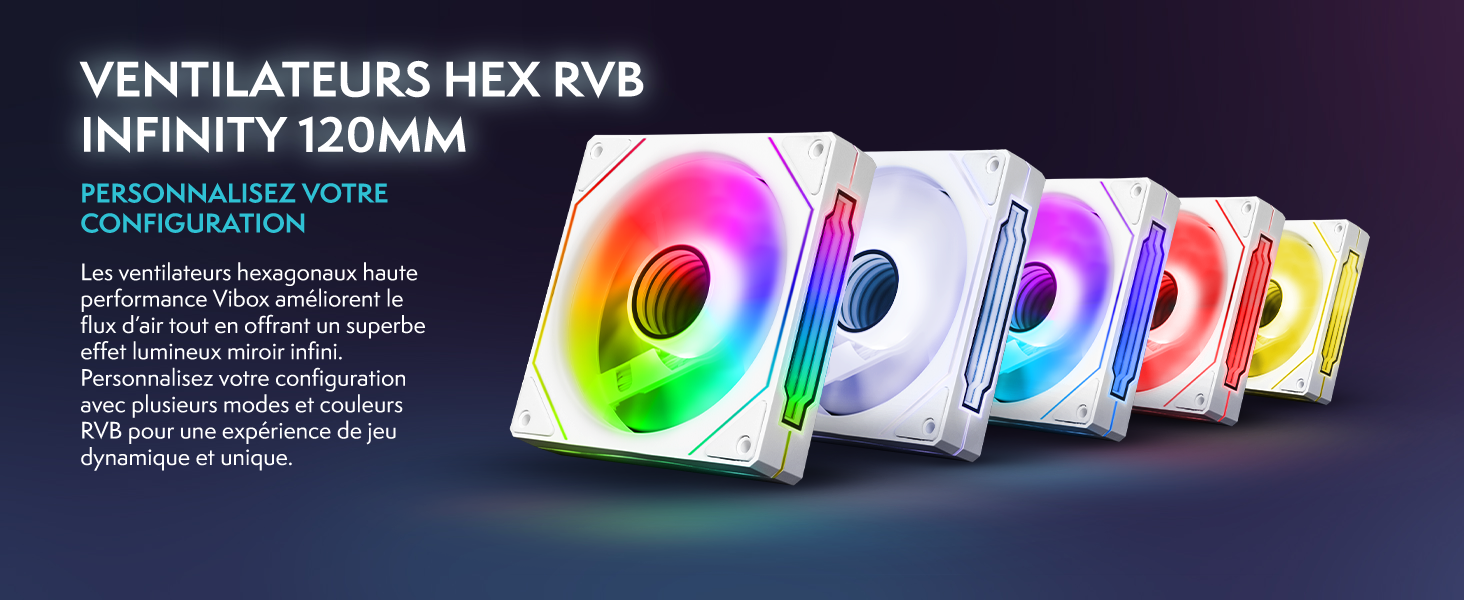
Image: Five 120mm RGB Infinity fans, showcasing customizable lighting options.
NAN. Depanaj
This section addresses common issues you might encounter. If you experience problems not covered here, please contact VIBOX support.
5.1 No Power / System Not Starting
- Tcheke Koneksyon Pouvwa: Ensure all power cables (PC and monitor) are securely plugged into both the device and the wall outlet.
- Wall Socket: Test the wall socket with another device to confirm it is functional.
- Bouton pouvwa: Ensure the power button on the PC tower is fully pressed.
5.2 Pa gen ekspozisyon sou monitè a
- Koneksyon kab: Verify the HDMI cable is firmly connected to both the PC's video output port and the monitor's input port.
- Pouvwa kontwole: Ensure the monitor is powered on and its power indicator light is active.
- Sous Antre: Check the monitor's input source settings (e.g., HDMI 1, HDMI 2) to ensure it matches the port you're using.
5.3 Periferik yo pa reponn (Klavye/Sourit)
- Pò USB: Try connecting the keyboard and mouse to different USB ports on the PC.
- Rekòmanse: Rekòmanse PC a.
- Chofè: Ensure Windows has installed the necessary drivers. This usually happens automatically.
5.4 Wi-Fi or Bluetooth Issues
- Koneksyon adaptè: Ensure the USB Wi-Fi/Bluetooth adapter is securely plugged into a USB port.
- Chofè: Verify that the drivers for the adapter are correctly installed. Windows 11 typically handles this automatically.
- Anviwònman rezo: Check Windows network settings to ensure Wi-Fi and Bluetooth are enabled.
6. Espesifikasyon
| Eleman | Detay |
|---|---|
| Mak | VIBOX |
| Nimewo Modèl | I-12 |
| Sistèm operasyon | Windows 11 Kay |
| Processeur (CPU) | AMD Ryzen 3 3200G (4 Cores, 3.6 GHz Base, 4.0 GHz Max Boost) |
| Grafik (GPU) | Integrated Radeon Vega 8 Graphics (2GB Shared Memory) |
| RAM | 16 GB DDR4 (2666 MHz) |
| Depo | 500 GB SSD |
| Siveye | 22-inch LED (1920x1080 Pixels, 16:9 Aspect Ratio) |
| Koneksyon san fil | Wi-Fi 6 (802.11ac/n), Bluetooth 5.4 |
| Koneksyon filaire | Ethernet, HDMI (1 port), USB (4 total ports) |
| Metòd refwadisman | Air (6 Hex RGB 120mm fans) |
| Dimensions (PC Tower) | 40 x 21 x 45 cm |
| Kalite ploge pouvwa | Type C/EF – 2 pin (European/hybrid FR-DE) |
| Periferik enkli yo | 22" Monitor, Gaming Keyboard (AZERTY layout), Gaming Mouse, Headset, LED Mouse Pad, USB Wi-Fi/Bluetooth Adapter |
7. Garanti & Sipò
7.1 Enfòmasyon sou Garanti
Your VIBOX I-12 Gaming PC comes with a comprehensive warranty:
- Pati: 2 Ane
- Travay: Tout lavi
Please retain your proof of purchase for warranty claims. The warranty covers manufacturing defects and hardware failures under normal use conditions.
7.2 Sipò pou Kliyan
For technical assistance, troubleshooting, or warranty inquiries, please contact VIBOX Gaming customer support. You can find more information and contact details on the official VIBOX websit entènèt la oubyen atravè paj magazen Amazon yo a: