
ARNSSIEN Y5
ARNSSIEN Y5 4K 48MP Dual Screen Digital Camera User Manual
Modèl: Y5
Entwodiksyon
This manual provides detailed instructions for the ARNSSIEN Y5 4K 48MP Digital Camera. Please read it thoroughly before using the camera to ensure proper operation and to maximize its features. This camera is designed for ease of use, making it suitable for beginners, children, and teenagers.

Image: The ARNSSIEN Y5 Digital Camera, showcasing its dual screen feature and compact design.
Kontni pake
Verifye ke tout atik yo prezan nan pakè ou a:
- 1x Digital Camera
- 1x 32GB kat memwa
- 1x Kalite-C Kab
- 1x lektè kat
- 1x Sak Pwoteksyon
- 1x Lanyard
- 1x manyèl itilizatè
- 1x Gift Box

Image: All items included in the ARNSSIEN Y5 Digital Camera package, neatly arranged.
Kamera souview
Familyarize w avèk konpozan ak kontwòl kamera a.
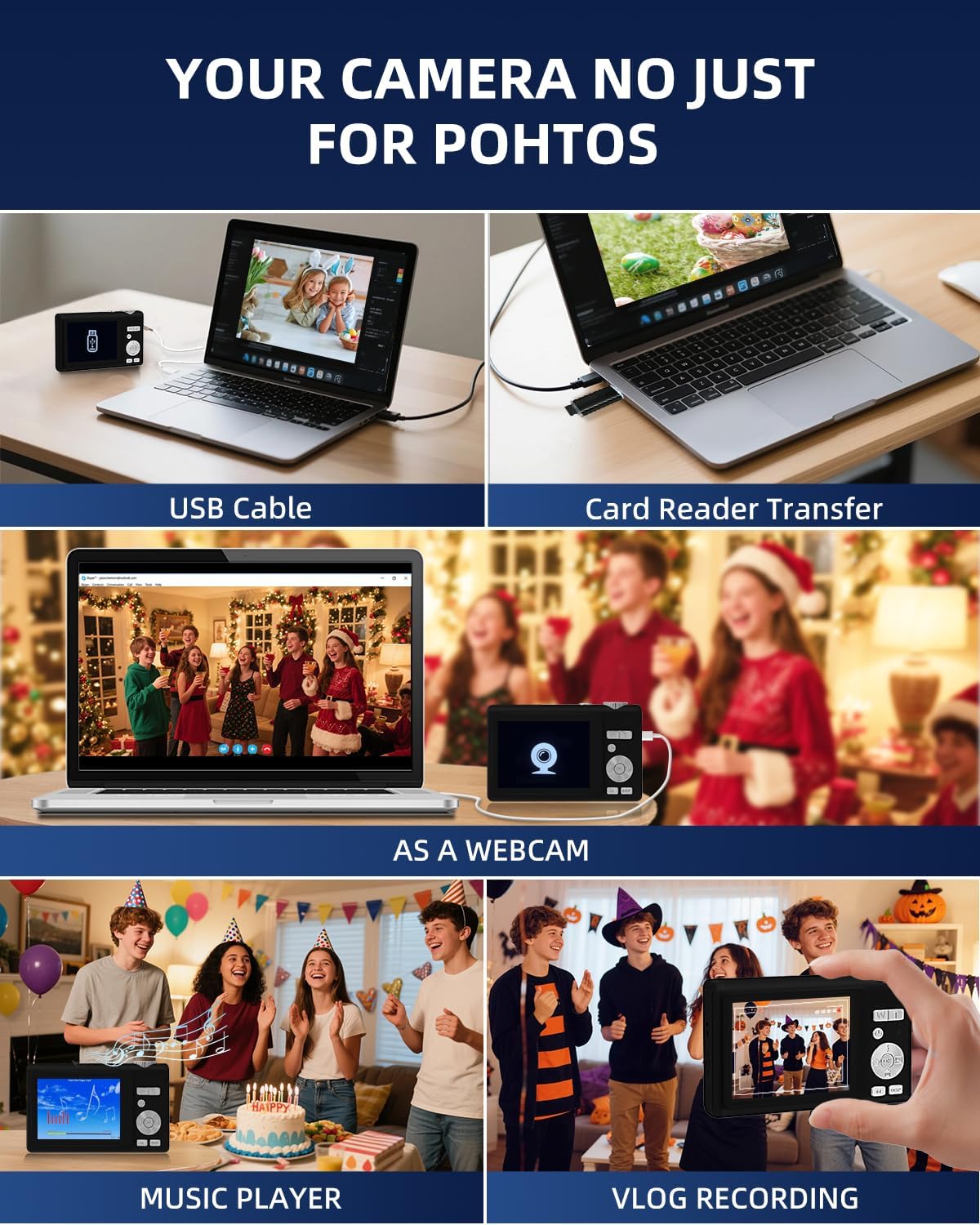
Image: Detailed diagram showing the camera's front, top, and rear views with labels for all buttons, ports, and screens.
- Mode Rotation Key: For selecting different camera modes.
- Bouton vole: To take photos or start/stop video recording.
- Flash Limyè: Integrated flash for low-light conditions.
- Pò Chaje (Kalite-C): For charging the camera and data transfer.
- Chaje Lamp: Endike estati chaje.
- Pò kat TF: Slot for the microSD card.
- Selfie Display: The smaller front screen for self-portraits.
- Zoom Key (W/T): To zoom in (T) or zoom out (W).
- Bouton pouvwa: To turn the camera on or off.
- Limyè Endikatè Estati: Montre estati fonksyònman kamera a.
- Up Button (Flash): Controls flash settings.
- Dwa bouton: Navigation or specific function button.
- OK bouton: Confirms selections or accesses special effects (1-15 types).
- Desann bouton: Navigation or specific function button.
- Kle DISP: Switches to the selfie screen.
- Chanjman mòd: Toggles between photo and video modes.
- Bouton Goch: Navigation or specific function button.
- Hang Rope Hole: Pou tache kòd la.
- Oratè: Pou lekti odyo.
Enstalasyon
1. Chaje batri a
Before first use, fully charge the camera. Connect the camera to a power source using the provided Type-C cable. The Charge Lamp pral endike estati chaj la.
Note: The camera uses a built-in Lithium-polymer battery. No battery swaps are needed; simply charge and go.
2. Mete kat memwa a
The camera supports microSD cards up to 128GB. A 32GB memory card is included. Insert the memory card into the TF Card Port until it clicks into place.
Important: For optimal performance, format the SD card within the camera before its first use.
3. Powering On / Off
Peze epi kenbe la Bouton pouvwa pou limen oswa etenn kamera a.
Enstriksyon Operasyon
1. Basic Photography and Videography
- Lè w ap pran foto: Nan mòd foto, peze bouton an Bouton Panno to capture a 48MP image. The camera features autofocus for clear shots.
- Anrejistreman Videyo: Switch to video mode using the Chanje mòd, Lè sa a, peze la Bouton Panno to start/stop 4K video recording.
- Zoom: Sèvi ak la Zoom Key (W/T) to adjust the 16x digital zoom.
- Dual Screen Function: The camera has a 2.8" main screen and a 1.4" selfie screen. Press the Kle DISP to switch to the selfie screen for easy self-portraits.
2. Camera Settings and Modes
The camera offers various settings and modes for enhanced creativity and control. Access these through the menu system or dedicated buttons.

Image: On-screen display of photo mode settings including flash, anti-shake, burst, time-lapse, music player, photo size, white balance, exposure, ISO, scene, sharpness, quality, and general settings.

Image: On-screen display of video mode settings including audio recording, flash, video bitrate, motion detection, loop recording, music player, white balance, exposure, ISO, scene, sharpness, quality, and general settings.
- ISO: Adjusts light sensitivity.
- EV (Valè Ekspozisyon): Controls image brightness.
- Balans Blan (WB): Corrects color cast based on lighting.
- WDR (Wide Range Dinamik): Improves detail in both bright and dark areas.
- Flash: Use the Up Button to cycle through flash modes (e.g., Auto, Fill-flash).
- Netite: Ajiste klète imaj la.
- Filtè: Apply 15 different filter effects for creative shots.
- mòd bote: Amelyore karakteristik vizaj yo nan pòtrè.
- Burst Shot: Pran plizyè foto youn apre lòt byen vit.
- Ralanti: Records video at a slower playback speed.
- Time-Lapse: Captures images at set intervals to create a sped-up video.
- Stabilization (Anti-Shake): Reduces blur caused by camera movement.
- Deteksyon Mouvman: Camera starts recording when motion is detected.
- Composition Aid: Assists in framing your shots.

Image: A visual comparison demonstrating the effect of Beauty Mode when activated and deactivated on a group photo.

Image: A sequence of three images showing a snowboarder in mid-air, illustrating the continuous shooting feature.

Image: A four-panel sequence showing a person blowing bubbles, demonstrating the time-lapse feature with timestamps.

Image: A visual comparison showing the difference in image stability with Anti-Shake mode activated versus deactivated, illustrated with a skier.

Image: A multi-panel comparison demonstrating the effects of different sharpness levels, white balance modes, ISO settings, filter effects, and exposure values on an image.
3. Fonksyon adisyonèl
- Jwè Klas Mizik: The camera includes a built-in music player.
- WebFonksyon Cam: Connect the camera to a computer via USB-C to use it as a webCam.
- File Transfè: Transfer photos and videos to a computer using the Type-C cable or the included card reader.

Image: Illustration of two methods for transferring files: directly via USB cable to a laptop, and using a card reader for the memory card.
Antretyen
- Netwayaj: Use a soft, dry cloth to clean the camera body. For the lens and screens, use a specialized lens cleaning cloth and solution. Avoid abrasive materials.
- Swen batri: To prolong battery life, avoid fully discharging the battery frequently. Charge the camera regularly, especially if not used for extended periods. Store the camera in a cool, dry place.
- Depo: When not in use, store the camera in its protective pouch to prevent scratches and dust accumulation.
Depanaj
| Pwoblèm | Kòz posib | Solisyon |
|---|---|---|
| Kamera a pa limen. | Batri ki ba. | Charge the camera fully using the provided Type-C cable. |
| Pa ka pran foto/videyo. | Kat memwa a plen oswa li pa byen mete. | Check memory card insertion. Delete unnecessary files or replace the card. Ensure the card is formatted. |
| Imaj yo flou. | Anti-shake feature off, camera movement, or focus issue. | Ensure Anti-Shake is enabled. Hold the camera steady. For autofocus, hold down the shutter button halfway to lock focus before fully pressing. |
| Camera freezes or crashes. | Software glitch or memory card issue. | Turn off the camera and restart. If the problem persists, remove and reinsert the memory card. |
If you encounter issues not listed here, please refer to the "Warranty & Support" section for assistance.
Espesifikasyon
| Karakteristik | Detay |
|---|---|
| Nimewo Modèl | Y5 |
| Effective Capture Resolution | 48 megapiksèl |
| Rezolisyon Capture Videyo | 2160p (4K UHD) |
| Zoom optik | 16x |
| Zoom dijital | 16x |
| Estabilizasyon Imaj | Optik |
| Autofocus | Wi |
| Kalite ekspozisyon | LCD |
| Gwosè ekran prensipal la | 2.8 pous |
| Selfie Screen Size | 1.4 pous |
| Kalite kat memwa | microSD (TF Card) |
| Max Supported Memory Card | 128 GB |
| Kat memwa enkli | 32 GB |
| Kalite batri | Lityòm-polymère |
| Mwayèn lavi batri | 2 èdtan |
| Koneksyon Teknoloji | Micro USB (Type-C) |
| Dimansyon (L x W x H) | 2.54 x 5.08 x 3.81 cm |
| Pwa | 250 gram |
| Nivo konpetans | debutan |
| Sipòte File Fòma | JPEG, MP4 |
| Flash | Integrated, Fill-flash automatic |
| Nivo rezistans dlo | Pa enpèmeyab |
Garanti ak sipò
- Garanti: This product comes with a 30-day warranty from the date of purchase. Please retain your proof of purchase.
- Sipò Kliyan: For any questions, technical assistance, or warranty claims, please contact ARNSSIEN customer support. 24-hour assistance is available. Refer to the contact information provided with your purchase or on the official ARNSSIEN websit.
Ask a question about this manual
Ask about setup, troubleshooting, compatibility, parts, safety, or missing instructions. Manuals+ will review the question and use this page’s manual context to help answer it.