
1. Entwodiksyon
This manual provides detailed instructions for the setup, operation, and maintenance of your Cillso IDW26 Smart Watch. Please read this manual thoroughly before using your device to ensure proper functionality and to maximize your user experience.

Image: The Cillso IDW26 Smart Watch, showcasing its main display with various metrics and a separate screen illustrating an incoming call.
2. Ki sa ki nan bwat la
- 1x Cillso IDW26 Smart Watch
- 1x Type-C Magnetic Charging Cable
- 1x manyèl itilizatè
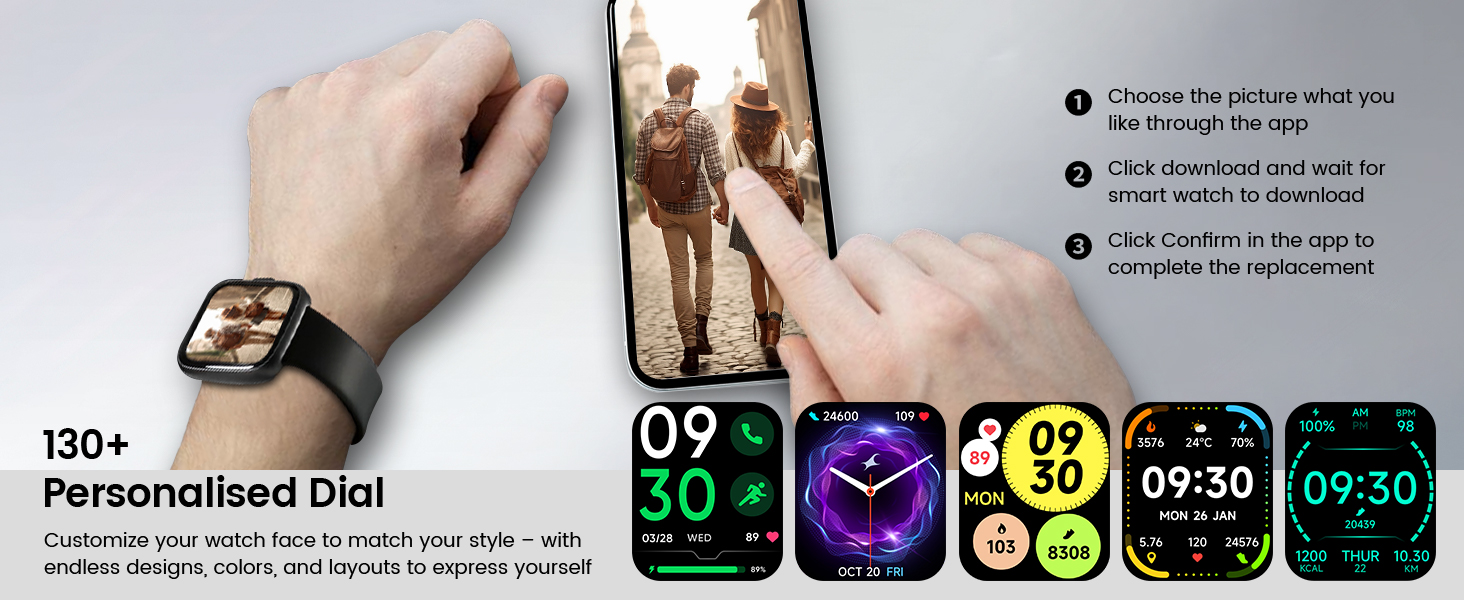
Image: A visual representation of the Cillso IDW26 Smart Watch packaging contents, showing the watch, its magnetic charging cable, and the included user manual.
3. Enstalasyon ak Premye Itilizasyon
3.1 Chaje Aparèy la
Before first use, fully charge your Cillso IDW26 Smart Watch. Connect the magnetic charging cable to the charging points on the back of the watch and plug the USB end into a power adapter (not included) or a computer's USB port. A full charge typically takes approximately 1.5 to 2 hours.

Imaj: Dèyè a view of the Cillso IDW26 Smart Watch, highlighting the optical sensor for health monitoring and the two metallic contacts for magnetic charging.
3.2 Enstalasyon ak koneksyon aplikasyon an
To unlock the full functionality of your Cillso IDW26 Smart Watch, you need to install the companion application on your smartphone. The watch is compatible with smartphones running iOS 9.0+ and Android 5.0+ (or later versions).
- Telechaje App a: Scan the QR code provided in the watch's packaging or search for "VeryFit" in your smartphone's app store (App Store for iOS, Google Play Store for Android).
- Pèmèt Bluetooth: Asire w ke Bluetooth aktive sou smartphone ou.
- Louvri aplikasyon an: Launch the "VeryFit" app and follow the on-screen instructions to create an account or log in.
- Ajoute Aparèy: Within the app, navigate to the "Add Device" section. The app will search for nearby devices.
- Chwazi mont ou a: Select "IDW26" from the list of found devices.
- Konfime pè: A pairing request will appear on your phone and watch. Confirm the pairing on both devices.
- Pèmèt Notifikasyon: Grant the app necessary permissions, especially for notifications, to ensure messages and calls are displayed on your smartwatch.
For certain message notifications, the "GloryFit" app may also be mentioned in some contexts. If you encounter issues with specific message types, verify settings within both "VeryFit" and "GloryFit" if both are installed, or consult the app's help section.

Image: A visual guide demonstrating the pairing process for the Cillso IDW26 Smart Watch, from enabling Bluetooth to confirming the connection and allowing notifications.
For further assistance with app installation and pairing, you can visit the official support page: https://t.ido.ink/eAriqu
4. Itilizasyon mont entelijan an
4.1 Navigasyon ekran taktil
- Glise anlè/desann: Defile nan meni yo ak notifikasyon yo.
- Glise agoch/dwat: Jwenn aksè rapid a widjèt oswa diferan ekran fonksyonalite.
- Tape: Chwazi yon atik oubyen konfime yon aksyon.
- Peze epi kenbe: Customize watch faces (on the home screen).
4.2 Side Button Functionality
The physical button on the side of the watch typically serves the following functions:
- Kout Press: Wake up the screen, return to the previous screen, or go back to the home screen.
- Long Press: Power on/off the device, or access a quick menu (e.g., restart, power off).
5. Karakteristik kle
5.1 Bluetooth Calling and Message Notifications
The Cillso IDW26 Smart Watch features Bluetooth 5.3 for stable connectivity, allowing you to make and answer calls directly from your wrist. It includes a sensitive microphone and speaker for clear communication. Once paired with the "GloryFit" or "VeryFit" app, you will receive notifications for incoming calls, SMS messages, and alerts from various social media applications (e.g., Facebook, Twitter, WhatsApp, Instagram). Notifications are delivered via intuitive customizable vibrations.

Image: The Cillso IDW26 Smart Watch showing a message notification from WeChat and an incoming call interface with options to answer or decline.
5.2 Built-in Alexa Voice Control
Access Amazon Alexa's intelligent voice assistant directly from your wrist. Speak commands to check news, weather, calendar updates, set reminders, control smart home devices, and manage music playback. This feature enhances hands-free operation and daily efficiency.

Image: A user interacting with the Cillso IDW26 Smart Watch's built-in AI voice assistant, asking questions like "What time is it?" and "Weather today?".
5.3 1.83" HD Display and Customization
The smartwatch features a 1.83-inch HD display with 3D tempered glass, offering a resolution of 320x385 pixels for clear visuals and high touch sensitivity. The 4-level adjustable brightness ensures readability in various lighting conditions. Through the "VeryFit" app, you can choose from over 130 watch faces or create custom designs using your own photos.

Imaj: Yon imaj detaye view of the Cillso IDW26 Smart Watch's 1.83-inch HD screen, emphasizing its clarity and display technology.

Image: A demonstration of the Cillso IDW26 Smart Watch's customization options, showing multiple watch face designs and the process of selecting or creating a personalized dial through the app.
5.4 24/7 Health Monitoring
Equipped with a high-precision optical sensor, the IDW26 Smart Watch provides continuous health monitoring:
- Siveyans batman kè: Li swiv batman kè w an tan reyèl, sa ki ba w enfòmasyon sou sante kadyovaskilè w.
- Siveyans dòmi: Analyzes sleep quality by identifying deep sleep, light sleep, and awake phases, offering suggestions for improved sleep habits.
- Suivi Oksijèn nan San (SpO2): Monitors your blood oxygen levels for essential wellness insights.
- Fòmasyon souf: Guides you through breathing exercises with gentle vibrations and visual cues to help calm your mind and body.

Image: A composite image illustrating the 24/7 health monitoring capabilities of the Cillso IDW26 Smart Watch, including heart rate, sleep tracking, blood oxygen measurement, and guided breath training.
5.5 Plis pase 120 mòd espò
The fitness tracker supports over 120 professional sport modes, covering a wide range of indoor and outdoor activities such as running, cycling, soccer, and more. High-precision sensors accurately track steps, distance, calories burned, and workout duration, assisting in performance analysis and training plan optimization.

Image: A person hiking with the Cillso IDW26 Smart Watch, alongside graphics illustrating the watch's 24-hour activity tracking and icons representing over 120 sports modes.
5.6 IP68 Evalyasyon ki enpèmeyab
With an IP68 rating, the smartwatch is resistant to sweat, rain, and can be worn during handwashing. It is not suitable for swimming or hot showers.

Image: The Cillso IDW26 Smart Watch shown with water droplets, visually representing its IP68 waterproof capabilities for daily activities like hand washing, exposure to rain, and perspiration.
5.7 Fonksyon adisyonèl
The Cillso IDW26 Smart Watch includes several practical features to enhance daily convenience:
- Revèy Alam: Set multiple alarms.
- Kronomèt ak revèy: For precise timekeeping during activities.
- Phone Locator: Helps find your paired smartphone.
- Kontwòl kamera: Kontwole kamera telefòn ou a adistans.
- Kontwòl Mizik: Jere lèktur mizik sou smartphone ou.
- Pwedi metewolojik: Jwenn dènye nouvèl sou metewolojik an tan reyèl.
- Rapèl sedantèr: Li ankouraje w pou w deplase apre peryòd inaktivite.

Image: A collage of images depicting various practical functions of the Cillso IDW26 Smart Watch, including stopwatch, alarm clock, camera control, music control, weather forecast, and sedentary reminder.
6. Lavi batri ak chaje
The Cillso IDW26 Smart Watch is powered by a 300mAh battery designed for low power consumption.
- Tan Itilizasyon: Up to 5-7 days with typical use.
- Tan sibstiti: Jiska 30 jou.
- Tan pou chaje: Apeprè 1.5 èdtan pou yon chaj konplè.
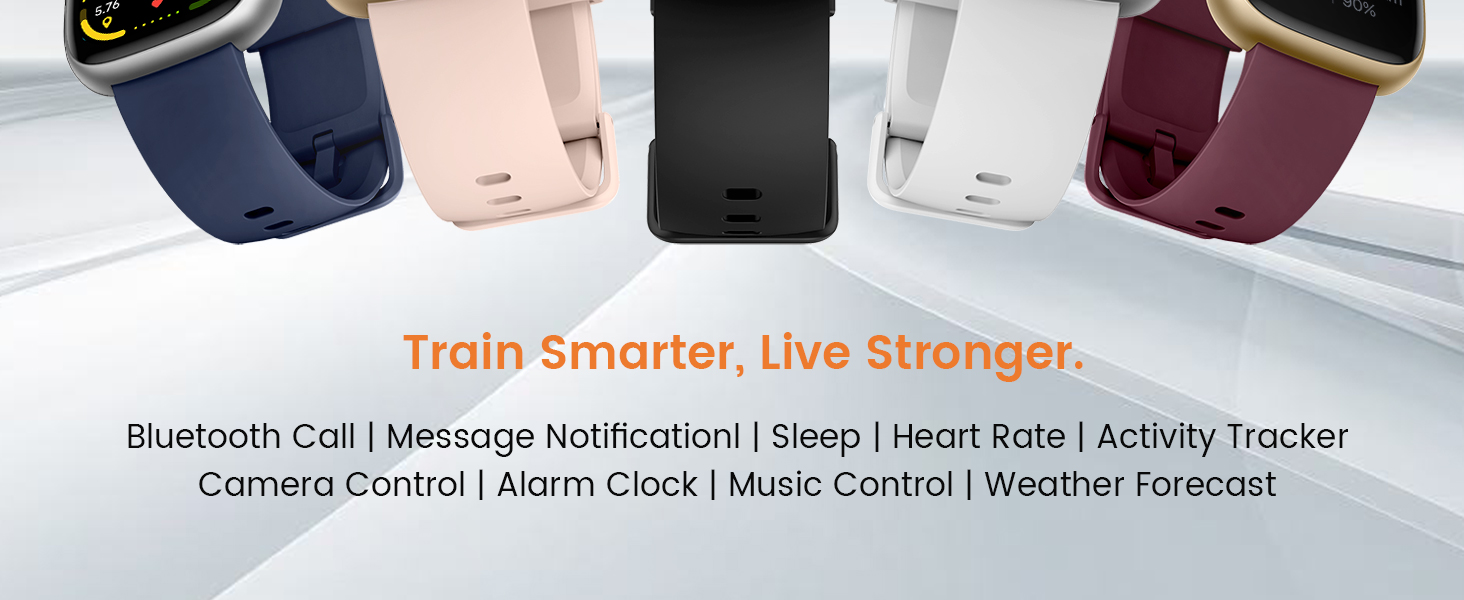
Image: A graphic illustrating the battery performance of the Cillso IDW26 Smart Watch, detailing its 2-hour charging time, 7 days of normal use, and 30 days of standby time.
7. Antretyen ak Swen
- Netwayaj: Wipe the watch and strap regularly with a soft, dry cloth. If necessary, use a slightly damp twal ak Lè sa a, sèk byen.
- Evite pwodwi chimik yo: Pa sèvi ak pwodui chimik ki fò, solvan netwayaj, oswa detèjan fò, paske sa yo ka domaje fini ak sele mont lan.
- Ekspozisyon dlo: While IP68 rated, avoid prolonged submersion, hot water, or steam. Dry the watch thoroughly if it gets wet.
- Tanperati: Avoid exposing the watch to extreme temperatures (very hot or very cold) or direct sunlight for extended periods.
- Enpak: Pwoteje mont lan kont gwo chòk oswa tonbe.
NAN. Depanaj
If you encounter issues with your Cillso IDW26 Smart Watch, please refer to the following common solutions:
- Mont lan pa limen: Asire w ke mont lan chaje nèt. Konekte l nan plato a pou omwen 10 minit.
- Pa ka konekte ak telefòn nan:
- Asire w ke Bluetooth la aktive sou telefòn ou ak sou mont lan.
- Asire w ke mont lan nan zòn telefòn ou an.
- Rekòmanse telefòn ou ak mont lan.
- Try unpairing and re-pairing the device through the "VeryFit" app.
- Check if the "VeryFit" app has all necessary permissions enabled on your phone.
- Notifikasyon yo pa parèt:
- Ensure the watch is successfully paired and connected to the app.
- Verify that notification permissions are granted to the "VeryFit" app in your phone's settings.
- Check the notification settings within the "VeryFit" app to ensure specific app notifications are enabled.
- Ensure your phone's notification bar displays the messages; if not, the watch cannot receive them.
- Done sou sante ki pa egzak:
- Asire w ke mont lan byen sere sou ponyèt ou, ni twò sere ni twò lach.
- Netwaye detèktè ki sou dèyè mont lan.
- Evite twòp mouvman pandan mezi yo.
- Kout lavi batri:
- Diminye klète ekran an.
- Dezaktive siveyans kontinyèl batman kè a si ou pa bezwen li.
- Limite kantite aplikasyon k ap voye notifikasyon sou mont lan.
- Asire w ke mont lan chaje nèt chak fwa.
If these steps do not resolve your issue, please contact Cillso customer support.
9. Espesifikasyon
| Karakteristik | Detay |
|---|---|
| Non modèl | IDW26 |
| Mak | Cillso |
| Gwosè ekran | 1.83 pous |
| Rezolisyon ekran | 320x385 piksèl |
| Fòm | Kare |
| GPS | GPS Via Smartphone |
| Konpozisyon selil batri | Lityòm Polymère |
| Koneksyon Teknoloji | Bluetooth 5.3 |
| Kapasite batri | 300 Miliamp Orè |
| Karakteristik espesyal | Activity Tracker, Alarm Clock, Camera Control, Touchscreen, Weather Forecast, Alexa Built-in, Bluetooth Calling, Heart Rate/Sleep Monitor, 120+ Sports Modes, IP68 Waterproof |
| Sistèm operasyon konpatibilite | iOS 9.0+, Android 5.0+ |
| Pwa atik | 10 gram (0.353 ons) |
| Rezistans dlo | IP68 (Resistant to sweat, rain, handwashing) |
10. Garanti ak sipò
Cillso is committed to providing quality products and customer service.
10.1 Sipò pou Kliyan
If you have any questions about the product, encounter problems, or require assistance, please contact Cillso customer service through the platform where you purchased the product (e.g., Amazon). Cillso offers 24-hour customer service to help resolve any issues promptly.

Image: A graphic indicating customer support availability, prompting users to contact for assistance with product issues.