
Entwodiksyon
This manual provides detailed instructions for the setup, operation, and maintenance of your PELADN HA-4 Mini PC. This compact desktop computer is equipped with an AMD Ryzen 7 7840HS processor, Radeon 780M graphics, 16GB DDR5 RAM, and a 512GB NVMe SSD, designed for efficient performance in business, entertainment, and light gaming applications.

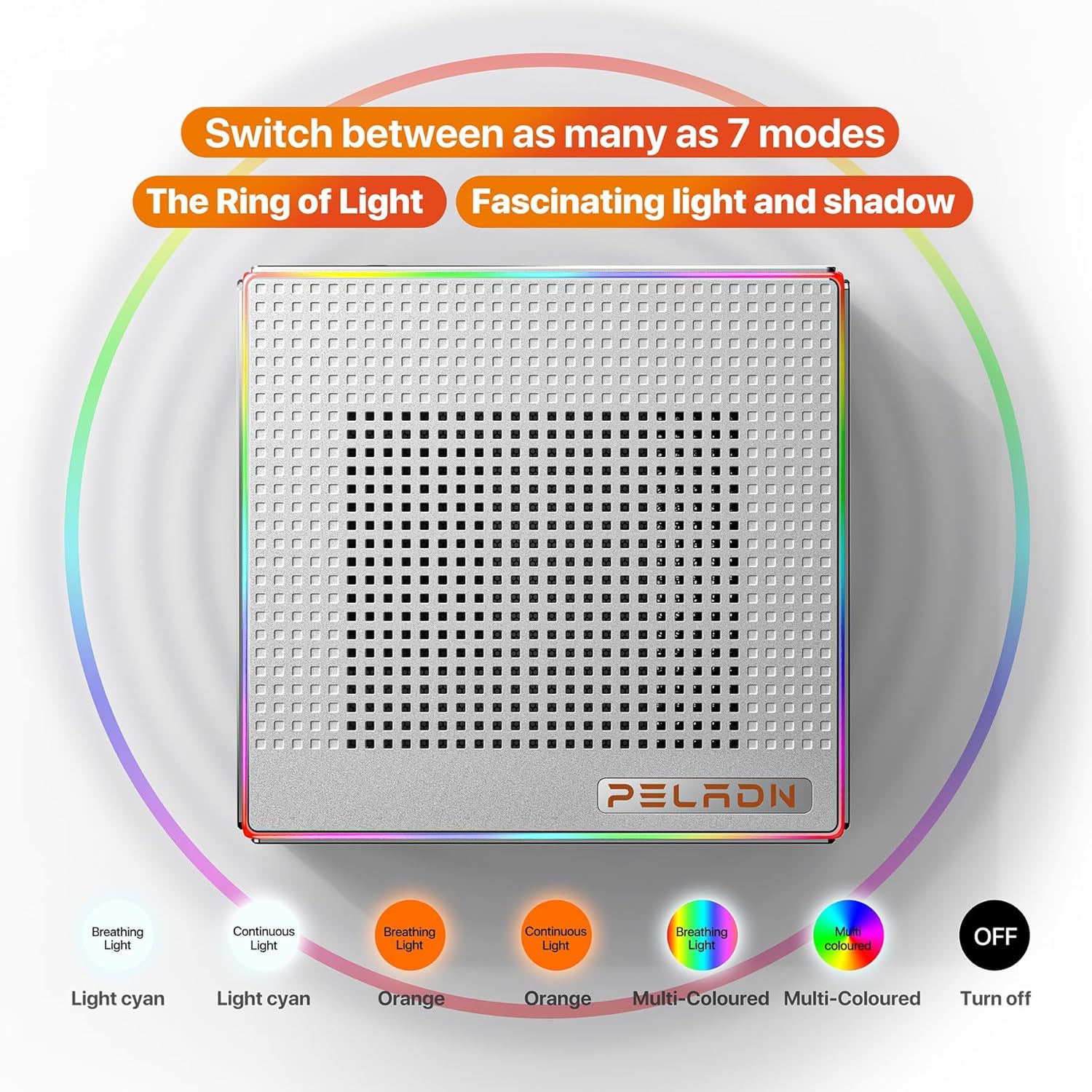
Figi 1: Devan view of the PELADN HA-4 Mini PC, showcasing its compact design and RGB light strip.
Kontni pake
Tanpri verifye ke tout atik yo prezan nan pakè a:
- PELADN HA-4 7840HS Mini PC
- HDMI kab
- Adaptè pouvwa
- Manyèl Itilizatè (dokiman sa a)
- Mounting Bracket (for VESA mounting)
Pwodwi souview
Konpozan Entèn yo
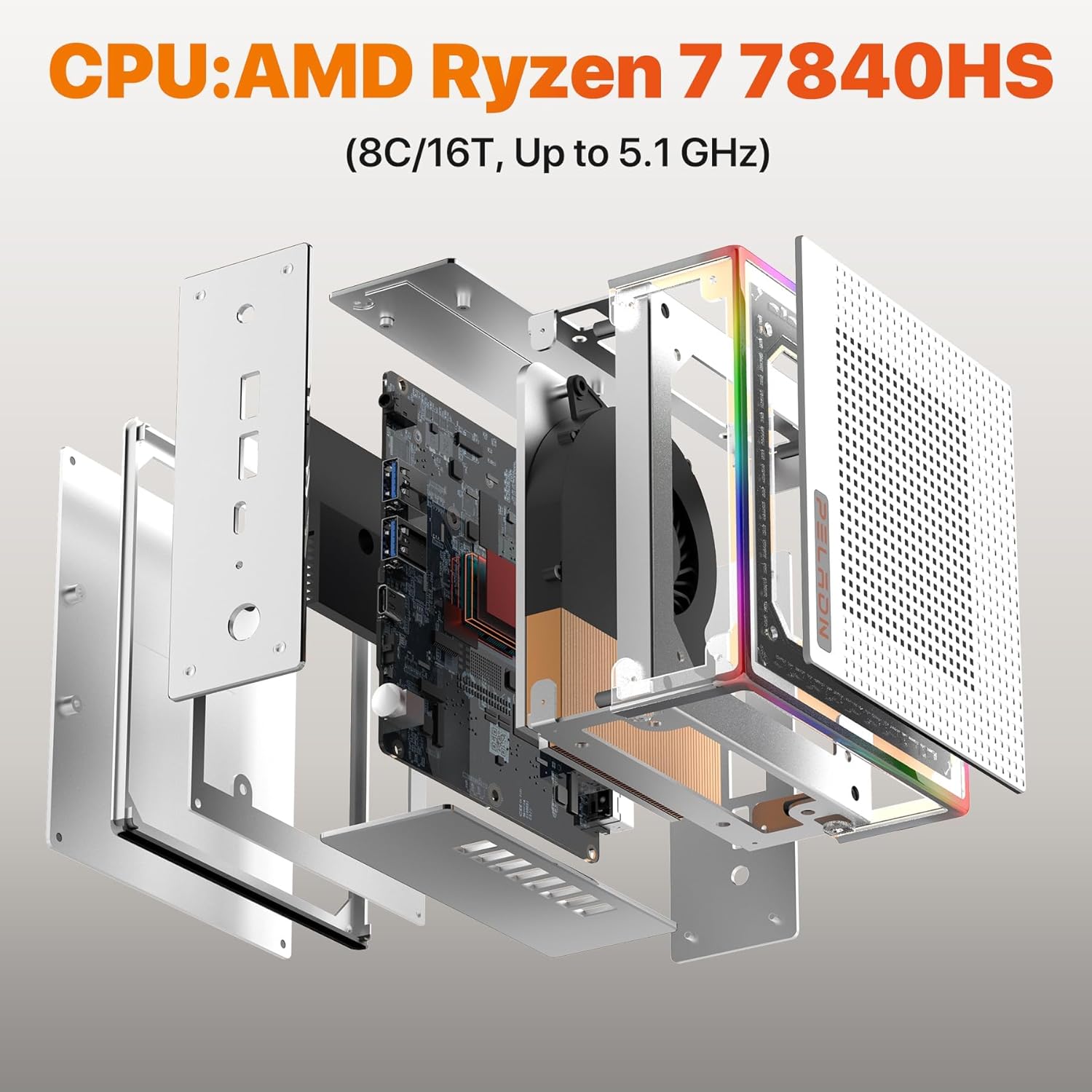
The PELADN HA-4 Mini PC features a well-engineered internal layout for optimal performance and cooling. Key components include the AMD Ryzen 7 7840HS processor, DDR5 RAM, and an NVMe SSD.
Figi 2: Eksploze view illustrating the internal structure and components of the Mini PC.
Pò ak entèfas
The Mini PC offers a comprehensive range of ports for connectivity, including multiple USB ports, HDMI, and Type-C for versatile peripheral and display connections.
Figi 3: Detaye view of the Mini PC's front and rear ports, including USB, HDMI, Type-C, RJ45 LAN, and power input.
- Pò devan: Power Button, Reset Button, 2x USB 3.2, Earphone Jack.
- Pò dèyè: DC 19V Power Input, 2x USB 2.0, 2x HDMI 2.0, 1x RJ45 LAN (1000Mbps), 1x Type-C (USB 4.0, 40 Gbps).
RGB ekleraj
The PELADN HA-4 features a 64-color RGB light strip on its shell. A button at the rear of the machine allows users to cycle through three different modes: breathing, single-color constant light, and off.

Figure 4: Visual representation of the various RGB lighting modes available on the Mini PC.
Enstalasyon
- Konekte periferik: Konekte klavye, sourit ak lòt aparèy USB ou yo nan pò USB ki disponib yo.
- Konekte Ekspozisyon: Use an HDMI cable to connect your monitor(s) to the HDMI ports on the Mini PC. For triple display setup, utilize both HDMI ports and the USB-C 4.0 port with a compatible adapter/cable.
- Konekte pouvwa: Branche adaptè kouran an nan pò antre DC 19V ki sou Mini PC a, answit branche adaptè a nan yon priz kouran.
- Pouvwa sou: Peze bouton pouvwa a ki sitiye sou devan Mini PC a.
- Premye konfigirasyon: Swiv enstriksyon ki sou ekran an pou konplete konfigirasyon sistèm operasyon an.
VESA Mounting
The included VESA mount allows you to attach the Mini PC to the back of a compatible monitor, saving desk space.
- Fix the mounting bracket to the Mini PC using the provided screws.
- Fix the bracket to the back of your display using the appropriate VESA mounting holes and screws.

Figure 5: Instructions for VESA mounting the Mini PC to a monitor.
Enstriksyon Operasyon
Power On/Off
- Pou limen: Peze bouton an pouvwa yon fwa.
- Pou fèmen: Use the operating system's shutdown function. Alternatively, press and hold the Power Button for 5 seconds for a forced shutdown (use only when necessary).
RGB Limyè Kontwòl
The RGB light strip can be controlled via the button located at the rear of the device. Press the button to cycle through the available modes: breathing, single-color constant light, and off.
Trip Display Enstalasyon
The Mini PC supports up to three 4K@60Hz displays simultaneously using its two HDMI 2.0 ports and one USB-C 4.0 port. Connect your monitors and configure display settings within your operating system.

Figi 6: Egzample of a triple display setup connected to the Mini PC.
Antretyen
- Netwayaj: Regularly clean the exterior of the Mini PC with a soft, dry cloth. Use compressed air to clear dust from ventilation openings. Ensure the device is powered off and unplugged before cleaning.
- Vantilasyon: Ensure adequate airflow around the Mini PC. Do not block the ventilation holes.
- Mizajou lojisyèl: Kenbe sistèm operasyon ou ak chofè ou yo ajou pou asire pèfòmans ak sekirite optimal.
- Depo: Avoid placing heavy objects on the Mini PC. Store it in a cool, dry environment away from direct sunlight and extreme temperatures.
Depanaj
- No Power / System Not Starting:
- Asire w ke adaptè kouran an byen konekte ak Mini PC a ak yon priz kouran ki fonksyone.
- Verifye si priz kouran an fonksyone byen lè w branche yon lòt aparèy.
- Eseye yon lòt priz kouran si ou genyen.
- Pa gen okenn rezilta ekspozisyon:
- Check that the HDMI or USB-C cable is securely connected to both the Mini PC and the monitor.
- Asire w ke monitè a limen epi li configuré sou sous antre ki kòrèk la.
- Eseye yon lòt kab ekran oswa monitè si sa posib.
- Slow Internet Speed (Wi-Fi):
- Ensure the Mini PC is within range of your Wi-Fi router.
- Check for obstructions between the Mini PC and the router.
- Update your Wi-Fi drivers.
- Consider connecting via Ethernet cable to the RJ45 LAN port for a stable wired connection.
- Incorrect Default Language:
- Access the operating system's language settings and change the display language to your preference.
- If the issue persists or the system is unusable, a reinstallation of the operating system with the correct language pack may be required.
Espesifikasyon
| Karakteristik | Detay |
|---|---|
| Mak | PELADN |
| Non modèl | HA-4 Ryzen 7 7840HS |
| Modèl CPU | AMD Ryzen 7 7840HS (8 Nwayo/16 Fil, jiska 5.1 GHz) |
| Koprosesè grafik | Radeon 780M (12-core GPU, 2200MHz) |
| Memwa RAM | 16 GB DDR5 (5600 MHz, upgradeable to 64GB) |
| Depo | 512 GB M.2 2280 NVMe SSD (PCIe Gen 4.0) |
| Sistèm operasyon | OS (as shipped) |
| Koneksyon | WiFi 6, Bluetooth 5.2, 1000Mbps Ethernet (RJ45 LAN) |
| Sòti videyo | 2x HDMI 2.0, 1x USB Type-C 4.0 (Supports Triple 4K@60Hz Displays) |
| Pò USB | 2x USB 3.2, 2x USB 2.0, 1x USB Type-C 4.0 |
| Konsomasyon pouvwa | 45 Watts (Max 54W TDP) |
| Dimansyon | Apeprè 5.3 x 5.0 x 2.0 pous |
| Karakteristik adisyonèl | 64-color RGB light strip, VESA mount support |
Garanti ak sipò
The PELADN HA-4 Mini PC comes with a 1-year free warranty. For technical assistance or customer support, please refer to the contact information provided with your purchase or visit the official PELADN website. All Mini PCs have obtained FCC, CE, and RoHS certifications.