
1. Entwodiksyon
This manual provides essential information for setting up, operating, maintaining, and troubleshooting your NIMO 17.3-inch FHD Laptop N171. Please read this guide thoroughly to ensure proper use and to maximize the lifespan of your device.
2. Ki sa ki nan bwat la
- 1 x NIMO N171 Laptop
- 1 x Chargeur rapid Kalite-C 65W PD
- 1 x manyèl itilizatè
- Windows 11 Home (Pre-enstale)
3. Enstalasyon
3.1 Premye Limen ak Chaje
Before first use, ensure your laptop is fully charged. Connect the provided 65W Type-C PD Fast Charger to the laptop's Type-C charging port and then to a power outlet. The charging indicator light will illuminate.

Image: The 65W Type-C PD charger, illustrating its compatibility with laptops, tablets, and smartphones, and emphasizing a clutter-free charging solution.
Press the power button located on the keyboard to turn on the laptop. Follow the on-screen instructions to complete the initial Windows 11 setup, including language, region, network connection, and user account creation.
3.2 Enstalasyon Lektè Anprent Dwèt
For enhanced security and quick login, set up the fingerprint reader. During the Windows 11 setup or later via Windows Settings (Accounts > Sign-in options), you can register your fingerprints. The fingerprint sensor is integrated into the touchpad.

Image: Close-up of the fingerprint sensor integrated into the laptop's touchpad, highlighting its secure one-touch login capability.
4. Operasyon Enstriksyon
4.1 Montre
Your NIMO N171 features a 17.3-inch Full HD (1920x1080) IPS anti-glare display. This screen provides wide viewing angles and vibrant colors for an immersive visual experience. The narrow bezels contribute to an 85% screen-to-body ratio.

Imaj: Ekspozisyon laptop NIMO aasing its 17.3-inch FHD IPS display with narrow bezels, emphasizing visual enjoyment and eye protection features.
4.2 Klavye ak Touchpad
The laptop is equipped with a full-size backlit keyboard, allowing for comfortable typing in various lighting conditions. It also includes a numeric keypad for efficient data entry. The integrated touchpad supports multi-touch gestures for navigation.

Image: The NIMO laptop's backlit keyboard and touchpad with an integrated fingerprint reader, illustrating ease of use in low-light conditions and secure login.
4.3 Pò ak Konektivite
The NIMO N171 offers a variety of ports for connecting peripherals and external displays:
- USB 3.2 Gen1 ports (multiple)
- USB 2.0 pò
- USB Type-C 3.2 Gen1 port (data and charging)
- Standard HDMI 1.4 port
- Audio Jack
- emplacement kat Micro SD
- Kensington Lock plas

Image: A detailed diagram showing the various ports on the NIMO laptop, including USB, HDMI, Type-C, Audio Jack, and Micro SD slot, highlighting versatility.
4.4 Jesyon batri
The laptop is equipped with a 53.58 Wh battery, providing up to 7 hours of usage. For optimal battery life, avoid extreme temperatures and do not overcharge. Use only the provided 65W Type-C PD charger.

Image: Two individuals using the NIMO laptop in different settings, illustrating the laptop's large capacity battery and its suitability for extended use.
4.5 Webcam Privacy
The laptop includes a built-in privacy camera switch for the 2.0 MP webcam. Slide the switch to physically disable the camera when not in use, ensuring your privacy.
5. Antretyen
- Netwayaj: Sèvi ak yon ti moso twal mou, ki san pèl dampened with water or a screen cleaner to clean the display. For the keyboard and chassis, use a dry, soft cloth. Avoid harsh chemicals.
- Depo: Sere laptop la nan yon kote ki fre epi sèk, lwen limyè solèy dirèk ak tanperati ekstrèm.
- Pwoteksyon: Use a protective case when transporting the laptop. Avoid placing heavy objects on top of it.
- Mizajou lojisyèl: Mete sistèm operasyon ou ak chofè ou yo ajou regilyèman pou asire pèfòmans ak sekirite optimal.
NAN. Depanaj
- Laptop la pa limen: Asire w ke plato a byen konekte epi ke batri a gen ase chaj. Eseye yon lòt priz kouran.
- Ekran an vid: Connect an external monitor to check if the display output is working. Restart the laptop.
- Pèfòmans ralanti: Close unnecessary applications, check for malware, and ensure sufficient free storage space.
- Pwoblèm koneksyon (Wi-Fi/Bluetooth): Check if wireless features are enabled. Restart your router or Bluetooth device.
- Surchof: Ensure the laptop's vents are not blocked. Use the laptop on a hard, flat surface.
For persistent issues, refer to the NIMO support section or contact customer service.
7. Espesifikasyon
| Karakteristik | Spesifikasyon |
|---|---|
| Non modèl | NIMO N171 |
| Ekspozisyon | 17.3 Inches FHD (1920x1080) IPS Anti-Glare |
| Processeur | Intel Core i3-1215U (6 Cores, 8 Threads, up to 4.4GHz) |
| RAM | 16 GB DDR4 (3200 MHz) |
| Depo | 256 GB PCIe SSD |
| Grafik | Grafik Intel entegre |
| Sistèm operasyon | Windows 11 Kay |
| Koneksyon san fil | 802.11a/b/g/n/ac, Bluetooth 5.2 |
| Pò | USB 3.2 Gen1, USB 2.0, USB Type-C (PD), HDMI 1.4, Audio Jack, Micro SD |
| Lavi batri | Up to 9 Hours (53.58 Wh) |
| Webkam | 2 MP with Privacy Switch |
| Karakteristik espesyal | Fingerprint Reader, Backlit Keyboard, Numeric Keypad |
| Dimansyon (LxWxH) | 15.61 x 9.84 x 0.76 pous |
| Pwa | 4.6 liv |
8. Garanti ak sipò
Your NIMO N171 laptop comes with comprehensive support:
- 2-ane garanti: Nimo Direct Inc. provides a 2-year warranty covering manufacturing defects.
- Règleman pou retounen 90 jou: You may return any Nimo product for any reason within 90 days of purchase from Nimo Direct Inc.
- Sipò Kliyan 24/7: Dedicated support is available for instant issue resolution.
Enfòmasyon pou kontakte:
For product-related questions or support, please contact us:
- Imèl: service@nimopc.com
- Sou entènèt: Vizite NIMO ofisyèl la website or product page for contact options.
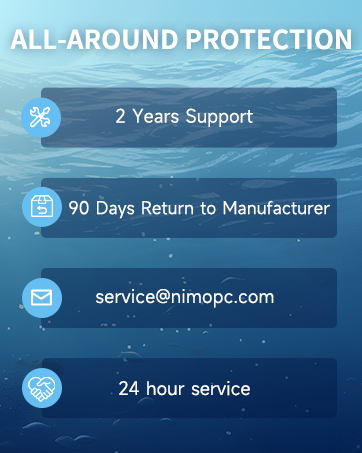
Image: Two customer service representatives with headsets, representing professional customer assistance.

Image: A technician working on a circuit board, symbolizing the 2-year support provided for Nimo products.

Image: A delivery person handing a package to a customer, representing the 90-day return policy.
9. Enfòmasyon sou Sekirite
Please adhere to the following safety guidelines to prevent damage to your laptop and ensure personal safety:
- Sèvi ak chajè orijinal yo sèlman epi enspekte kab yo regilyèman pou wè si yo domaje.
- Handle the laptop by its base and consider using a protective case.
- Avoid placing heavy items on the laptop.
- Place the laptop on a hard, flat surface to prevent overheating. Keep it away from extreme temperatures and moisture.
- Pa chaje batri a twòp. Sispann itilize li si batri a anfle oswa montre siy domaj.
- Mete modpas ki solid, kenbe lojisyèl yo ajou, sèvi ak pwoteksyon antivirus, epi fè backup done ou yo regilyèman.
- Si likid ta koule, debranche laptop la imedyatman epi kite l sèk nèt anvan ou eseye limen l.
- For any issues, consult professionals. Do not attempt to disassemble or repair the laptop yourself.
This laptop is provided "as is," with no express or implied warranties except the manufacturer's limited warranty (if applicable). Implied warranties of merchantability or fitness for a specific purpose are disclaimed. We are not liable for damages resulting from misuse (e.g., non-approved chargers, unauthorized repairs), physical damage, or failure to follow safety rules, including data loss or business interruption. Users must back up data regularly. This disclaimer does not exclude liability for manufacturing defects or violations of mandatory local laws. Using the laptop signifies your acceptance of these terms, governed by applicable jurisdiction laws.