
1. Entwodiksyon
This manual provides essential information for the safe and efficient installation, operation, and maintenance of your OSRAM ENDURA PRO Outdoor Wall Projector with Sensor. This high-efficiency outdoor wall luminaire features an extensive angle and innovative optical design, providing reliable and secure lighting for various outdoor applications.

Image 1.1: Highly Efficient Lighting. The OSRAM ENDURA PRO LED projector provides uniform and efficient lighting, enhancing security around your property with optimal brightness.
2. Enstriksyon Sekirite
Please read and understand all safety instructions before installing or operating the product. Failure to follow these instructions may result in electric shock, fire, or other hazards.
- Pèsonèl ki kalifye: Tout koneksyon elektrik dwe fèt pa yon elektrisyen kalifye.
- Risk chòk elektrik: Always disconnect power before installation, maintenance, or repair. Caution, risk of electric shock.
- Danje trangle: To reduce the risk of strangulation, ensure that any flexible wiring connected to this luminaire is effectively secured to the wall if the wiring is within reach.
- Entegrite pwodwi: Do not modify or alter the product in any way. Use only original OSRAM accessories and spare parts.
- Anviwònman Fonksyònman: This product is designed for outdoor use with an IP55 rating. Do not submerge in water.
3. Pwodwi Features
The OSRAM ENDURA PRO projector is engineered for optimal outdoor lighting performance and durability.
- Pèfòmans segondè: Provides bright and uniform illumination, enhancing safety in all outdoor areas.
- Tèt reglabl: The luminaire head is adjustable, allowing for precise light orientation to illuminate specific areas and dark corners.
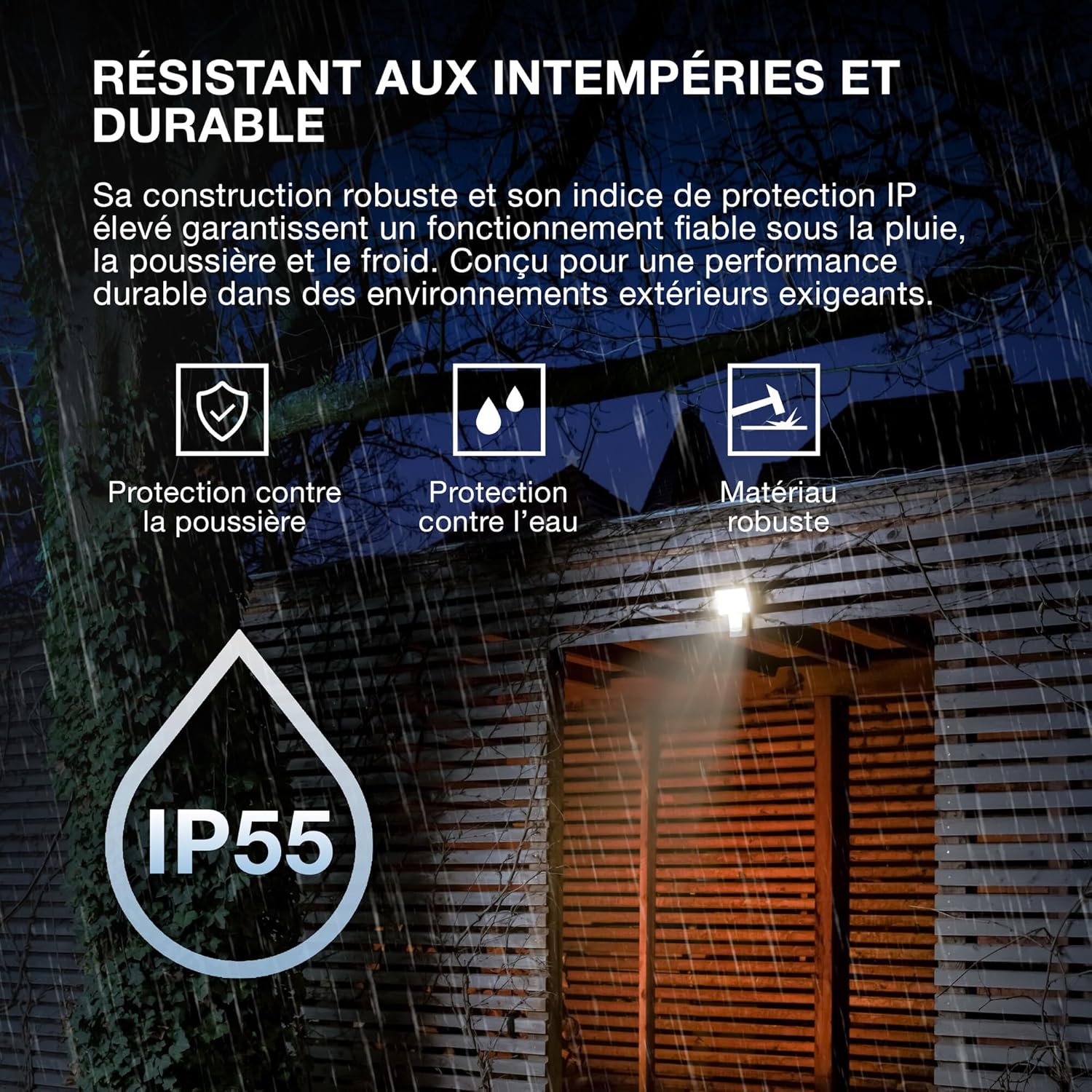
- Konstriksyon solid: Features IP55 protection against dust and water jets, and IK05 impact resistance, ensuring reliable operation in various weather conditions.
- Capteur entegre: Equipped with a motion and brightness detection sensor for automated operation.
- Mòd operasyon: Offers 4 selectable operating modes, including 6-hour continuous illumination or activation by motion and ambient light.
- Enèji efikas: Designed for energy-saving operation.

Image 3.1: Weather Resistant and Durable. The robust construction with IP55 and IK05 ratings ensures reliable performance in demanding outdoor environments, protecting against dust, water, and impacts.

Image 3.2: Precisely Adjustable. The pivoting lamp head allows for precise light orientation, directing illumination exactly where needed for efficient and glare-free lighting.
4. Enstalasyon ak Enstalasyon
The OSRAM ENDURA PRO projector is designed for easy and quick installation on walls or ceilings.
4.1. Anvan Enstalasyon
- Ensure the power supply is disconnected at the main circuit breaker before starting any electrical work.
- Verify that the mounting surface is suitable and can support the weight of the luminaire.
- Consult a qualified electrician for all electrical connections.
4.2. Monte Etap
- Prepare Kote pou Monte a: Choose a suitable location for wall or ceiling mounting.
- Make pwen perçage yo: Use the mounting bracket as a template to mark the drilling points on the surface.
- Fè twou: Fè twou nan pwen ki make yo epi mete ploge miray ki apwopriye yo (si sa nesesè).
- Sekirize Support Mounting: Attach the mounting bracket securely to the wall or ceiling using screws.
- Koneksyon elektrik: Connect the electrical wiring to the luminaire terminals according to local electrical codes. Ensure proper grounding.
- Tache Luminaire: Mount the luminaire onto the secured bracket.
- Sekirize fil elektrik: If the flexible wiring is within reach, secure it effectively to the wall to prevent strangulation hazards.
- Retabli pouvwa: Yon fwa enstalasyon an fini epi tout koneksyon yo byen fèm, retabli kouran an nan sikwi a.

Image 4.1: Quick Assembly and Easy Installation. The diagram illustrates both wall and ceiling installation methods, highlighting the 180° detection angle and coverage area for enhanced security.
Imaj 4.2: Dimansyon pwodwi a. Detailed dimensions of the luminaire for accurate installation planning.
5. Operasyon Enstriksyon
The OSRAM ENDURA PRO projector offers flexible operating modes and an adjustable head for customized lighting.
5.1. Chwazi Mòd Operasyon yo
The luminaire features 4 selectable operating modes, typically controlled via a push button or internal switch (refer to the detailed wiring diagram in the packaging for exact control method):
- Motion and Brightness Detection: The light turns on automatically when motion is detected in low ambient light conditions.
- Continuous Illumination (e.g., 6 hours): The light remains on for a set duration, regardless of motion or ambient light.
- Other modes may include variations of detection sensitivity, time-on duration, or ambient light threshold.
5.2. Adjusting the Luminaire Head
The luminaire head can be manually adjusted to direct the light beam as required. Gently pivot the head to the desired angle (up to 60 degrees as indicated in product images) to optimize illumination for your specific area.
6. Antretyen
Regular maintenance ensures the longevity and optimal performance of your OSRAM ENDURA PRO projector.
- Netwayaj: Clean the luminaire regularly with a soft, damp twal. Pa sèvi ak pwodui netwayaj abrazif oswa solvan, paske sa yo ka domaje sifas la.
- Enspeksyon: Periodically inspect the luminaire for any signs of damage, such as cracks in the housing or frayed wiring. If damage is found, disconnect power immediately and contact a qualified electrician for repair or replacement.
- Koneksyon elektrik: Ensure all electrical connections remain secure. If any looseness is detected, have it checked by a qualified electrician.
NAN. Depanaj
If you encounter issues with your OSRAM ENDURA PRO projector, refer to the following common troubleshooting steps:
| Pwoblèm | Kòz posib | Solisyon |
|---|---|---|
| Limyè pa limen | Pa gen ekipman pou pouvwa Sensor not triggered Mòd fonksyònman kòrèk | Check circuit breaker and electrical connections. Ensure motion is within sensor range and ambient light is low enough. Verify selected operating mode. |
| Limyè rete limen kontinyèlman | Continuous illumination mode selected Constant motion in sensor range Kapab fonksyone byen | Switch to motion detection mode. Adjust sensor position or sensitivity. Kontakte sipò kliyan. |
| Limyè flickers | Ekipman pou pouvwa enstab Koneksyon ki lach | Consult a qualified electrician to check power supply. Asire w tout koneksyon elektrik yo byen fèm. |
If the problem persists after attempting these solutions, please contact OSRAM customer support or a qualified electrician.
8. Espesifikasyon
Key technical specifications for the OSRAM ENDURA PRO Flood Sensor 27W 4000K IP55.
| Karakteristik | Spesifikasyon |
|---|---|
| Nimewo Modèl | 4099854451744 |
| Mak | OSRAM |
| Konsomasyon pouvwa | 27 Watts |
| Flux lumineux | 3000 lm (Lumen) |
| Tanperati Koulè | 4000K (Blan fre) |
| Voltage | 220 Vòlt (AC) |
| Pwoteksyon Rating | IP55 (Dust protected, protected against water jets) |
| Rezistans enpak | IK05 |
| Materyèl | Polikarbonat (PC) |
| Dimansyon (L x W x H) | 20.1 x 5.6 x 22.5 cm |
| Pwa | 480 gram |
| Chanje Kalite | Mouvman Detektè |
| Kalite aliye | Mi mòn |
| Zòn aplikasyon yo | Outdoor, Parking lots, Squares, Parks, Arcades |
Image 8.1: Performance Options. The OSRAM ENDURA PRO is available in various wattages and luminous fluxes. This model is the 27W version, providing 3000 lumens.

Image 8.2: Product Packaging. The packaging provides an overview of the product, including key specifications and features.
9. Garanti ak sipò
For warranty information and customer support, please refer to the documentation included with your product or visit the official OSRAM websit la. Kenbe resi acha ou kòm prèv acha.
OSRAM Websit: www.osram.com