
1. Entwodiksyon
Thank you for choosing BUGANI Buds True Wireless Earbuds. This manual provides detailed instructions on how to set up, operate, and maintain your earbuds to ensure optimal performance and longevity. Please read this manual thoroughly before using the product.
2. Pake kontni
- 1 pair of BUGANI B09 True Wireless Earbuds
- 1 USB-C Chaje Kab
- 3 pairs of Eartips (S, M, L)
- 3 pairs of Silicone Ear Hooks (S, M, L)
- 1 Gid pou Itilizatè
3. Pwodwi souview
Familiarize yourself with the components of your BUGANI Buds.
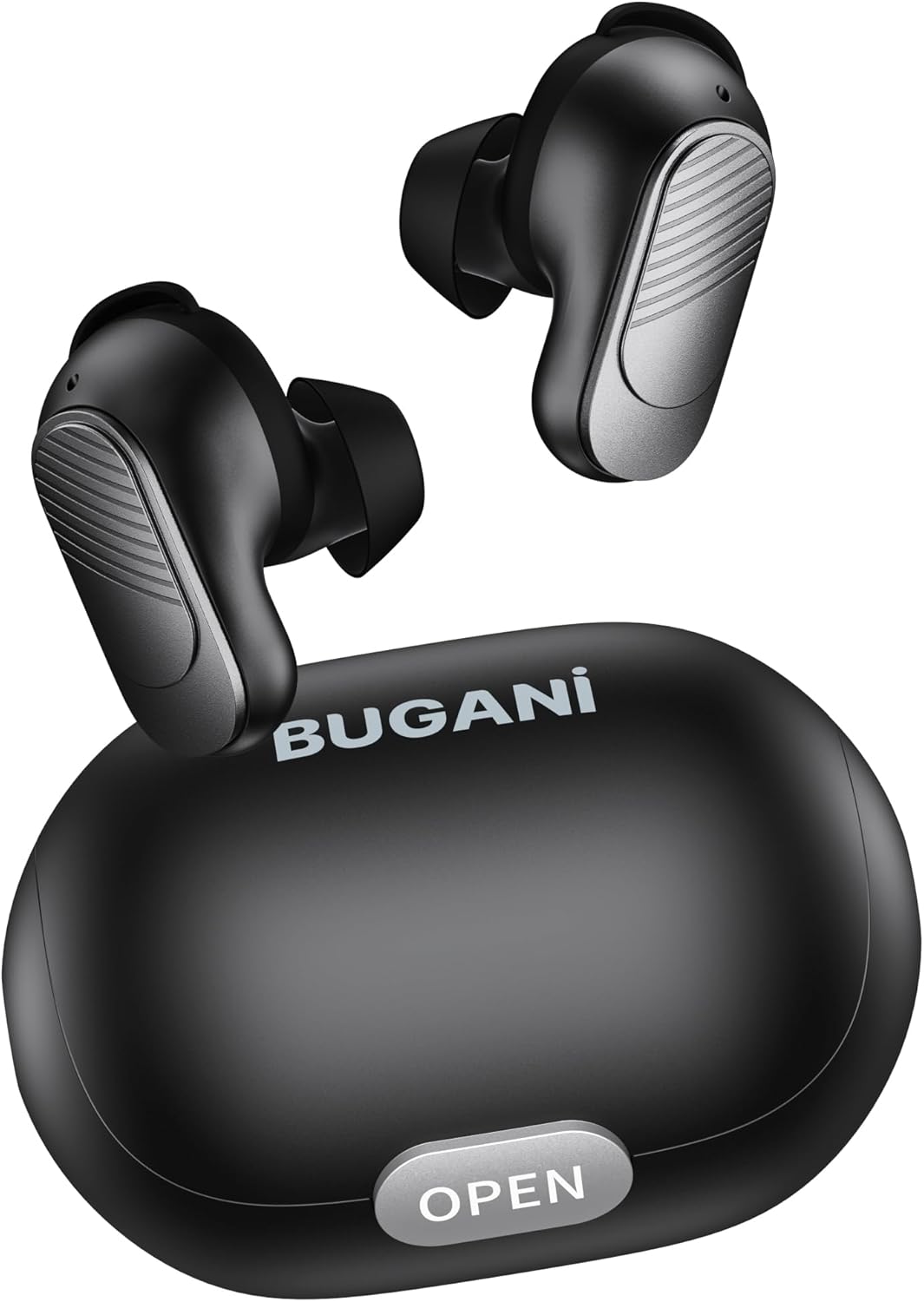
Image: BUGANI Buds True Wireless Earbuds with their charging case. The earbuds are black with silver accents, and the case is a sleek black oval shape with an "OPEN" button.

Image: An exploded diagram showing the internal components of a BUGANI Bud earbud, highlighting the driver and circuit board for enhanced sound quality.

Image: Illustration demonstrating the battery life of BUGANI Buds. It shows 6 hours of playback on a single charge and an additional 24 hours with the charging case, totaling 30 hours.

Image: A woman using BUGANI Buds during a phone call, with an inset showing the earbud and the "MIC" label, indicating the dual microphone for clear calls.

Image: A woman exercising while wearing BUGANI Buds, with an overlay showing the IPX6 water resistance icon, signifying protection against sweat and splashes.

Image: A woman wearing BUGANI Buds, with insets highlighting the lightweight design (3.9g) and the ergonomic fit with proper ear wingtips for comfort.
4. Enstalasyon
4.1 Premye chaj
Before first use, fully charge the earbuds and the charging case. Connect the USB-C charging cable to the charging port on the case and a power source. The indicator lights on the case will show charging status.
4.2 Choosing the Right Eartips
Select the eartips (S, M, L) and silicone ear hooks that provide the most comfortable and secure fit for your ears. A proper seal is crucial for optimal sound quality and noise isolation.
5. Operasyon Enstriksyon
5.1 Power On/Off
- Pouvwa sou: Louvri ka chaje a, ak ekoutè yo pral otomatikman limen.
- Pouvwa Off: Mete ekoutè yo tounen nan bwat chaje a epi fèmen kouvèti a. Y ap etenn otomatikman epi y ap kòmanse chaje.
5.2 Bluetooth Pairing
- Asire w ekoutè yo nan bwat chaje a epi kouvèti a louvri.
- Sou aparèy ou an (telefòn entelijan, tablèt, elatriye), aktive Bluetooth.
- Chèche pou "BUGANI Buds" in the list of available Bluetooth devices.
- Select "BUGANI Buds" to connect. Once connected, you will hear a confirmation tone.
- Ekoutè yo ap konekte otomatikman ak dènye aparèy ki te konekte a lè yo retire yo nan bwat la, si Bluetooth aktive sou aparèy la.
5.3 Kontwòl manyen
The BUGANI Buds feature intuitive touch controls on each earbud:
| Aksyon | Ekoutè Goch | Dwa ekouteur |
|---|---|---|
| Jwe/Poz | Single Tap | Single Tap |
| Next Track | Double Tap | |
| Previous Track | Double Tap | |
| Reponn/Fen Apèl | Single Tap | Single Tap |
| Rejte apèl | Long Press (2s) | Long Press (2s) |
| Aktive Asistan Vwa | Triple Tap | Triple Tap |
5.4 Chaje ekoutè yo ak bwat la
- Ekouteur: Place the earbuds into the charging case. They will automatically charge.
- Ka chaje: Connect the USB-C cable to the charging port on the case and a USB power adapter (not included). The indicator lights will show the charging status.
6. Antretyen
- Netwaye ekoutè yo ak bwat chaje a regilyèman avèk yon twal mou epi sèk.
- Pa sèvi ak pwodui netwayaj abrazif oswa solvang.
- Kenbe kontak chaje yo sou tou de ekoutè yo ak sou bwat la pwòp pou asire yon chajman byen fèt.
- Sere ekoutè yo nan ka chaje yo lè yo pa itilize pou pwoteje yo epi kenbe yo chaje.
- Evite ekspoze ekoutè yo nan tanperati ekstrèm, imidite, oswa limyè solèy dirèk.
- While IPX6 water-resistant, do not immerse the earbuds in water.
NAN. Depanaj
| Pwoblèm | Solisyon posib |
|---|---|
| Ekoutè pa asosye |
|
| Se yon sèl ekoutè k ap travay |
|
| Move son kalite |
|
| Ekoutè pa chaje |
|
8. Espesifikasyon
| Karakteristik | Detay |
|---|---|
| Non modèl | B09 |
| Mak | BUGANI |
| Koneksyon Teknoloji | San fil (Bluetooth 5.3) |
| Teknoloji kominikasyon san fil | Bluetooth |
| Kalite kontwòl | Kontwòl manyen |
| Nivo rezistans dlo | IPX6 (enpèmeyab) |
| Gamme frekans | 20 Hz - 20,000 Hz |
| Konpozisyon batri | Lityòm-ion |
| Batri rechargeable | Wi |
| Plasman Zòrèy | Nan-zòrèy |
| Faktè fòm | Nan-zòrèy |
| Materyèl | Plastik |
| Koulè | Nwa |
| ASIN | B0FBRKTKTS |
9. Garanti ak sipò
For warranty information and technical support, please refer to the official BUGANI websit la oubyen kontakte sèvis kliyan yo. Kenbe resi acha w la pou reklamasyon garanti.
Return Policy: This product typically has a 30-day refund/replacement return policy.
Manufacturer: BUGANI