
1. Entwodiksyon
Thank you for choosing the RockSeed S7-100M Laser Measure. This device is a portable digital distance measurement tool designed for high accuracy and efficiency. It features dual bubble levels for precise leveling, a rapid measurement response time, and multiple measurement functions including distance, area, volume, and Pythagorean calculations. This manual provides essential information for safe and effective operation of your device.
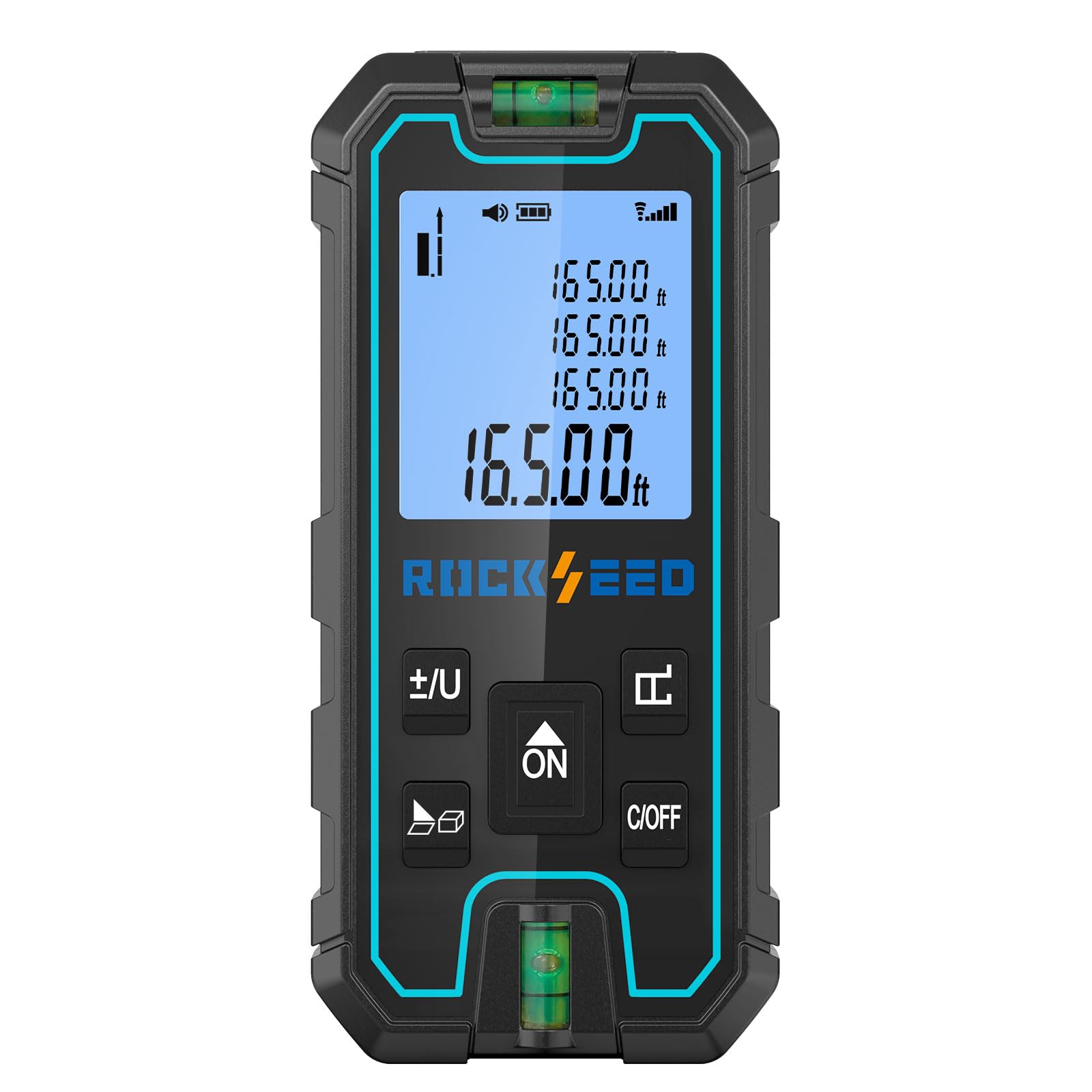
Image: The RockSeed S7-100M Laser Measure, showcasing ekspozisyon ak konsepsyon li yo.
2. Enfòmasyon sou Sekirite
AVÈTISMAN: Li tout avètisman ak enstriksyon sekirite yo anvan ou itilize pwodui sa a.
- This device is a Class 2 laser product. Laser Wavelength: 635nm. Power Output: <1mW.
- Do not stare directly into the laser beam or direct it at other people. Laser radiation can cause eye injury.
- Pa demonte oswa modifye aparèy la. Se sèlman pèsonèl sèvis otorize ki dwe fè reparasyon yo.
- Kenbe aparèy la pa rive nan men timoun yo.
- Evite itilize aparèy la nan anviwònman ki ka eksploze oswa toupre materyèl ki ka pran dife.
- Ensure the measurement surface is clear and stable to prevent inaccurate readings.
3. Pwodwi souview
3.1 Eleman
- RockSeed S7-100M Laser Measure
- 1.5V AAA Batteries (2 included)
- Manyèl itilizatè
- senti ponyèt
- Bwat anbalaj
- Sak twal
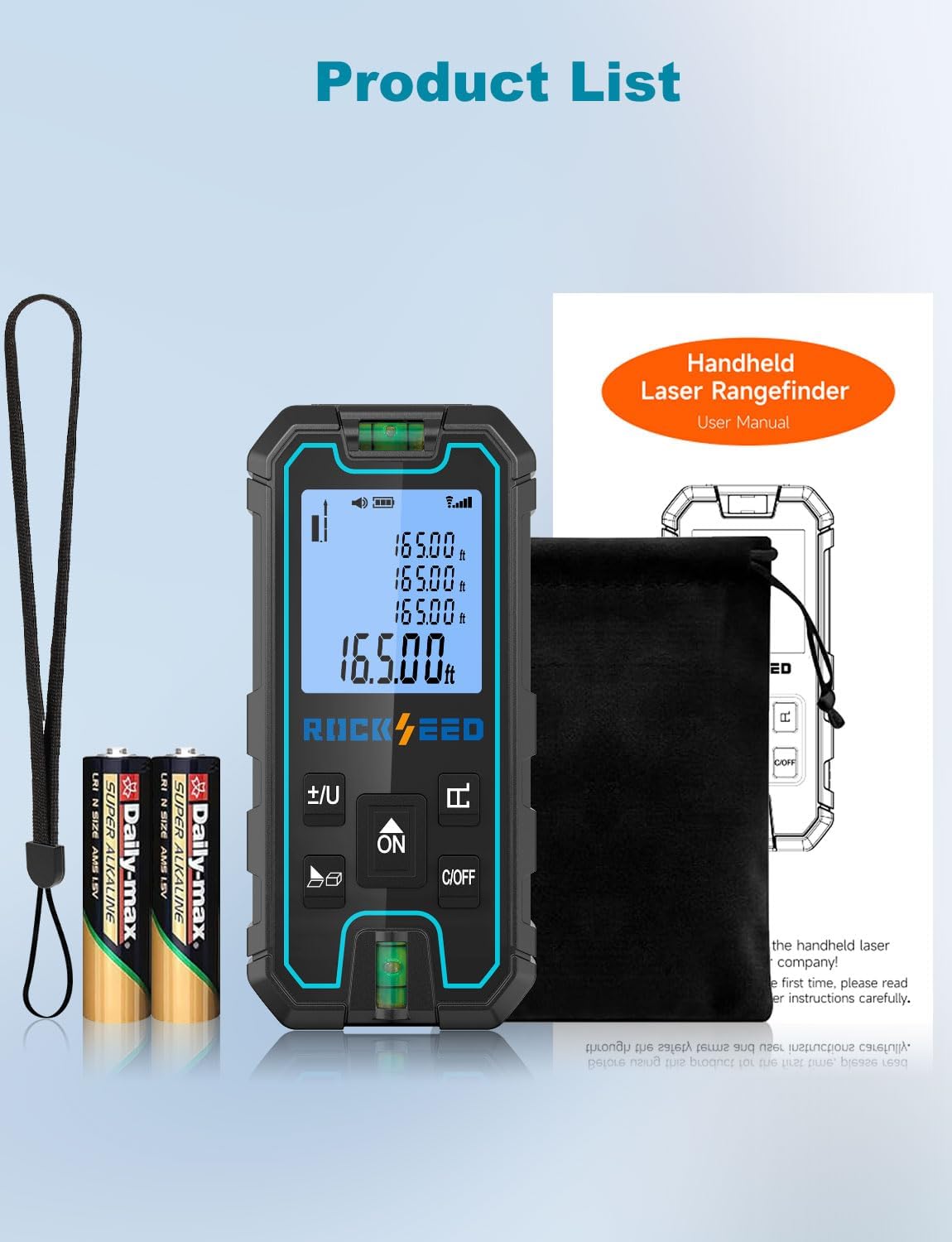
Image: The RockSeed S7-100M Laser Measure, batteries, wrist strap, cloth bag, and user manual.
3.2 Key Function Description
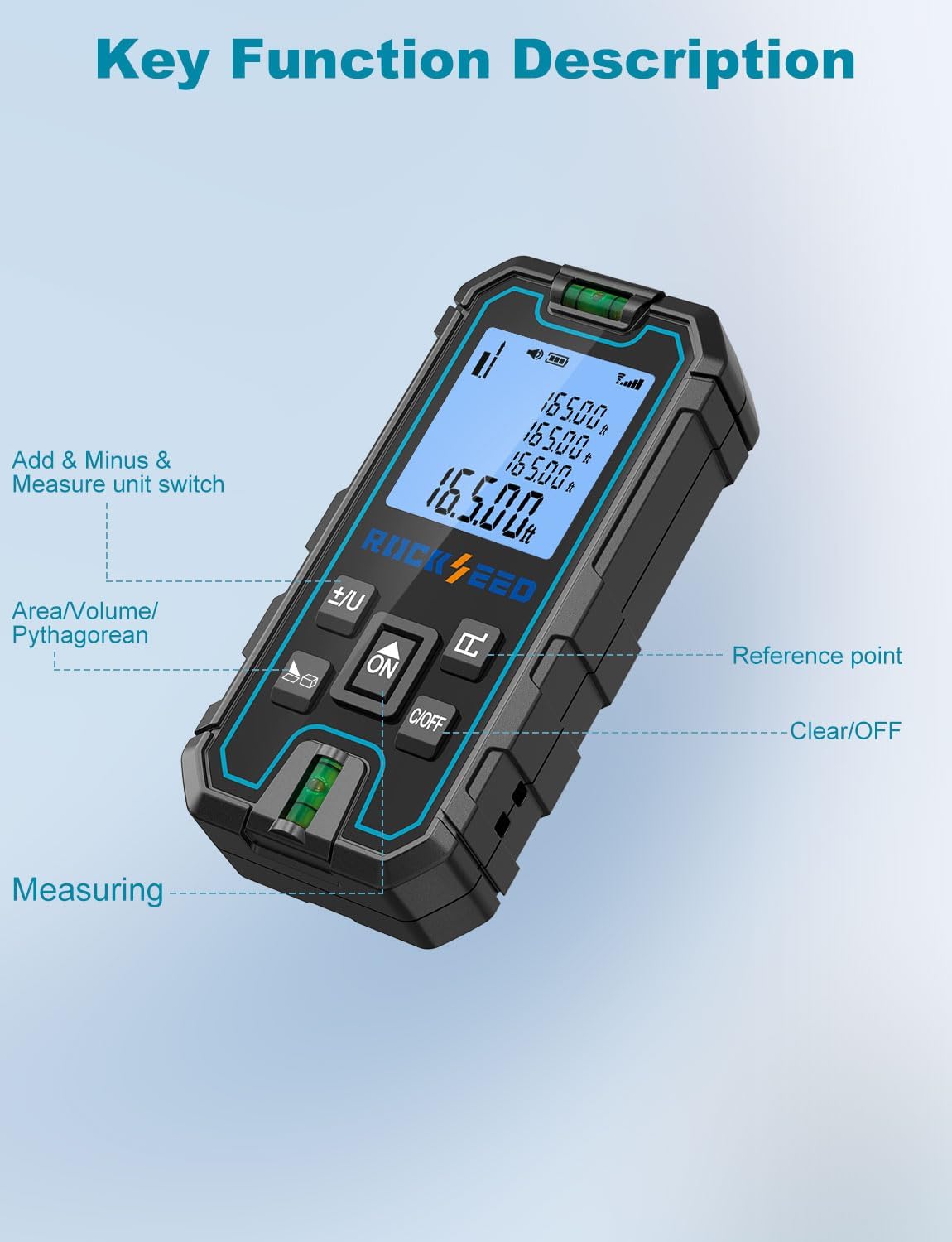
Image: A diagram illustrating the buttons on the RockSeed S7-100M and their corresponding functions, including Add & Minus/Unit Switch, Area/Volume/Pythagorean, Reference Point, Clear/OFF, and Measuring button.
- +/- / U Button: Used for addition/subtraction calculations and switching measurement units (meters, inches, feet).
- Bouton Fonksyon: Selects measurement modes (Area, Volume, Pythagorean).
- ON / Measure Button: Li limen aparèy la epi li kòmanse mezi yo.
- Reference Point Button: Changes the measurement reference point (front or rear of the device).
- Bouton C/OFF: Clears the current measurement or powers off the device.
4. Enstalasyon
4.1 Enstalasyon batri
- Jwenn kouvèti konpatiman batri a sou dèyè aparèy la.
- Glise oswa deklipe kouvèti a pou louvri li.
- Mete de pil AAA 1.5V, asire w polarite a kòrèk (+/-).
- Fèmen kouvèti lòj batri a byen.
5. Operasyon Enstriksyon
5.1 Power On/Off
- Pou limen: Peze a ON bouton an. Ekran an ap limen.
- Pou etenn: Peze epi kenbe la C/OFF button for a few seconds, or the device will automatically power off after 150 seconds of inactivity to conserve energy.
5.2 Mezi Debaz
- Pouvwa sou aparèy la.
- Dirije lazè a sou sifas sib la.
- Peze a ON bouton an yon fwa. Distans ki mezire a ap parèt sou ekran an.

Image: A person using the RockSeed S7-100M Laser Measure to take a vertical measurement, demonstrating its use with a spirit level for accuracy.
5.3 Konvèsyon inite
Peze a +/- / U button repeatedly to cycle through the available measurement units: meters (m), inches (in), and feet (ft).
5.4 Ajisteman Pwen Referans
The device can measure from its front or rear edge. Press the Pwen Referans button to switch between these two reference points. An icon on the display will indicate the currently selected reference point.

Image: A visual representation of how to change the measurement reference point on the device, showing measurements taken from the front and rear of the laser measure.
5.5 Mòd Mezi
Peze a Fonksyon button to cycle through different measurement modes:
- Mezi kontinyèl: Displays real-time distance as you move the device. Press ON to start, press again to stop.
- Mezi Zòn: Measure two sides (length and width), and the device will calculate the area.
- Mezi Volim: Measure three sides (length, width, height), and the device will calculate the volume.
- Mezi Pitagò (3 pwen): Used for indirect measurements, such as height, by measuring two or three sides of a right-angled triangle. Follow the on-screen prompts for each measurement.
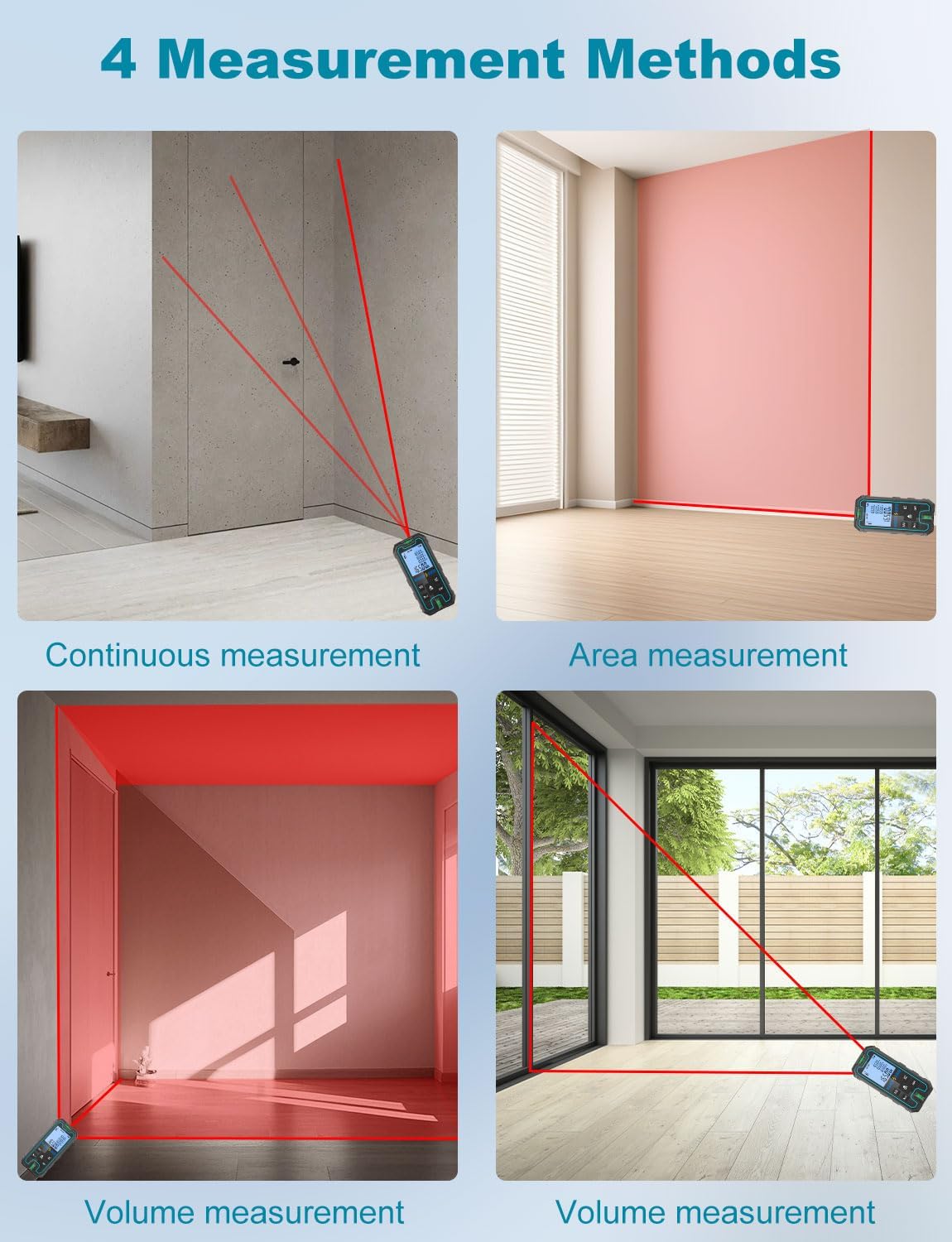
Imaj: Egzanp vizyèlamples of Continuous Measurement, Area Measurement, and two types of Volume Measurement scenarios.
5.6 Adisyon ak Soustraksyon
Apre ou fin pran mezi a, peze bouton an +/- / U button to enter addition or subtraction mode. Take another measurement, and the device will add or subtract it from the previous value.
5.7 Fonksyon memwa
The device can store up to 99 groups of measurement data. To recall or delete data, refer to the on-screen menu options accessible via the Fonksyon button or specific button combinations detailed in the full manual.
6. Measurement Scenarios
The RockSeed S7-100M is versatile for various applications:
- Konstriksyon: Measuring room dimensions, material estimation.
- Design enteryè: Planning furniture placement, curtain lengths.
- Pwojè brikoleur: Accurate cuts, spacing, and installations.
- Real Estate: Quick property dimension checks.

Imaj: Kat ansyenamples of the laser measure in use: continuous measurement by a construction worker, area measurement by a woman, and two volume measurement scenarios in different room settings.
7. Antretyen
- Netwaye aparèy la ak yon mou, damp twal. Pa sèvi ak pwodui netwayaj abrazif oswa solvang.
- Keep the laser lens clean and free from dust or debris to ensure accurate measurements.
- Store the device in its protective cloth bag when not in use.
- Retire pil yo si ou pa pral itilize aparèy la pou yon peryòd tan pwolonje pou anpeche flit.
- The device has an IP54 rating, providing protection against dust and splashing water. However, it is not waterproof and should not be submerged.
NAN. Depanaj
| Pwoblèm | Kòz posib | Solisyon |
|---|---|---|
| Aparèy pa limen | Low or dead batteries; incorrect battery installation | Replace batteries; ensure correct polarity |
| Mezi ki pa kòrèk | Dirty laser lens; unstable measurement surface; strong light interference | Clean lens; ensure stable surface; shield from direct sunlight if possible |
| Reyon lazè pa vizib | Bright ambient light; long distance measurement | Use in dimmer conditions; use a target plate for long distances |
| Montre mesaj erè | Measurement out of range; internal error | Ensure target is within range; power cycle the device |
9. Espesifikasyon
- Modèl: S7-100M
- Klas lazè: Klas 2
- Longèdonn lazè: 635nm
- Sorti pouvwa: <1mW
- Ranje mezi: Jiska 328 pye (100 mèt)
- Presizyon: ±1/16 inch (±0.06 inch / ±1.5mm)
- Inite Mezi: Meters (m), Inches (in), Feet (ft)
- Tan repons: 0.2 segonn
- Tanperati operasyon: -10 ° C a 50 ° C (14 ° F a 122 ° F)
- Auto pouvwa-off: 150 segonn inaktivite
- memwa: 99 gwoup
- Evalyasyon IP: IP54 (Rezistan a pousyè ak dlo)
- Batri: 2 x 1.5V AAA (enkli)
- Pwa: 145 gram
- Materyèl: Acrylonitrile Butadiene styrene

Image: A comparison highlighting the RockSeed S7's 0.2-second reaction time and ±1.5mm accuracy versus other devices with 0.5-second reaction time and ±2mm accuracy.
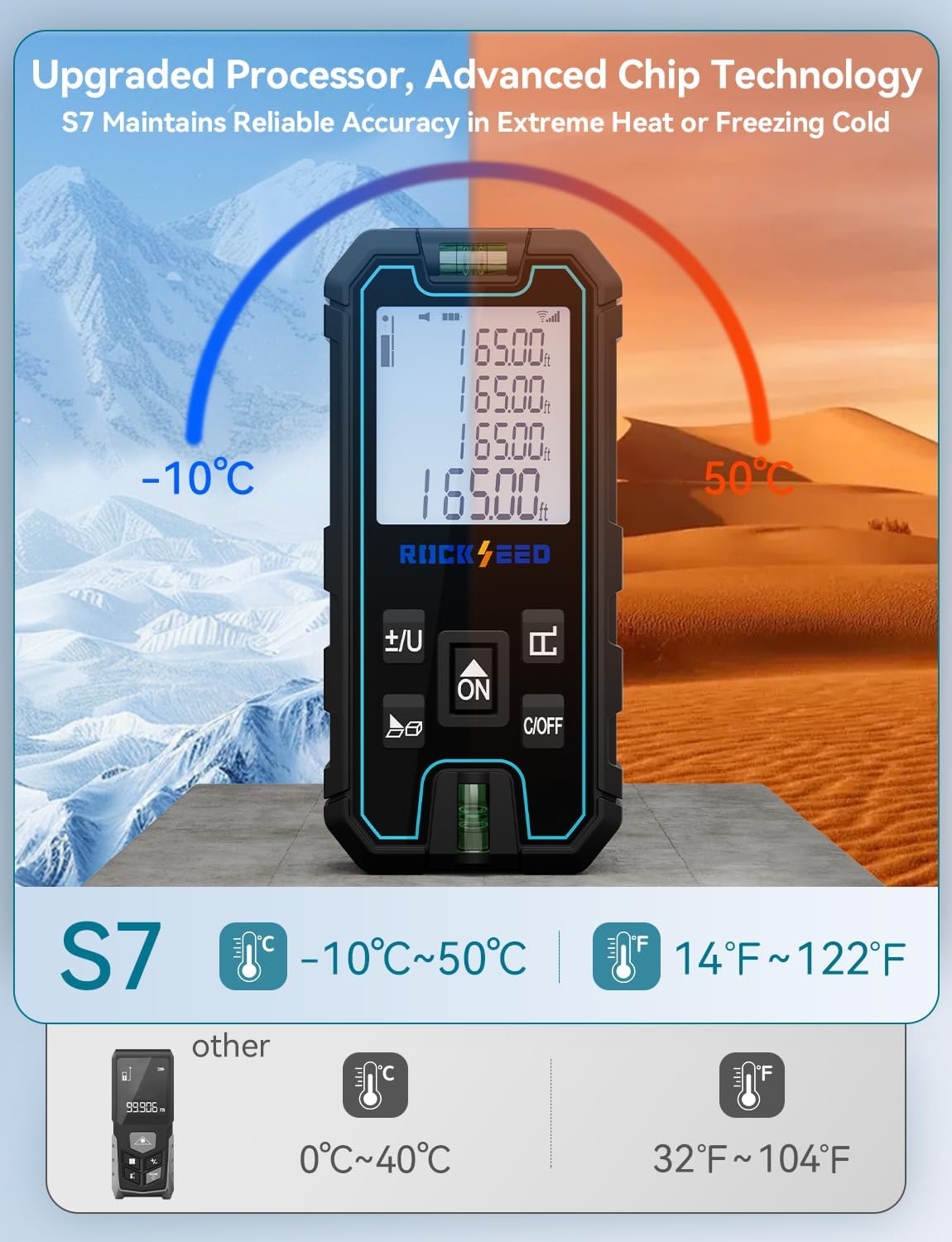
Image: An illustration demonstrating the RockSeed S7's ability to operate reliably in a wide temperature range from -10°C (14°F) to 50°C (122°F), compared to other devices with a narrower range.
10. Garanti ak sipò
All RockSeed products are certified to international standards including CE, FCC, FDA, and RoHS. This product features an IP54 rating for splash and dust resistance.
RockSeed offers a 2-ane garanti for this laser measuring tool. For technical support or warranty claims, please contact RockSeed customer service. Dedicated technical support is available in the United States.