
1. Entwodiksyon
This manual provides detailed instructions for the installation, operation, and maintenance of your XTRONS Android 14 Car Stereo GPS, model XTRONS FREELANDER 2. This unit is specifically designed for Land Rover Freelander 2 vehicles manufactured between 2007 and 2012. Please read this manual thoroughly before using the product to ensure proper functionality and to prevent damage.
2. Enfòmasyon sou Sekirite
- Enstalasyon pwofesyonèl rekòmande: Due to the complexity of car electrical systems, professional installation is highly recommended to avoid damage to the unit or your vehicle.
- Pwovizyon pou pouvwa: Ensure the unit is connected to a 12V DC power supply with negative grounding.
- Fil elektrik: Do not modify or cut any wires unless explicitly instructed. Incorrect wiring can cause damage or fire.
- Sekirite Kondwi: Do not operate the unit's complex functions or watch videos while driving. Always prioritize road safety.
- Tanperati: Evite ekspoze aparèy la nan tanperati ekstrèm oswa anba limyè solèy dirèk pou yon peryòd tan pwolonje.
- Imidite: Kenbe aparèy la lwen dlo ak imidite twòp.
3. Pake kontni
Tanpri verifye sa ki nan pake a avèk lis ki anba a:
- XTRONS Car Stereo Unit
- Aparèy elektrik pou fil elektrik
- GPS antèn
- USB Câbles
- Mikwofòn ekstèn
- Manyèl Itilizatè (dokiman sa a)
- Kontwòl Remote (si enkli)

Figure 3.1: Included components in the XTRONS car stereo package.
4. Pwodwi souview
The XTRONS Android 14 Car Stereo GPS is an advanced infotainment system designed to seamlessly integrate with your Land Rover Freelander 2. It features a powerful Octa-Core CPU, 4GB RAM, and 64GB ROM for smooth performance. Key features include:
- Android 14 sistèm operasyon
- Built-in Apple CarPlay and Android Auto (Wireless support)
- Integrated GPS Navigation with GLONASS support
- Wi-Fi and 4G connectivity (SIM slot included)
- Bluetooth 5.0 for hands-free calling and audio streaming
- Digital Sound Processor (DSP) for enhanced audio
- Support for original steering wheel controls
- Multiple UI options
- IPS Display for wide viewang ing
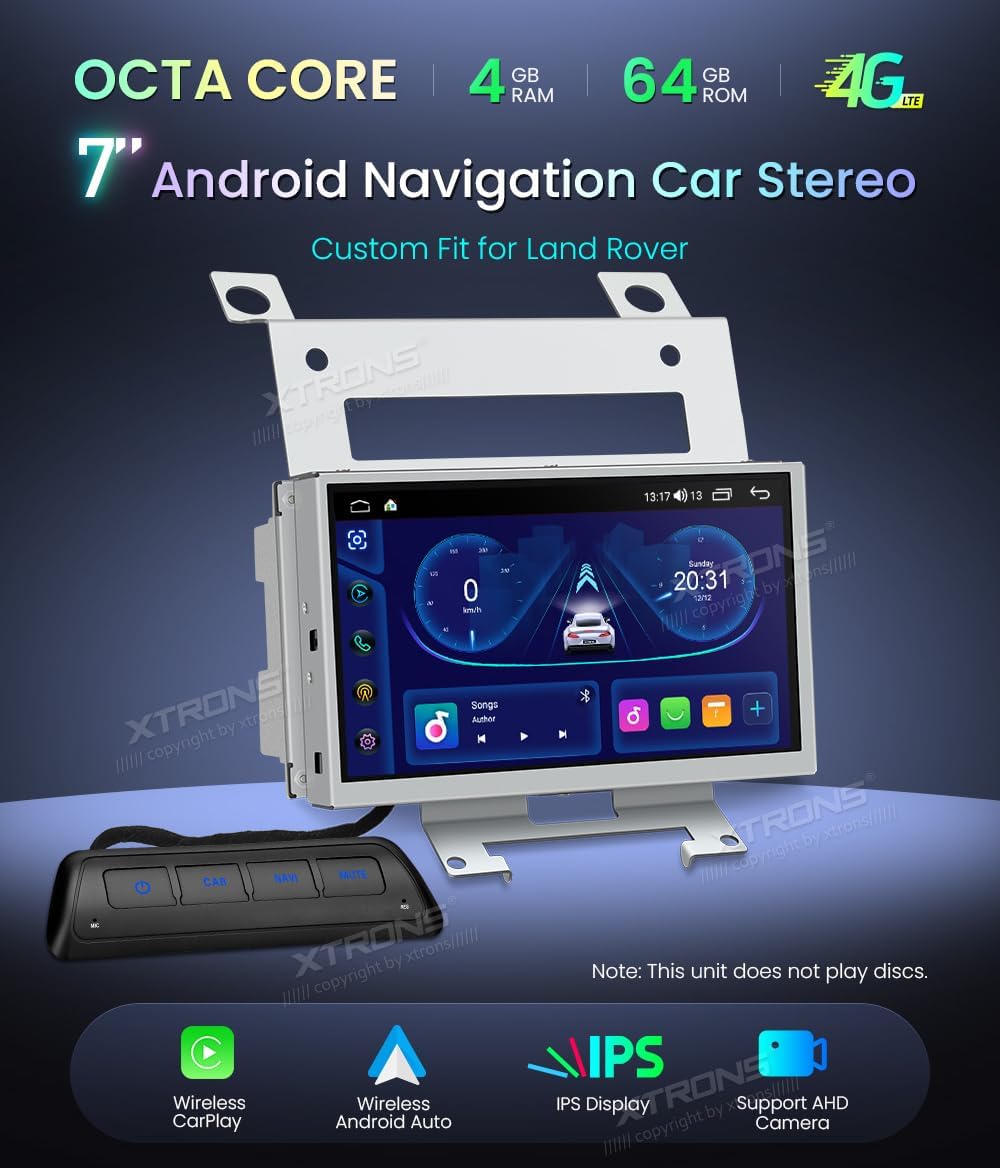
Figure 4.1: XTRONS Car Stereo Unit with key features.

Figure 4.2: Unit installed in a Land Rover Freelander 2 dashboard.
5. Enstalasyon ak Enstalasyon
5.1 Chèk Pre-Enstalasyon
- Ensure your vehicle is a Land Rover Freelander 2 (2007-2012).
- Dekonekte batri machin nan anvan ou kòmanse enstalasyon an.
- Verifye tout sa ki nan pake a prezan.
5.2 Etap enstalasyon yo
- Retire inite orijinal la: Carefully remove the existing car stereo and trim panels from your dashboard. Refer to your vehicle's service manual for specific instructions.
- Konekte fil elektrik yo: Connect the provided wiring harnesses to the vehicle's existing connectors. Ensure all connections are secure. The XTRONS unit relies on the original radio, which remains installed and functional.
- Konekte periferik: Connect the GPS antenna, USB cables, and external microphone to the corresponding ports on the XTRONS unit. Position the GPS antenna in a location with a clear view nan syèl la.
- Monte inite a: Securely mount the XTRONS unit into the dashboard opening using the provided brackets.
- Rekonekte batri: Yon fwa tout koneksyon yo fèt epi yo byen sere, konekte batri machin nan ankò.
- Premye limen: Turn on your vehicle's ignition and power on the XTRONS unit. Follow any on-screen prompts for initial setup.

Figure 5.1: Before and After installation comparison.
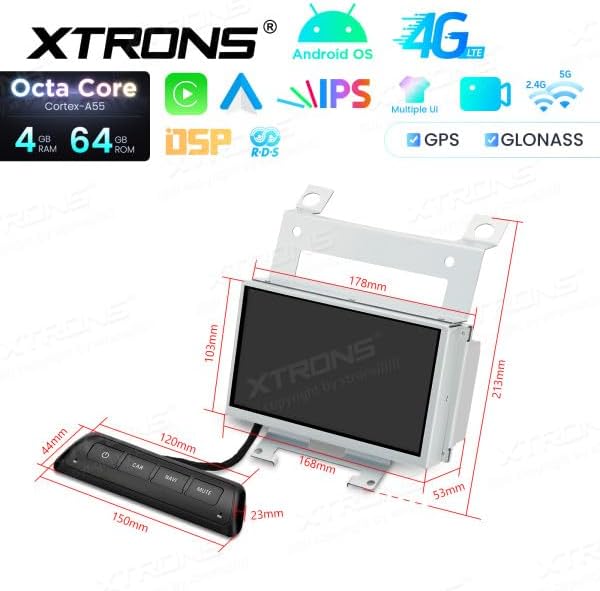
Figure 5.2: Unit dimensions and remote control.
6. Operasyon Enstriksyon
6.1 Navigasyon nan Entèfas Itilizatè a
The unit features a responsive touchscreen display. Swipe left or right to navigate between home screens, tap icons to open applications, and use the top bar for quick settings and notifications.
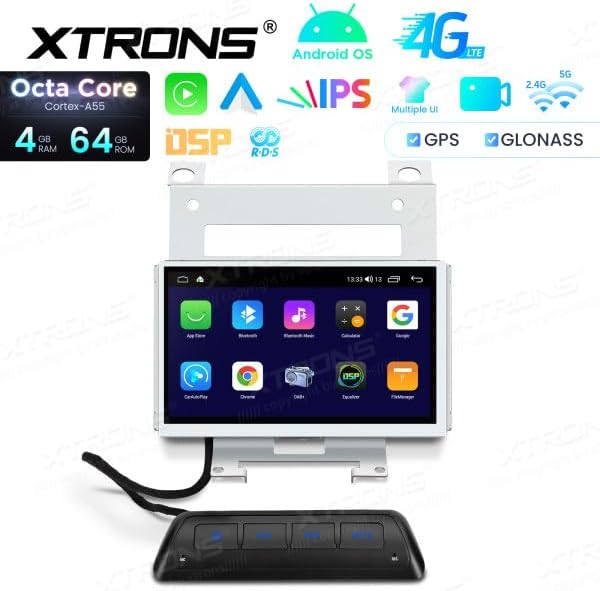
Figure 6.1: Android UI example.
6.2 Apple CarPlay ak Android Auto
The unit supports both wireless Apple CarPlay and Android Auto. Connect your compatible smartphone via Bluetooth and Wi-Fi, or a USB cable, to access navigation, music, messages, and more directly on the car stereo display.

Figi 6.2: Entèfas Apple CarPlay.

Figure 6.3: Android Auto interface.
6.3 Koneksyon Bluetooth
Pair your mobile phone via Bluetooth for hands-free calling and audio streaming. Go to the Bluetooth settings on the unit, enable Bluetooth, and search for your phone. Follow the pairing instructions on both devices.
6.4 Wi-Fi and 4G Connectivity
Connect to a Wi-Fi hotspot or insert a 4G SIM card into the designated slot to enable internet access. This allows for online navigation, app downloads, and streaming services.
6.5 Navigasyon GPS
The built-in GPS module provides accurate navigation. Ensure the GPS antenna is properly installed and has a clear view of the sky for optimal signal reception. You can use pre-installed navigation apps or download others from the app store.
6.6 Lekti Medya
Connect USB drives to the provided USB ports to play audio and video files. The unit supports various formats. Use the built-in media player application to browse and play your content.
6.7 Kontwòl Volan
The unit supports your vehicle's original steering wheel controls. After installation, you may need to configure these controls in the unit's settings menu to match your vehicle's functions.
6.8 Pwodwi pou Telefòn si ou vle
The XTRONS unit supports various optional accessories (not included in the standard package):
- DVR Camera: Connect an optional DVR camera for recording driving footage.
- DAB+ Box: Enhance your radio experience with digital audio broadcasting by connecting an optional DAB+ box.
- TPMS Kit: Monitor your tire pressure with an optional TPMS (Tire Pressure Monitoring System) kit.
7. Antretyen
7.1 Netwaye inite a
Use a soft, dry cloth to clean the display and exterior of the unit. For stubborn smudges, slightly dampen the cloth with water. Avoid using harsh chemicals or abrasive materials, as they can damage the screen or finish.
7.2 Mizajou lojisyèl
Tcheke ofisyèl XTRONS yo detanzantan. website or contact customer support for available software updates. Keeping your unit's software up-to-date ensures optimal performance, new features, and bug fixes. Follow the provided instructions carefully when performing updates.
NAN. Depanaj
If you encounter issues with your XTRONS car stereo, refer to the following common problems and solutions:
- Pa gen pouvwa:
- Tcheke tout koneksyon kouran yo ak fizib yo.
- Asire w ke batri machin nan chaje.
- Pa gen son:
- Verifye koneksyon oratè yo.
- Tcheke nivo volim yo ak paramèt silans yo.
- Asire w ke ou chwazi bon sous odyo a.
- Pèt siyal GPS:
- Asire w antèn GPS la byen konekte epi byen pozisyone avèk yon sifas klè. view nan syèl la.
- Deplase machin nan nan yon zòn ouvè lwen bilding ki wo oswa vejetasyon epè.
- Pwoblèm koneksyon Bluetooth:
- Asire w ke Bluetooth la aktive sou tou de aparèy la ak telefòn ou.
- Efase ansyen koneksyon yo epi eseye rekonekte.
- Rekòmanse tou de aparèy yo.
- Ekran taktil la pa reponn:
- Rekòmanse inite a.
- Asire w ekran an pwòp epi li pa gen okenn debri.
If the problem persists, please contact XTRONS customer support for further assistance.
9. Espesifikasyon
| Karakteristik | Spesifikasyon |
|---|---|
| Mak | XTRONS |
| Nimewo Modèl | XTRONS FREELANDER 2 |
| Sistèm operasyon | Android 14 |
| RAM | 4 GB |
| ROM | 64 GB |
| CPU | Octa-Nwayo |
| Koneksyon Teknoloji | Wi-Fi, Bluetooth, 4G, USB |
| Karakteristik espesyal | Android Auto, Apple CarPlay (Wireless) |
| Aparèy konpatib | Smartphone |
| Total pò HDMI | 1 |
| Kalite Connector | USB, Wi-Fi |
| Audio Sòti Mode | Stereo, Antoure |
| Konfigirasyon chanèl son antoure | 5.1 |
| Kodaj videyo | H.264, H.265/HEVC |
| Sortie pouvwa | 180 Watts |
| Kantite Chanèl | 2 |
| Internet Application | CarPlay, Android Auto |
| Metòd kontwòl | Manyen |
| Kalite Sòti Audio | Bluetooth, Headphone, Speaker |
| Smart Kay konpatibilite | Pa konpatib ak kay entelijan |
| Koulè | Nwa |
| ASIN | B0F9YV3YDD |
10. Garanti ak sipò
For warranty information, technical support, or service inquiries, please refer to the warranty card included with your product or visit the official XTRONS websit la. Kenbe resi acha ou kòm prèv acha.