
1. Entwodiksyon
This manual provides detailed instructions for setting up, operating, and maintaining your 8Bitdo Ultimate 2 Wireless Controller. Please read this manual thoroughly before using the product to ensure optimal performance and longevity.
2. Konpatibilite
The 8Bitdo Ultimate 2 Wireless Controller is designed for broad compatibility across various platforms:
- Windows PC: Compatible with Windows 10 (version 1903) and above. Supports 2.4G wireless and wired connections.
- Android: Compatible with Android 9.0 and above. Supports Bluetooth wireless connection.
- SteamOS: Compatible with SteamOS 3.7.13 or above.
- Aparèy Apple: Compatible with Apple iOS 26 and above, Apple iPadOS 26 and above, Apple tvOS 26 and above, Apple macOS 26 and above, Apple visionOS 26 and above.

Image: The controller displaying its compatibility with Windows and Android operating systems.
3. Enstalasyon
3.1 Kontni pake a
Asire w tout atik yo prezan nan pakè a:
- 8Bitdo Ultimate 2 Wireless Controller
- Chaje waf
- 2.4G Adapter (USB-C)
- USB kab
- Manyèl Enstriksyon (dokiman sa a)

Imaj: Yon plis paseview of the controller, charging dock, 2.4G adapter, and USB cable included with the product.
3.2 Premye chaj
Before first use, fully charge the controller using the included USB cable and charging dock. Connect the USB cable to the charging dock and a power source. Place the controller onto the dock to begin charging. The controller features a 1000mAh battery.
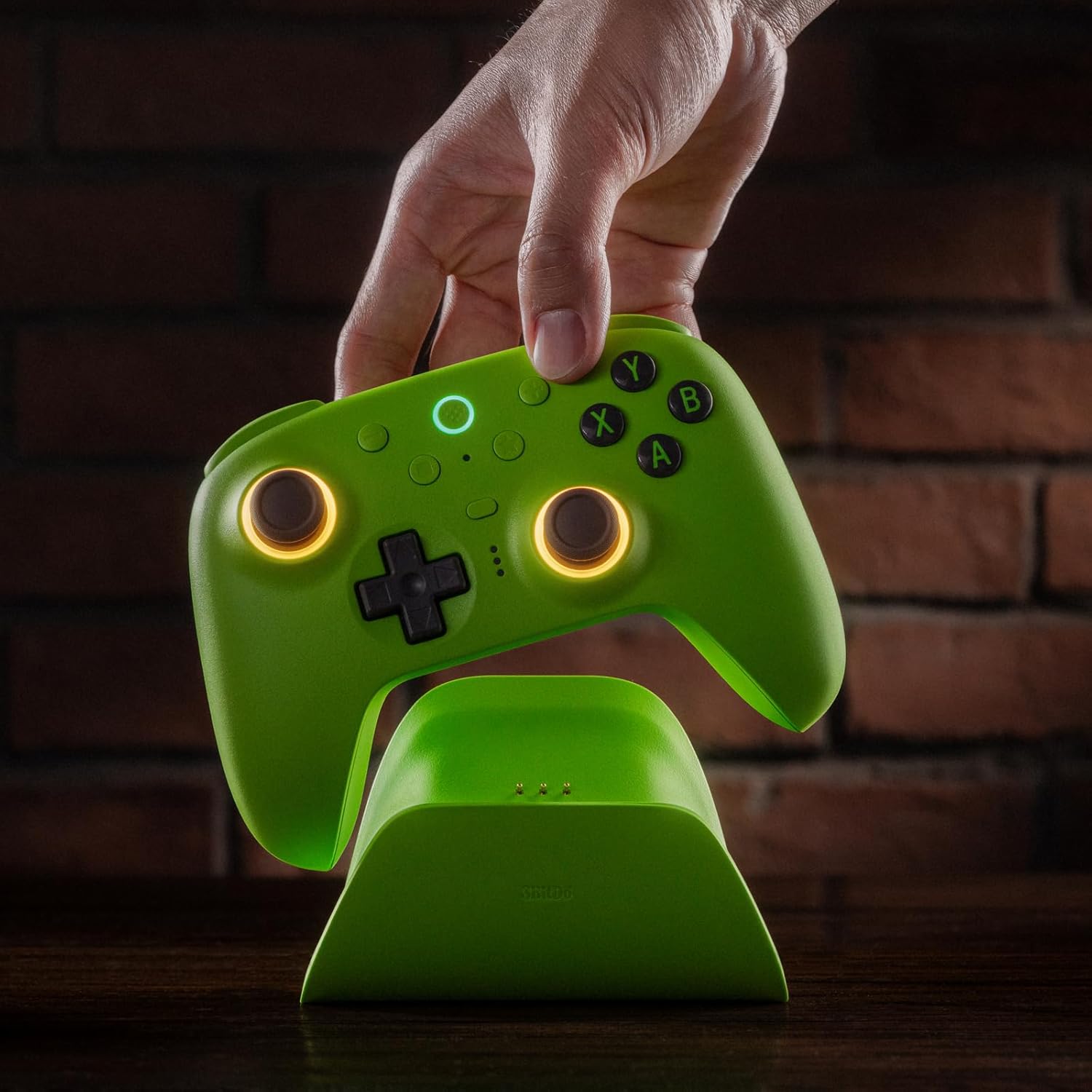
Image: The controller being placed on its dedicated charging dock for power replenishment.
3.3 Konekte kontwolè a
The controller supports three connection modes: 2.4G Wireless, Bluetooth Wireless, and Wired.
3.3.1 2.4G Wireless Connection (for Windows PC)
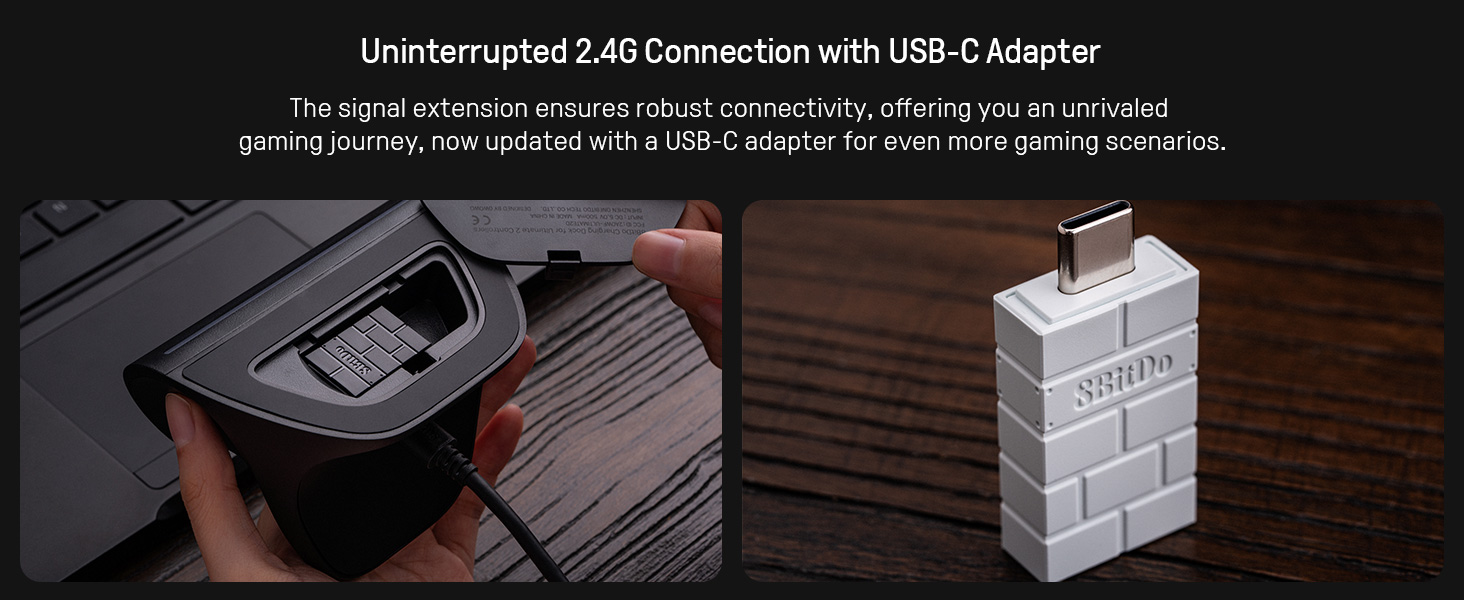
- Locate the 2.4G USB-C adapter. It is typically stored within the charging dock.
- Plug the 2.4G adapter into an available USB port on your Windows PC.
- The controller will automatically connect to the adapter. The 2.4G connection offers an ultra-low latency of less than 1ms and a stable range of 10 meters.

Image: The 2.4G USB-C adapter, which can be stored in the charging dock, ready for connection to a PC.
3.3.2 Bluetooth Wireless Connection (for Android)
- Asire w ke Bluetooth aktive sou aparèy Android ou a.
- On the controller, press and hold the Bluetooth pairing button (refer to controller diagram for location) until the indicator light flashes rapidly.
- On your Android device, search for new Bluetooth devices and select "8Bitdo Ultimate 2" to pair.
3.3.3 Wired Connection (for Windows PC)
Connect the controller directly to your Windows PC using the provided USB-C cable. The controller will be recognized automatically.
4. Itilizasyon Kontwolè a
4.1 TMR Joysticks
The controller is equipped with TMR joysticks, offering enhanced sensitivity, greater precision, and improved durability. These joysticks contribute to a smooth and responsive gaming experience.
Imaj: Yon gwo plan view highlighting the TMR joysticks with their illuminated Star-Ring RGB lights.
4.2 Hall Effect Triggers & Mode Switching
Easily switch between linear Hall Effect triggers and non-linear tactile triggers using the mode switch located on the back of the controller. This allows for optimal control across different gaming scenarios, such as racing or shooting games.

Imaj: Yon imaj detaye view of the switch mechanism for changing between Hall Effect and tactile trigger modes.
4.3 Programmable Back Buttons and Bumpers
The controller features two Pro back paddle buttons and extra R4/L4 bumpers. These can be customized for personalized configurations, allowing for quicker reactions and enhanced control in games. Customization is managed through the 8Bitdo Ultimate Software V2.

Image: The R4 and L4 bumper buttons, designed for quick access and remapping.
4.4 6-Axis Motion Control & Rumble Vibration
Experience enhanced motion-based actions with the customizable 6-axis motion control. The controller also includes turbo function and rumble vibration for immersive feedback during gameplay.

Image: The controller in use, demonstrating the 6-axis motion control feature during gameplay.
4.5 RGB Fire Ring & Interactive Light-tracing
The joysticks feature Star-Ring RGB lights with interactive light-tracing. Adjust between multiple light modes to personalize your controller and enhance real-time visual effects while gaming.
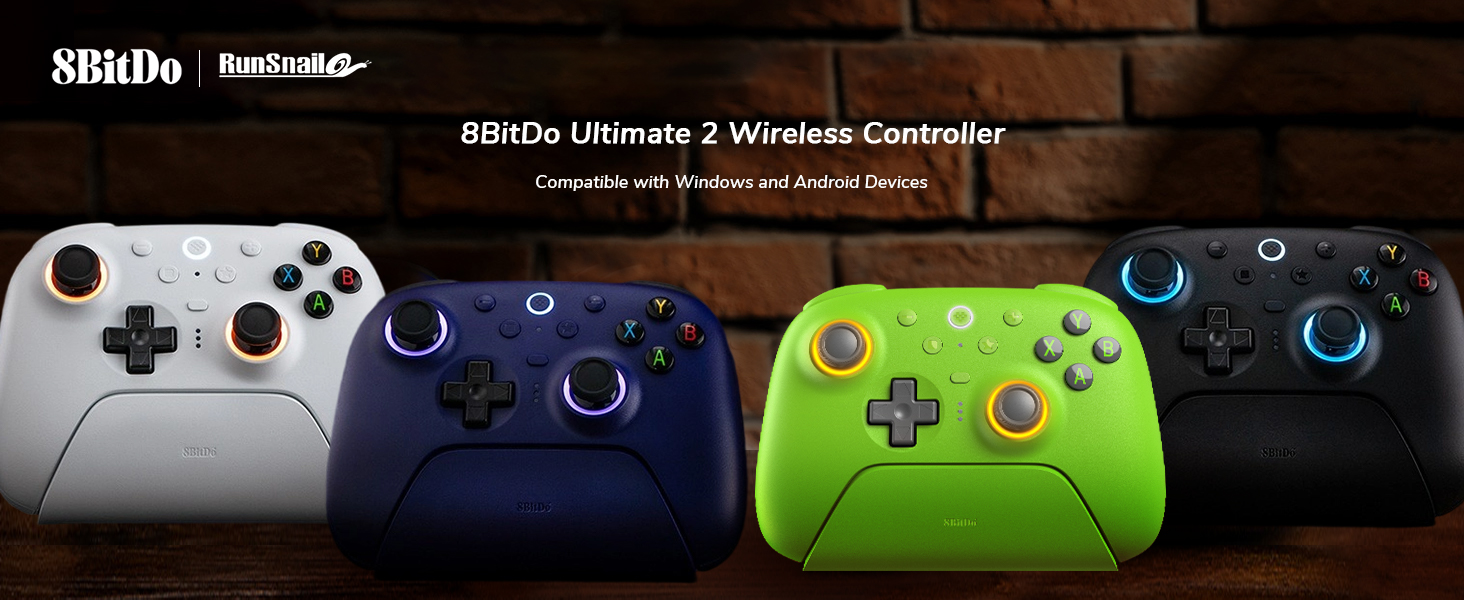
Image: The controller's joysticks illuminated by the customizable RGB Fire Ring.
4.6 8Bitdo Ultimate Software V2
Utilize the 8Bitdo Ultimate Software V2 for comprehensive customization of your controller. This software allows you to remap buttons, adjust joystick sensitivity, fine-tune trigger dead zones, and manage RGB lighting effects.
5. Antretyen
5.1 Enfòmasyon sou batri
The controller is equipped with a 1000mAh battery, providing approximately 15-28 hours of play time on a 3-hour fast charge. For optimal battery life, avoid extreme temperatures and store the controller in a cool, dry place.

Image: Details on the controller's 1000mAh battery, including charge time and play duration.
5.2 Netwayaj
To clean the controller, use a soft, dry cloth. Avoid using harsh chemicals or abrasive materials, as these can damage the surface.
NAN. Depanaj
If you encounter issues with your 8Bitdo Ultimate 2 Wireless Controller, consider the following:
- Pwoblèm Koneksyon: Ensure the 2.4G adapter is securely plugged in for wireless PC connection, or that Bluetooth is properly paired for Android. For wired connection, verify the USB-C cable is connected correctly.
- Bouton/joystick ki pa reponn: Check if the controller battery is charged. If using wirelessly, try a wired connection to rule out wireless interference.
- Pwoblèm lojisyèl: Ensure you have the latest version of the 8Bitdo Ultimate Software V2 installed and that the controller firmware is up to date.
- Pwoblèm chaje: Verify the charging dock and USB cable are properly connected to a power source.
For further assistance, please visit the official 8Bitdo support websit.
7. Espesifikasyon
| Karakteristik | Detay |
|---|---|
| Modèl | Ultim 2 Wireless Controller |
| Koneksyon | 2.4G Wireless, Bluetooth Wireless, USB-C Wired |
| Konpatibilite | Windows (10+), Android (9.0+), SteamOS (3.7.13+), Apple (iOS 26+, iPadOS 26+, tvOS 26+, macOS 26+, visionOS 26+) |
| Pousantaj biwo vòt | 1000Hz (2.4G & Wired) |
| Joysticks | Manch joystick TMR yo |
| Deklanche | Hall Effect Triggers (switchable to tactile) |
| Karakteristik espesyal | 2 Pro back paddle buttons, R4/L4 bumpers, 6-axis motion control, Turbo function, Rumble vibration, RGB Fire Ring, 8Bitdo Ultimate Software V2 support |
| Batri | 1000mAh (1 A pil enkli) |
| Tan pou chaje | Apeprè. 3 èdtan |
| Jwe Tan | Apeprè. 15-28 èdtan |
| Dimansyon | 147 x 103 x 61.3 mm (5.79 x 4.06 x 2.41 pous) |
| Pwa | 1.41 liv (apeprè 640g) |
8. Garanti ak sipò
For warranty information, technical support, and frequently asked questions, please visit the official 8Bitdo websit la oubyen kontakte sèvis kliyan yo dirèkteman. Kenbe resi acha w la pou reklamasyon garanti.


