
Entwodiksyon
This manual provides essential information for the safe and efficient use of your SUPVAN T50M Pro Label Maker. Please read these instructions carefully before operating the device and retain them for future reference.
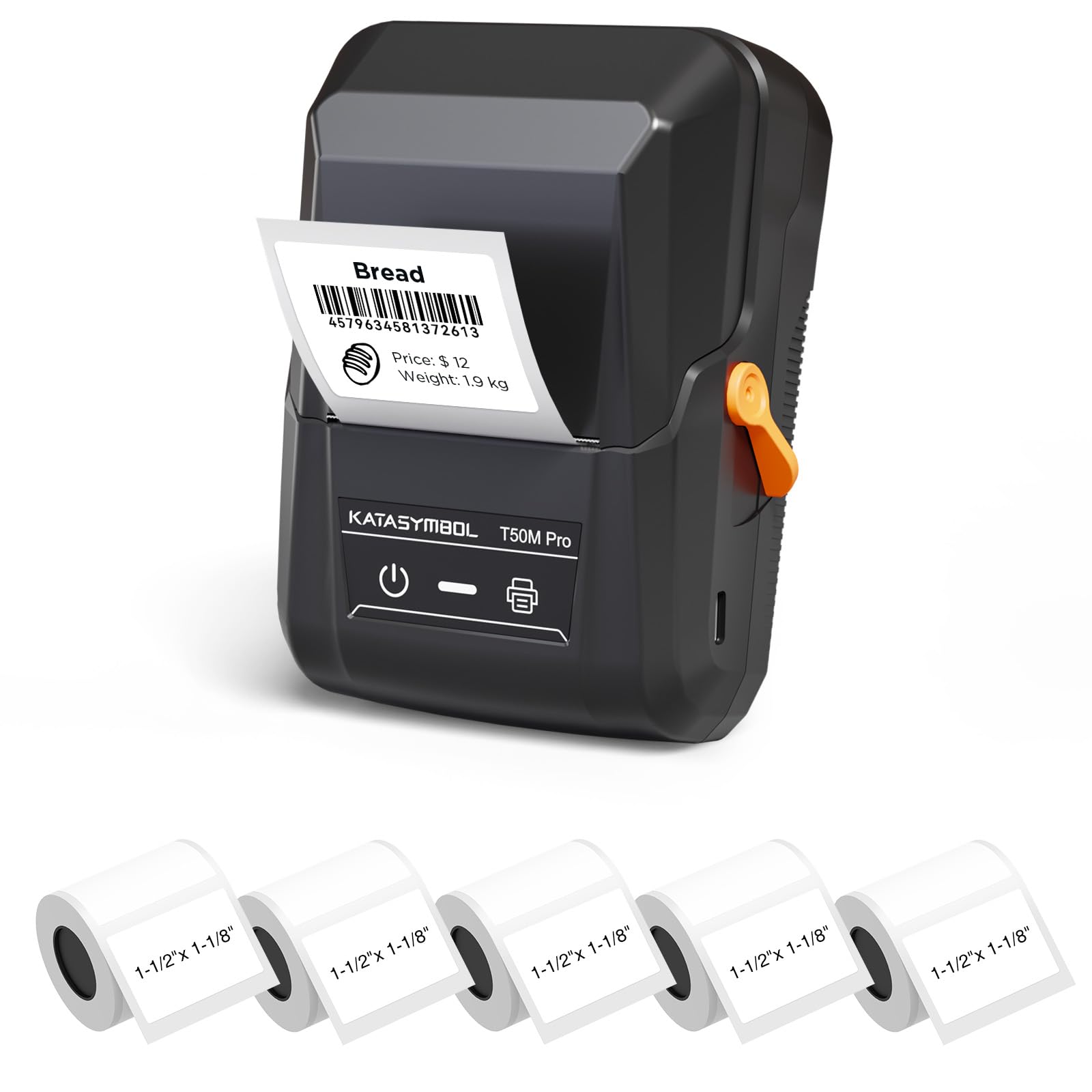
Image: The SUPVAN T50M Pro Label Maker, a compact thermal printer.
Kontni pake
Verifye ke tout atik yo prezan nan pakè ou a:
- SUPVAN T50M Pro Label Maker
- 5 rolls of 1.57'' × 1.18'' (40mm × 30mm) white labels (250 labels/roll)
- USB Cable (for charging and connectivity)
- Manyèl Itilizatè (dokiman sa a)
Gid Enstalasyon
1. Chaje Aparèy la
Before first use, fully charge the label maker using the provided USB cable. The device features a 1200 mAh built-in rechargeable battery, offering extended use on a single charge.
2. Installing the Label Roll
The T50M Pro uses thermal paper, eliminating the need for ink or toner. Follow these steps to install a label roll:
- Louvri kouvèti konpatiman etikèt la.
- Insert the label roll with the printing surface facing upwards.
- Ensure the label edge is aligned with the printer's feed mechanism.
- Close the cover. The device's Smart RFID Auto-Detection will recognize the label size automatically.

Image: Illustration of loading thermal paper into the label maker. The device uses thermal printing technology, requiring no ink or toner.
3. Enstalasyon ak Koneksyon Aplikasyon an
Download the official SUPVAN app from your device's app store. The app provides all editing functions and is free to use.
- Turn on the label maker.
- Open the SUPVAN app on your smartphone or tablet.
- Follow the in-app instructions to connect to your T50M Pro via Bluetooth or USB.
Enstriksyon Operasyon
1. Creating Labels with the App
The SUPVAN app offers a comprehensive suite of editing tools:
- Koreksyon tèks: Choose from over 40 fonts.
- Image & Picture Integration: Add custom images and logos.
- Modèl: Access over 140 free, constantly updated templates for various uses.
- Auto Label Size Recognition: The app automatically detects the loaded label size, reducing errors.

Image: The SUPVAN app's editing interface, demonstrating font choices, image integration, and automatic label size detection.

Image: A selection of over 140 free templates available within the SUPVAN app, suitable for diverse labeling needs.
2. Enpresyon Etikèt
After designing your label in the app, select the "Print" option. Ensure the label maker is connected and has sufficient battery. The T50M Pro supports various label styles and sizes, printing 3/4 to 2-inch wide labels.

Imaj: Egzamples of labels created with the T50M Pro, including address labels, price tags, and decorative labels, demonstrating support for various styles.

Image: A visual comparison highlighting the high-quality image output from the SUPVAN T50M Pro's app compared to other label makers.
3. Aplikasyon Komen
The SUPVAN T50M Pro is suitable for a wide range of labeling tasks:
- Ti Biznis: Shipping addresses, product information, QR codes, brand logos.
- Biwo ak Lekòl: Non tags, folder labels, documentation, asset tagging.
- Òganizasyon Lakay: Pantry labels, storage bins, personal items.

Image: Demonstrates diverse uses for the label maker, such as labeling containers in a pantry, creating product labels, printing shipping labels, and organizing school supplies.
Antretyen
1. Netwaye tèt enpresyon an
To ensure optimal print quality, periodically clean the thermal print head. Use a soft, lint-free cloth lightly dampened with isopropyl alcohol. Do not use abrasive cleaners or sharp objects.
2. Swen batri
Recharge the device when the battery indicator is low. Avoid fully discharging the battery frequently to prolong its lifespan. Store the device in a cool, dry place when not in use for extended periods.
3. Label Storage
Store label rolls in a cool, dry place away from direct sunlight and heat to prevent degradation of the thermal material.
Depanaj
1. Aparèy pa Limen
- Asire w aparèy la byen chaje. Konekte l nan yon sous kouran avèk kab USB a.
- Peze epi kenbe bouton pouvwa a pou kèk segond.
2. Printing Issues (Blank or Faint Prints)
- Check if the label roll is installed correctly with the printing surface facing up.
- Ensure the label roll is not empty.
- Netwaye tèt enprime a jan sa dekri nan seksyon Antretyen an.
- Verify that the label type is compatible with the T50M Pro.
3. App Connectivity Problems
- Asire w ke Bluetooth aktive sou aparèy mobil ou.
- Make sure the label maker is turned on and within range.
- Rekòmanse tou de machin pou fè etikèt la ak aplikasyon an.
- If issues persist, try reinstalling the app.
4. Label Misalignment
- Ensure the label roll is properly seated and aligned in the compartment.
- The Smart RFID Auto-Detection should prevent most misalignment issues; if not, try re-seating the roll.
Espesifikasyon
| Karakteristik | Detay |
|---|---|
| Non modèl | T50M Pro |
| Mak | SUPVAN |
| Teknoloji Enpresyon | Tèmik |
| Koneksyon Teknoloji | USB, Bluetooth |
| Entèfas Materyèl | USB |
| Sòti enprimant | Monochrome (Black Ink Color) |
| Gwosè Maksimòm Medya | 1.57'' × 1.18'' (40mm × 30mm) - 3/4 to 2-inch wide labels supported |
| Karakteristik espesyal | Portable, Smart RFID Auto-Detection, BPA-free labels |
| Batri | 1200 mAh bati-an batri rechargeable |
| Dimansyon | Apeprè 5" x 3.7" x 2.3" |
| Pwa | Apeprè. 0.6 liv |
| Konpozan ki enkli | Label Maker, Labels, USB Cable |

Image: The compact design of the T50M Pro, highlighting its portability, lightweight nature, and 1200 mAh rechargeable battery.
Garanti ak sipò
Enfòmasyon sou Garanti
For detailed warranty information, please refer to the warranty card included with your product or visit the official SUPVAN websit. Tèm ak kondisyon garanti yo ka varye selon rejyon an ak détayan an.
Sipò pou Kliyan
If you encounter any issues or have questions regarding your SUPVAN T50M Pro Label Maker, please contact SUPVAN customer support through their official websit oswa revandè kote yo te achte pwodwi a.
Ou ka vizite tou Magazen SUPVAN sou Amazon pou plis enfòmasyon sou pwodwi a ak resous sipò.