
1. Entwodiksyon
The EDIFIER MP330 is a portable Bluetooth speaker designed to deliver a high-quality audio experience with its retro aesthetic and advanced features. It supports Hi-Res audio and offers versatile connectivity options.

Image: The EDIFIER MP330 portable Bluetooth speaker, showcasing its brown finish and integrated leather handle.
2. Pake kontni
Tanpri tcheke kare a pou atik sa yo:
- EDIFIER MP330 Speaker x 1
- USB-C a USB-C kab x 1
- Gid Quick Start x 1
- Important Safety Information x 1

Image: A visual representation of the EDIFIER MP330 speaker and its included accessories: USB-C cable, quick start guide, and safety information.
3. Pwodwi souview
3.1 Kontwòl ak Pò
The EDIFIER MP330 features intuitive controls and essential ports for various audio sources.
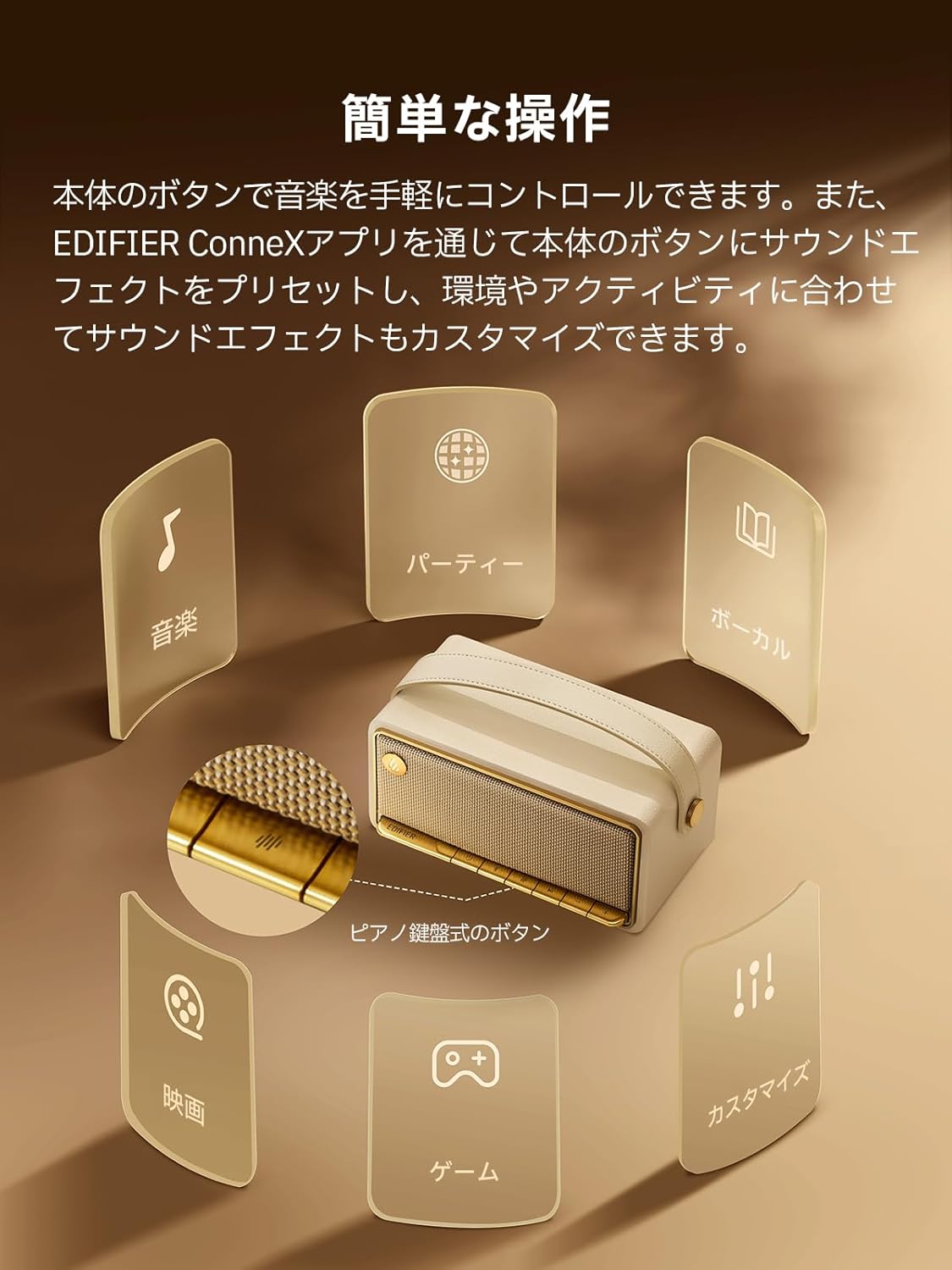
Image: A diagram illustrating the control buttons and indicator lights on the EDIFIER MP330 speaker, showing their functions for power, mode selection, playback, and volume.
- Bouton pouvwa: Peze epi kenbe pou pouvwa sou / koupe.
- bouton mòd: Short press to cycle through Bluetooth, USB-C, and microSD card input modes.
- Bouton jwe/poz: Peze yon ti kras pou jwe oswa pou mete odyo a sou poz.
- Bouton Volim Monte/Pwochen Mizik: Peze yon ti kras pou ogmante volim, peze lontan pou pwochen mizik la.
- Bouton Diminye Volim/Mizik Presedan: Peze yon ti kras pou bese volim nan, peze lontan pou ale nan mizik anvan an.
- USB-C pò: For charging and audio input.
- microSD Kat plas: Pou jwe odyo files directly from a microSD card.
4. Enstalasyon
4.1 Chaje Oratè a
Before first use, fully charge the speaker using the provided USB-C cable and a compatible power adapter (not included). The indicator light will show charging status.
4.2 Power On/Off
- Pou limen: Peze epi kenbe bouton Pouvwa a jiskaske limyè endikatè a limen.
- Pou etenn: Peze epi kenbe bouton Pouvwa a jiskaske limyè endikatè a etenn.
4.3 Bluetooth Pairing
Pou konekte aparèy ou an atravè Bluetooth:
- Power on the MP330 speaker. The Bluetooth indicator will flash, indicating it is in pairing mode.
- Sou aparèy ou an (telefòn entelijan, tablèt, elatriye), aktive Bluetooth epi chèche aparèy ki disponib yo.
- Select "EDIFIER MP330" from the list of devices.
- Yon fwa konekte, endikatè Bluetooth la ap rete fiks.
4.4 Koneksyon Miltipwen
The MP330 supports connecting to two Bluetooth devices simultaneously. After connecting the first device, put the speaker back into pairing mode and connect the second device. You can then switch between audio sources by pausing playback on one device and starting it on the other.

Image: Two mobile phones displaying music playback interfaces, indicating a multipoint Bluetooth connection to the EDIFIER MP330 speaker.
4.5 Stereo Pairing (TWS)
For an enhanced stereo sound experience, you can pair two MP330 speakers together:
- Ensure both MP330 speakers are powered on and not connected to any Bluetooth device.
- On one speaker, press and hold the Bluetooth button until it enters TWS pairing mode (indicator light will flash a specific pattern).
- The two speakers will automatically connect to each other. One speaker will become the left channel and the other the right.
- Once paired, connect your device to the primary speaker via Bluetooth as described in section 4.3.

Image: Two EDIFIER MP330 speakers, one black and one ivory, positioned to illustrate stereo pairing, with a Bluetooth logo and arrows indicating connection.
5. Operasyon Enstriksyon
5.1 Switching Input Modes
Short press the Mode button to switch between Bluetooth, USB-C, and microSD card input modes. The indicator light will change color to reflect the active mode.
5.2 USB-C Audio Playback
Connect the MP330 to your computer using the provided USB-C cable. The speaker will automatically switch to USB-C audio mode. Select "EDIFIER MP330" as the audio output device on your computer.

Image: A diagram showing the EDIFIER MP330 speaker connected to a computer via a USB-C cable, indicating USB-C audio playback.
5.3 microSD Card Playback
Mete yon kat microSD ki gen odyo files into the microSD card slot. The MP330 will automatically switch to microSD card mode and begin playback.

Image: A diagram illustrating how to insert a microSD card into the dedicated slot on the EDIFIER MP330 speaker.
5.4 Using the EDIFIER Connex App
Download the EDIFIER Connex app to unlock extended features and customize your listening experience. The app allows you to:
- Chanje sous opinyon.
- Kontwole lekti a.
- Customize sound effects (equalizer presets or custom settings).
- Access the electronic user manual and other settings.

Image: Multiple smartphone screens displaying the EDIFIER Connex app interface, highlighting various control and customization options for the speaker.
6. Antretyen
To ensure the longevity and optimal performance of your EDIFIER MP330 speaker, follow these maintenance guidelines:
- Netwayaj: Use a soft, dry cloth to clean the speaker's surface. Avoid using abrasive cleaners, solvents, or strong chemicals, as they may damage the finish.
- Depo: Sere oratè a nan yon kote ki fre epi sèk, lwen limyè solèy dirèk, tanperati ekstrèm, ak imidite ki wo.
- Ekspozisyon dlo: The speaker is not waterproof. Avoid exposing it to water, rain, or excessive moisture.
- Manyen: Manyen oratè a avèk prekosyon. Evite lage l oswa sibi gwo chòk.
- Swen batri: For optimal battery life, avoid fully discharging the battery frequently. If storing for an extended period, charge the battery to about 50% every few months.
NAN. Depanaj
If you encounter issues with your EDIFIER MP330 speaker, refer to the following common troubleshooting steps:
- Pa gen pouvwa:
- Asire w ke oratè a chaje nèt.
- Check if the power button is pressed and held correctly to turn on the device.
- Pa gen son:
- Verify the volume level on both the speaker and your connected device.
- Ensure the correct input mode (Bluetooth, USB-C, microSD) is selected.
- If using Bluetooth, ensure the speaker is properly paired and connected to your device.
- If using a microSD card, ensure the card is inserted correctly and contains playable audio files.
- Pwoblèm Bluetooth Pairing:
- Make sure the speaker is in Bluetooth pairing mode (flashing indicator light).
- Dezaktive epi reaktive Bluetooth sou aparèy ou an.
- Mete oratè a pi pre aparèy ou an epi lwen sous entèferans potansyèl yo.
- Eseye dekonekte epi konekte oratè a ankò nan paramèt Bluetooth aparèy ou an.
- Stereo Pairing Not Working:
- Ensure both speakers are not connected to any other Bluetooth device before initiating TWS pairing.
- Follow the TWS pairing steps carefully (Section 4.5).
- Pwoblèm koneksyon aplikasyon an:
- Ensure Bluetooth is enabled and the speaker is connected to your device.
- Update the EDIFIER Connex app to the latest version.
- Rekòmanse tou de oratè a ak aparèy ou an.
If the problem persists after trying these steps, please contact Edifier customer support for further assistance.
8. Espesifikasyon
Detailed technical specifications for the EDIFIER MP330 speaker:

Image: A comparison chart highlighting key specifications of the EDIFIER MP330 and MP230 models, including output power, Bluetooth version, battery capacity, playback time, and Hi-Res audio support.
| Karakteristik | Spesifikasyon |
|---|---|
| Non modèl | MP330 |
| Kalite Oratè | Portable oratè |
| Materyèl | Bwa (MDF) |
| Koulè | Brown |
| Sortie pouvwa | 40W RMS |
| Bluetooth vèsyon | 6.0 |
| Kapasite batri | 4800mAh |
| Lektur Tan | Jiska 19 èdtan (nan 50% volim) |
| Repons Frekans | 53Hz-40kHz |
| Hi-Res Audio | Supported (up to 24bit/96kHz) |
| Koneksyon | Bluetooth, USB-C, microSD card |
| Dimansyon (W x P x H) | 20.7 x 11.6 x 10.1 cm |
| Pwa | 1.13 kg |
| Metòd kontwòl | Aplikasyon, bouton pouse |
| Rapò siyal-a-bri (S/N) | 85 dB |

Image: A technical drawing showing the dimensions (width, depth, height) and weight of the EDIFIER MP330 speaker.
9. Garanti ak sipò
For warranty information, please refer to the warranty card included in your product packaging or visit the official Edifier website. If you require technical support or have questions about your EDIFIER MP330 speaker, please contact Edifier customer service through their official channels.
Edifier Official Websit: www.edifier.com