
1. Entwodiksyon
Thank you for choosing the BUGANI OWSB11 Open Ear Wireless Bluetooth Headphones. These headphones are designed to provide a comfortable listening experience while maintaining awareness of your surroundings. Featuring advanced Bluetooth 5.4 technology, immersive HiFi sound, and an IPX5 waterproof rating, they are ideal for various activities including workouts, cycling, and daily use. This manual provides detailed instructions for setup, operation, and maintenance to ensure optimal performance and longevity of your device.

Image: BUGANI B18 Open Ear Headphones banner. This image displays the product name and a tagline, showcasing the sleek design of the headphones and charging case.
2. Pake kontni
Tanpri tcheke pake a pou atik sa yo:
- BUGANI OWSB11 Open Ear Wireless Bluetooth Headphones (Left & Right)
- Ka chaje
- USB-C Chaje Kab
- Manyèl itilizatè
3. Pwodwi souview
Familiarize yourself with the components of your BUGANI OWSB11 headphones and charging case.

Image: BUGANI OWSB11 Open Ear Wireless Headphones in their charging case. This image shows both earbuds securely placed within the compact charging case, ready for use or charging.
Konpozan ekoutè yo:
- Kwòk zòrèy: Bay yon anfòm an sekirite ak konfòtab sou zòrèy la.
- Zòn kontwòl: Touch-sensitive surface for various functions.
- Mikwofòn: Pou apèl ak kòmandman vokal.
- Endikatè ki ap dirije: Displays status (pairing, charging, etc.).
Konpozan bwat chaje a:
- Pò chaje (USB-C): Pou konekte kab chaje a.
- Endikatè chaje ki ap dirije: Montre eta chaj ka a.
4. Kòmanse
4.1. Chaje Aparèy la
For optimal performance, fully charge your headphones and charging case before first use.
- Chaje ka a: Connect the provided USB-C cable to the charging port on the case and to a USB power adapter (not included). The case's LED indicator will show charging status and turn solid when fully charged.
- Chaje ekoutè yo: Place the earbuds into the charging case. Ensure they are correctly seated. The earbuds will automatically begin charging. The LED indicators on the earbuds will show their charging status.
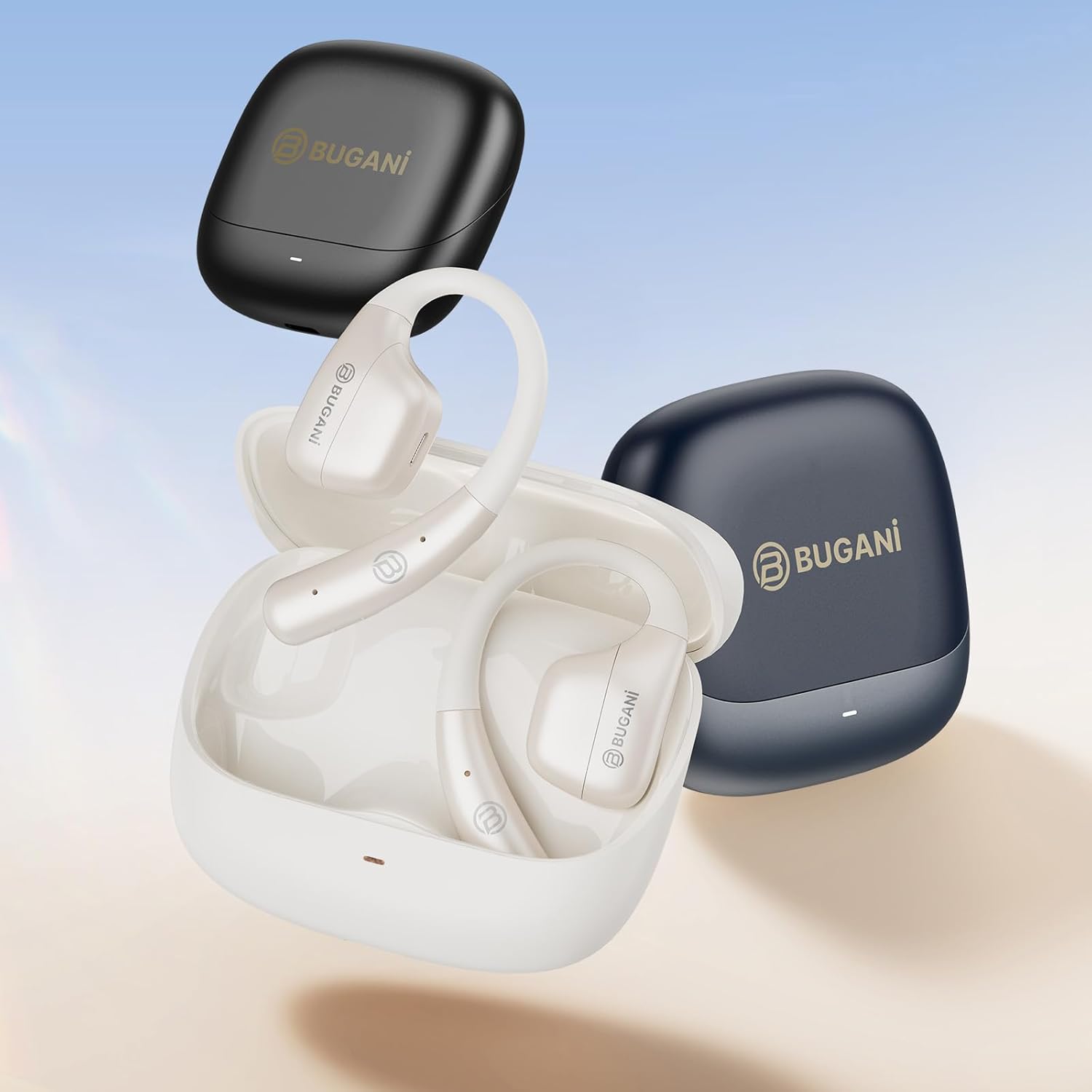
Image: An illustration showing the extended battery life cycle of the BUGANI OWSB11 headphones and charging case. This graphic highlights the 6.5 hours of music time, 1.5 hours of charging time, and 26 hours of total cycle playtime.
4.2. Powering On / Off
- Pouvwa sou: Louvri bwat chaje a, epi ekoutè yo ap limen otomatikman. Sinon, peze epi kenbe zòn kontwòl taktil la sou tou de ekoutè yo pandan 3 segonn.
- Pouvwa Off: Mete ekoutè yo tounen nan bwat chaje a epi fèmen kouvèti a. Y ap etenn otomatikman. Sinon, peze epi kenbe zòn kontwòl taktil la sou tou de ekoutè yo pandan 5 segonn.
4.3. Pè Bluetooth
The BUGANI OWSB11 headphones utilize Bluetooth 5.4 for a fast and stable connection.
- Koup premye fwa:
- Open the charging case. The earbuds will automatically enter pairing mode, and their LED indicators will flash.
- Sou aparèy ou an (telefòn entelijan, tablèt, elatriye), aktive Bluetooth.
- Chèche pou "BUGANI OWSB11" in the list of available Bluetooth devices and select it to connect.
- Yon fwa konekte, endikatè LED ekoutè yo ap etenn oswa ap flache dousman.
- Rekonekte: Apre premye koneksyon an, ekoutè yo ap konekte otomatikman ak dènye aparèy ki te konekte a lè yo retire yo nan bwat chaj la epi Bluetooth aktive sou aparèy ou an.

Image: Diagram illustrating the Bluetooth 5.4 technology chip for stable connectivity. This image highlights the advanced Bluetooth 5.4 chip, emphasizing its role in providing a fast and reliable wireless connection.
5. Kijan pou itilize kas ekoutè ou yo
The touch control area on each earbud allows you to manage music playback, calls, and other functions.
5.1. Mizik lèktur
- Jwe/Poz: Tape yon sèl sou chak ekoutè.
- Pwochen Track: Tape de fwa sou ekoutè dwat la.
- Track Previous: Tape de fwa sou ekoutè gòch la.
5.2. Rele Jesyon
- Reponn/Fen Apèl: Tape yon sèl sou chak ekoutè.
- Rejte apèl: Peze epi kenbe sou nenpòt ekoutè pandan 2 segonn.
5.3. Kontwòl Volim
Volume control is typically managed directly from your connected device. Some models may support earbud-based volume control; refer to specific product details if available.
5.4. Situational Awareness (Open-Ear Design)
The open-ear design of the BUGANI OWSB11 allows you to hear your audio while remaining aware of your surroundings. This feature enhances safety during outdoor activities and allows for easy conversations without removing the earbuds.

Image: A person wearing the BUGANI OWSB11 Open Ear Wireless Headphones, demonstrating the secure and comfortable fit. This image illustrates how the open-ear design sits on the ear, allowing for situational awareness.
6. Swen ak Antretyen
6.1. Netwayaj
Regular cleaning helps maintain the performance and hygiene of your headphones.
- Siye ekoutè yo ak bwat chaje a ak yon twal mou, sèk, epi ki pa gen pousyè.
- Pa sèvi ak pwodui netwayaj abrazif, alkòl, oswa solvan chimik.
- Asire w ke kontak chaj yo pwòp epi sèk.
6.2. Rezistans dlo (IPX5)
The BUGANI OWSB11 headphones are rated IPX5, meaning they are protected against low-pressure water jets from any direction. This makes them suitable for workouts and light rain.
- Pa plonje kas ekoutè yo nan dlo.
- Avoid exposure to saltwater or other corrosive liquids.
- If wet, dry thoroughly before placing them back in the charging case or charging.

Image: The BUGANI OWSB11 Open Ear Wireless Headphones with water droplets, highlighting their IPX5 waterproof rating. This image visually confirms the product's resistance to sweat and splashes.
6.3. Depo
Sere kas ekoutè yo nan bwat chaje yo lè w pa ap itilize yo pou pwoteje yo epi kenbe yo chaje.
NAN. Depanaj
Si ou rankontre nenpòt pwoblèm, tanpri al gade solisyon komen sa yo:
| Pwoblèm | Solisyon posib |
|---|---|
| Ekoutè yo pa limen. | Ensure the charging case and earbuds are charged. Place earbuds in the case and close/open the lid. |
| Pa ka konekte ak aparèy la. | Make sure Bluetooth is enabled on your device. Ensure earbuds are in pairing mode. Forget "BUGANI OWSB11" from your device's Bluetooth list and try pairing again. |
| Pa gen son ki soti nan youn oubyen toulede ekoutè yo. | Check device volume. Ensure earbuds are properly paired. Try resetting the earbuds (refer to manufacturer's websit la pou enstriksyon espesifik pou reyajiste si sa nesesè). |
| Pwoblèm chaje. | Check the USB-C cable and power adapter. Ensure charging contacts on earbuds and case are clean and dry. |
8. Espesifikasyon
Technical details of your BUGANI OWSB11 Open Ear Wireless Bluetooth Headphones:
- Nimewo Modèl: OWSB11
- Bluetooth vèsyon: 5.4
- Kapasite batri ekoutè: 70mAh (chak)
- Chaje Ka Batri Kapasite: 500mAh
- Tan pou jwe ekoutè: 8-10 èdtan (yon sèl chaj)
- Tan total pou jwe (ak bwat): Jiska 60 èdtan
- Evalyasyon ki enpèmeyab: IPX5
- Pwa atik: 6.3 ons
- Dimansyon pake: 5.12 x 4.45 x 1.85 pous
9. Enfòmasyon sou Sekirite
Please read and follow these safety guidelines to prevent damage or injury:
- Pa demonte, repare, oswa modifye pwodwi a.
- Kenbe pwodwi a lwen tanperati ekstrèm, limyè solèy dirèk, ak flanm dife.
- Evite koute nan nivo volim wo pou peryòd pwolonje pou anpeche domaj tande.
- Kenbe lwen timoun ak bèt kay.
- Jete pwodwi a ak pil yo yon fason responsab dapre règleman lokal yo.
10. Garanti ak sipò
BUGANI products are designed for reliability and performance. For warranty information, technical support, or customer service inquiries, please refer to the contact information provided on the BUGANI official website or your purchase platform. Please retain your proof of purchase for warranty claims.
Pou plis asistans, vizite BUGANI Store on Amazon.