
Entwodiksyon
Thank you for choosing kurdene SP9i Wireless Over-Ear Bluetooth Earbuds. These earbuds are designed to provide a high-quality audio experience with exceptional comfort and stability, making them ideal for sports, meetings, workouts, and everyday use. Featuring advanced Bluetooth 5.3 technology, deep bass sound, and an impressive 60-hour total playtime, your kurdene SP9i earbuds are built for performance and convenience.
This manual will guide you through the setup, operation, maintenance, and troubleshooting of your new earbuds to ensure you get the most out of your listening experience.
Ki sa ki nan bwat la
Upon opening your kurdene SP9i package, you should find the following items:
- kurdene SP9i Wireless Over-Ear Earbuds (Left and Right)
- Ka chaje pòtab
- USB-C Chaje Kab
- Interchangeable Ear Tips (Various Sizes)
- Manyèl itilizatè

Image: kurdene SP9i Wireless Over-Ear Bluetooth Earbuds in Hot Pink, shown with their charging case.
Gid Enstalasyon
1. Chaje ekoutè ou yo ak bwat la
Anvan premye itilizasyon an, chaje ekoutè yo ak bwat chaje a nèt.
- Place the earbuds into the charging case. Ensure they are correctly seated; the indicator lights on the earbuds will illuminate to confirm charging.
- Connect the USB-C charging cable to the charging port on the case and plug the other end into a compatible USB power source.
- The charging case's indicator light will show charging status. A full charge for the case typically takes about 1.5 hours.
The earbuds offer up to 12 hours of continuous playtime on a single charge, and the charging case provides an additional 48 hours, totaling 60 hours of playtime.

Image: Visual representation of the earbud and charging case battery life, highlighting 60 hours total playtime and USB-C charging.
2. Konekte ak aparèy ou an
Your kurdene SP9i earbuds utilize Bluetooth 5.3 for a stable and efficient connection.
- Open the charging case. The earbuds will automatically enter pairing mode, indicated by flashing LED lights on the earbuds.
- Sou aparèy ou an (telefòn entelijan, tablèt, òdinatè pòtab), ale nan paramèt Bluetooth yo.
- Chèche pou available devices and select "kurdene SP9i" from the list.
- Once connected, the earbud indicator lights will stop flashing or show a steady light, and you will hear an audio confirmation.
The Bluetooth 5.3 technology ensures faster data transfer and a reliable connection up to 33 feet, perfect for seamless audio and video synchronization.
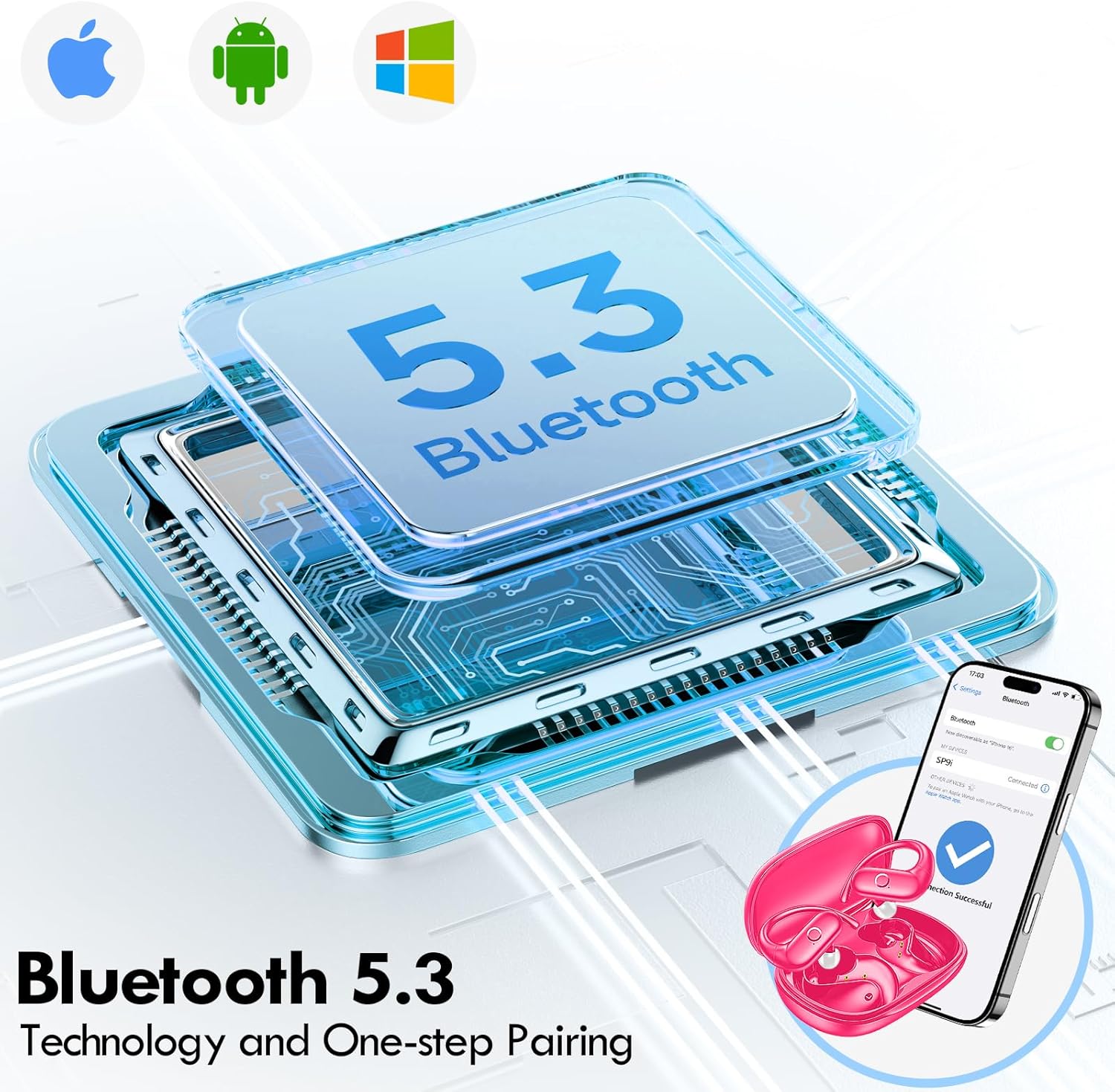
Image: Illustration of Bluetooth 5.3 technology and the one-step pairing process with a mobile device.
Enstriksyon Operasyon
1. Mete Earbuds ou
The kurdene SP9i earbuds feature an over-ear design with soft silicone ear hooks for a secure and comfortable fit, especially during active use.
- Idantifye ekoutè gòch (G) ak ekoutè dwat (D).
- Gently place the earbud into your ear canal and hook the ear hook over the top of your ear.
- Adjust the earbud and hook until it feels snug and comfortable. The flexible design ensures a natural, pressure-free listening experience.

Image: Visual guide to the over-ear design, emphasizing comfort and secure fit.

Image: A user wearing the earbuds during physical activity, showcasing their suitability for active lifestyles.
2. Kontwòl taktil entelijan
The earbuds feature intuitive touch controls for easy management of your audio and calls:
- Jwe/Poz: Tape yon sèl sou chak ekoutè.
- Pwochen Track: Tape de fwa sou ekoutè dwat la.
- Track Previous: Tape de fwa sou ekoutè gòch la.
- Volim moute: Tape twa fwa sou ekoutè dwat la.
- Volim desann: Tape twa fwa sou ekoutè gòch la.
- Reponn/Fen Apèl: Tape yon sèl fwa sou nenpòt ekoutè pandan yon apèl k ap antre.
- Rejte apèl: Peze epi kenbe youn nan ekoutè yo pandan 2 segonn pandan yon apèl k ap antre.
- Aktive Asistan Vwa: Peze epi kenbe swa ekoutè pou 3 segonn.
3. Sound Quality and Microphones
Equipped with 16.1mm vibrating diaphragm drivers, these earbuds deliver powerful bass, crisp mids, and clear treble for a rich, immersive sound. The built-in microphones are designed to isolate your voice, ensuring crystal-clear call quality even in noisy environments.
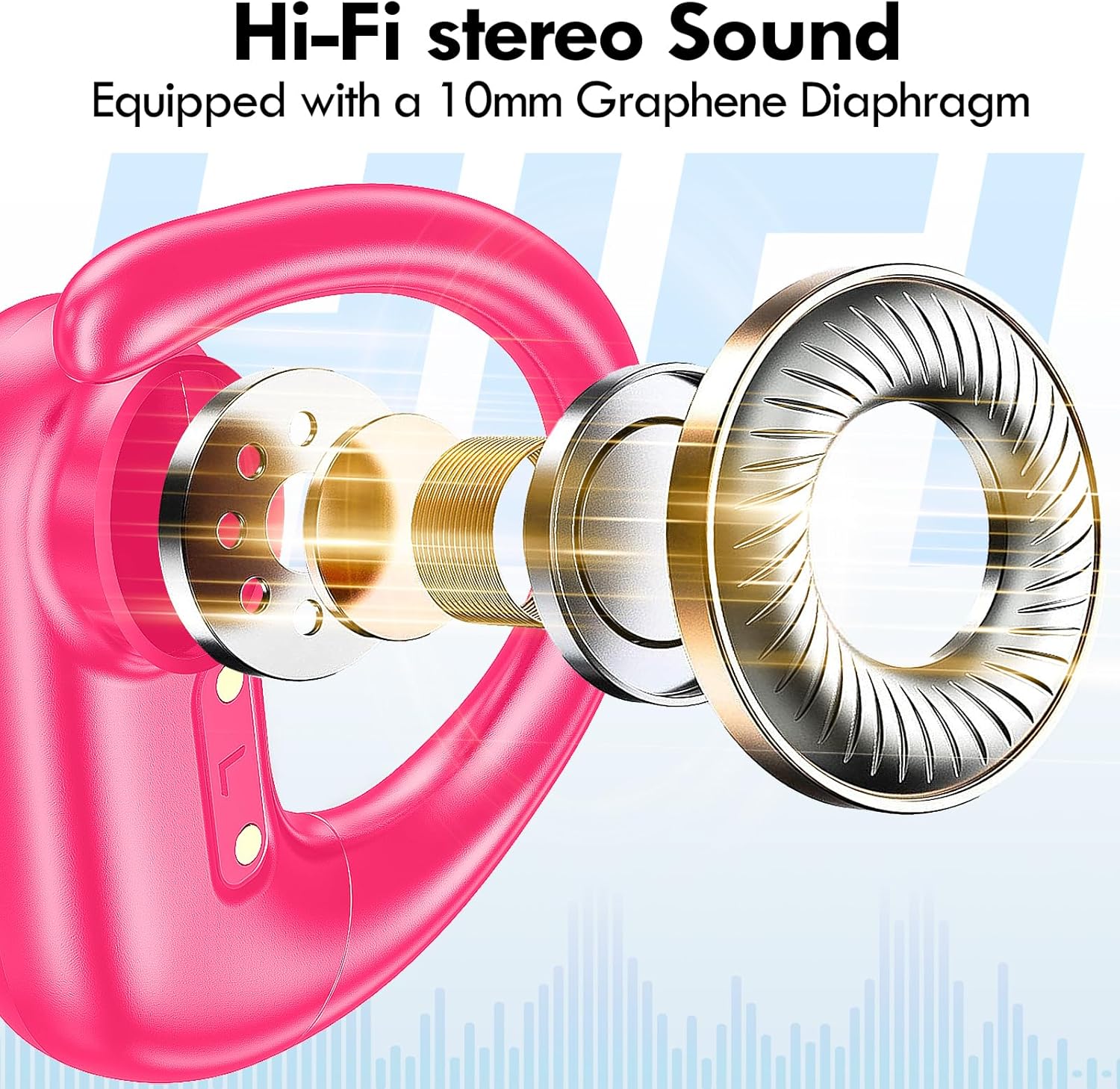
Imaj: Eksploze view of the earbud's internal structure, emphasizing the Hi-Fi stereo sound components.

Image: Depiction of precision directional audio and 95% sound leakage reduction for an enhanced listening experience.
Antretyen
To ensure the longevity and optimal performance of your kurdene SP9i earbuds, follow these maintenance guidelines:
- Netwayaj: Siye ekoutè yo ak bwat chaje a regilyèman avèk yon twal mou, sèk, ki pa gen pousyè. Pa sèvi ak pwodui chimik ki agresif oswa materyèl abrazif.
- Konsèy zòrèy: Retire epi netwaye bout zòrèy yo detanzantan avèk savon dou ak dlo. Asire w ke yo byen sèk anvan ou mete yo ankò nan ekoutè yo.
- Pò chaje: Keep the charging contacts on the earbuds and inside the case clean and free of debris. Use a dry cotton swab if necessary.
- Depo: Lè w pa ap itilize ekoutè yo, sere yo nan bwat chaje yo pou pwoteje yo kont pousyè, domaj, epi pou yo kenbe chaje.
- Evite kondisyon ekstrèm: Do not expose the earbuds to extreme temperatures, humidity, or direct sunlight for extended periods.
Depanaj
If you encounter any issues with your kurdene SP9i earbuds, please refer to the following common solutions:
- Ekoutè yo pa konekte:
- Asire w ke tou de ekoutè yo byen chaje.
- Etenn Bluetooth sou aparèy ou an, epi aktive l ankò.
- Forget/delete "kurdene SP9i" from your device's Bluetooth list and attempt to pair again.
- Mete ekoutè yo tounen nan bwat la, fèmen kouvèti a, tann kèk segond, apresa louvri l pou antre nan mòd koneksyon an ankò.
- Pa gen son oswa volim ki ba:
- Tcheke nivo volim yo sou aparèy ou an ak ekoutè yo.
- Asire w ke ekoutè yo byen chita nan zòrèy ou yo.
- Try cleaning the ear tips and speaker mesh to remove any obstructions.
- Rekonekte ekoutè yo ak aparèy ou an.
- Ekoutè yo pa chaje:
- Asire w ke kab chaje a byen konekte ak tou de bwat la ak sous kouran an.
- Verify that the charging contacts on the earbuds and inside the case are clean and free of debris.
- Eseye itilize yon diferan USB-C kab oswa adaptè pouvwa.
- Koneksyon tanzantan:
- Ensure your device is within the 33-foot Bluetooth range.
- Evite obstak fizik ant aparèy ou an ak ekoutè yo.
- Minimize entèferans ki soti nan lòt aparèy san fil yo.
If these steps do not resolve your issue, please contact kurdene customer support for further assistance.
Espesifikasyon pwodwi
| Karakteristik | Spesifikasyon |
|---|---|
| Non modèl | SP9i |
| Mak | kurdene |
| Koneksyon Teknoloji | San fil (Bluetooth 5.3) |
| Teknoloji kominikasyon san fil | Bluetooth |
| Bluetooth vèsyon | 5.3 |
| Gamme Bluetooth | 10 mèt (33 pye) |
| Plasman Zòrèy | Sou Zòrèy |
| Faktè fòm | Sou Zòrèy |
| Kontwòl bri | Sound Isolation, Passive Noise Isolation |
| Kalite chofè odyo | Chofè dinamik |
| Dire batri (ekoutè) | 12 èdtan |
| Tan total pou jwe (ak bwat chaje a) | 60 èdtan |
| Metòd kontwòl | Manyen |
| Materyèl | Silicone |
| Pwa atik | 3.52 ons (0.1 kilogram) |
| Koulè | Woz cho |
| Konpozan ki enkli | Microphone Earphones (Earbuds, Charging Case, USB-C Cable, Ear Tips) |
Garanti ak sipò
kurdene products are manufactured with high-quality standards. For information regarding warranty coverage and customer support, please refer to the warranty card included in your product packaging or visit the official kurdene website. If you require assistance with your SP9i earbuds, our customer support team is ready to help.
Pou dènye enfòmasyon ak sipò, tanpri vizite: kurdene Official Store on Amazon