
Entwodiksyon
Welcome to the Nequga T21 Wireless Earbuds. These earbuds are designed to provide a superior audio experience with advanced features such as a touchscreen charging case, hybrid active noise cancellation (ANC), environmental noise cancellation (ENC), and extended battery life. This manual will guide you through the setup, operation, and maintenance of your new earbuds.

Image: Nequga T21 Wireless Earbuds in their white charging case, showcasing the interactive touchscreen display.
Ki sa ki enkli
Your Nequga T21 package includes the following items:
- Nequga T21 Wireless Earbuds (Left and Right)
- Bwat chaje ak ekran taktil
- USB-C Chaje Kab
- Manyèl itilizatè
- Bouchon zòrèy (plizyè gwosè)

Image: The Nequga T21 earbuds, charging case, USB-C cable, and various eartip sizes laid out.
Enstalasyon ak Pairing
Inisyal chaje
Before first use, ensure the earbuds and charging case are fully charged. Connect the provided USB-C cable to the charging port on the case and a compatible power source. The touchscreen will display the charging status.

Image: The Nequga T21 charging case being charged via USB-C, indicating its 40-hour total playtime capacity.
Pè ak aparèy ou an
- Louvri bwat chaje a. Ekoutè yo ap antre otomatikman nan mòd koneksyon.
- Sou smartphone ou oswa aparèy, aktive Bluetooth epi chèche aparèy ki disponib.
- Select "T21" from the list of found devices to connect.
- Once connected, the touchscreen on the case will display the connection status and battery levels of both earbuds.
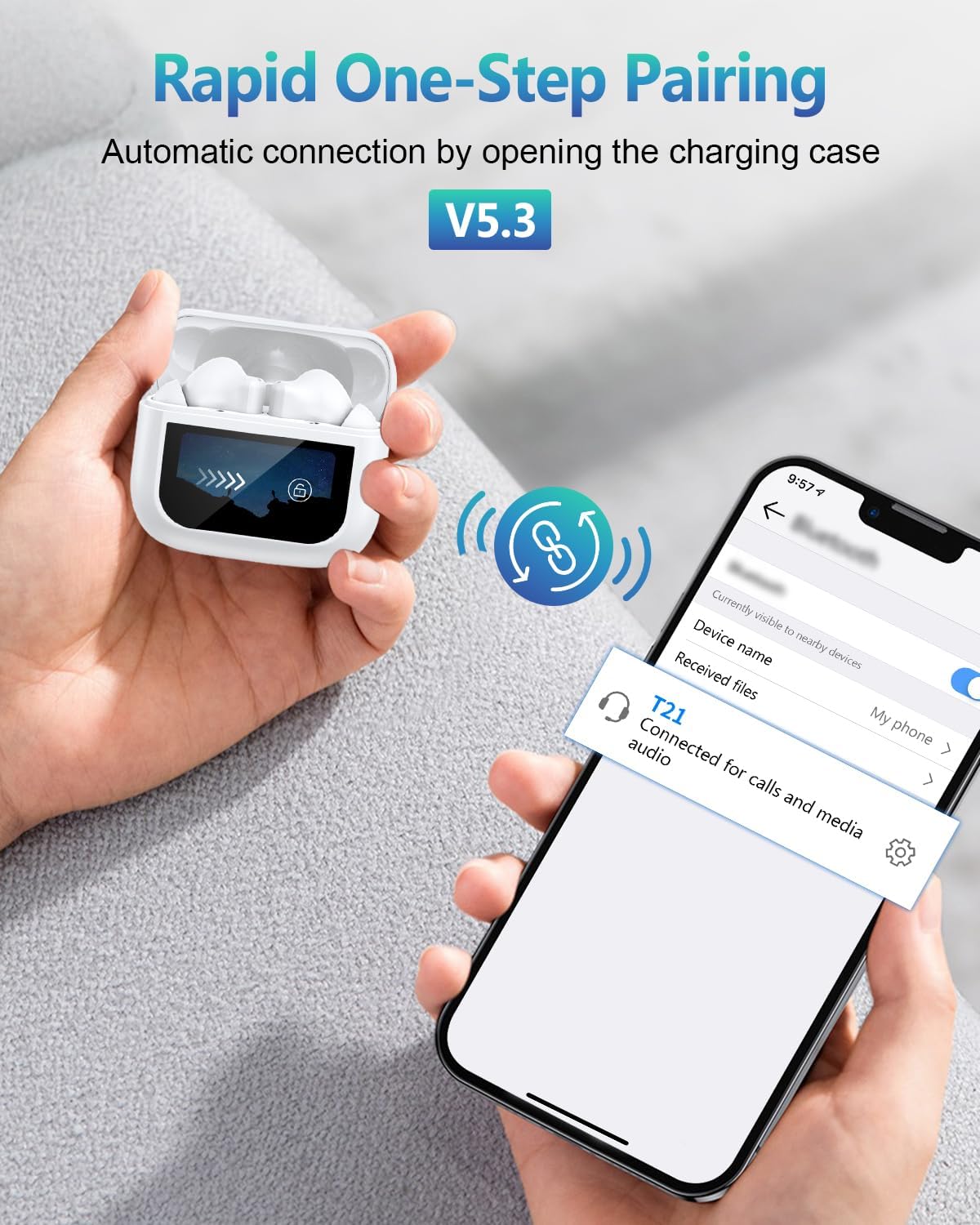
Image: A visual representation of the Nequga T21 earbuds rapidly pairing with a smartphone, highlighting Bluetooth 5.3 connectivity.
Gid videyo konfigirasyon
Video: An official product video demonstrating the features and setup of the Nequga T21 Wireless Earbuds, including touchscreen controls, noise reduction, and easy pairing.
Kijan pou w itilize ekoutè w yo
Kontwòl tactile
The T21 earbuds feature a revolutionary touchscreen on the charging case, allowing direct control over various functions without needing your phone. Swipe to navigate menus and tap to select options.

Image: The Nequga T21 touchscreen charging case showing multiple rich functions such as equalizer settings, volume control, and noise reduction modes.
Noise Control Modes (ANC, ENC, Transparency)
- Anilasyon Bri Aktif (ANC): Blocks up to 40dB of external noise, ideal for commutes or noisy environments.
- Anilasyon Bri Anviwònman (ENC): Eliminates up to 90% of background chatter during calls, ensuring crystal-clear voice transmission.
- Mòd transparans: Allows ambient sounds to pass through, keeping you aware of your surroundings without removing the earbuds.

Image: A woman enjoying music with the Nequga T21 earbuds, illustrating the 40dB Active Noise Cancellation feature.
Customizing Sound with EQ Presets
The touchscreen allows you to select from 5 EQ presets (Jazz, Rock, Pop, Classic, Normal) to tailor the audio to your preference. The 14.2mm dynamic drivers deliver deep bass and crisp highs across all settings.

Image: A visual showing different individuals enjoying music with customized sound settings, highlighting the EQ presets available on the Nequga T21 earbuds.
Remote Camera and Find My Earphone
- Kamera Remote: Use the touchscreen to remotely trigger your phone's camera shutter, perfect for group photos or selfies.
- Jwenn ekoutè mwen an: If you misplace an earbud, use this function on the case to make the earbud emit a sound, helping you locate it.

Image: A woman using the Nequga T21 charging case as a remote shutter for her smartphone camera.
Image: The Nequga T21 charging case showing the 'Find My Earphone' feature, with earbuds visible on a couch, indicating their location.
Antretyen ak Swen
Pwoteksyon ki enpèmeyab (IPX7)
The T21 earbuds are IPX7 waterproof, meaning they are protected against immersion in water up to 1 meter for 30 minutes. This makes them suitable for workouts and light rain, but they are not recommended for swimming or prolonged water exposure.

Image: The Nequga T21 earbuds shown in a water environment, emphasizing their IPX7 waterproof capability.
Konfò ak anfòm
With a lightweight design (4.2g per earbud) and three silicone tip sizes, the T21 ensures a comfortable and secure fit for extended wear during various activities.

Image: An illustration highlighting the ultra-lightweight and ergonomic design of the Nequga T21 earbuds for comfortable wear.
Konsèy batri
- For optimal battery life, fully charge the earbuds and case before first use.
- If earbuds have charge upon arrival, use them until they shut off automatically, then fully charge to 100%.
- If earbuds arrive with an empty battery, just charge them to 100% before using.
- A 10-minute quick charge provides 2 hours of playtime.

Image: Product use tips showing how to activate the earbuds' battery before use and an easy removal gesture.
Depanaj
If you encounter any issues with your Nequga T21 earbuds, please try the following common troubleshooting steps:
- Pa gen pwoblèm son/koneksyon: Asire w ke Bluetooth aktive sou aparèy ou an epi ekoutè yo chaje. Eseye dekonekte epi rekonekte ekoutè yo.
- Pwoblèm chaje: Check the USB-C cable and power adapter. Ensure the charging contacts on the earbuds and case are clean.
- Anile bri pa travay: Ensure the earbuds are properly seated in your ears and the correct noise control mode is selected on the touchscreen.
- Ekran taktil la pa reponn: Ensure the case is charged. Try restarting the case by closing and reopening it.
For further assistance, please refer to the official Nequga support channels.
Espesifikasyon
| Karakteristik | Detay |
|---|---|
| Non modèl | T21 |
| Koneksyon Teknoloji | San fil (Bluetooth 5.3) |
| Anile bri | Hybrid Active Noise Cancelling (ANC), Environmental Noise Cancellation (ENC) |
| Playtime | Up to 40 hours total with charging case (7-8 hours per single charge) |
| Evalyasyon ki enpèmeyab | IPX7 |
| Gwosè Chofè | 14.2mm chofè dinamik |
| Port chaje | USB-C |
| Pwa atik | 3.2 ons |
| Koulè | Blan |
Garanti ak sipò
Specific warranty details for the Nequga T21 Wireless Earbuds are not provided in this manual. Please refer to the product packaging or the official Nequga websit la pou jwenn enfòmasyon konplè sou garanti a.
For customer support, technical assistance, or any inquiries regarding your Nequga T21 earbuds, please contact Nequga customer service through the contact information provided on the product packaging or their official websit.