
CYBERDOT C01
CYBERDOT Open Ear Bluetooth Headphones User Manual
Modèl: C01
Entwodiksyon
Thank you for choosing the CYBERDOT Open Ear Bluetooth Headphones. Designed for comfort and situational awareness, these air-conduction earbuds provide clear stereo sound and reliable performance for various activities, including sports, workouts, and daily use. This manual will guide you through the setup, operation, and maintenance of your new headphones.

Figure 1: CYBERDOT Open Ear Bluetooth Headphones and Charging Case.
Ki sa ki nan bwat la
- CYBERDOT Open Ear Earbuds (Left and Right)
- Ka chaje san fil
- USB-C Chaje Kab
- Manyèl itilizatè
Enstalasyon
1. Chaje kas ekoutè yo ak bwat la
Before first use, fully charge the headphones and the charging case. The case features an LED digital display to show battery levels.
- USB-C chaje: Konekte kab USB-C ki vini ak aparèy la nan pò chaje ki sou bwat la epi nan yon sous kouran.
- Chaje san fil: Mete bwat chaje a sou yon sipò chaje san fil konpatib (pa enkli).
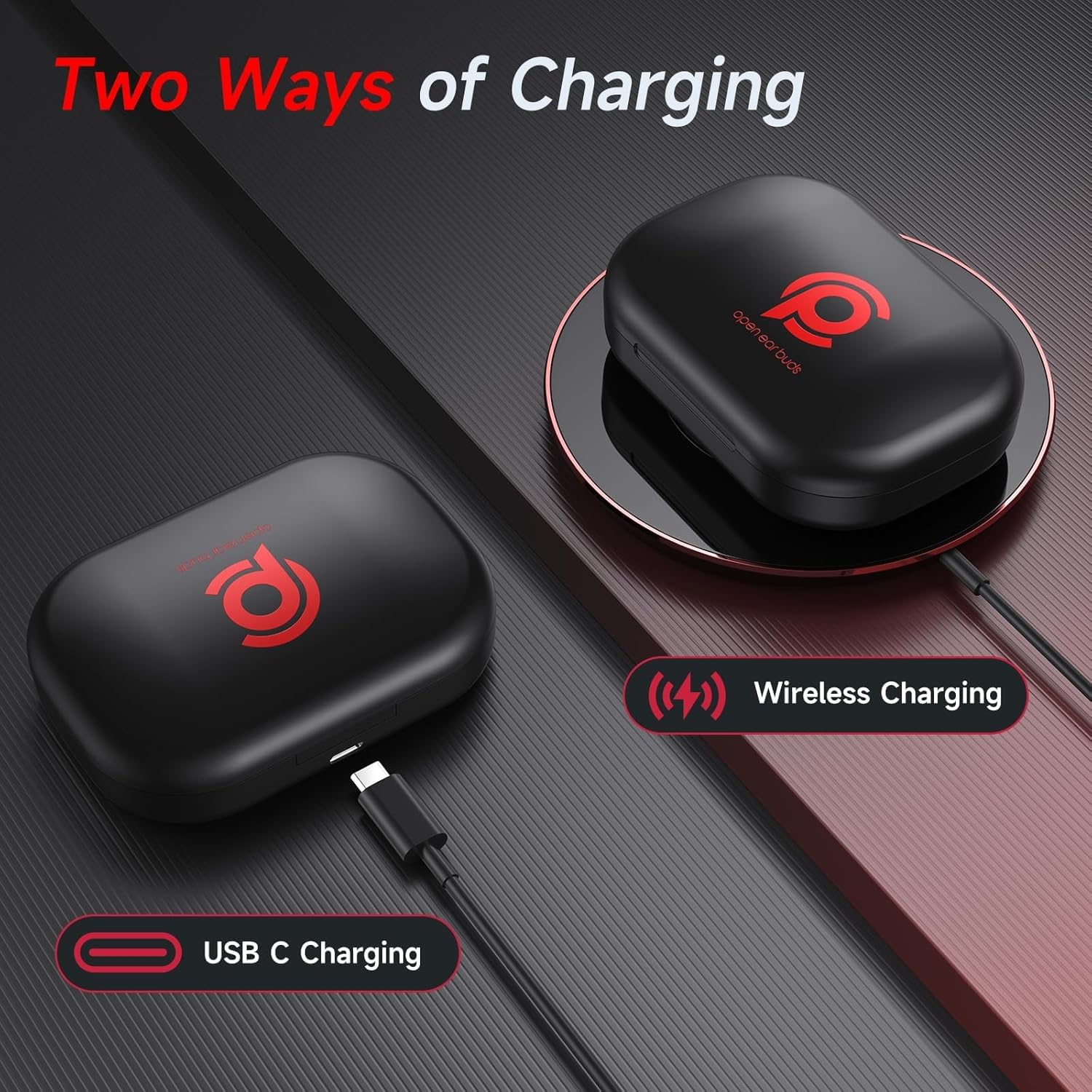
Figure 2: Charging options for the CYBERDOT headphones case.
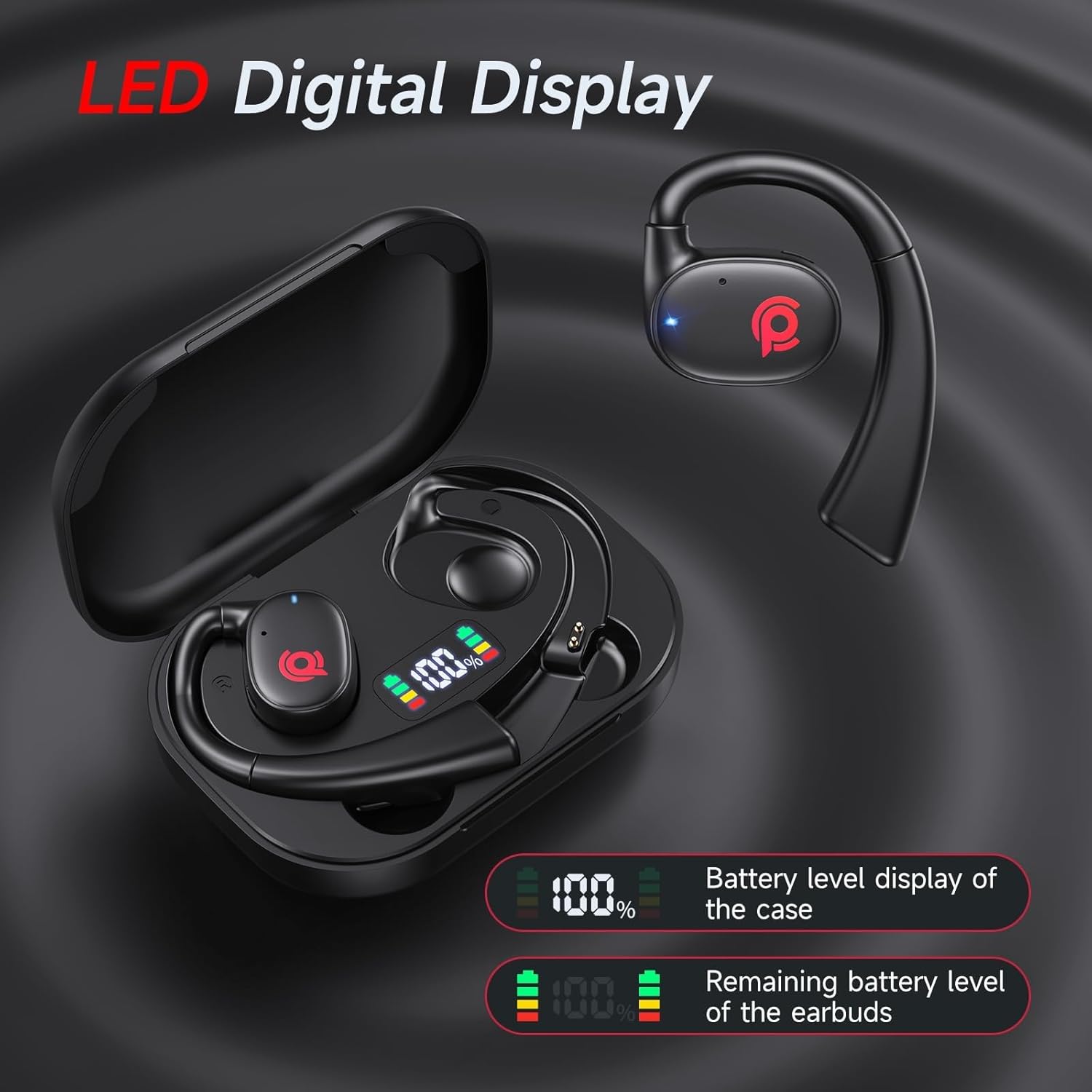
Figure 3: LED Digital Display indicating battery status.
2. Konekte ak aparèy ou an
The headphones feature automatic pairing for convenience.
- Asire w ke Bluetooth aktive sou aparèy ou an (telefòn entelijan, tablèt, elatriye).
- Open the charging case and remove both earbuds. They will automatically enter pairing mode.
- On your device, search for "C01" in the Bluetooth settings and select it to connect.
- Once connected, the earbuds are ready for use. Subsequent connections will be automatic when the earbuds are removed from the case.
3. Mete kas ekoutè yo
The open-ear design with ear hooks provides a comfortable and secure fit.
- Rotate the main structure of the headphones so that it is at an angle to the plane of the ear hook.
- Maintain this angle and gently place the ear hook over your ear.
- Rotate the headphones to adjust for the most comfortable and secure fit around your ear.

Figure 4: Proper wearing technique for CYBERDOT Open Ear Headphones.
Enstriksyon Operasyon
1. Touche Kontwòl
The earbuds feature multi-functional touch buttons for easy control of music, calls, and voice assistant.

Figure 5: Touch Control Functions.
| Aksyon | Fonksyon |
|---|---|
| Touch Twice (L/R) | Jwe/Pòz Mizik, Reponn/Fen Apèl |
| Long Press (L) 2s | Previous Track |
| Long Press (R) 2s | Next Track |
| Touch Triple (L/R) | Aktive Asistan Vwa (Siri, Asistan Google) |
| Touch Once (R) | Volim monte (+) |
| Touch Once (L) | Volim Dawonn (-) |
| Long Press (L/R) 2s (during call) | Rejte apèl |
2. Eksperyans Odyo
The 16.3mm dynamic drivers deliver powerful stereo sound with clear reproduction of instruments and vocals. The open-ear design enhances the natural audio experience, creating a broader sense of space and depth.

Figure 6: 16.3mm Dynamic Drivers for superior sound.
3. Efase Apèl yo
Advanced drivers ensure crystal-clear calls, making communication seamless even in noisy environments.
4. Konsyans Sitiyasyon an
The open-back design allows ambient sounds to reach your ears, enhancing situational awareness for safety during outdoor activities or in busy environments. You can engage in conversations without removing the headphones.

Figure 7: Enhanced situational awareness with open-ear design.
Video 1: Demonstration of Open Ear Headphones for Sport, Workout, and Running. This video highlights the practical benefits of the open-ear design during various activities.
Antretyen
- Netwayaj: Sèvi ak yon twal mou epi sèk pou netwaye ekoutè yo ak bwat chaje a. Evite itilize pwodui chimik ki agresif oswa materyèl abrazif.
- Rezistans dlo: The headphones are waterproof. However, avoid prolonged submersion in water. Dry them thoroughly after exposure to moisture.
- Depo: Sere kas ekoutè yo nan bwat chaje yo lè w pa ap itilize yo pou pwoteje yo epi kenbe yo chaje.
- Swen batri: Pou pwolonje lavi batri a, evite dechaje kas ekoutè yo nèt souvan. Chaje yo regilyèman.
Depanaj
| Pwoblèm | Solisyon |
|---|---|
| Kas ekoutè yo pa konekte | Ensure earbuds are fully charged. Turn off and on Bluetooth on your device. Try forgetting the device in Bluetooth settings and re-pairing. |
| Pa gen son oswa volim ki ba | Check device volume and headphone volume. Ensure earbuds are properly seated in your ears. Reconnect Bluetooth. |
| Pwoblèm chaje | Verify the USB-C cable is securely connected. If using wireless charging, ensure the case is correctly placed on the charging pad. Check for debris in the charging port. |
| Se yon sèl ekoutè k ap travay | Place both earbuds back into the charging case, close the lid, wait a few seconds, then open and remove them to re-establish connection. Ensure both earbuds are charged. |
Espesifikasyon
| Karakteristik | Detay |
|---|---|
| Non modèl | C01 |
| Mak | CYBERDOT |
| Koneksyon Teknoloji | San fil (Bluetooth 5.3) |
| Fòm ekoutè | Louvri Zòrèy |
| Kalite chofè odyo | Chofè dinamik (16.3mm) |
| Dire batri (yon sèl chaj) | 6 èdtan |
| Total Listening Time (with Charging Case) | 21 èdtan |
| Tan pou chaje | 7 Hours (for case) |
| Metòd kontwòl | Manyen |
| Nivo rezistans dlo | Ki enpèmeyab |
| Materyèl | Plastik |
| Dimansyon pwodwi | 2.64 x 0.98 x 3.74 pous |
| Pwa atik | 5 ons |
| UPC | 730425867932 |
Garanti ak sipò
CYBERDOT products are manufactured with high-quality standards. For any product-related inquiries, technical support, or warranty claims, please refer to the contact information provided on the product packaging or visit the official CYBERDOT websit la. Tanpri konsève prèv acha ou a pou rezon garanti.
Included components: Cable, User Manual, Open Ear buds, Wireless Charging Case.
Ask a question about this manual
Ask about setup, troubleshooting, compatibility, parts, safety, or missing instructions. Manuals+ will review the question and use this page’s manual context to help answer it.