
1. Entwodiksyon ak souview
The DOOGEE Blade 20 Ultra is a rugged smartphone designed for durability and performance in challenging environments. It features a robust build, a large battery, and advanced camera capabilities, making it suitable for outdoor activities and demanding work conditions.
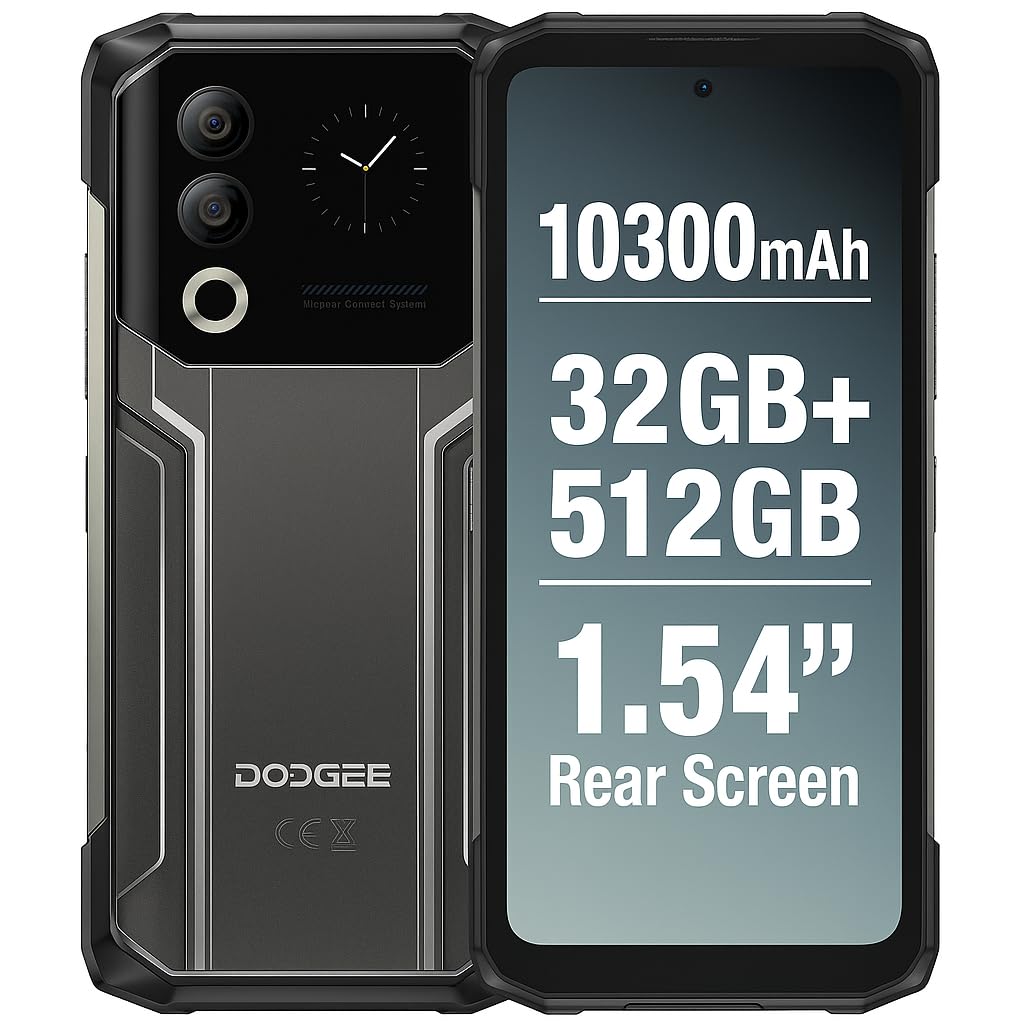
Figure 1: DOOGEE Blade 20 Ultra device overview.
Karakteristik kle:
- Ultra-Rugged Design: IP68/IP69K and MIL-STD-810H certified for water, dust, and shock resistance.
- Pèfòmans pwisan: Unisoc T7250 Octa-Core processor with 8GB RAM (expandable to 32GB virtual RAM) and 512GB internal storage (expandable up to 2TB).
- Doub ekspozisyon: 6.6-inch FHD+ 90Hz main display and an innovative 1.54-inch smart rear display for quick access and customization.
- Batri ki dire lontan: 10300 mAh battery with 18W fast charging and OTG reverse charging capability.
- Sistèm Kamera Avanse: 50MP AI main camera and 8MP front camera with multiple shooting modes.
- Sekirite amelyore: Side-mounted fingerprint sensor and facial recognition.
- Koneksyon: NFC with Google Pay support, GPS, Glonass, Galileo, Beidou for accurate navigation.
2. Enstalasyon
2.1 Kontni pake a
Anvan ou kòmanse, asire w ke tout bagay yo prezan nan bwat la:
- 1 x DOOGEE Blade 20 Ultra Smartphone
- 1 x Screen Protector Film (pre-applied or separate)
- 1 x Kab USB (Kalite-C)
- 1 x ka pwoteksyon
- 1 x Chargeur
2.2 Enstalasyon Kat SIM ak Kat MicroSD
The device supports a triple slot system for two Nano SIM cards and one MicroSD card.
- Jwenn plato kat SIM lan sou bò telefòn nan.
- Sèvi ak zouti ejèksyon SIM ki vini ak li a pou ouvri plato a.
- Carefully place your Nano SIM cards and/or MicroSD card into the designated slots. Ensure the gold contacts face downwards.
- Dousman pouse plato a tounen nan telefòn nan jiskaske li fè yon klik.

Figure 2: Illustration of SIM and MicroSD card installation.
2.3 Premye chaj
Before first use, it is recommended to fully charge the device. Connect the USB cable to the phone's Type-C port and the charger, then plug the charger into a power outlet. The phone supports 18W fast charging.
2.4 Limen/Etenyen
- Pou limen: Press and hold the Power button (usually on the side) until the DOOGEE logo appears.
- Pou etenn: Peze epi kenbe bouton Pouvwa a, answit chwazi 'Etenn' nan opsyon ki sou ekran an.
- Pou rekòmanse: Peze epi kenbe bouton Pouvwa a, answit chwazi 'Rekòmanse' nan opsyon yo.
3. Opere Aparèy la
3.1 Main Display (6.6" HD+ 90Hz)
The 6.6-inch HD+ display offers a smooth visual experience with a 90Hz refresh rate. Navigate through apps, menus, and content using touch gestures.
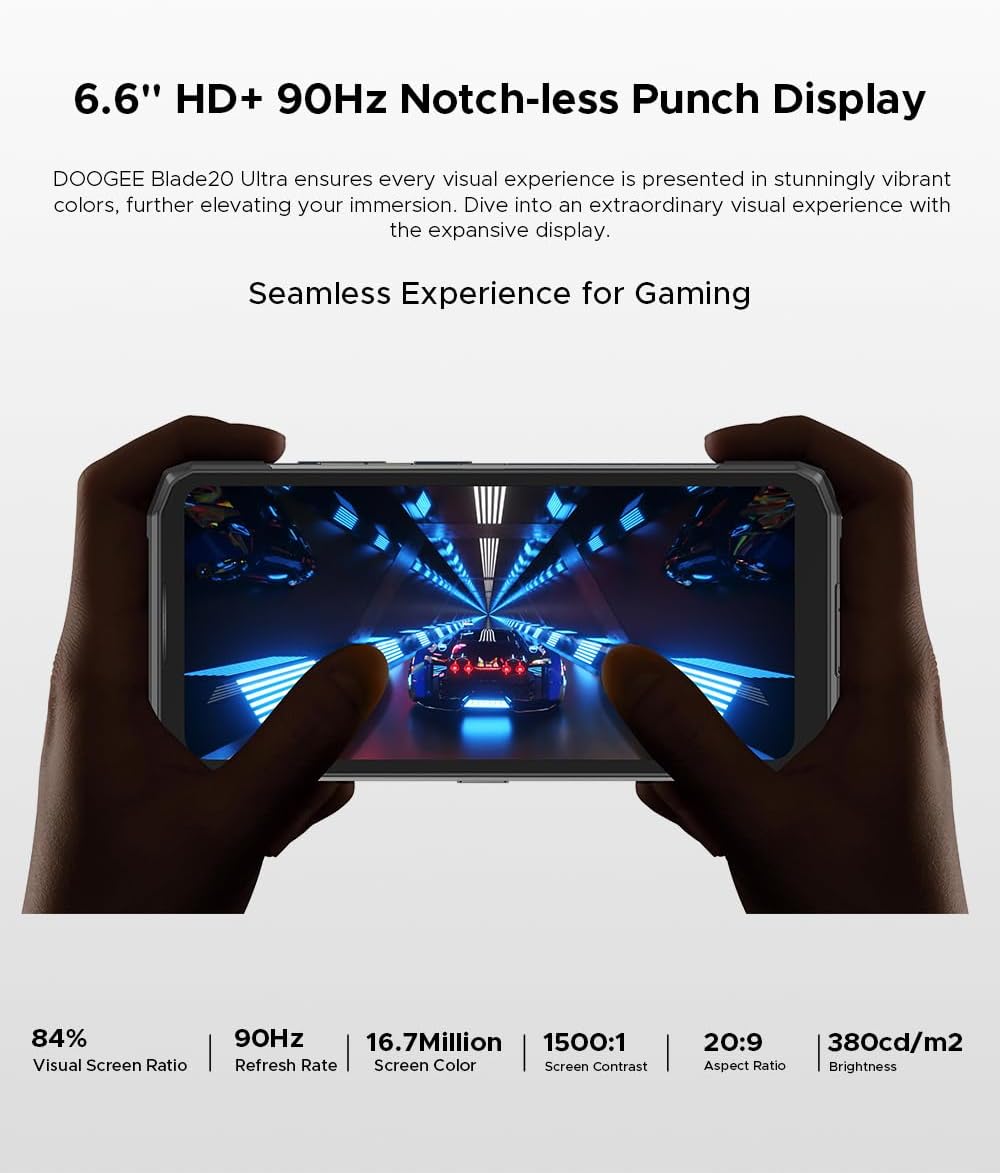
Figure 3: The 6.6-inch HD+ 90Hz main display provides a seamless vieweksperyans nan.
3.2 1.54" Smart Rear Display
The innovative 1.54-inch rear display provides quick access to essential functions and customizable backgrounds. Double-tap to activate it.
- Aksè rapid: Control music, view notifications, check the calendar, and answer calls without opening the main screen.
- Selfie: Use the rear display to frame selfies with the main camera.
- Pèsonalizasyon: Choose from over 16 customizable wallpapers, including dynamic, business, and personalized photo settings.

Figure 4: The 1.54-inch smart rear display offers quick functions and personalization.
3.3 Fonksyon Kamera
The DOOGEE Blade 20 Ultra features a 50MP AI main camera and an 8MP front camera. It supports Google Intelligent Camera features.
- Kamera prensipal: 50MP (OV50C40 sensor, F/1.8 aperture) with autofocus and LED flash.
- Kamera devan: 8MP (Hi-842 sensor, F/2.2 aperture).
- Mòd: Underwater mode, Night Vision, Professional Photography, Beauty Mode, Time-lapse, Portrait Mode, HDR, Panoramic Mode, Filter, Pro Mode.
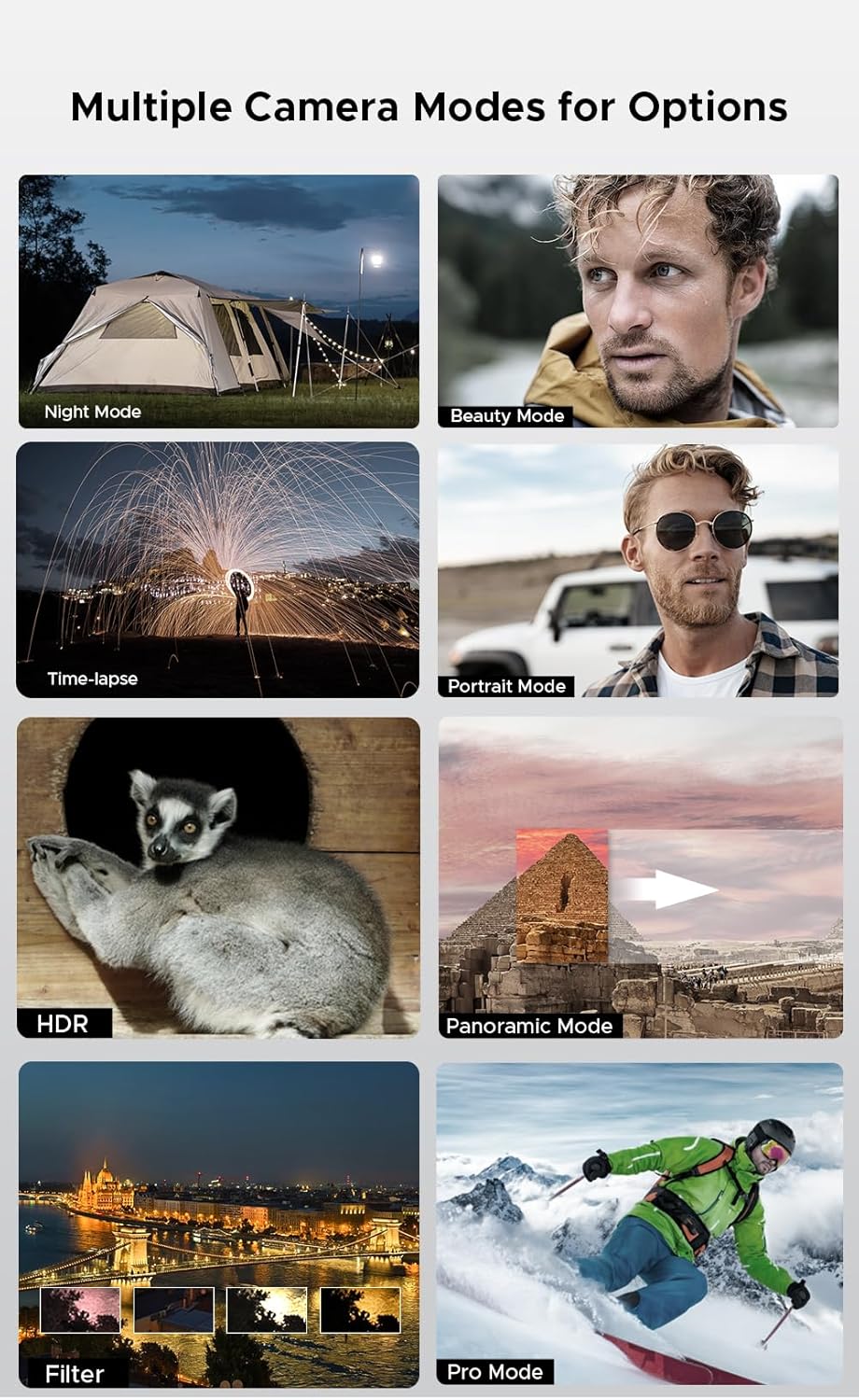
Figure 5: Various camera modes available on the Blade 20 Ultra.
3.4 Jesyon batri
The device is equipped with a 10300 mAh battery, providing extended usage times.
- Chaje rapid: Supports 18W fast charging to quickly replenish battery life.
- Power Bank Function (OTG Reverse Charging): Use your phone to charge other devices.
- Itilizasyon: Jiska 35 èdtan nan tan pale.
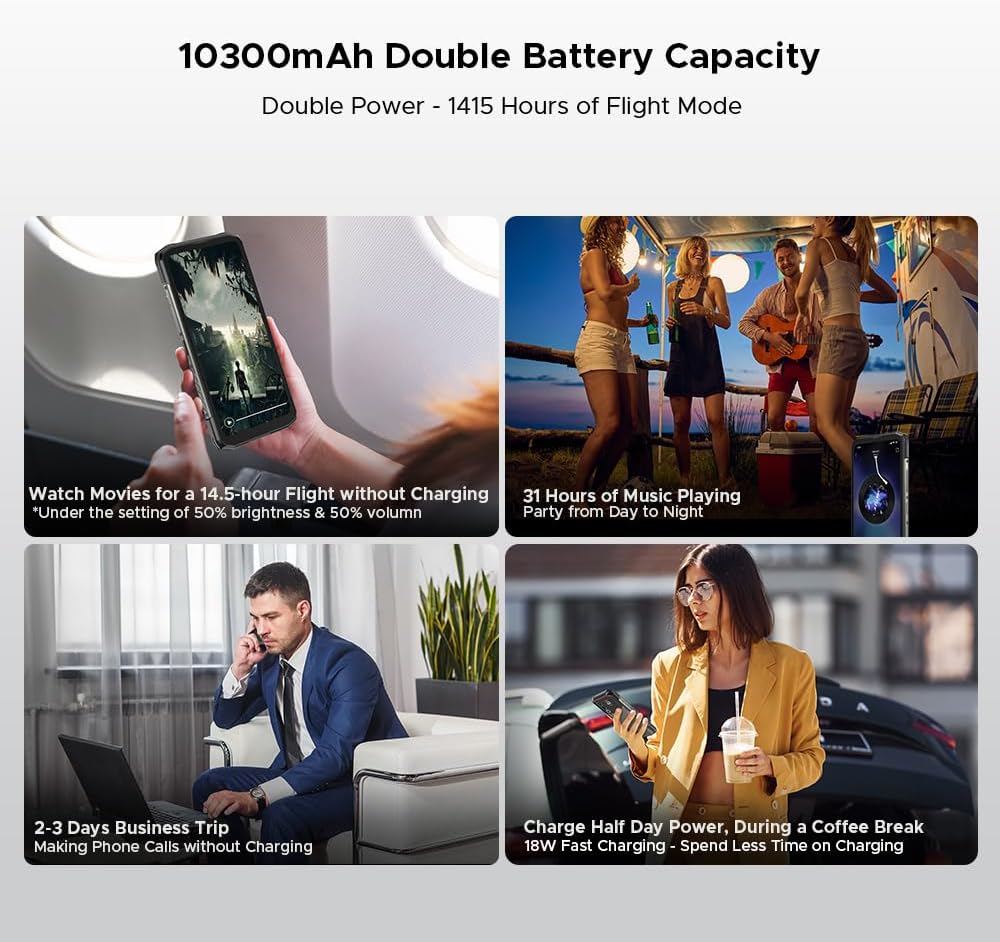
Figi 6: Egzamples of extended battery life for various activities.
3.5 Karakteristik Sekirite Sosyal
- Capteur anprent bò: Debloke aparèy ou an rapidman e an sekirite avèk detèktè anprent ki monte sou bò a.
- Rekonesans vizaj: Use your face to unlock the phone.
3.6 Konektivite ak Navigasyon
The Blade 20 Ultra supports various connectivity options and global navigation systems.
- NFC: Supports Near Field Communication for contactless payments (Google Pay) and data transfer.
- San fil: GSM, 3G, 4G, Bluetooth, Wi-Fi.
- Navigasyon: GPS entegre, Glonass, Galileo, ak Beidou pou yon pozisyonman egzak.

Figure 7: The phone supports multiple global navigation satellite systems.
4. Antretyen
4.1 Netwaye Aparèy la
To maintain the device's appearance and functionality:
- Siye ekran an ak kò a ak yon twal mou ki pa gen pousyè.
- Pou pousyè tè ki difisil pou retire, yon ti kras dampSiye twal la avèk dlo oswa yon pwodui netwayaj ekran.
- Evite itilize pwodwi chimik piman bouk oswa materyèl abrazif.
- Asire w ke tout kouvèti pò yo byen fèmen anvan ou ekspoze aparèy la nan dlo oswa pousyè.
4.2 Swen Batri
- Evite tanperati ekstrèm, ki ka diminye lavi batri a.
- Pa kite telefòn nan konplètman chaje oswa konplètman dechaje pou yon peryòd tan pwolonje.
- Use only the original charger and cable or certified compatible accessories.
4.3 Mizajou lojisyèl
The DOOGEE Blade 20 Ultra runs on Android 14. Regularly check for and install software updates to ensure optimal performance, security, and access to new features. You can usually find this option in the phone's Settings menu under 'System' or 'About phone'.
4.4 Jesyon Depo
With 512GB of internal storage and support for up to 2TB MicroSD, you have ampespas la. Repete peryodikmanview ou files and applications to free up space if needed. Uninstall unused apps and transfer large media files to external storage or cloud services.
NAN. Depanaj
Seksyon sa a adrese pwoblèm komen ou ka rankontre ak DOOGEE Blade 20 Ultra ou a.
5.1 Aparèy la pa limen
- Asire w batri a chaje. Konekte chajè a epi tann kèk minit anvan ou eseye limen l.
- Peze epi kenbe bouton Pouvwa a pou omwen 10-15 segonn pou fòse yon rekòmanse.
5.2 Pwoblèm chaj
- Check if the charger and USB cable are properly connected and undamaged.
- Eseye itilize yon priz kouran diferan.
- Asire w ke pò chaj la pwòp epi li pa gen debri.
5.3 Pwoblèm koneksyon rezo
- Check if your SIM card is correctly inserted and activated.
- Ensure 'Airplane mode' is off.
- Rekòmanse aparèy la.
- Go to Settings > Network & internet > Mobile network and check network settings.
5.4 Aplikasyon ki kraze oswa bloke
- Fèmen epi relouvri aplikasyon an.
- Efase kach ak done aplikasyon an (Anviwònman > Aplikasyon > [Non aplikasyon an] > Depo ak kach).
- Asire w ke aplikasyon an mete ajou ak dènye vèsyon an.
- Si pwoblèm nan pèsiste, dezenstale epi reenstale aplikasyon an.
5.5 Reset faktori
Si ou gen pwoblèm lojisyèl ki pèsiste, yon réinitializasyon faktori ka rezoud yo. Avètisman: Sa ap efase tout done ki sou telefòn ou an. Fè yon kopi done enpòtan yo anvan ou kontinye.
- Ale nan Anviwònman > Sistèm > Opsyon Reyajiste.
- Chwazi 'Efase tout done yo (reyajiste nan paramèt faktori)'.
- Konfime desizyon w lan epi antre PIN/modpas ou si yo mande w.
6. Espesifikasyon
| Karakteristik | Spesifikasyon |
|---|---|
| Nimewo Modèl | Lam 20 Ultra |
| Dimansyon | 174 x 81.2 x 15.8 mm |
| Pwa | 326 g |
| Sistèm operasyon | Android 14 |
| Processeur | Unisoc T7250 Octa-Core, 1.8 GHz (12 nm) |
| RAM | 8 GB (ou ka ogmante l jiska 32 GB RAM vityèl) |
| Depo Entèn | 512 GB (UFS), expandable up to 2 TB via MicroSD |
| Ekspozisyon prensipal | 6.6 inches IPS HD+, 90 Hz refresh rate, 1920 x 1080 resolution, 367 PPI |
| Rear Smart Display | 1.54 inches IPS, 240 x 240 pixels |
| Kamera dèyè | 50 MP AI (OV50C40 sensor, F/1.8 aperture) |
| Kamera devan | 8 MP (Hi-842 sensor, F/2.2 aperture) |
| Kapasite batri | 10300 mAh |
| Chaje | Chaje rapid 18W, chaje ranvèse OTG |
| Fant pou kat SIM | Dual Nano SIM + 1 MicroSD (Triple Slot) |
| Koneksyon | 4G, 3G, GSM, Wi-Fi, Bluetooth, GPS, NFC (Google Pay) |
| Navigasyon | GPS, Glonass, Galileo, Beidou |
| Sekirite | Side Fingerprint Sensor, Facial Recognition |
| Durability | IP68/IP69K, MIL-STD-810H (Enpèmeyab, Rezistan a pousyè, Rezistan a chòk) |
| Jack kas ekoutè | No 3.5mm jack |
7. Garanti ak sipò
7.1 Enfòmasyon sou Garanti
Your DOOGEE Blade 20 Ultra is covered by a standard manufacturer's warranty. The specific terms and duration of the warranty may vary by region and retailer. Please refer to the warranty card included in your product packaging or contact your point of purchase for detailed information.
7.2 Sipò pou Kliyan
For technical assistance, troubleshooting beyond this manual, or warranty claims, please contact DOOGEE customer support or the retailer from whom you purchased the device. Keep your proof of purchase handy when contacting support.
Information regarding spare parts availability is not provided at this time.