
1. Entwodiksyon
Mèsi pou acha aasing the ZEBRONICS Juke BAR 200A Soundbar. This manual provides essential information for the safe and correct operation of your device. Please read it thoroughly before use and retain it for future reference.
Kontni pake
- Ba Son - 1 inite
- Subwoofer - 1 inite
- Gid Kòd QR - 1 inite
- Power Adapter - 1 unit
- Kontwòl remote - 1 inite
2. Enstriksyon Sekirite
Pou asire yon operasyon an sekirite epi pou anpeche domaj, tanpri obsève prekosyon sekirite sa yo:
- Pa ekspoze aparèy la ak lapli oswa imidite.
- Pa bloke okenn ouvèti vantilasyon.
- Mete aparèy la sou yon sifas ki estab, ki plat.
- Sèvi sèlman ak adaptè kouran manifakti a bay la.
- Pa ouvri c laasing; konfye tout antretyen bay pèsonèl kalifye.
- Keep the device away from direct sunlight, heat sources, and strong magnetic fields.
- Netwaye sèlman ak yon twal sèk.
3. Pwodwi souview
The ZEBRONICS Juke BAR 200A is a compact soundbar system designed to enhance your audio experience. It features a soundbar with dual drivers and a dedicated subwoofer for powerful bass.
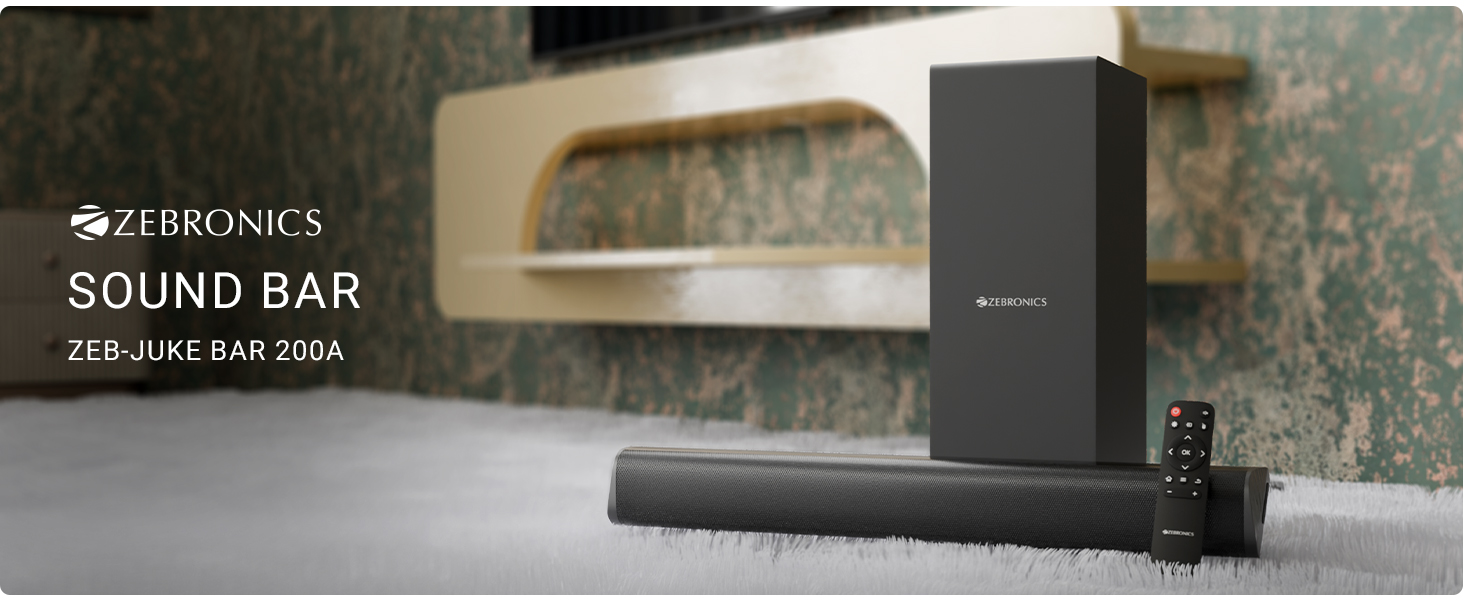
Figi 3.1: ZEBRONICS Juke BAR 200A Soundbar, Subwoofer, and Remote Control. This image displays the complete sound system, including the main soundbar unit, the separate subwoofer, and the remote control, providing a visual representation of all primary components.
Karakteristik kle
- 90W RMS Sòti: Bay yon odyo pwisan ak klè.
- Dual Driver Soundbar: Equipped with 5.08cm x 2 drivers for balanced sound.
- 11.43cm Subwoofer: Provides deep, rich bass.
- Multi-koneksyon: Supports Bluetooth v5.1, HDMI ARC, and USB.
- Dolby Audio Decoding: Built-in Dolby Digital and Dolby Digital+ decoding for versatile audio.
- Mi montabl: Ki fèt pou opsyon plasman fleksib.
- Kontwòl Remote: Full control over audio settings.

Figi 3.2: Soundbar Media and Volume Controls and Remote Control. This image highlights the physical control buttons on the soundbar for power, volume up, and volume down, alongside a detailed view of the included remote control, illustrating all available buttons for comprehensive audio management.

Figi 3.3: Soundbar Rear Panel with Connectivity Ports. This image provides a close-up view of the soundbar's rear panel, clearly labeling the HDMI ARC, USB, DC IN, and SW OUT ports, essential for understanding connection options.
4. Enstalasyon
4.1 Plasman
Place the soundbar on a stable surface in front of your television or mount it on the wall below your TV. Position the subwoofer on the floor, ideally near the soundbar, for optimal bass performance.
4.2 Konekte Subwoofer la
Connect the subwoofer to the soundbar using the provided SW OUT cable. Ensure a secure connection.
4.3 Koneksyon pouvwa
- Konekte adaptè kouran an nan pò DC IN ki sou ba son an.
- Branche adaptè kouran an nan yon priz miray ki apwopriye.
4.4 Koneksyon Audio
Chwazi youn nan metòd sa yo pou konekte sous odyo ou a:
- HDMI ARC: For optimal audio quality and control, connect an HDMI cable from your TV's HDMI ARC port to the HDMI ARC port on the soundbar. This allows your TV remote to control the soundbar's volume.
- Bluetooth: For wireless connection, refer to the "Bluetooth Pairing" section in Operating Instructions.
- USB: Mete yon kle USB ki gen odyo ladan l files nan pò USB a pou lekti dirèk.
5. Operasyon Enstriksyon
5.1 Power On/Off
- Peze a Pouvwa bouton ki sou ba son an oswa sou kontwòl remote la pou limen oswa etenn aparèy la.
- The LED indicator on the soundbar will illuminate when powered on.
5.2 Seleksyon Mòd Antre
Peze a Antre button on the remote control to cycle through available input modes: Bluetooth (BT), HDMI ARC, and USB.
5.3 Bluetooth Pairing
- Turn on the soundbar and select Bluetooth mode. The LED indicator will flash, indicating pairing mode.
- Enable Bluetooth on your mobile device or computer and search for "ZEB-JUKE BAR 200A".
- Select the device to pair. Once connected, the LED indicator will glow steadily.
5.4 Kontwòl Volim
- Sèvi ak la Volim monte (+) epi Volim Dawonn (-) buttons on the soundbar or remote control to adjust the volume.
- Peze a bèbè button on the remote to mute or unmute the audio.
5.5 Lekti USB
Mete yon kle USB nan pò USB a. Ba son an ap chanje otomatikman an mòd USB epi li pral kòmanse jwe odyo konpatib. files. Use the remote control for playback functions (Play/Pause, Next/Previous Track).
6. mi Mounting
The ZEBRONICS Juke BAR 200A is designed to be wall-mountable. Ensure you use appropriate screws and wall plugs for your wall type. It is recommended to consult a professional for wall mounting to prevent damage or injury.
- Measure the distance between the mounting holes on the back of the soundbar.
- Mark the corresponding positions on the wall.
- Fè twou epi mete ploge miray yo (si sa nesesè).
- Secure the soundbar to the wall using suitable screws.
7. Antretyen
- Netwayaj: Sèvi ak yon twal mou epi sèk pou netwaye sifas ba son an ak subwoofer la. Pa sèvi ak pwodui netwayaj likid oswa materyèl abrazif.
- Depo: Si w ap sere aparèy la pou yon bon bout tan, dekonekte l nan kouran an epi sere l nan yon kote ki fre epi sèk.
- Vantilasyon: Asire w ke ouvèti vantilasyon yo pa bloke pou anpeche surchof.
NAN. Depanaj
| Pwoblèm | Kòz posib | Solisyon |
|---|---|---|
| Pa gen pouvwa | Adaptè kouran an pa konekte oswa priz la gen pwoblèm. | Tcheke koneksyon kouran yo. Eseye yon lòt priz kouran. |
| Pa gen son | Incorrect input mode, low volume, or incorrect cable connection. | Select the correct input mode. Increase volume. Check audio cables. |
| Bluetooth pa konekte | Ba son an pa nan mòd koneksyon, aparèy la twò lwen, oubyen li deja konekte. | Ensure soundbar is in BT pairing mode. Move device closer. Forget device on your phone and re-pair. |
| Remote kontwòl pa travay | Low battery or obstruction. | Replace remote batteries. Ensure no obstructions between remote and soundbar. |
9. Espesifikasyon
| Karakteristik | Detay |
|---|---|
| Non modèl | Zeb - Juke Bar 200A |
| Kalite Oratè | Ba son ak subwoofer |
| Pouvwa Sòti Total | 90 Watts RMS (Soundbar: 20W x 2, Subwoofer: 50W) |
| Subwoofer Dyamèt | 11.43 santimèt |
| Soundbar Driver Size | 5.08cm x 2 |
| Koneksyon | Bluetooth v5.1, HDMI ARC, USB |
| Chanèl Sound Surround | 2.1 |
| Dekodaj odyo | Dolby Digital, Dolby Digital+ |
| Metòd kontwòl | Remote, Control Buttons |
| Dimansyon pwodwi | 6.3P x 50W x 6.3H santimèt (Soundbar) |
| Pwa atik | 2.5 kg |
| Konpozan ki enkli | Sound Bar, Subwoofer, QR Code Guide, Power Adapter, Remote |
10. Enfòmasyon sou Garanti
This product is covered by a manufacturer's warranty. Please refer to the QR Code Guide included in your package or visit the official ZEBRONICS website for detailed warranty terms and conditions. Retain your purchase receipt as proof of purchase for warranty claims.
For extended warranty options, please check with your retailer or the ZEBRONICS official channels.
11. Sipò
For technical assistance, product inquiries, or service requests, please contact ZEBRONICS customer support:
- Ofisyèl Websit: www.zebronics.com
- Sèvis Kliyan: Refer to the QR Code Guide or the official website for the latest contact information (phone numbers, email support).
Please have your product model number (Juke BAR 200A) and purchase details ready when contacting support.