
1. Entwodiksyon
This manual provides essential information for the safe and efficient operation of your Optoma GT4000UHD Ultra-Short Throw 4K UHD Home Cinema Laser Projector. Please read it thoroughly before using the product and retain it for future reference.
The Optoma GT4000UHD is designed to deliver high-quality 4K UHD visuals for various entertainment purposes, including console gaming, PC gaming, and streaming video content. Its ultra-short throw capability allows for large images from a minimal distance.
2. Enfòmasyon sou Sekirite
Obsève prekosyon sekirite sa yo pou evite domaje pwojektè a epi asire sekirite itilizatè a:
- Pa bloke ouvèti vantilasyon yo. Asire w ke gen ase sikilasyon lè toutotou pwojektè a.
- Pa gade dirèkteman nan lantiy pwojektè a lè l ap limen.amp Limyè klere a ka lakòz domaj nan je yo.
- Avoid placing the projector in direct sunlight, near heat sources, or in environments with high humidity or dust.
- Sèvi sèlman ak adaptè kouran ki vini ak pwojektè a.
- Dekonekte kòd kouran an pandan tanpèt zèklè oswa lè ou pa itilize li pou yon bon bout tan.
- Do not attempt to open or service the projector yourself. Refer all servicing to qualified personnel.
3. Pake kontni
Verifye ke tout atik yo prezan nan pakè a:
- Optoma GT4000UHD Projector
- Kòd pouvwa
- Kontwòl Remote
- Manyèl Itilizatè (dokiman sa a)
4. Pwodwi souview
4.1 Projector Front and Top View
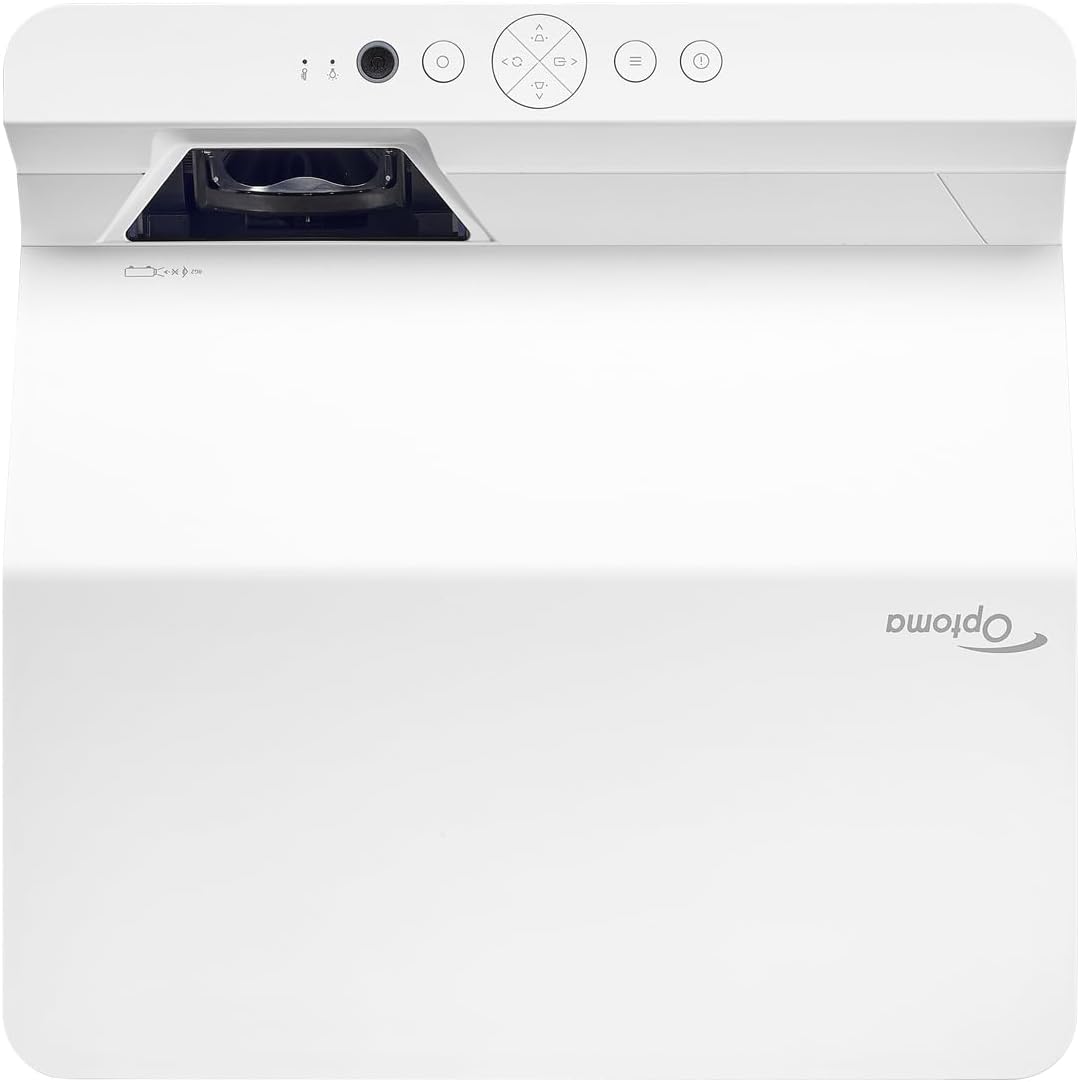
Deskripsyon: Imaj sa a montre tèt la ak devan an view of the Optoma GT4000UHD projector. The ultra-short throw lens is visible at the front, along with basic control buttons on the top panel. The Optoma logo is prominently displayed.
4.2 Panèl dèyè ak koneksyon
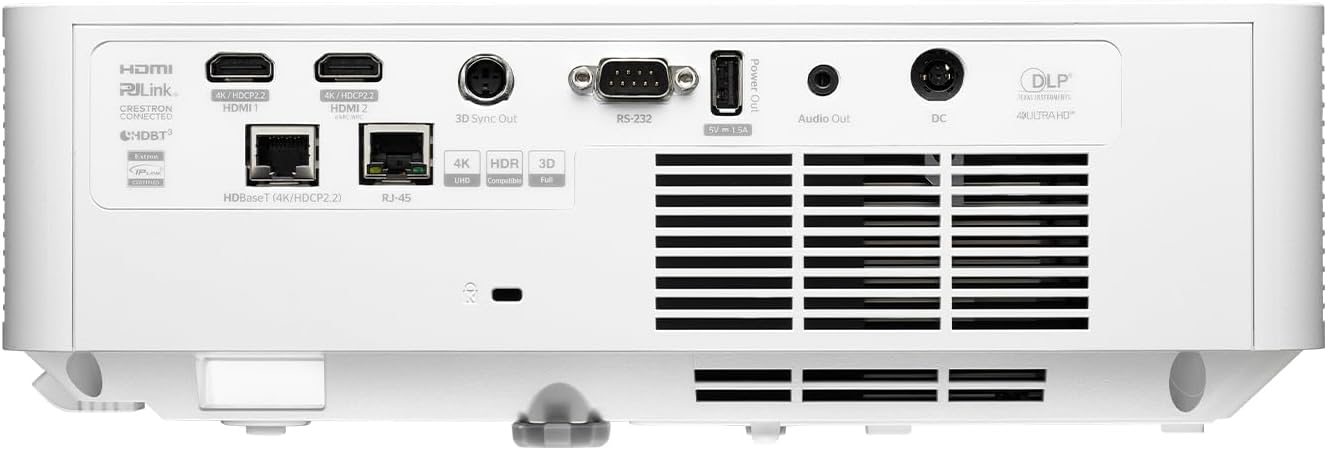
Deskripsyon: This image shows the rear panel of the Optoma GT4000UHD projector, highlighting its connectivity options. Ports include HDMI, HDBaseT, RJ-45, 3D Sync Out, RS232, Audio Out, and DC power input.
4.3 Kontwòl Remote
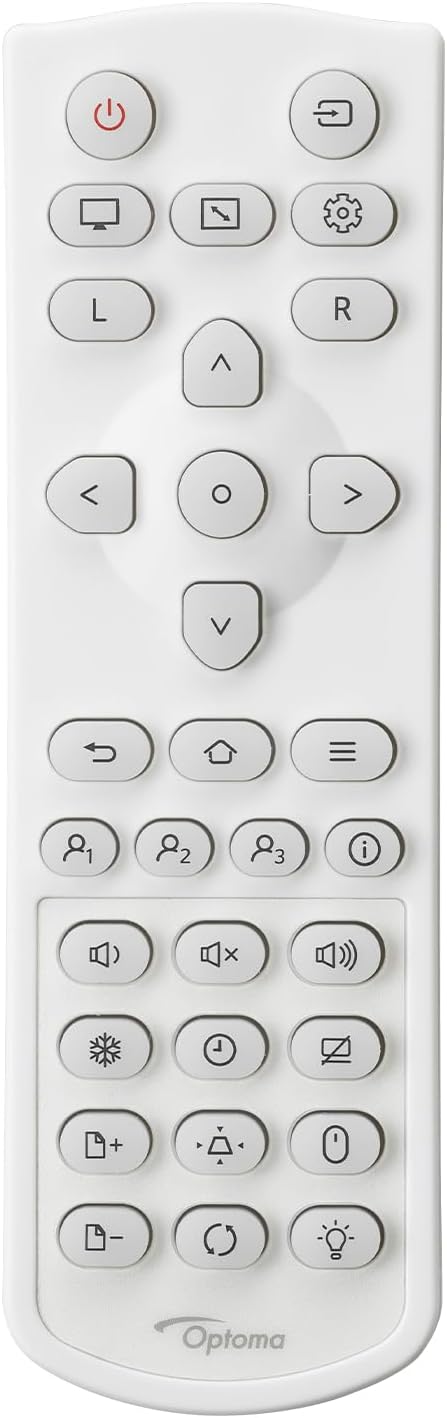
Deskripsyon: This image displays the remote control for the Optoma GT4000UHD projector. It features buttons for power, source selection, menu navigation, volume control, and other functions.
5. Enstalasyon
5.1 Plasman Pwojektè
The GT4000UHD is an ultra-short throw projector, capable of producing large images from a very short distance. Place the projector on a stable, flat surface directly in front of your screen or wall.
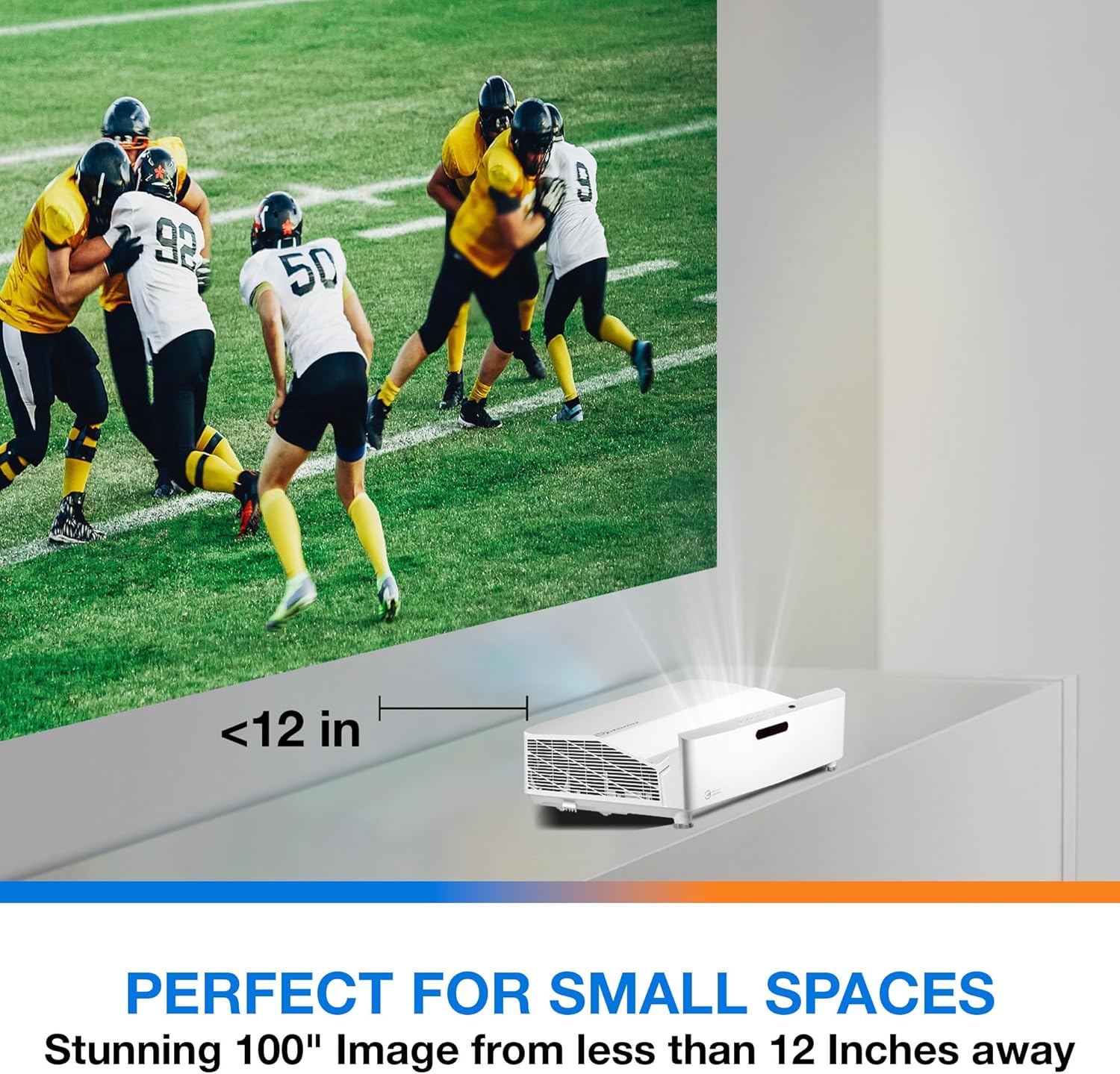
Deskripsyon: This image illustrates the ultra-short throw capability of the GT4000UHD, showing it projecting a 100-inch image from less than 12 inches away from the projection surface. This allows for flexible placement in small spaces.
- For a 100-inch image, position the projector approximately 10-12 inches (25-30 cm) from the projection surface.
- Ensure the projector is level to avoid image distortion. Use the adjustable feet if necessary.
5.2 Konekte Aparèy
Connect your video sources (e.g., gaming console, Blu-ray player, streaming device) to the projector's HDMI ports. For network control or HDBaseT connectivity, use the respective ports on the rear panel.
- HDMI: Connect HDMI cables from your source devices to the HDMI 1 or HDMI 2 ports.
- Odyo Deyò: For external audio systems, connect an audio cable from the Audio Out port to your sound system.
- Pouvwa: Connect the power cord to the DC input on the projector and then to a power outlet.
5.3 Power On/Off
- Pouvwa sou: Peze bouton pouvwa a sou pwojektè a oswa sou kontwòl remote la. Limyè endikatè pouvwa a ap limen.
- Pouvwa Off: Press the power button again. A confirmation message may appear; confirm to shut down the projector.
6. Operasyon Enstriksyon
6.1 Operasyon debaz
- Seleksyon sous: Use the 'Source' button on the remote control to cycle through available input sources (HDMI 1, HDMI 2, etc.).
- Navigasyon nan meni: Use the 'Menu' button to access settings. Use the arrow keys and 'OK' button to navigate and select options.
- Kontwòl Volim: Adjust the volume using the dedicated volume buttons on the remote control.
6.2 Image Adjustment (4-Corner Geometric Correction)
The GT4000UHD features 4-Corner Adjustment for precise image alignment, especially useful when the projector is not perfectly perpendicular to the screen.
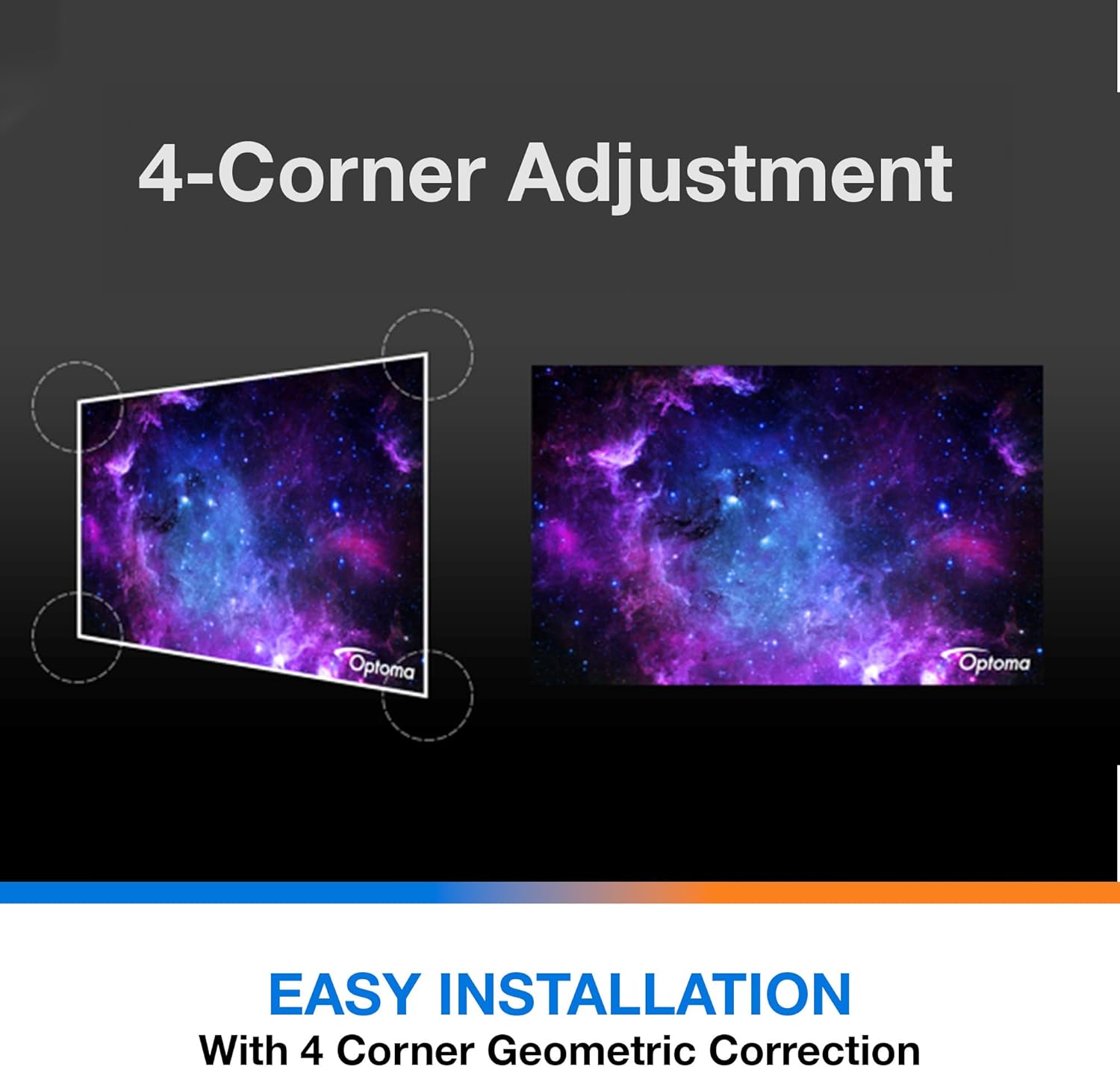
Deskripsyon: This diagram illustrates the function of 4-Corner Adjustment. It shows a trapezoidal, distorted image being geometrically corrected to form a perfect rectangular projection, ensuring easy installation and optimal viewing.
- Access the 'Image' or 'Geometric Correction' menu.
- Select '4-Corner Adjustment' and use the arrow keys to individually adjust each corner of the projected image until it forms a perfect rectangle.
6.3 Enhanced Gaming Mode
The projector includes an Enhanced Gaming Mode to minimize input lag, providing a more responsive gaming experience.
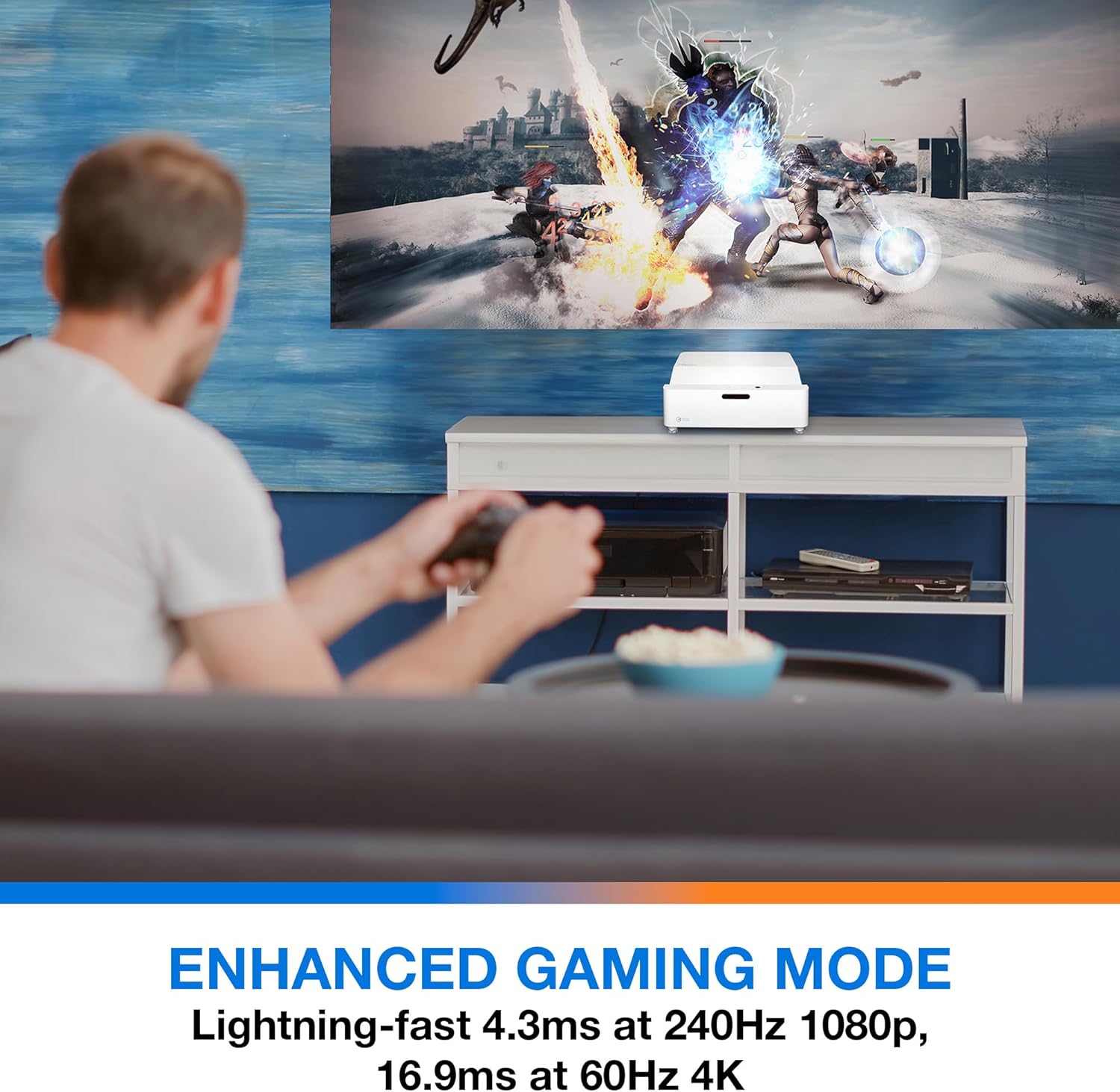
Deskripsyon: This image shows a user engaged in gaming with the Optoma GT4000UHD projector, highlighting the Enhanced Gaming Mode. This mode offers low input lag for a responsive gaming experience.
- To activate, navigate to the 'Display' or 'Picture Mode' settings in the menu and select 'Gaming Mode'.
- This mode optimizes the projector for fast-paced action, reducing input latency to as low as 4.3ms at 240Hz 1080p, or 16.9ms at 60Hz 4K.
6.4 Firmware Updates (FOTA Integration)
The projector supports Firmware Over-The-Air (FOTA) updates, allowing for convenient software enhancements.
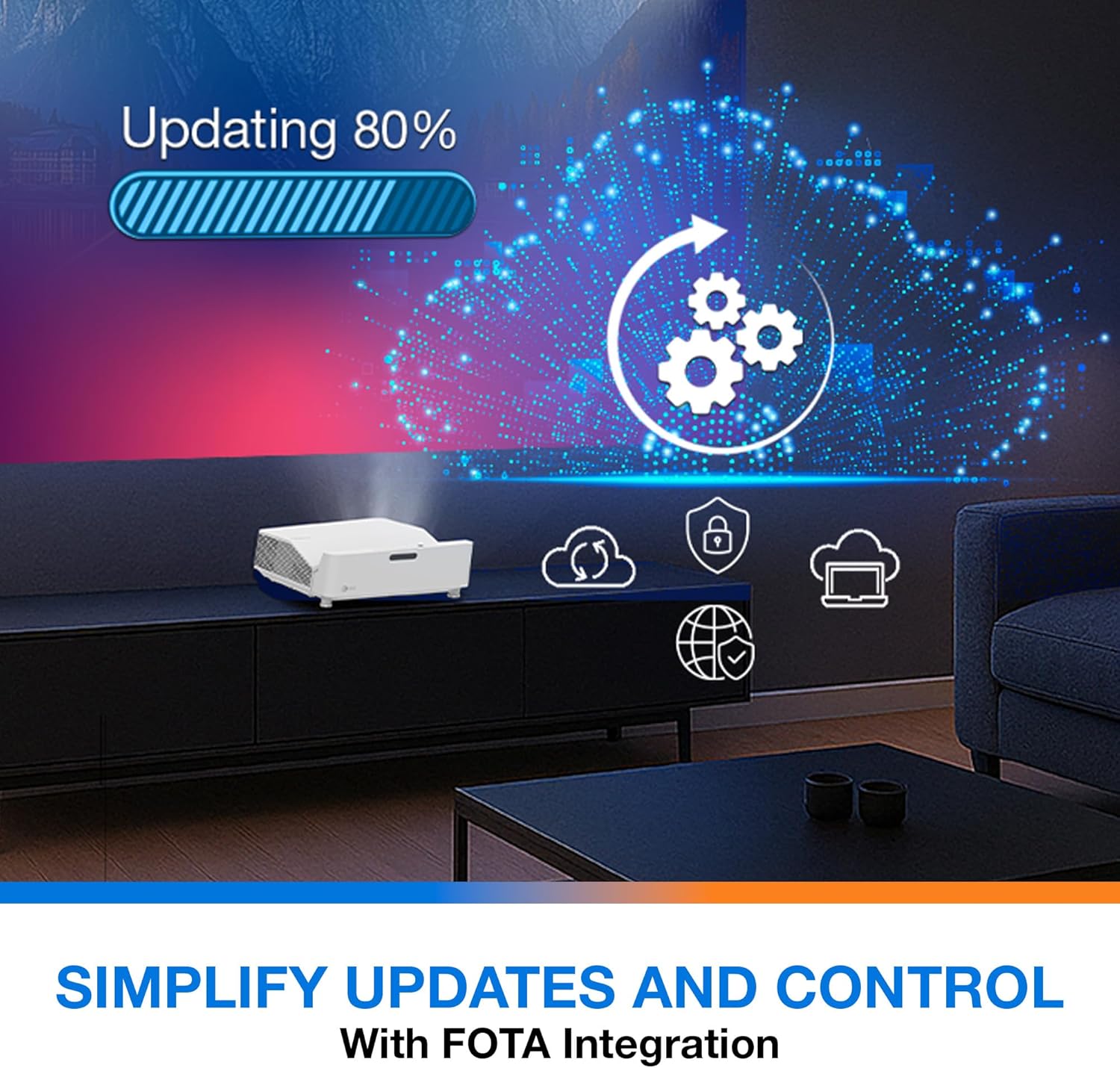
Deskripsyon: This image depicts the FOTA (Firmware Over-The-Air) integration feature, showing a progress bar for an update and cloud icons representing simplified updates and control for the projector.
- Ensure the projector is connected to the internet via its network port.
- Check for updates in the 'System' or 'About' menu. Follow on-screen prompts to download and install any available firmware updates.
7. Antretyen
- Netwayaj lantiy: Siye lantiy la dousman avèk yon twal mou ki pa gen pousyè, espesyalman fèt pou sifas optik. Pa sèvi ak pwodui netwayaj abrazif.
- Vantilasyon: Regularly check and clean the air vents to prevent dust buildup, which can affect performance and lifespan.
- Depo: Lè w pa itilize pwojektè a pou yon bon bout tan, sere l nan yon kote ki fre epi sèk, pwoteje kont pousyè.
NAN. Depanaj
Si ou rankontre pwoblèm, gade solisyon komen sa yo:
| Pwoblèm | Kòz posib | Solisyon |
|---|---|---|
| Pa gen imaj ki parèt | Power cable loose, incorrect input source, source device off | Check power connections, select correct input source, ensure source device is on. |
| Image distorted/not rectangular | Projector not level, keystone/corner adjustment needed | Adjust projector position, use 4-Corner Adjustment feature. |
| Pa gen odyo | Volume too low, external audio system not connected/selected | Increase volume, check external audio connections and settings. |
| Remote kontwòl pa travay | Batteries depleted, obstruction between remote and projector | Replace batteries, remove obstructions, ensure line of sight. |
If the problem persists, contact Optoma customer support.
9. Espesifikasyon
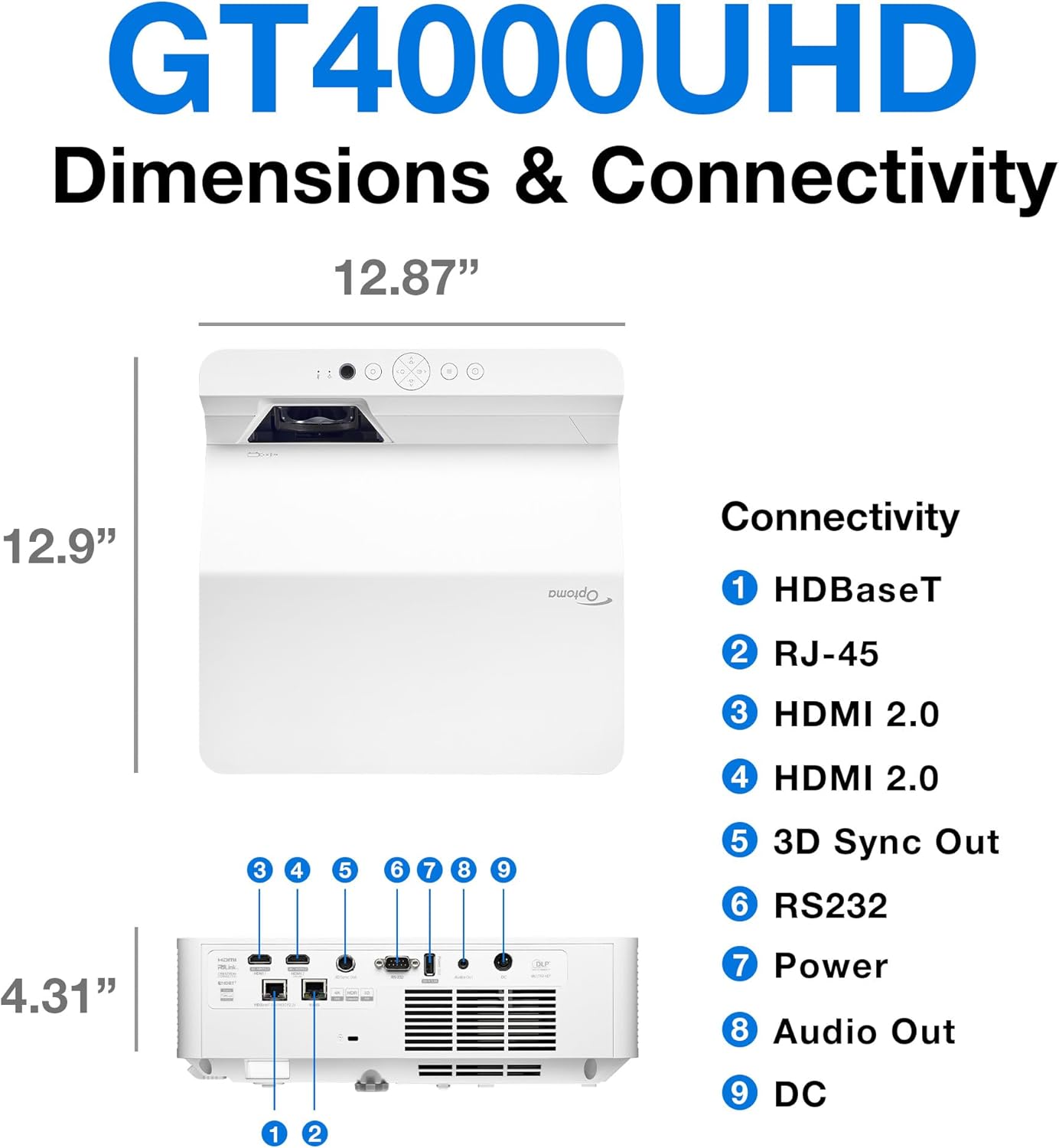
Deskripsyon: This image provides a detailed diagram of the Optoma GT4000UHD projector, including its dimensions (12.87" x 12.9" x 4.31") and a labeled overview of its connectivity ports such as HDBaseT, RJ-45, HDMI 2.0, 3D Sync Out, RS232, Power, Audio Out, and DC.
| Karakteristik | Spesifikasyon |
|---|---|
| Non modèl | GT4000UHD |
| Mak | Optoma |
| Rezolisyon ekspozisyon | 3840 x 2160 (4K UHD) |
| Klète | 4,000 Lumen |
| Koneksyon Teknoloji | HDMI, RCA |
| Karakteristik espesyal | Ultra kout jete |
| Itilizasyon Rekòmande | Jwèt, Sinema Lakay |
| Gwosè Imaj maksimòm | 100 pous |
| Distans Minimòm Jete | 0.28 mèt |
| Distans maksimòm jete | 0.56 mèt |
| Pwa atik | 9.8 liv |
| Kalite aliye | Tabletop mòn |
10. Garanti ak sipò
10.1 Enfòmasyon sou Garanti
The Optoma GT4000UHD projector comes with a 1 Year Projector Parts and Labor Manufacturer’s WarrantyTanpri konsève prèv acha ou a pou reklamasyon garanti a.
10.2 Sipò pou Kliyan
For technical assistance, troubleshooting beyond this manual, or warranty inquiries, please visit the official Optoma support website or contact their customer service department. Contact information can typically be found on the Optoma websit oswa nan anbalaj pwodwi a.