
1. Enstriksyon Sekirite Enpòtan
Please read these instructions carefully before using the Audizio Canzo DAB+ Internet Radio. Keep this manual for future reference.
- Pa ekspoze aparèy la anba lapli oswa imidite pou evite dife oswa chòk elektrik.
- Pa ouvri c laasing. Pa gen pyès ki ka sèvi ak men itilizatè a anndan an. Konfye tout antretyen bay pèsonèl kalifye.
- Sèlman sèvi ak adaptè pouvwa a bay aparèy la.
- Asire bon vantilasyon toutotou aparèy la. Pa bloke ouvèti vantilasyon yo.
- Evite mete aparèy la toupre sous chalè oswa anba limyè solèy dirèk.
- Clean the unit only with a dry, soft cloth. Do not use liquid cleaners.
2. Pwodwi souview
The Audizio Canzo is a versatile DAB+ Internet Radio designed for high-quality audio reception and playback. It features multiple connectivity options including Wi-Fi, Bluetooth 5.3, AUX, and USB, along with a remote control for convenient operation. The elegant wooden finish and clear display make it suitable for various home environments.
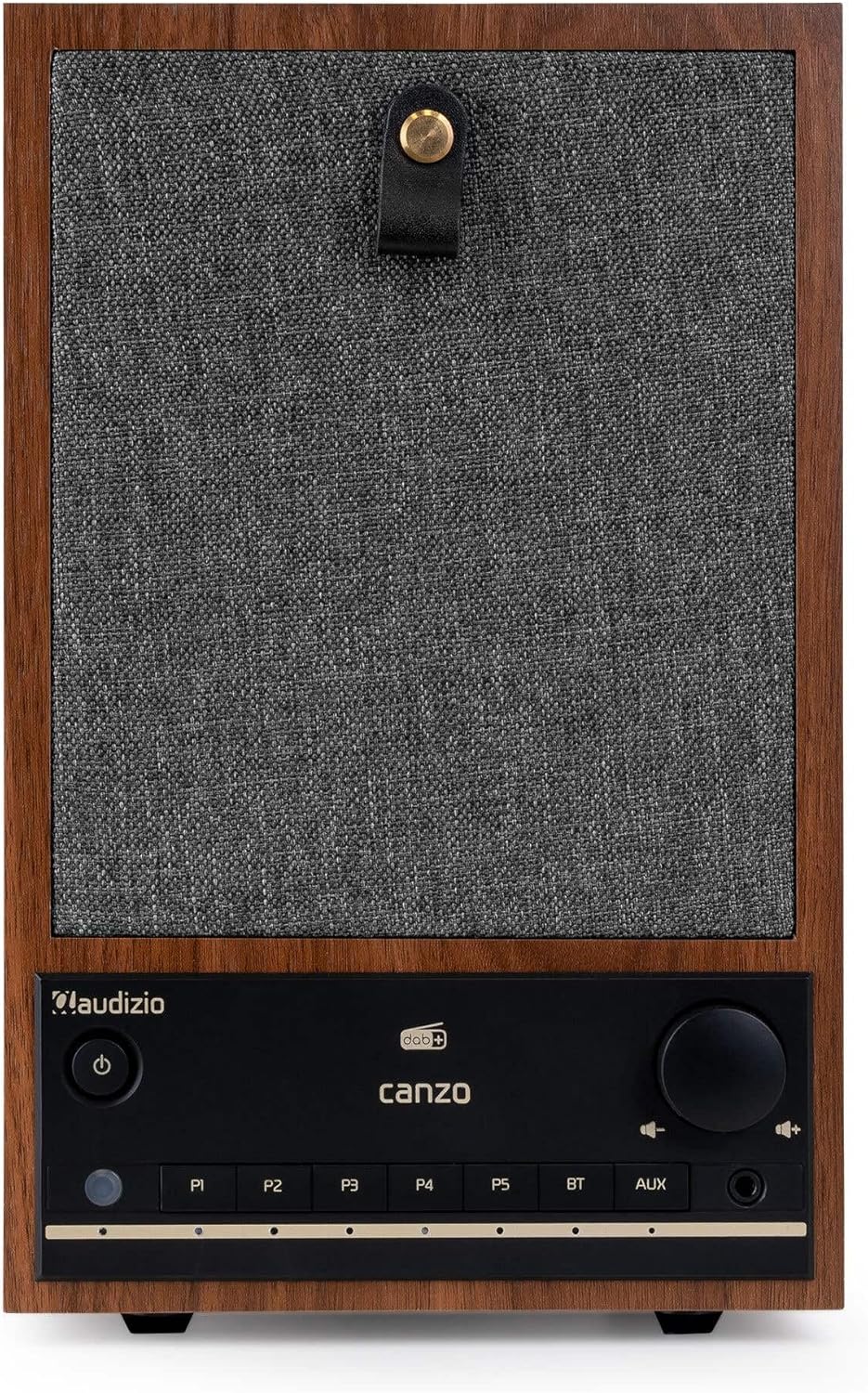
Figi 2.1: Devan view of the Audizio Canzo DAB+ Internet Radio in walnut finish.

Figi 2.2: Devan view with speaker grille removed, highlighting the speaker, display, and control panel.
3. Ki sa ki nan bwat la
Debale bwat la ak anpil atansyon epi asire w tout bagay yo la:
- Audizio Canzo DAB+ Internet Radio
- Adaptè pouvwa
- Kontwòl Remote
- Gid Quick Start
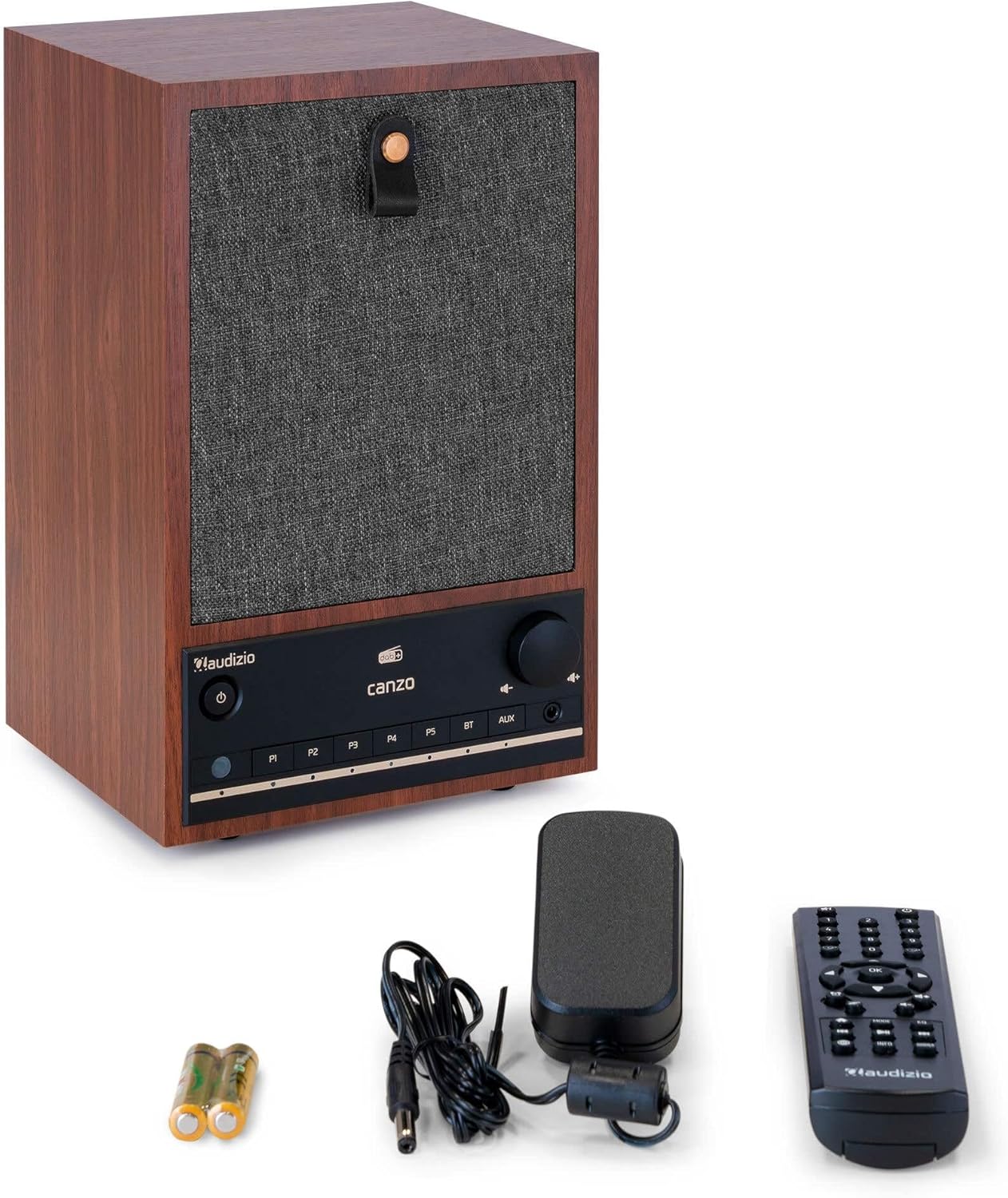
Figure 3.1: Audizio Canzo radio with its accessories.
4. Enstalasyon
4.1 Konekte pouvwa
- Insert the DC plug of the power adapter into the DC IN port on the back of the radio.
- Plug the power adapter into a standard wall outlet (220V).
- Vire a ON/OFF switch on the back of the unit to the ON pozisyon.
4.2 Koneksyon antèn
For optimal DAB+ and FM reception, extend the telescopic antenna located on the back of the unit. Adjust its position for the best signal.

Figure 4.1: Rear panel with power input, audio ports, USB, LAN, and antenna.
4.3 Premye Limen ak Konfigirasyon Rezo a
- Peze a Pouvwa button on the front panel or remote control to turn on the radio.
- The display will show the Audizio logo and then guide you through the initial setup wizard.
- Chwazi lang ou pi pito.
- The radio will prompt you to connect to a network. Choose Wi-Fi or LAN.
- Pou Wi-Fi: Select your Wi-Fi network from the list and enter the password using the navigation buttons and OK bouton.
- For LAN: Connect an Ethernet cable from your router to the LAN port on the back of the radio. The connection should be established automatically.
- Once connected, the radio will update the time and date automatically.
5. Operasyon Enstriksyon
5.1 Kontwòl debaz yo
The front panel features a power button, preset buttons (P1-P5), Bluetooth (BT) and AUX input buttons, a volume knob, and navigation controls. The remote control provides full access to all functions.
5.2 Seleksyon mòd
Peze a MÒD button on the radio or remote control to cycle through available modes: Internet Radio, DAB+, FM, Bluetooth, AUX, and USB Playback.
5.3 Radyo Entènèt
- Chwazi Radyo Entènèt mòd.
- Use the navigation buttons to browse stations by location, genre, or search.
- Peze OK yo chwazi yon estasyon.
- To save a station as a preset, press and hold one of the P1-P5 buttons until the display confirms.
Radyo 5.4 DAB+
- Chwazi DAB + mòd.
- Radyo a pral otomatikman chèche estasyon DAB+ ki disponib yo.
- Use the navigation buttons to scroll through the list of found stations.
- Peze OK yo chwazi yon estasyon.
- To save a station as a preset, press and hold one of the P1-P5 bouton.
5.5 FM Radyo
- Chwazi FM mòd.
- Peze epi kenbe la Eskane button (usually on the remote or via menu) to auto-scan for FM stations.
- Use the navigation buttons to tune manually or select from scanned stations.
- To save a station as a preset, press and hold one of the P1-P5 bouton.
5.6 Lekti Bluetooth
- Chwazi Bluetooth mode. The radio will enter pairing mode, indicated on the display.
- Sou smartphone ou oswa tablèt, aktive Bluetooth epi chèche aparèy ki disponib.
- Select "Audizio Canzo" from the list to pair.
- Yon fwa li konekte, ou ka jwe odyo ki soti nan aparèy ou an atravè radyo a.
5.7 Antre AUX
- Konekte yon aparèy odyo ekstèn (pa egzanp, yon lektè MP3) nan AUX IN port on the back of the radio using a 3.5mm audio cable.
- Chwazi AUX mòd.
- Audio from the connected device will now play through the radio.
5.8 Lekti USB
- Mete yon kondwi flash USB ki gen odyo files nan LEKTI USB port on the back of the radio.
- Chwazi USB mòd.
- Use the navigation buttons to browse and select audio files pou lèktur.
5.9 Revèy ak Minitè pou dòmi
- Alam: Access the Alarm settings via the menu. Set up to two alarms with desired time, source (buzzer, radio), and volume.
- Revèy dòmi: Access the Sleep Timer settings via the menu. Set a duration (e.g., 15, 30, 60 minutes) after which the radio will automatically turn off.
- Repetisyon: Lè yon alam sonnen, peze bouton an Snooze button on the remote or radio to temporarily silence it.
6. Antretyen
6.1 Netwayaj
To clean the radio, use a soft, dry, lint-free cloth. Do not use abrasive cleaners, waxes, or solvents as they may damage the finish or internal components.
6.2 Depo
Si w ap sere aparèy la pou yon bon bout tan, dekonekte l nan priz kouran an epi sere l nan yon kote ki fre epi sèk, lwen limyè solèy dirèk ak tanperati ekstrèm.
NAN. Depanaj
| Pwoblèm | Kòz posib | Solisyon |
|---|---|---|
| Pa gen pouvwa | Power adapter not connected; ON/OFF switch is OFF. | Ensure power adapter is securely connected and ON/OFF switch is ON. |
| Pa gen son | Volume too low; incorrect source selected; headphones connected. | Increase volume; select correct input mode; disconnect headphones. |
| Pa ka konekte ak Wi-Fi | Incorrect password; router too far; network issue. | Verifye modpas Wi-Fi a; deplase radyo a pi pre routeur la; rekòmanse routeur la. |
| Resepsyon DAB+/FM ki pòv | Antèn pa pwolonje; zòn siyal la fèb. | Fully extend and adjust the telescopic antenna; try repositioning the radio. |
| Remote kontwòl pa travay | Batteries depleted; obstruction between remote and radio. | Replace remote control batteries; ensure clear line of sight to the radio's sensor. |
8. Espesifikasyon
| Karakteristik | Spesifikasyon |
|---|---|
| Nimewo Modèl | Canzo |
| Dimansyon pwodwi | 22.5 x 20.5 x 34 cm |
| Pwa atik | 2.9 Kilogram |
| Koulè | Walnut |
| Gwosè ekran | 2.4 pous |
| Koneksyon Teknoloji | Aux, Bluetooth, Wi-Fi, LAN |
| Bluetooth vèsyon | 5.3 |
| Gwoup Radyo Sipòte yo | DAB+, FM, Radyo Entènèt |
| Sous pouvwa | Corded Electric (220 Volt) |
| Karakteristik espesyal | Integrated Clock, Sleep Timer, Alarm, Remote Control, Preset Stations |
| Aparèy konpatib | Smartphone, Tablet, Headphones, MP3 Player, USB Storage Device |
9. Garanti ak sipò
For warranty information and technical support, please refer to the warranty card included with your product or contact your retailer. Keep your proof of purchase for any warranty claims.


