
1. Pwodwi souview
The BUGANI Shock Bluetooth Speaker is a powerful and portable audio device designed for both indoor and outdoor use. Featuring 60W super power output, Bluetooth 5.4 connectivity, and IPX6 waterproofing, it delivers robust sound quality and durability. Its long-lasting battery also functions as a power bank for your mobile devices.

2. Ki sa ki nan bwat la
Upon unboxing your BUGANI Shock Bluetooth Speaker, please ensure all the following items are present:
- BUGANI Shock Bluetooth Speaker
- Kalite-C chaje kab
- AUX kab
- Manyèl Itilizatè (dokiman sa a)
- Gid Quick Start

3. Karakteristik kle
3.1. Powerful Audio System
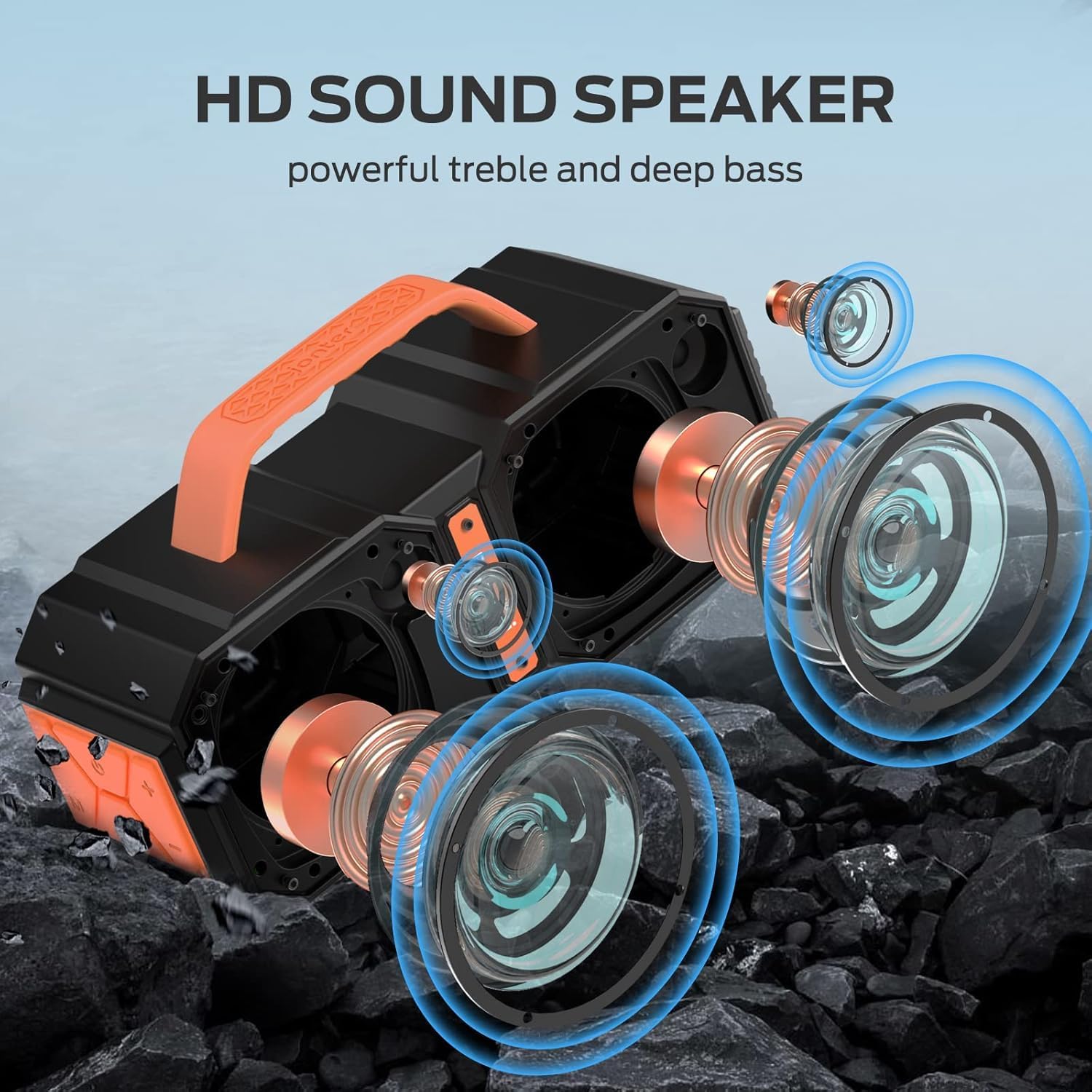
The speaker features two mid-bass external magnetic speakers, two tweeters, and two subwoofer diaphragms. With 60 watts of power, it delivers robust sound quality with deep bass and clear treble, providing surprisingly loud, room-filling volume without distortion, even at maximum levels.
3.2. Advanced Bluetooth 5.4 Connectivity
Equipped with the latest Bluetooth 5.4 technology, the speaker ensures faster connection speeds, more stable signal transmission, and lower power consumption. It offers a wireless connection range of up to 100 feet, allowing seamless pairing with mobile phones, computers, and MP3 players. A built-in microphone supports hands-free calls.
3.3. True Wireless Stereo (TWS) Functionality
For an enhanced audio experience, you can connect two BUGANI Shock speakers together to achieve a combined 120W stereo surround sound. This feature creates a dynamic and immersive listening environment.

3.4. IPX6 Waterproof Rating
The BUGANI Shock speaker boasts an IPX6 waterproof mechanical casing, making it resistant to high-pressure, heavy sprays of water. This robust design ensures durability and reliability for outdoor adventures, whether at the beach, by the pool, or during campvwayaj yo.

3.5. Built-in Power Bank Function
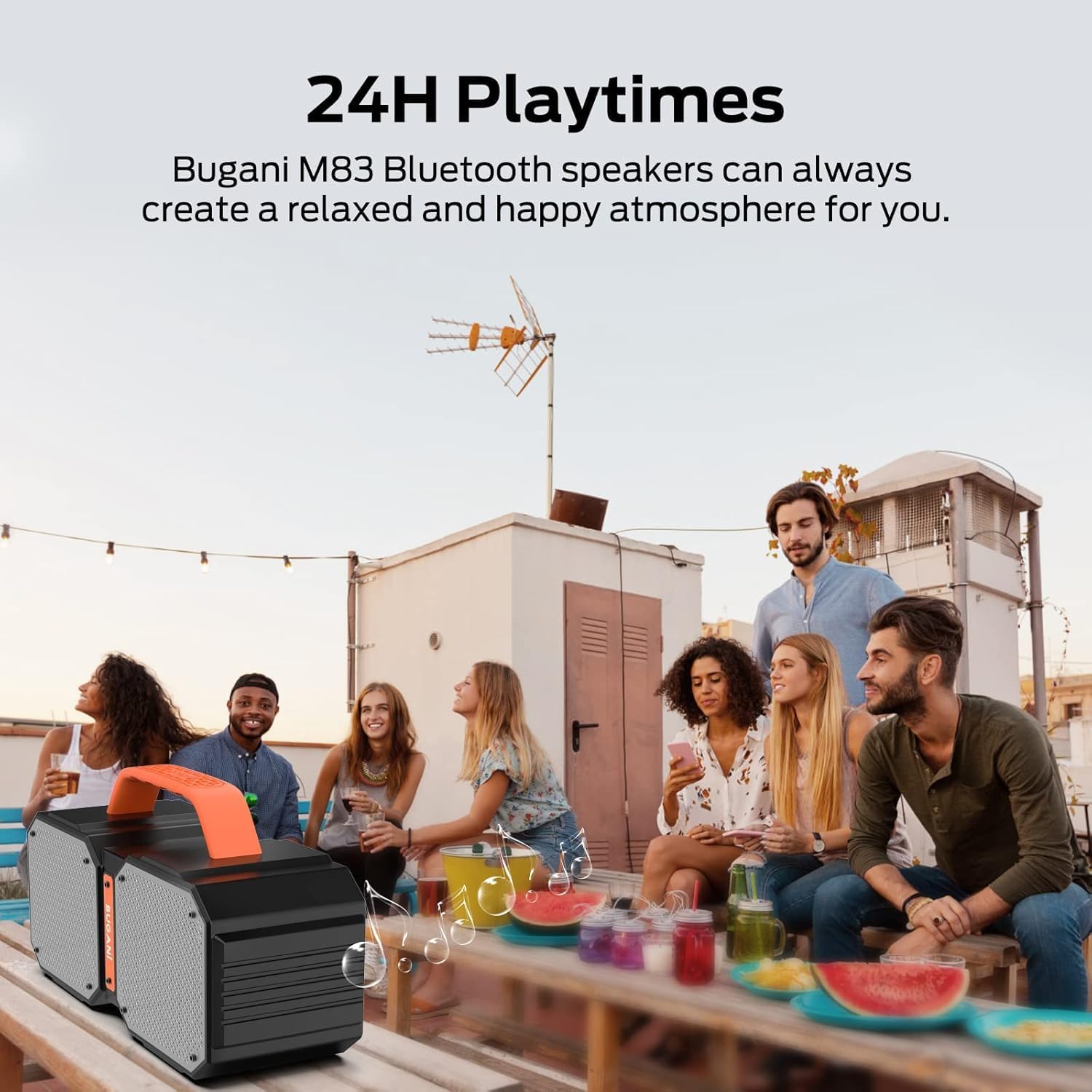
The speaker includes a massive built-in battery that provides up to 32 hours of playtime on a single charge. Additionally, it can function as a power bank, allowing you to charge your smartphone or other USB-powered devices via a USB cable, ensuring your devices stay powered during outdoor activities.

3.6. Dual EQ Modes (Indoor/Outdoor)
The speaker offers two equalization (EQ) modes, optimized for indoor and outdoor listening environments, allowing you to adjust the sound profile for the best audio experience wherever you are.
4. Enstalasyon
4.1. Chaje Oratè a
- Konekte kab chaje Kalite-C ki vini ak li a nan pò chaje oratè a.
- Konekte lòt bout kab la nan yon adaptè kouran USB (pa enkli) oubyen nan yon pò USB òdinatè.
- Limyè endikatè chaj la ap limen. Yon fwa li fin chaje nèt, limyè a ap chanje oswa etenn.
4.2. Pè Bluetooth
- Ensure the speaker is powered on. The Bluetooth indicator light will flash, indicating it's in pairing mode.
- Sou aparèy ou an (telefòn entelijan, tablèt, elatriye), aktive Bluetooth epi chèche aparèy ki disponib yo.
- Select "BUGANI Shock" from the list of devices.
- Yon fwa konekte, limyè endikatè Bluetooth la ap vin limen fiks, epi w ap tande yon konfimasyon sonab.
4.3. Koneksyon Vrè Stereo San Fil (TWS)
To pair two BUGANI Shock speakers for TWS:
- Asire w ke tou de oratè yo limen epi yo pa konekte ak okenn lòt aparèy Bluetooth.
- On one speaker (this will be the primary speaker), press and hold the TWS button (often indicated by two interlocking circles or a similar icon) for a few seconds until you hear a pairing tone.
- Oratè prensipal la ap otomatikman chèche epi konekte ak oratè segondè a.
- Once successfully paired, both speakers will emit a confirmation tone, and their TWS indicator lights will become solid.
- Kounye a, konekte aparèy ou a ak oratè prensipal la atravè Bluetooth jan sa dekri nan seksyon 4.2. Odyo a ap jwe nan tou de oratè yo an stereo.
5. Operasyon Enstriksyon
5.1. Kontwòl souview
| Bouton/Port | Fonksyon |
|---|---|
| Bouton pouvwa | Press and hold to power ON/OFF. Short press to play/pause music. |
| Volim + | Kout peze pou ogmante volim. |
| Volim - | Kout peze pou diminye volim. |
| Previous Track | Long press Volume - to go to previous track. |
| Next Track | Long press Volume + to go to next track. |
| Mode (M) bouton | Peze yon ti kras pou chanje ant mòd Bluetooth, AUX, ak kat TF. |
| TWS bouton | Press and hold to initiate TWS pairing (see section 4.3). |
| AUX-nan Port | Konekte aparèy odyo ekstèn yo atravè yon kab AUX 3.5mm. |
| TF Kat plas | Insert TF card for direct music playback. |
| USB-A Sòti Port | Use as a power bank to charge external devices. |
| USB-C Antre Port | Pò chaje pou oratè a. |
5.2. Switching EQ Modes
The BUGANI Shock speaker features two EQ modes: Indoor and Outdoor. To switch between these modes, locate the dedicated EQ button (if present, otherwise it might be integrated with another button or automatic). Refer to the Quick Start Guide for specific button functionality related to EQ mode switching.
6. Antretyen
6.1. Netwayaj
Siye oratè a ak yon mou, damp cloth. Do not use harsh chemicals or abrasive cleaners. Ensure all ports are dry before charging or connecting cables.
6.2. Rezistans dlo (IPX6)
The IPX6 rating means the speaker can resist high-pressure, heavy sprays of water. It is not designed for submersion. Ensure the charging port cover is securely closed before exposing the speaker to water.
6.3. Depo
Store the speaker in a cool, dry place away from direct sunlight and extreme temperatures. If storing for an extended period, charge the battery to approximately 50% every few months to maintain battery health.
NAN. Depanaj
| Pwoblèm | Kòz posib | Solisyon |
|---|---|---|
| Oratè a pa limen | Batri ki ba | Chaje oratè a nèt. |
| Pa ka konekte via Bluetooth | Oratè a pa nan mòd koneksyon; Bluetooth aparèy la etenn; Twò lwen oratè a | Ensure speaker is in pairing mode (flashing light). Turn on device Bluetooth. Move device closer to speaker (within 100ft). |
| Pa gen son oswa volim ki ba | Volume too low on speaker/device; Incorrect input mode; Not connected properly | Increase volume on both speaker and device. Press 'M' button to cycle through modes. Re-pair Bluetooth or re-connect AUX cable. |
| TWS appariement echwe | Speakers already connected to other devices; Too far apart | Disconnect both speakers from any other Bluetooth devices. Ensure speakers are within close proximity during TWS pairing. |
| Charging external device fails | Speaker battery low; Incorrect cable | Ensure speaker has sufficient charge. Use a compatible USB cable for your device. |
8. Espesifikasyon teknik
| Spesifikasyon | Valè |
|---|---|
| Non modèl | Brief Pro |
| Kalite Oratè | 3D |
| Aparèy konpatib | MP3 Player, Tablet, Smartphone |
| Konte inite | 1.0 Konte |
| Konfigirasyon chanèl son antoure | 2.1 |
| Koulè | zoranj |
| Lavi batri | 32 èdtan |
| Dimansyon pwodwi | 3"D x 3"W x 3"H |
| Pwa atik | 7.26 liv (3.3 kilogram) |
| Èske enpèmeyab | true (IPX6) |
| Maksimòm Range | 100 Pye (Bluetooth) |
| Metòd kontwòl | Remote (via connected device) |
| Teknoloji kominikasyon san fil | Bluetooth |
| Sous pouvwa | Batri Powered |
| Kantite pil | Pil 1 A obligatwa (rechargeable entèn) |
| Kalite chofè odyo | Chofè dinamik |
| Pwotokòl Koneksyon | Bluetooth, oksilyè |
| Style | M83 |
| Manifakti | BUGANI |
| Oratè maksimòm pwodiksyon pouvwa | 160 Watt (pik) |
| Audio Sòti Mode | Stereo, Antoure |
9. Garanti ak sipò
The BUGANI Shock Bluetooth Speaker comes with a Garanti limiteTanpri gade kat garanti ki nan pakè a pou kondisyon espesifik yo.
BUGANI also offers Sipò teknik pou tout lavi for this product. If you encounter any issues or have questions not covered in this manual, please contact our support team:
- Imèl: support@bugani.com (example)
- Telefòn: 1-800-BUGANI (example)
- Websit: Visit the BUGANI Store on Amazon