
Entwodiksyon
This manual provides detailed instructions for the safe and effective operation of your TrustFire Mini X7 Flat EDC Flashlight. Please read this manual thoroughly before use and retain it for future reference.
Pwodwi souview
Karakteristik kle:
- 3-in-1 Functionality: White LED (750 Lumens), Red Beam, and Distance Meter.
- Adjustable Brightness: Four white light modes.
- Real-time Distance Measurement: 0.03 to 30 meters with 2mm precision.
- Magnetic Tail: For hands-free operation.
- Durable Construction: Aluminum alloy, IPX6 waterproof, 1-meter impact resistance.
- Rechargeable: USB-C charging.
Kontni pake:
- TrustFire Mini X7 Flashlight
- Kalite-C chaje kab
- Manyèl itilizatè

Image: The TrustFire Mini X7 flashlight, showcasing konsepsyon kontra enfòmèl ant li yo ak ekran entegre li yo.

Image: Illustration of the Mini X7's three primary functions: white light, white light with red beam, and distance meter.
Enstalasyon
Chaje aparèy la:
- Jwenn pò USB-C chaje sou aparèy la.
- Connect the provided Type-C cable to the flashlight and a compatible USB power source (e.g., computer, wall adapter).
- The indicator light will show red during charging and turn green when fully charged.

Image: Visual representation of the charging status indicator: red for charging, green for fully charged.
Enstriksyon Operasyon
Seleksyon mòd:
The Mini X7 features a side toggle button for mode selection. Move the toggle to switch between modes:
- Pozisyon ki pi wo a: Switch Mode (Power On/Off)
- Pozisyon Mwayen: Lighting Mode (Flashlight functions)
- Pozisyon anba: Distance Meter Mode

Image: Diagram illustrating the side toggle button positions for Switch, Lighting, and Distance Meter modes.
Flashlight Operation (Lighting Mode):
When the side toggle is in the middle position (Lighting Mode):
- Limen/Etenyen: Press the round button once to turn the white light on or off.
- Ajiste klète: With the light on, short press the round button to cycle through brightness modes: Low (2.5lm), Medium (50lm), High (200lm), Extreme High (750lm).
- Strobe mòd: Press and hold the round button for 3 seconds to activate strobe mode. (Strobe is only accessible in Lighting Mode).
- Red Beam Activation: Press and hold the round button for 1 second to turn on the red beam.

Image: Visual guide to the round button functions for brightness adjustment, strobe, and red beam activation.

Image: A person using the Mini X7 flashlight with both white light and red beam activated in an outdoor setting.
Distance Meter Operation (Distance Meter Mode):
When the side toggle is in the bottom position (Distance Meter Mode):
- Mezi sèl: Short press the round button to start a measurement. Press again to stop and display the result.
- Mezi kontinyèl: Press and hold the round button for continuous measurement. Release to stop.
- Changing Measurement Reference: In Measurement Mode, short press the round button to cycle through measurement reference points (Pre Datum Measurement or Post Datum Measurement).
- Chanje inite yo: The device supports meters (m), feet (ft), inches (in), and fractional inches (-/in). Refer to the settings mode for unit conversion.

Image: Diagram showing how to change the measurement reference point (Pre Datum vs. Post Datum) on the Mini X7's display.

Image: Illustration of the five measurement units available on the Mini X7: meters, feet, inches, and fractional inches.
Anviwònman mòd:
To enter Settings Mode (for CRL, Measurement Unit, Backlight On/Off):
- Push the side toggle button to its top position (Switch Mode).
- Press and hold the round button for 5 seconds.
- Release immediately after the screen turns off.
- Immediately after releasing (within 1 second), press and hold the round button again for 5 seconds to enter Settings Mode.
- In Settings Mode: Short press the round button to change settings (cycle through CRL, Measurement Unit, Backlight On/Off). Press and hold for 1 second to confirm the setting and move to the next one.

Image: Step-by-step visual guide on how to access and navigate the settings mode for CRL, measurement units, and backlight control.
Magnetic Tail:
The integrated magnetic tail allows for hands-free operation by attaching the flashlight to metallic surfaces. This is useful for tasks requiring both hands, such as vehicle maintenance or workshop activities.

Imaj: Egzamples of using the Mini X7's magnetic base for hands-free lighting during home repair, camping, and workshop tasks.
Antretyen
- Netwayaj: Siye kò flach la ak yon twal mou,amp twal. Pa sèvi ak pwodui netwayaj abrazif oswa solvang.
- Depo: Sere aparèy la nan yon kote ki fre epi sèk, lwen limyè solèy dirèk lè w pa itilize li pou yon bon bout tan.
- Swen batri: Recharge the battery regularly, even if not frequently used, to maintain battery health. Avoid fully discharging the battery for prolonged periods.
- Rezistans dlo: The Mini X7 is IPX6 waterproof. While it can withstand heavy rain and splashes, it is not designed for submersion. Ensure the charging port cover is securely closed to maintain water resistance.
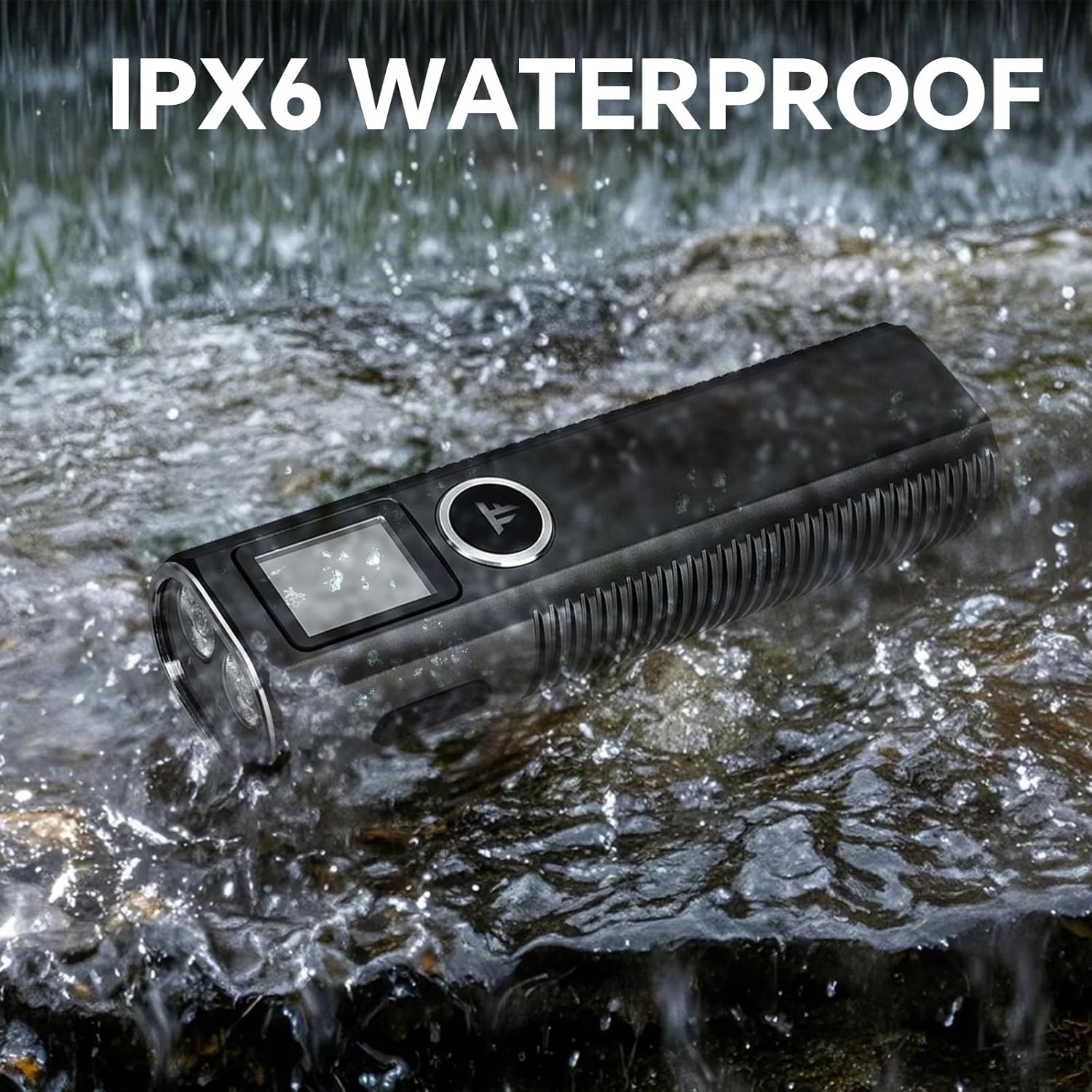
Image: The TrustFire Mini X7 flashlight being exposed to water splashes, demonstrating its IPX6 waterproof rating.
Depanaj
| Pwoblèm | Kòz posib | Solisyon |
|---|---|---|
| Flach pa limen. | Low battery; Incorrect mode selection. | Charge the battery; Ensure the side toggle is in the "Lighting Mode" (middle position). |
| Distance meter not working. | Incorrect mode selection; Obstruction to laser. | Ensure the side toggle is in the "Distance Meter Mode" (bottom position); Ensure a clear path for the laser. |
| Lekti distans ki pa egzak. | Unstable surface; Incorrect measurement reference. | Place the device on a stable surface or use the magnetic base; Verify the measurement reference setting (Pre Datum/Post Datum). |
| Aparèy pa chaje. | Faulty cable or power source; Charging port obstruction. | Try a different USB-C cable and power source; Check charging port for debris. |
Espesifikasyon
| Karakteristik | Detay |
|---|---|
| Mak | TrustFire |
| Modèl | MINIX7 |
| Blan klète | 750 Lumen (Max) |
| Kalite sous limyè | dirije |
| Materyèl | Aliminyòm |
| Sous pouvwa | Batri Powered (Ityòm Ion) |
| Kapasite batri | 1 batri ityòm Ion (enkli) |
| Distance Measurement Range | 0.03 a 30 mèt |
| Mezi Precision | ± 2mm |
| Nivo rezistans dlo | IPX6 |
| Rezistans enpak | Jiska 1 mèt |
| Dimansyon pwodwi | 1.18"D x 1.38"W x 4.72"H |
| Pwa atik | 0.66 liv (10.56 ons) |
| Tanperati Koulè | 5700 Kelvin |
Garanti ak sipò
For warranty information and customer support, please refer to the official TrustFire websit la oubyen kontakte revandè w la. Kenbe resi acha w la pou reklamasyon garanti.
You can visit the official TrustFire store on Amazon for more information: TrustFire Store