
Pwodwi souview
The LC-dolida Sleep Mask with Bluetooth Headphones is designed to provide a comfortable and immersive sleep experience. It features 100% light blocking, enhanced Bluetooth 5.4 connectivity, and a comfortable design suitable for various sleeping positions.
- 100% Light Blocking: The mask's design ensures complete light blockage for undisturbed sleep.
- Enhanced Bluetooth 5.4 Connectivity: Offers a wider connection range of up to 15 meters and an extended battery life of up to 15 hours. Features thinner speakers for comfort, especially for side sleepers.
- Cloud-Like Comfort: Constructed with a cool, silky exterior and an ultra-soft air cotton interior for a refreshing feel.
- Stable in Any Sleep Position: The extra-large design with a wide semi-wraparound head and extended Velcro strip ensures a secure, pressure-free fit.
- Itilizasyon versatile: Ideal for nighttime sleep, office naps, business trips, and travel.
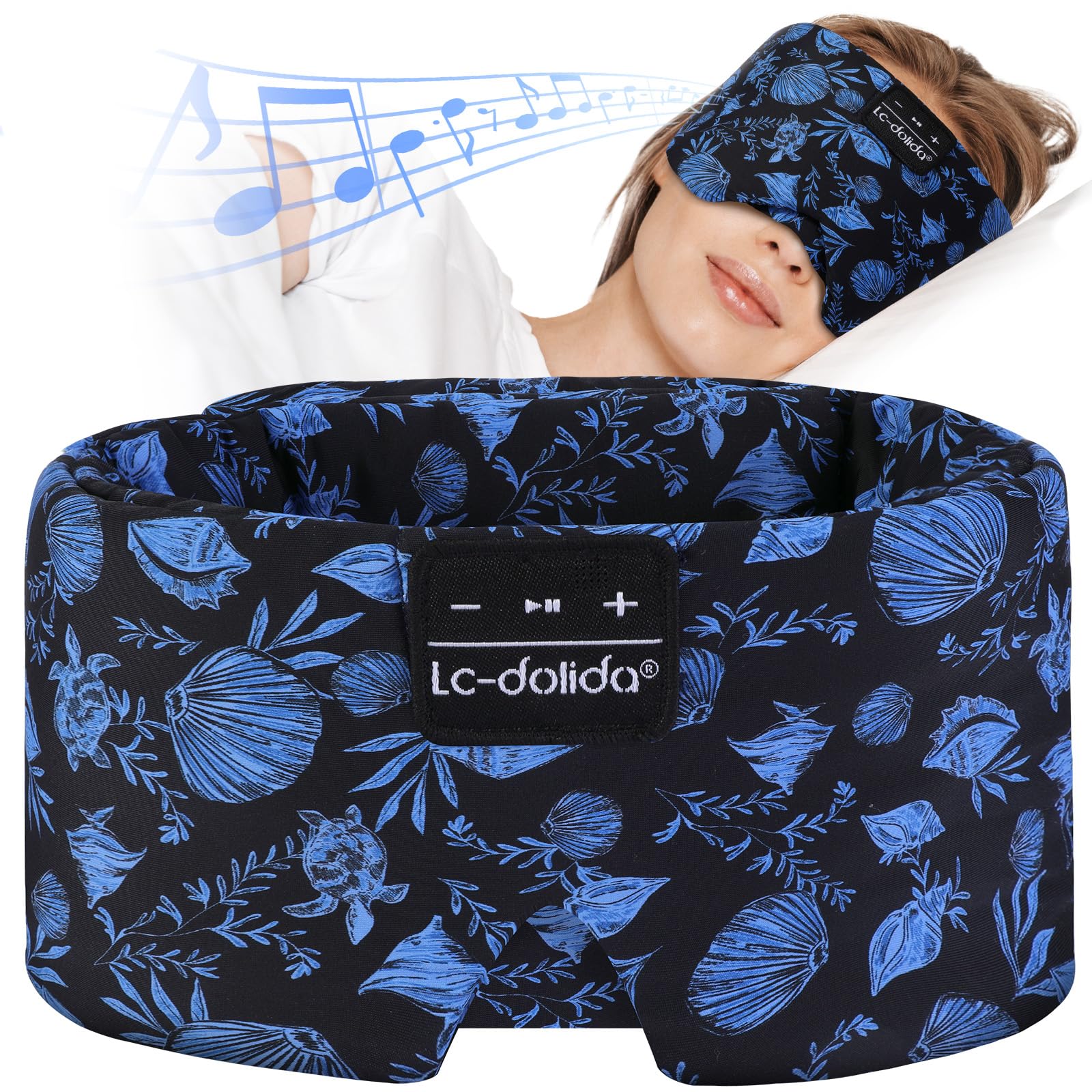
Figure 1: LC-dolida Sleep Mask with Bluetooth Headphones.
Enstriksyon Enstalasyon
1. Chaje Aparèy la
Before initial use, fully charge the sleep mask. Connect the provided charging cable to the charging port located on the control panel of the mask. A full charge typically takes approximately 2 hours and provides up to 15 hours of playback time.
2. Pè Bluetooth
- Ensure the sleep mask is charged.
- Press and hold the power button on the control panel until the indicator light flashes, indicating pairing mode.
- Sou aparèy ou an (telefòn entelijan, tablèt, elatriye), aktive Bluetooth epi chèche aparèy ki disponib yo.
- Select "LC-dolida Sleep Mask" from the list to connect. The indicator light will turn solid when successfully paired.

Figure 2: Bluetooth 5.4 connectivity and battery life.
3. Ajiste Fit la
Place the sleep mask over your eyes. Use the adjustable Velcro strap at the back of the head to achieve a snug yet comfortable fit. Ensure the mask blocks all light without applying excessive pressure to your eyes or face. The semi-wraparound design and deeper V-shape at the nose are engineered for optimal light blocking and comfort.

Figure 3: Proper fit for 100% light blocking.
4. Speaker Positioning
The thin speakers inside the mask can be gently adjusted within their pockets to align with your ears for optimal sound and comfort, especially for side sleepers.
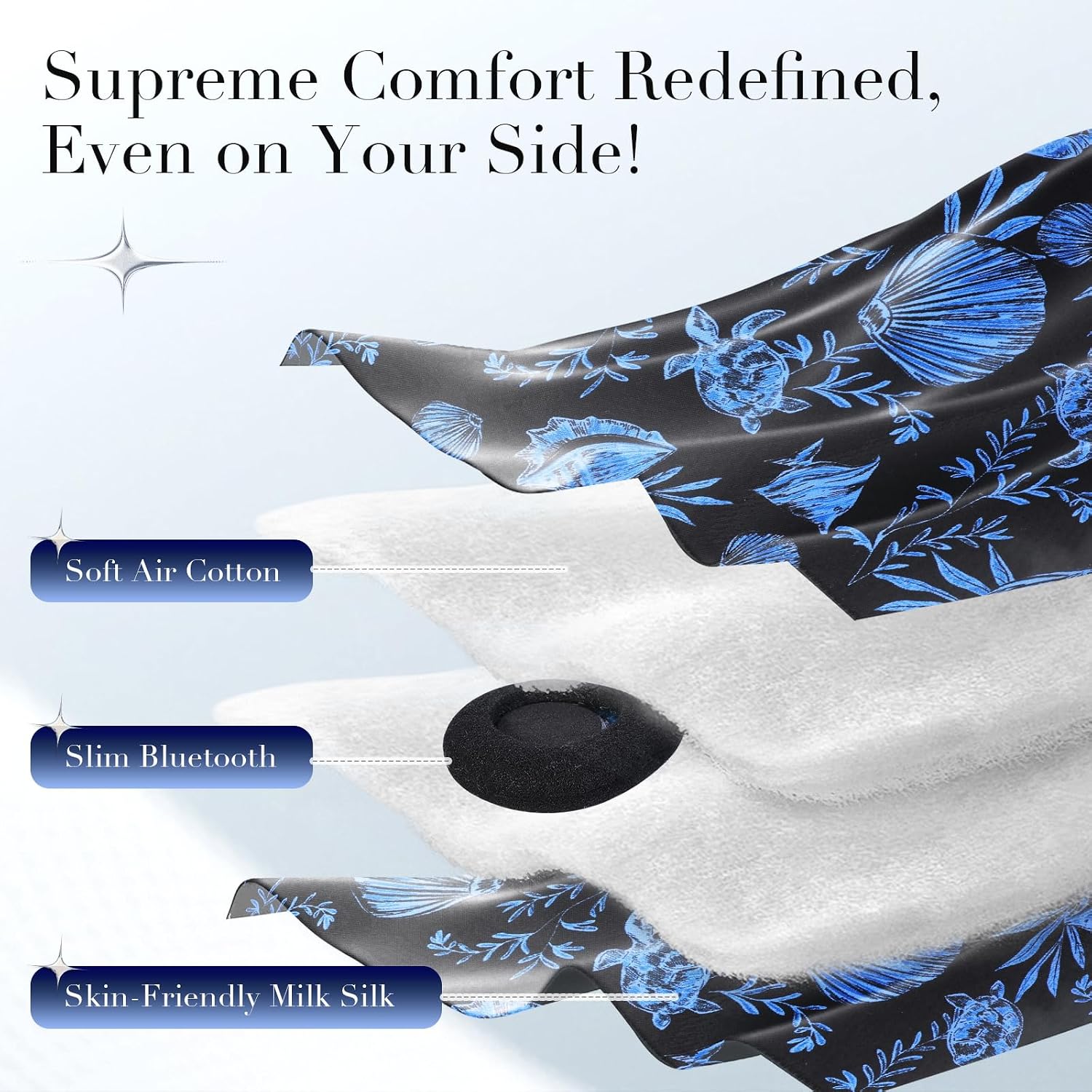
Figure 4: Internal layers and speaker placement.
Enstriksyon Operasyon
Fonksyon Panel Kontwòl
The control panel, typically located on the front of the mask, allows you to manage audio playback and calls.
- Limen/Etenyen: Press and hold the power button (usually the middle button) for 3 seconds.
- Jwe/Poz: Kout peze bouton pouvwa a.
- Volim moute: Peze bouton "+" la yon ti kras.
- Volim desann: Peze bouton "-" la yon ti moman.
- Pwochen Track: Peze bouton "+" la pandan yon bon bout tan.
- Track Previous: Peze bouton "-" la pandan yon bon bout tan.
- Reponn/Fen Apèl: Short press the power button during an incoming call.
- Rejte apèl: Long press the power button during an incoming call.

Figure 5: Sleep mask with visible control panel and adjustable strap.
Using for Sleep and Relaxation
Once connected, you can play soothing music, podcasts, or white noise from your paired device to aid in relaxation and sleep. The mask's design ensures comfort throughout the night, regardless of your sleeping position.
Video 1: Demonstration of the Soft Silk Bluetooth Sleep Mask features and comfort.
Videyo 2: Detaye sou lòt bò aview of the Extra Large Silk Sleep Mask with Bluetooth Headphones.
Antretyen
Enstriksyon netwayaj
To maintain the hygiene and longevity of your sleep mask, follow these cleaning steps:
- Remove Electronics: Carefully open the Velcro closure on the inside of the mask and remove the Bluetooth module and speakers.
- Lave men sèlman: Hand wash the fabric portion of the mask in cold water with a mild detergent. Do not machine wash or tumble dry.
- Sèch lè: Lay the mask flat to air dry completely before reinserting the electronic components.
- Remonte: Once dry, carefully place the speakers and Bluetooth module back into their designated pockets and secure the Velcro closure.

Figure 6: Cleaning process for the sleep mask.
Enfòmasyon sou Sekirite
- Lave men sèlman.
- Not suitable for children without adult supervision.
- May contain allergens.
- Pa sèvi ak li si ou gen difikilte pou respire oswa si ou retire mask la poukont ou.
Depanaj
Pwoblèm koneksyon Bluetooth
- Mask not appearing in device list: Ensure the mask is charged and in pairing mode (indicator light flashing). Turn off and on your device's Bluetooth.
- Koneksyon an koupe souvan: Ensure the mask is within the 15-meter range of your device. Avoid obstacles that may interfere with the signal.
Pa gen son oswa volim ki ba
- Tcheke nivo volim yo: Adjust volume on both the mask (using "+" button) and your connected device.
- Speaker positioning: Gently adjust the speakers inside the mask to ensure they are aligned with your ears.
- Re-pair device: Dekonekte epi re-konekte koneksyon Bluetooth la.
Uncomfortable Fit or Light Leakage
- Adjust Velcro strap: Loosen or tighten the Velcro strap at the back of the mask to find a comfortable and secure fit.
- Reposition mask: Ensure the mask is centered over your eyes and the nose flap is properly seated to block all light.
Espesifikasyon
| Karakteristik | Detay |
|---|---|
| Non mak | LC-dolida |
| Modèl | Sleep Mask with Bluetooth Headphones |
| Bluetooth vèsyon | 5.4 |
| Koneksyon Range | Jiska 15 mèt |
| Lavi batri | Jiska 15 èdtan |
| Tan pou chaje | Apeprè 2 èdtan |
| Kalite Materyèl | Art Silk, Milk Silk, Air Cotton |
| Kalite Fèmen | Hook and Loop (Velcro) |
| Swen pwodwi | Lave men sèlman |
| Dimansyon pake | 5.2 x 3.43 x 3.35 pous |
| Pwa atik | 5.93 ons |
Enfòmasyon sou Garanti
LC-dolida products are covered by a limited one-year warranty from the date of purchase. This warranty covers manufacturing defects and workmanship. It does not cover damage caused by misuse, accidents, unauthorized modifications, or normal wear and tear. Please retain your proof of purchase for warranty claims.
Sipò pou Kliyan
For any questions, technical assistance, or warranty claims, please contact LC-dolida customer support through the retailer's platform where you purchased the product or visit the official LC-dolida websit pou enfòmasyon kontak.
Nou angaje nou pou nou bay yon sèvis kliyan ekselan epi asire satisfaksyon ou ak pwodwi nou yo.