
1. Entwodiksyon
This manual provides essential information for setting up, operating, maintaining, and troubleshooting your GIGABYTE AORUS Elite 16 BWH gaming laptop. The AORUS Elite 16 BWH is designed for high-performance gaming and demanding applications, featuring an Intel Core Ultra 9 processor, NVIDIA GeForce RTX 5070 laptop GPU, a 16-inch WQXGA 165Hz display, and Windows 11 Pro.
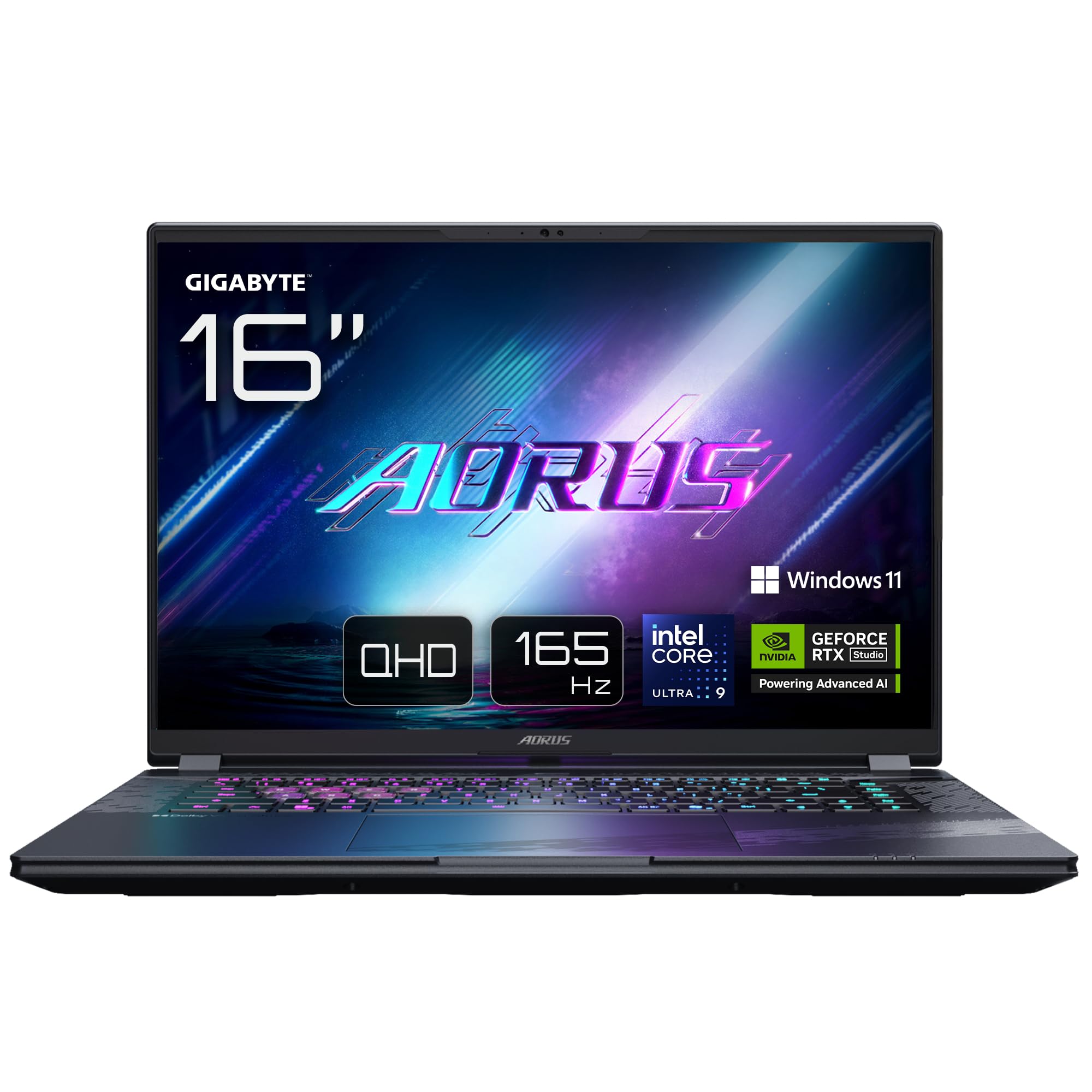
Image: The GIGABYTE AORUS Elite 16 BWH gaming laptop, showcasing its open display and keyboard.
2. Enstalasyon
2.1 Debale ak Premye Enspeksyon
Carefully remove the laptop and all accessories from the packaging. Verify that all components listed in the "What's in the Box" section are present and undamaged.
- GIGABYTE AORUS ELITE 16 BWHC3FRC65SP Laptop
- Adaptè pouvwa ak kab
- Dokimantasyon (manyèl sa a, kat garanti)
2.2 Konekte pouvwa
Connect the power adapter to the laptop's power input port and then plug the power cable into an electrical outlet. It is recommended to fully charge the battery before initial use.
2.3 Premye Limen
Press the power button to turn on the laptop. Follow the on-screen instructions to complete the Windows 11 Pro setup process, including language selection, network connection, and user account creation.
2.4 Connecting Peripherals and Network
The laptop features various ports for connecting external devices and networks.
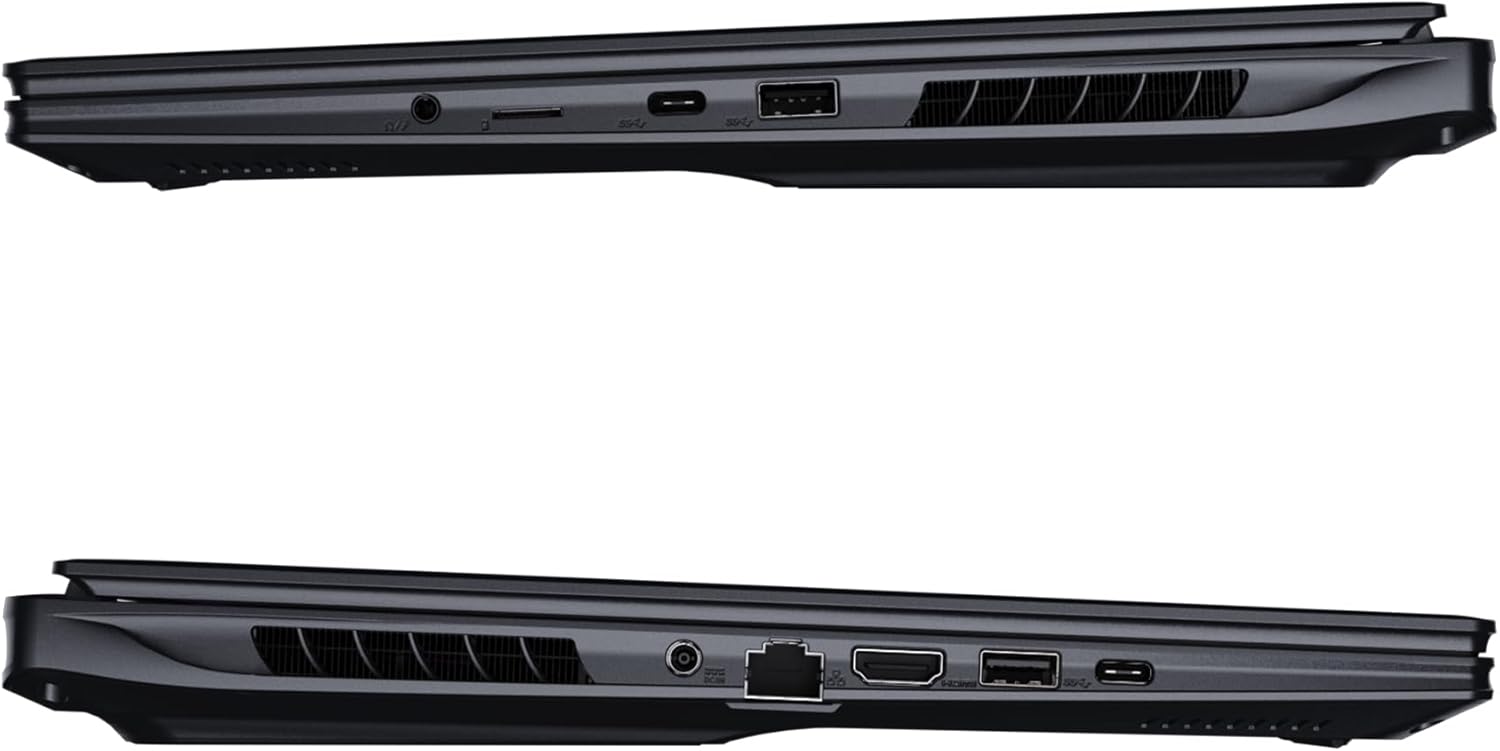
Imaj: Bò kote view of the laptop illustrating the available ports for connectivity.
- Pò USB: Konekte aparèy USB tankou sourit, klavye, oswa depo ekstèn.
- HDMI Port: Connect to an external display or TV.
- Thunderbolt 4 Port: For high-speed data transfer and display output.
- Ethernet Port: Pou koneksyon rezo filaire.
- Kas ekoutè Jack: Pou pwodiksyon odyo nan kas ekoutè oswa oratè ekstèn.
- Wi-Fi 7: Connect to wireless networks via the integrated Wi-Fi 7 module.
- Bluetooth 5.4: Konekte ak aparèy ki gen Bluetooth.
3. Kijan pou itilize òdinatè pòtab ou a
3.1 Ekspozisyon Karakteristik
Your AORUS Elite 16 BWH features a 16-inch WQXGA (2560x1600) IPS display with a 165Hz refresh rate and 16:10 aspect ratio, offering a wide viewing experience. It supports Dolby Vision for enhanced visual quality and is Pantone validated for color accuracy.

Image: The laptop's 16:10 aspect ratio display, highlighting its IPS panel and Pantone validation.
3.2 Klavye ak Touchpad
The laptop is equipped with a backlit keyboard for comfortable typing in various lighting conditions and a responsive touchpad for navigation.
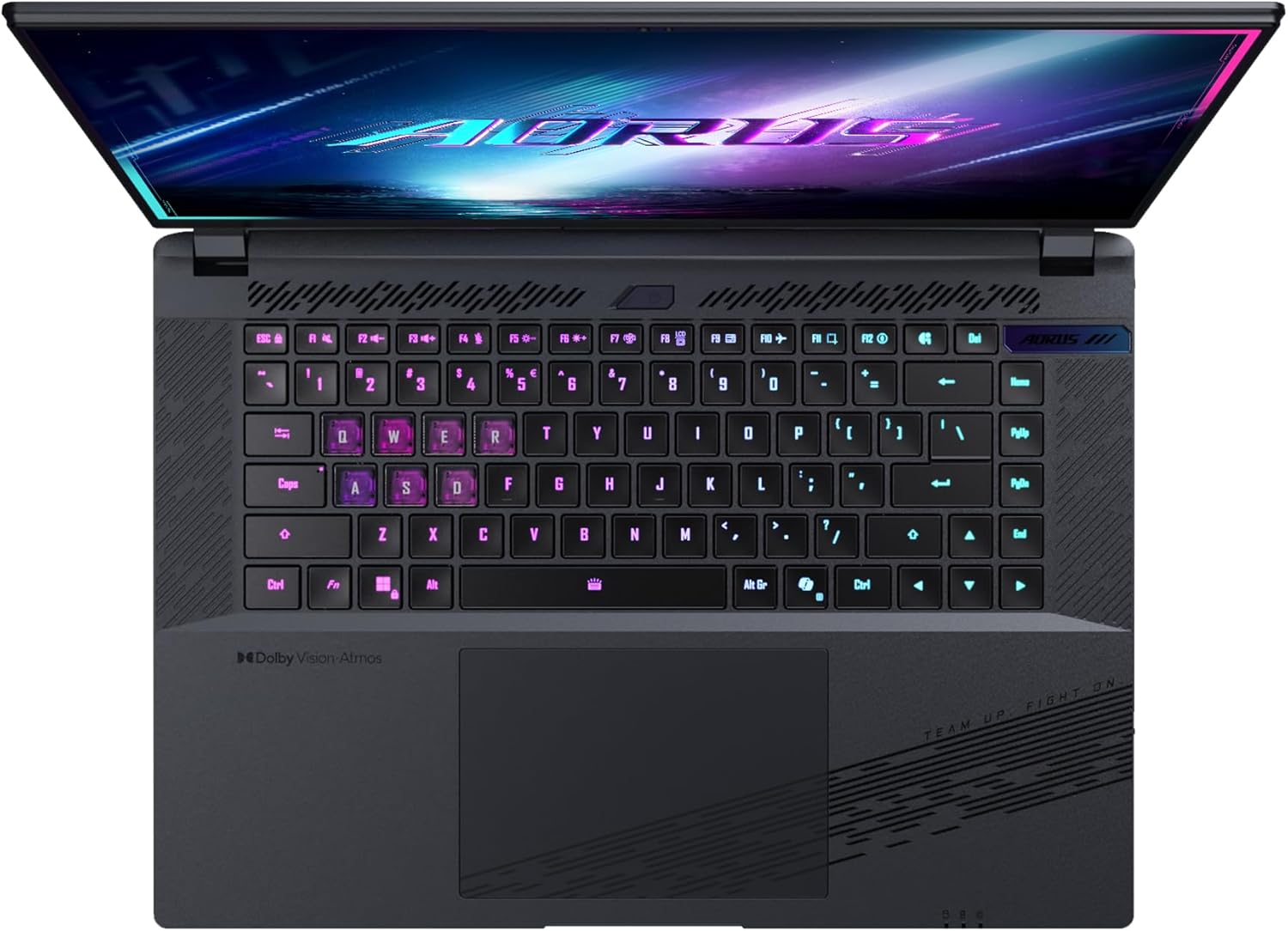
Imaj: Anwo-anba view klavye laptop la, montreasing its backlit keys.
The keyboard also features a dedicated Copilot Key for quick access to AI functionalities in Windows 11.

Image: Close-up of the keyboard, highlighting the Copilot Key for AI features.
3.3 Sistèm Audio
Experience immersive audio with Dolby Atmos support and integrated 2W speakers. The laptop also includes a built-in microphone for communication.

Image: Visual representation of Dolby Atmos and Dolby Vision audio and visual enhancements.
3.4 Karakteristik Pèfòmans
The AORUS Elite 16 BWH is powered by an Intel Core Ultra 9 processor with an integrated NPU for AI acceleration and an NVIDIA GeForce RTX 5070 laptop GPU, ensuring high performance for gaming and demanding tasks. It also features Advanced Optimus with DDS Technology for optimized graphics performance.

Imaj: Yon imaj detaye view of the Intel Core Ultra 9 processor chip.
Imaj: Yon imaj detaye view of the NVIDIA GeForce RTX 50 Series laptop GPU chip.
3.5 GiMATE AI Agent
Utilize GiMATE, your personal AI agent, to optimize performance, manage smart cooling, enhance privacy, control power settings, and improve audio and voice functionalities.

Image: GiMATE AI Agent interface showing various optimization features.
4. Antretyen
4.1 Sistèm refwadisman
The laptop features the WINDFORCE Infinity cooling system to maintain optimal temperatures during intensive use. Ensure the vents are clear of obstructions to allow proper airflow.

Image: Representation of the WINDFORCE Infinity cooling system.
4.2 Netwayaj
Sèvi ak yon twal mou ki pa gen pousyè pou netwaye ekran an ak sifas ekstèn yo. Pou mak ki difisil pou retire,ampRense twal la yon ti kras avèk dlo oswa yon solisyon pou netwaye ekran. Evite pwodui chimik ki agresif.
4.3 Swen Batri
To prolong battery life, avoid extreme temperatures and do not leave the laptop fully charged or fully discharged for extended periods.
4.4 Mizajou lojisyèl
Regularly update your Windows operating system, drivers, and GIGABYTE software to ensure optimal performance and security.
NAN. Depanaj
5.1 Pwoblèm pouvwa
- Laptop la pa limen: Ensure the power adapter is securely connected and the outlet is functional. Check the battery charge level.
- Batri pa chaje: Verifye adaptè kouran an ak kab la pa domaje. Eseye yon lòt priz kouran.
5.2 Pwoblèm ekspozisyon
- Pa gen ekspozisyon: Connect an external monitor to check if the issue is with the laptop's screen. Ensure the laptop is powered on.
- Ekspozisyon an ap tranble oswa li defòme: Mizajou chofè grafik yo. Tcheke koneksyon kab ekran an si w ap itilize yon monitè ekstèn.
5.3 Pwoblèm koneksyon
- Wi-Fi a pa konekte: Check if Wi-Fi is enabled in Windows settings. Restart your router and laptop.
- Aparèy Bluetooth la pa konekte: Asire w aparèy la an mòd koneksyon epi li nan zòn li. Mete ajou chofè Bluetooth yo.
5.4 Pwoblèm Pèfòmans Jeneral
- Pèfòmans ralanti: Close unnecessary applications. Check for malware. Ensure sufficient free disk space.
- Surchof: Ensure cooling vents are clear. Use the laptop on a hard, flat surface.
Pou pwoblèm ki pi konplèks, gade sipò GIGABYTE la. websit oswa kontakte sèvis kliyan.
6. Espesifikasyon
| Karakteristik | Detay |
|---|---|
| Mak | GIGABYTE |
| Non modèl | AORUS ELITE 16 BWHC3FRC65SP |
| Gwosè ekran | 16 pous |
| Koulè | Gri |
| Gwosè Disk Difisil | 2000 GB (2x 1TB SSD Gen4) |
| Modèl CPU | Intel Core Ultra 9 275HX |
| Gwosè RAM enstale a | 32 GB DDR5 |
| Sistèm operasyon | Windows 11 Pro |
| Karakteristik espesyal | Backlit Keyboard, Memory Card Slot |
| Deskripsyon kat grafik | Dedye |
| Koprosesè grafik | NVIDIA GeForce RTX 5070 |
| Hard Disk Technology | SSD |
| Pwa atik | 2300 gram |
| WebKapasite kamera | Yes (Frontal) |
| Gwosè RAM Kat Grafik | 8 GB GDDR6 |
| Maksimòm RAM Sipòte | 64 GB |
| Kontni enèji batri a | 99 Watt-hours (Lithium-polymer, 4 cells) |
| Koneksyon | Bluetooth 5.4, Ethernet (10/1000 Mbit/s), HDMI (1 port), Thunderbolt 4 (1 port), USB 3.2 Gen 2 (2 ports), Wi-Fi 7 (802.11.be) |
| Vitès processeur | 2.7 GHz (Max 5.4 GHz) |
| Kantite processeurs | 24 |
| Rezolisyon ekran | 2560 x 1600 piksèl (WQXGA) |
| Kalite ekspozisyon | IPS LCD |
| Karakteristik odyo | Dolby Atmos, 2x 2W Integrated Speakers, Integrated Microphone |
7. Enfòmasyon sou Garanti
Your GIGABYTE AORUS Elite 16 BWH laptop comes with a 2-ane garanti limite. This warranty covers manufacturing defects and hardware malfunctions under normal use. Please retain your proof of purchase for warranty claims. For detailed terms and conditions, refer to the warranty card included with your product or visit the official GIGABYTE websit.
8. Sipò
For technical assistance, driver downloads, and further product information, please visit the official GIGABYTE support websit la. Ou kapab jwenn tou FAQ ak fowòm kominotè la.
- GIGABYTE Ofisyèl Websit: www.gigabyte.com
- Sèvis Kliyan: Refer to your regional GIGABYTE websit pou enfòmasyon kontak lokal yo.