
1. Entwodiksyon
This manual provides detailed instructions for the setup, operation, maintenance, and troubleshooting of your NIMO Mini PC Desktop, Model DNB1. Please read this manual thoroughly before using the device to ensure proper functionality and to maximize your user experience. Keep this manual for future reference.

Image 1.1: The NIMO Mini PC Desktop DNB1, a compact and powerful computing device.
2. Ki sa ki nan bwat la
Carefully unpack your NIMO Mini PC Desktop and verify that all items listed below are included:
- NIMO Mini PC Desktop (DNB1)
- Manyèl Itilizatè (dokiman sa a)
- Mounting Bracket
- Adaptè pouvwa

Image 2.1: Contents of the NIMO Mini PC Desktop packaging, including the Mini PC, user manual, VESA mount, and power adapter.
3. Pwodwi souview
The NIMO Mini PC Desktop DNB1 is designed for versatility and performance. Familiarize yourself with its various ports and features.
3.1. Front and Rear Panel Interfaces

Imaj 3.1: Detaye view of the NIMO Mini PC Desktop DNB1's interfaces, including USB, HDMI, LAN, Type-C, and power ports.
- Pò DC-IN: Konekte ak adaptè pouvwa a.
- Pò USB 3.2 Kalite-A (x3): For connecting peripherals such as keyboards, mice, and external storage devices.
- Pò HDMI 2.0 (x2): For connecting to displays, supporting up to 4K resolution.
- Pò LAN (Gigabit Ethernet): Pou koneksyon rezo filaire.
- Pò odyo: Pou konekte kas ekoutè oswa oratè ekstèn.
- Type-C Port (Multifunction): Supports data transfer and display output.
- Lektè kat SD: Pou li ak ekri sou kat memwa SD.
- Bouton pouvwa: Pou vire aparèy la sou oswa etenn.
- Bouton Reyajiste: To restart the device.
4. Gid Enstalasyon
Follow these steps to set up your NIMO Mini PC Desktop.
4.1. Koneksyon Inisyal
- Konekte periferik: Connect your keyboard, mouse, and any other USB devices to the available USB 3.2 ports.
- Connect Display(s): Connect your monitor(s) to the HDMI 2.0 ports. The Mini PC supports up to three 4K displays simultaneously.
- Konekte Rezo a (Si ou vle): For a wired internet connection, connect an Ethernet cable to the LAN port. For wireless, ensure your WiFi network is available during initial setup.
- Konekte pouvwa: Branche adaptè kouran an nan pò DC-IN ki sou Mini PC a, answit branche adaptè a nan yon priz kouran.
4.2. Enstalasyon Mòn VESA
Sipò VESA ki enkli a pèmèt ou tache Mini PC a nan do yon monitè konpatib oswa sou yon miray, sa ki ekonomize espas sou biwo a.
- Attach the VESA bracket to the back of your monitor using the provided screws. Ensure the monitor has VESA mounting holes (typically 75x75mm or 100x100mm).
- Slide the NIMO Mini PC Desktop onto the mounted bracket until it clicks securely into place.
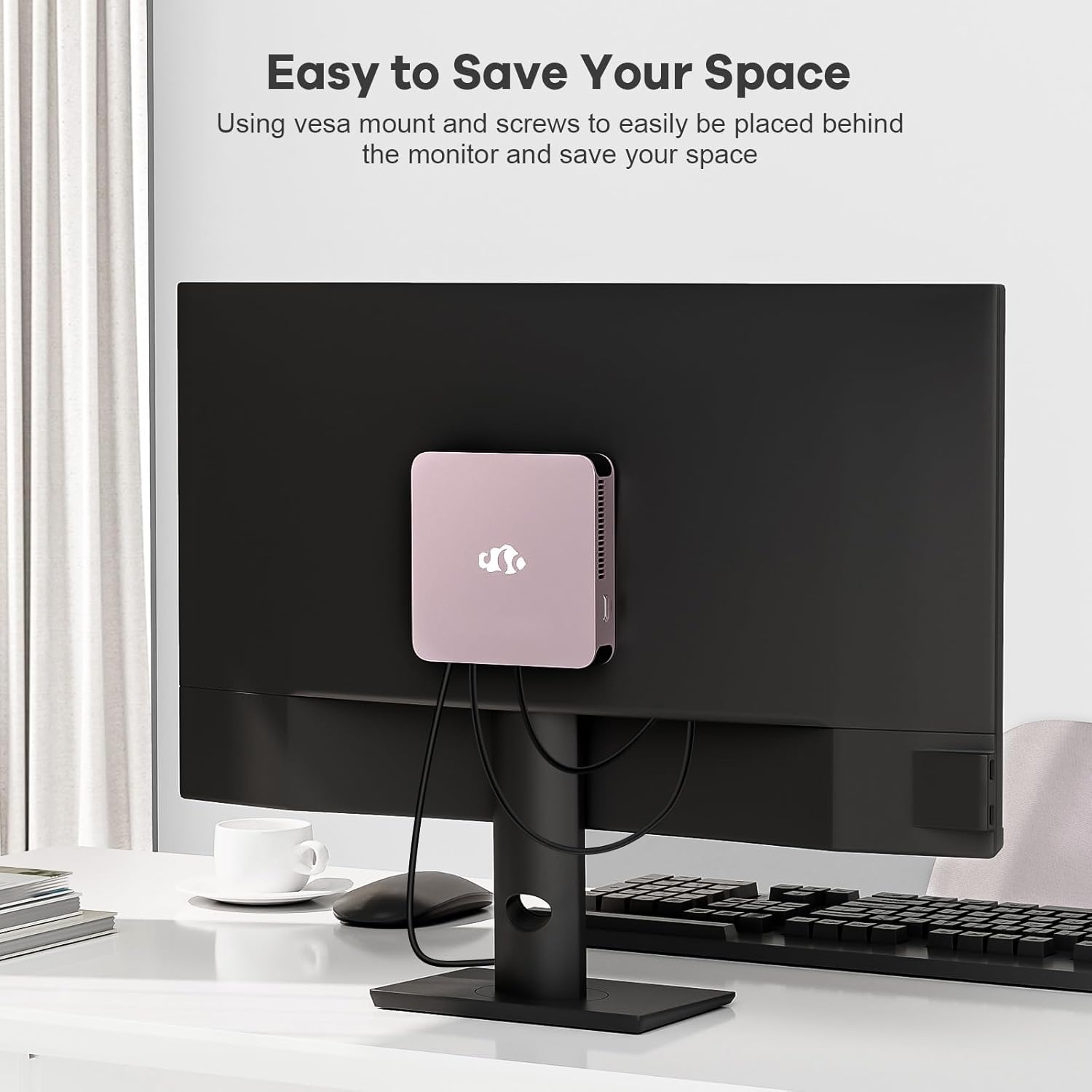
Image 4.1: The NIMO Mini PC Desktop DNB1 mounted on the back of a monitor using the VESA bracket, demonstrating space-saving placement.
5. Operasyon Enstriksyon
5.1. Powering On / Off
- Pou limen: Press the Power Button once. The power indicator light will illuminate.
- Pou etenn: From the operating system, select 'Shut Down'. Alternatively, press and hold the Power Button for 5-7 seconds to force a shutdown (use only when necessary).
5.2. Premye Demaraj ak Enstalasyon Windows 11
Upon first power-on, the system will guide you through the Windows 11 setup process. Follow the on-screen prompts to configure language, region, network, and user accounts.
5.3. Konekte ak rezo
- Koneksyon filaire: If an Ethernet cable is connected to the LAN port, the system will automatically detect and connect to the wired network.
- Wireless Connection (WiFi 6): Access the network settings in Windows 11, select your desired WiFi network, and enter the password.
- Bluetooth Connection (Bluetooth 5.2): Enable Bluetooth in Windows 11 settings, search for devices, and pair with your Bluetooth peripherals.
5.4. Using Multiple Displays
The NIMO Mini PC supports up to three 4K displays. Connect your monitors to the available HDMI and Type-C ports. Windows 11 display settings allow you to extend, duplicate, or show only on one display.

Image 5.1: The NIMO Mini PC Desktop DNB1 supporting a triple monitor 4K display setup, enhancing productivity and multimedia experiences.
6. Antretyen
Bon antretyen asire lonjevite ak pèfòmans optimal Mini PC ou a.
- Netwayaj: Use a soft, dry cloth to clean the exterior of the Mini PC. For dust in vents, use compressed air. Do not use liquid cleaners directly on the device.
- Vantilasyon: Ensure the ventilation openings are not blocked to prevent overheating. Operate the device in a well-ventilated area.
- Mizajou lojisyèl: Regularly update your Windows operating system and drivers to maintain security and performance.
- Sovgad done: Detanzantan, fè kopi done enpòtan yo sou yon disk ekstèn oswa yon depo nan nwaj la.
NAN. Depanaj
Seksyon sa a adrese pwoblèm komen ou ka rankontre.
7.1. Pa gen pouvwa
- Asire w ke adaptè kouran an byen konekte ak Mini PC a ak yon priz kouran ki fonksyone.
- Verifye si priz kouran an fonksyone byen lè w branche yon lòt aparèy.
- Tcheke adaptè kouran an pou wè si li pa gen okenn domaj vizib.
7.2. Pa gen okenn rezilta ekspozisyon
- Confirm that the monitor is powered on and set to the correct input source (HDMI, Type-C).
- Check that the HDMI or Type-C cable is securely connected to both the Mini PC and the monitor.
- Eseye yon lòt kab ekran oswa monitè si ou genyen.
7.3. Pa gen koneksyon entènèt
- Branche: Ensure the Ethernet cable is properly connected and your router/modem is working.
- San fil: Check WiFi settings in Windows 11, ensure WiFi is enabled, and you are connected to the correct network with the correct password. Restart your router/modem if necessary.
7.4. Peripherals Not Responding
- Eseye konekte periferik la nan yon lòt pò USB.
- Asire w ke chofè periferik yo enstale epi yo ajou.
- Test the peripheral on another computer if possible.
8. Espesifikasyon
Detailed technical specifications for the NIMO Mini PC Desktop DNB1.
| Karakteristik | Spesifikasyon |
|---|---|
| Modèl | DNB1 |
| Processeur | Intel 12th Gen N100 (up to 3.4 GHz) |
| Nwayo / Fil | 4 Nwayo / 4 Fil |
| Grafik | Intel UHD Graphics |
| RAM | 16 GB DDR5 |
| Depo | 512 GB PCIe SSD |
| Rezolisyon ekran maksimòm | 3840x2160 piksèl (4K) |
| Ekspozisyon Sòti a | 2x HDMI 2.0, 1x Type-C (supports triple display) |
| Pò USB | 3x USB 3.2 Type-A, 1x USB Type-C |
| Rezo | Gigabit Ethernet (LAN), WiFi 6 |
| Bluetooth | Bluetooth 5.2 |
| Sistèm operasyon | Windows 11 |
| Pwa atik | 1.76 liv |
| Sous pouvwa | DC |

Image 8.1: Summary of key features including Intel 12th Gen N100 processor, 4K Ultra HD support, Bluetooth 5.2, LPDDR5, WiFi 6, and PCIe SSD.
9. Garanti ak sipò
NIMO is committed to providing excellent customer service and product reliability.
- Règleman retounen: You may request a return or exchange within 90 days of purchase.
- Sipò teknik: The NIMO Mini PC Desktop comes with 2 years of technical support. If you encounter any issues, please contact our dedicated customer support team for assistance.
For support, please refer to the contact information provided with your purchase or visit the official NIMO websit.