
Entwodiksyon
Nwa aview W50Pro Military Smart Watch is designed for durability and comprehensive functionality, suitable for various environments and activities. This manual provides essential information for setting up, operating, and maintaining your device to ensure optimal performance.
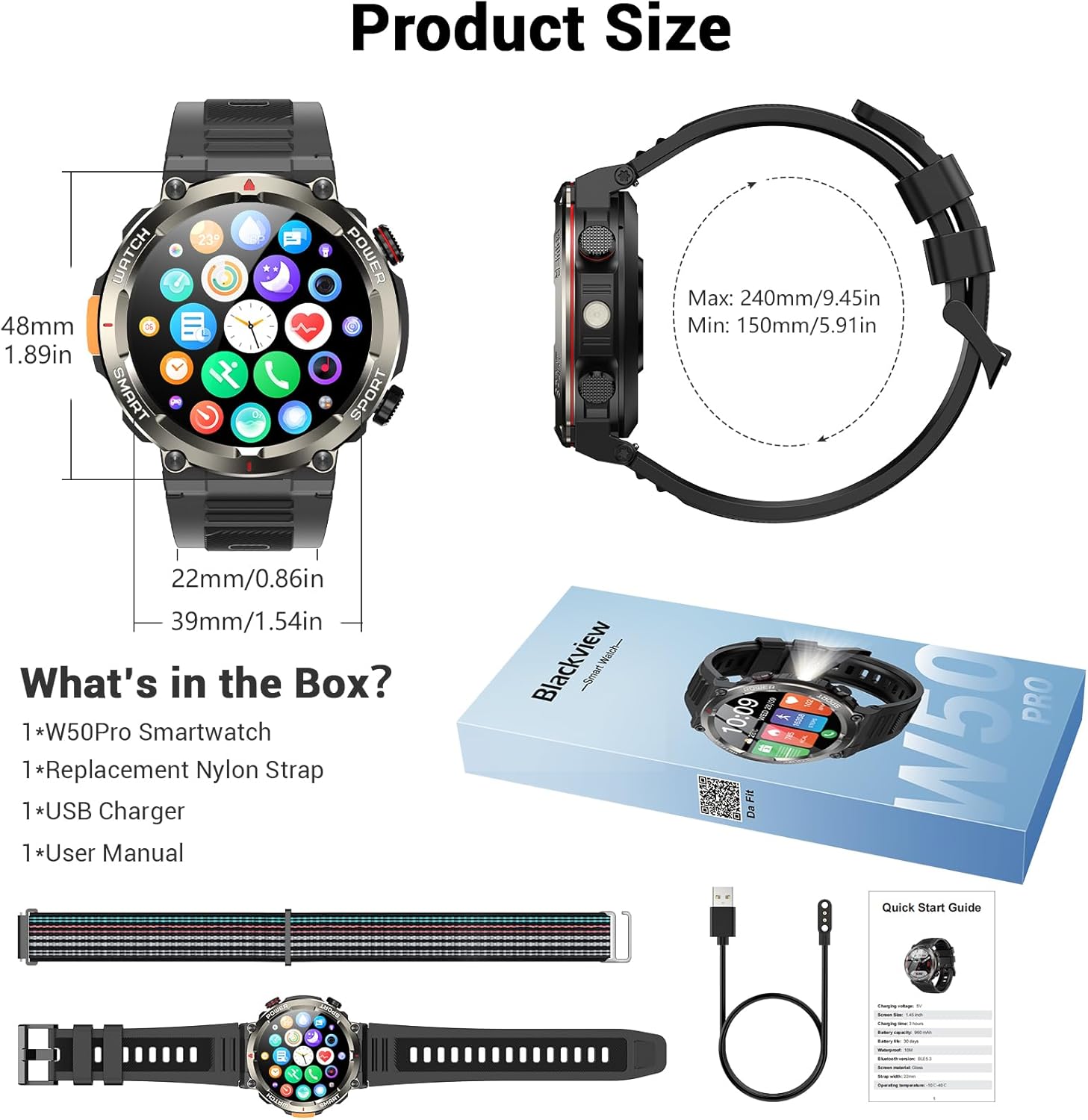
Ki sa ki nan bwat la
- Smart Watch x1
- Silicone bracelet x1
- Nylon Braided Strap x1
- Mayetik Chaje Kab x1
- Manyèl itilizatè x1
Imaj: Nwa aview W50Pro Smart Watch and its accessories, including two interchangeable straps, a magnetic charging cable, and the user manual.
Enstalasyon
1. Chaje mont entelijan an
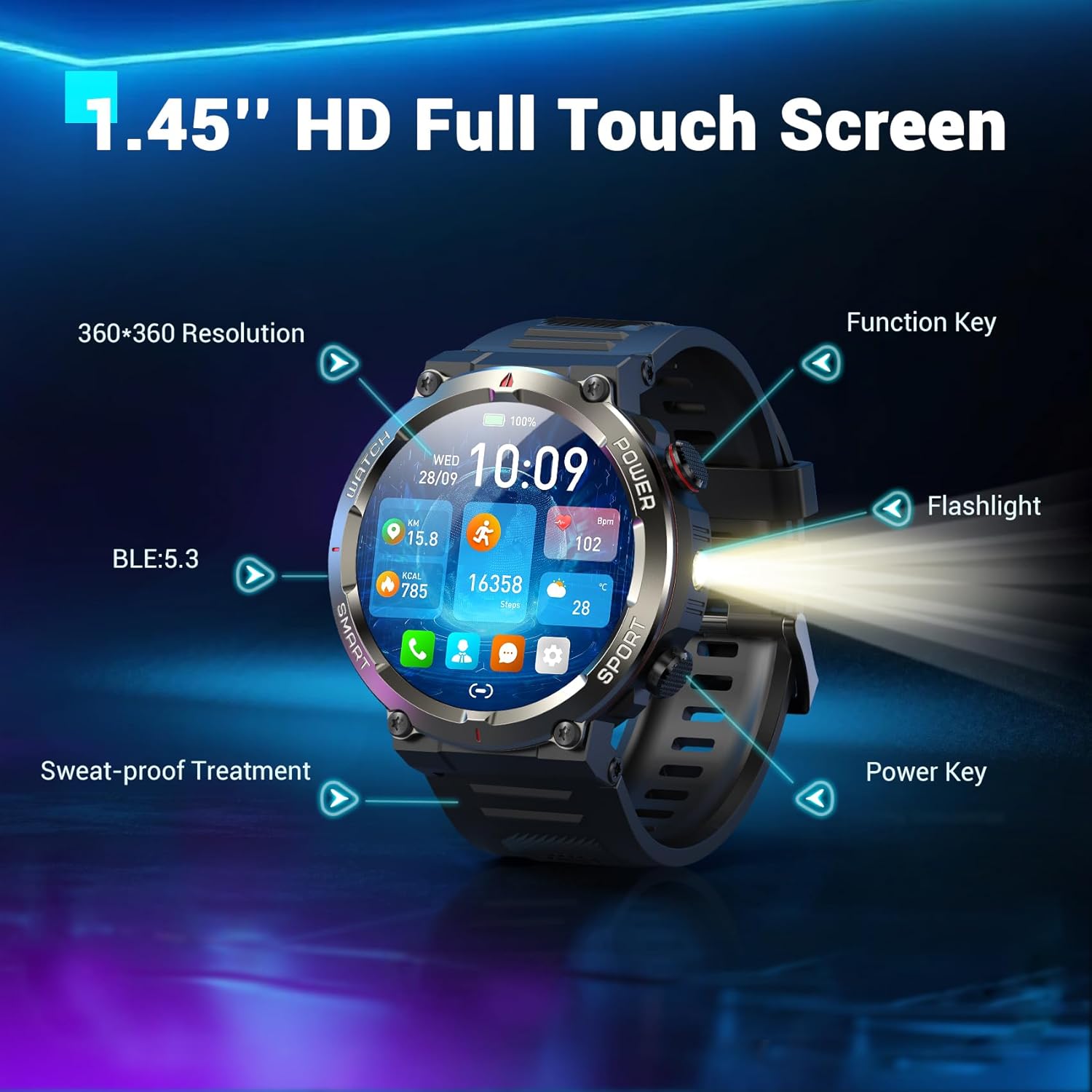
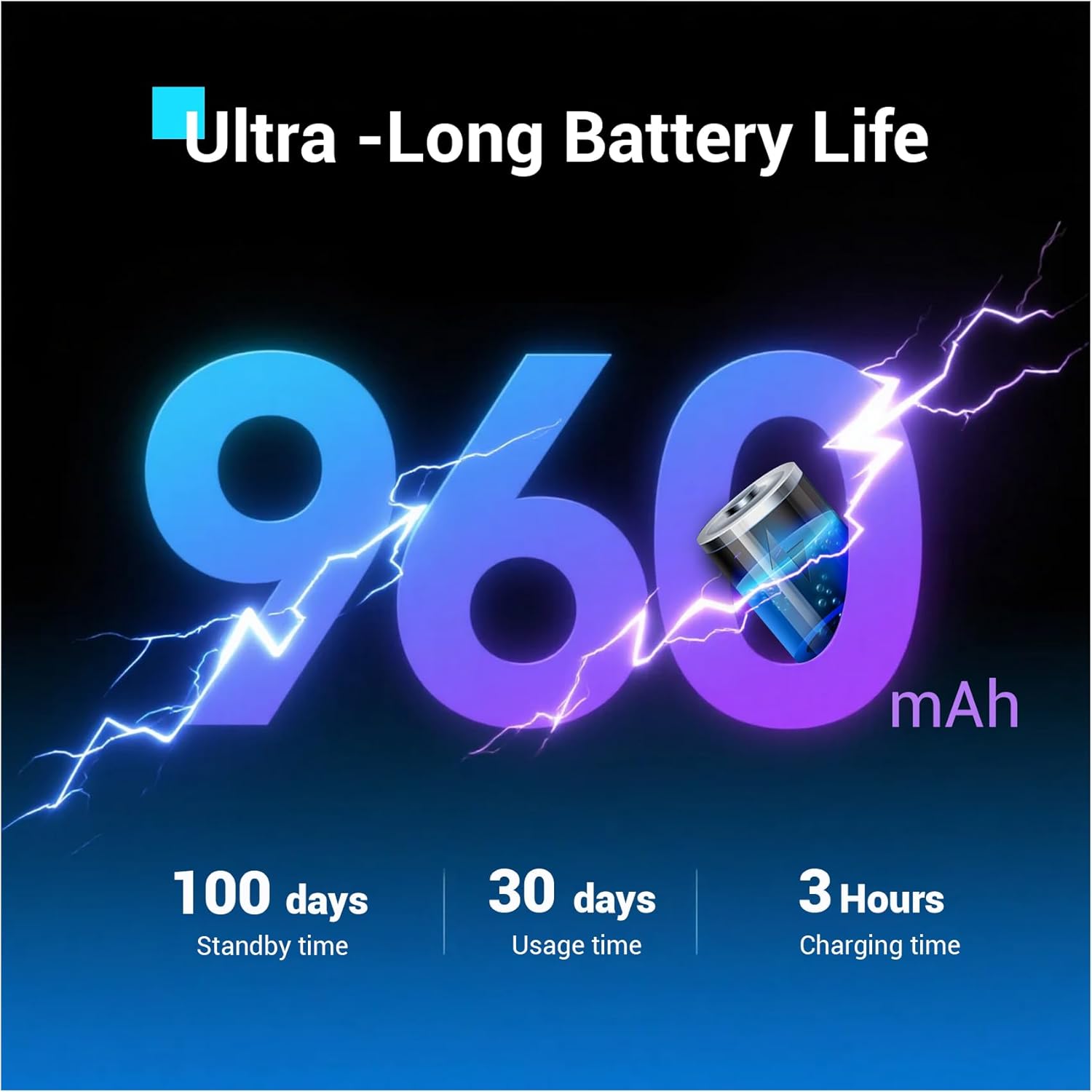
Anvan premye itilizasyon an, chaje Black ou nèt.view W50Pro Smart Watch. Connect the magnetic charging cable to the charging points on the back of the watch and plug the USB end into a compatible power source (e.g., computer USB port, USB wall adapter). The watch features a 960mAh battery, offering over 100 days of standby time and over 30 days of daily use.
Imaj: Nwa aview W50Pro Smart Watch connected to its magnetic charging cable, illustrating the charging process.
2. Telechaje aplikasyon an ak koneksyon an
To unlock the full potential of your smartwatch, download the "Da Fit" app on your smartphone. Scan the QR code provided in the user manual or search for "Da Fit" in your phone's app store (compatible with Android 6.0+ and iOS 9.0+).
Yon fwa aplikasyon an enstale:
- Pèmèt Bluetooth sou smartphone ou.
- Open the "Da Fit" app and follow the on-screen instructions to add a new device.
- Select your Blackview W50Pro (model W50Pro) from the list of available devices.
- Confirm pairing on both your phone and the smartwatch.
- Grant necessary permissions for notifications and health data tracking.
Video: A demonstration of connecting the KPEP K67A Military Smart Watch (similar model) to a smartphone via Bluetooth and the Da Fit app, showing the pairing process and initial setup steps.
3. Enstalasyon braslè a
The watch comes with two straps: a silicone strap and a nylon braided strap. To attach a strap, align the pins on the strap with the holes on the watch casing and slide the pin into place. Ensure both sides are securely fastened.
Enstriksyon Operasyon
Navigasyon
- Ekran tactile: Glise agoch, adwat, anlè, oswa anba pou navige nan meni ak fonksyon yo. Tape pou chwazi.
- Kle Fonksyon: Typically used to return to the previous screen or activate specific features.
- Kle pouvwa: Long press to power on/off. Short press to wake/sleep the screen.
Imaj: Gwo plan sou Nwa aview W50Pro Smart Watch highlighting its 1.45-inch HD full touch screen, function key, flashlight, and power key.
Customizable Montre figi
Personalize your watch face by long-pressing the screen or selecting from the "Da Fit" app. Choose from a vast online library or set personal photos as backgrounds.
Answering/Making Calls
Once paired via Bluetooth, you can answer and make calls directly from your watch. The "Da Fit" app allows you to store contacts for quick dialing. The watch also displays real-time notifications for calls and messages from various apps.
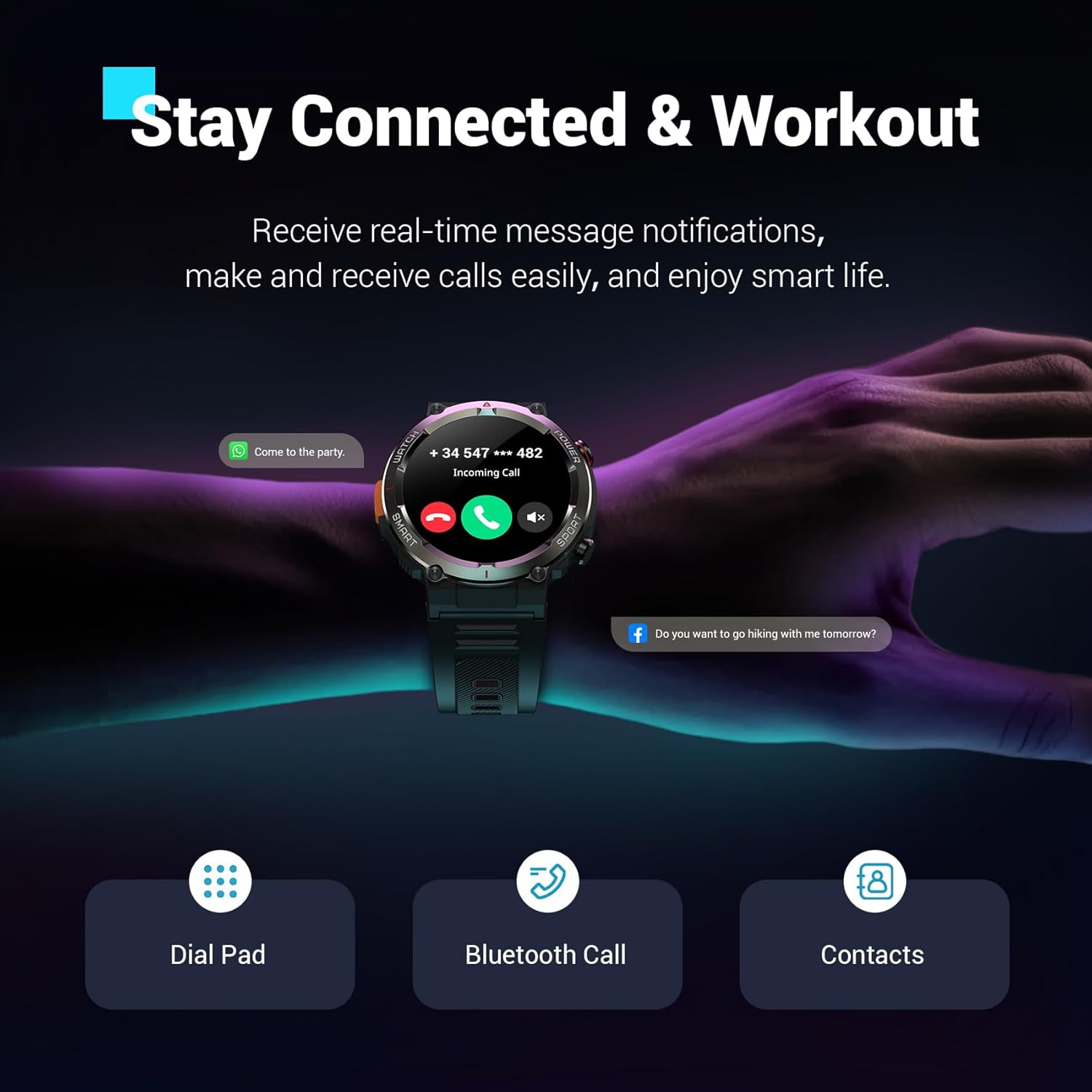
Imaj: Nwa aview W50Pro Smart Watch showing an incoming call notification and message alerts, demonstrating its communication features.
Siveyans Sante
Nwa aview W50Pro offers comprehensive health monitoring features:
- Siveyans batman kè: 24/7 real-time heart rate tracking.
- Siveyans oksijèn nan san (SpO2): Real-time blood oxygen level checks.
- Siveyans estrès: Swiv nivo estrès ou pandan tout jounen an.
- Siveyans dòmi: Records sleep time and identifies deep sleep, light sleep, and REM sleep patterns.
Nòt: This product is not a medical device. Test data is for reference only and should not be used to diagnose or monitor any medical conditions.
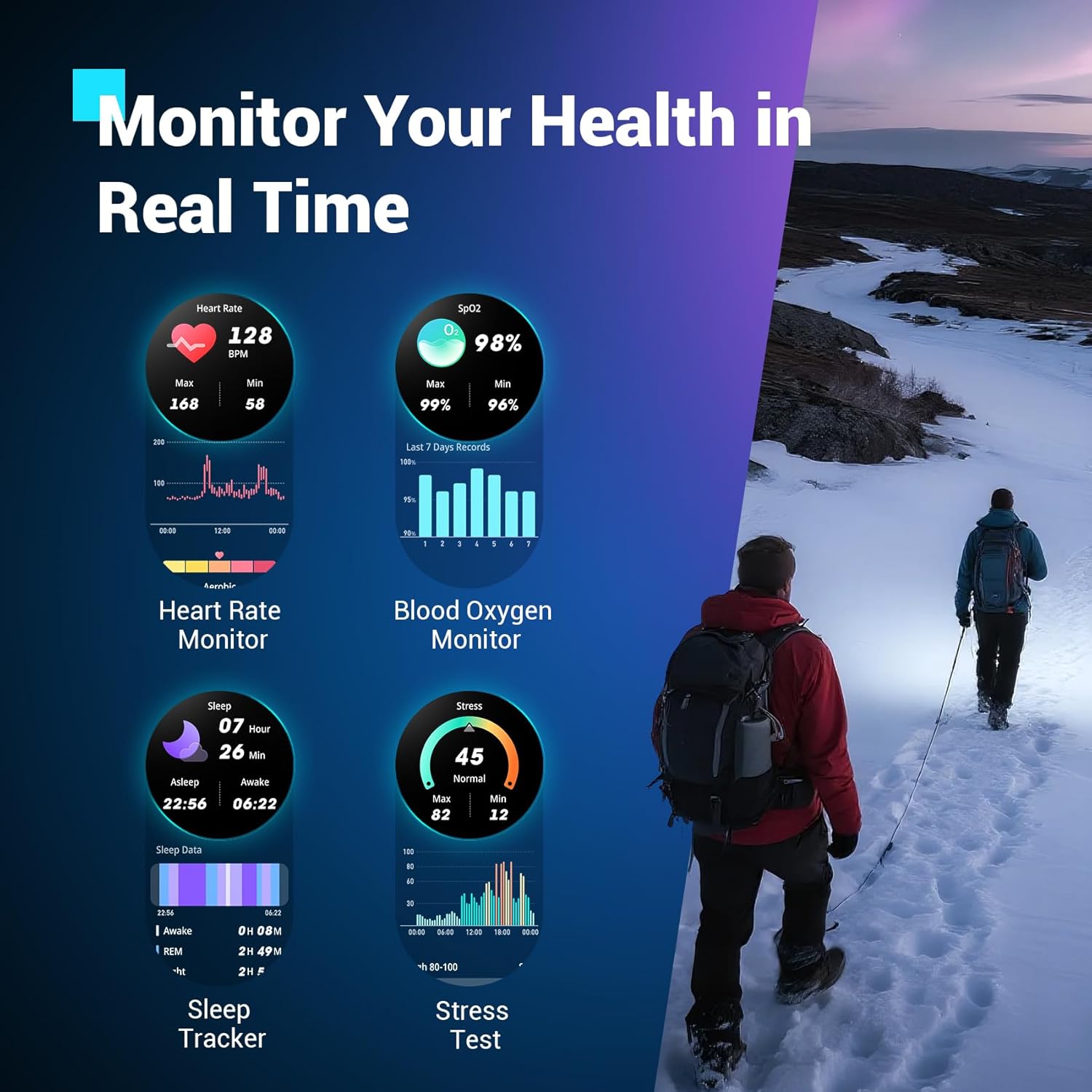
Imaj: Nwa aview W50Pro Smart Watch interface showing various health metrics including heart rate, blood oxygen, sleep data, and stress test results.
Sports Modes and GPS
The smartwatch supports over 100 sports modes, including cycling, running, basketball, rugby, skiing, and more. Connect to the "Da Fit" app via Bluetooth to track daily stats like steps, time, distance, and calories. Utilize your phone's GPS through the app to record all your training routes and fitness data.
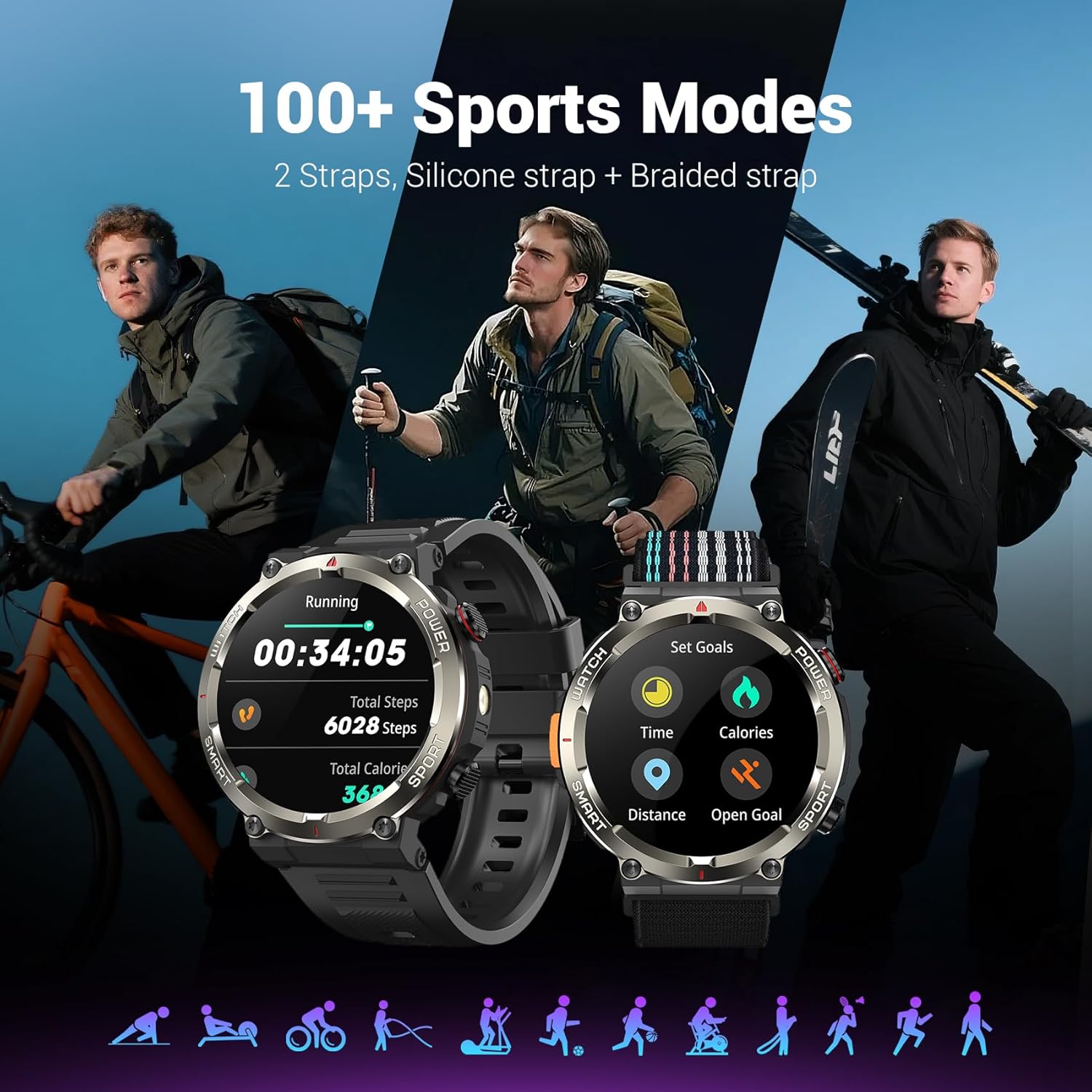
Imaj: Nwa aview W50Pro Smart Watch showcasing its 100+ sports modes, with examples of activity tracking for running and goal setting.
Karakteristik deyò
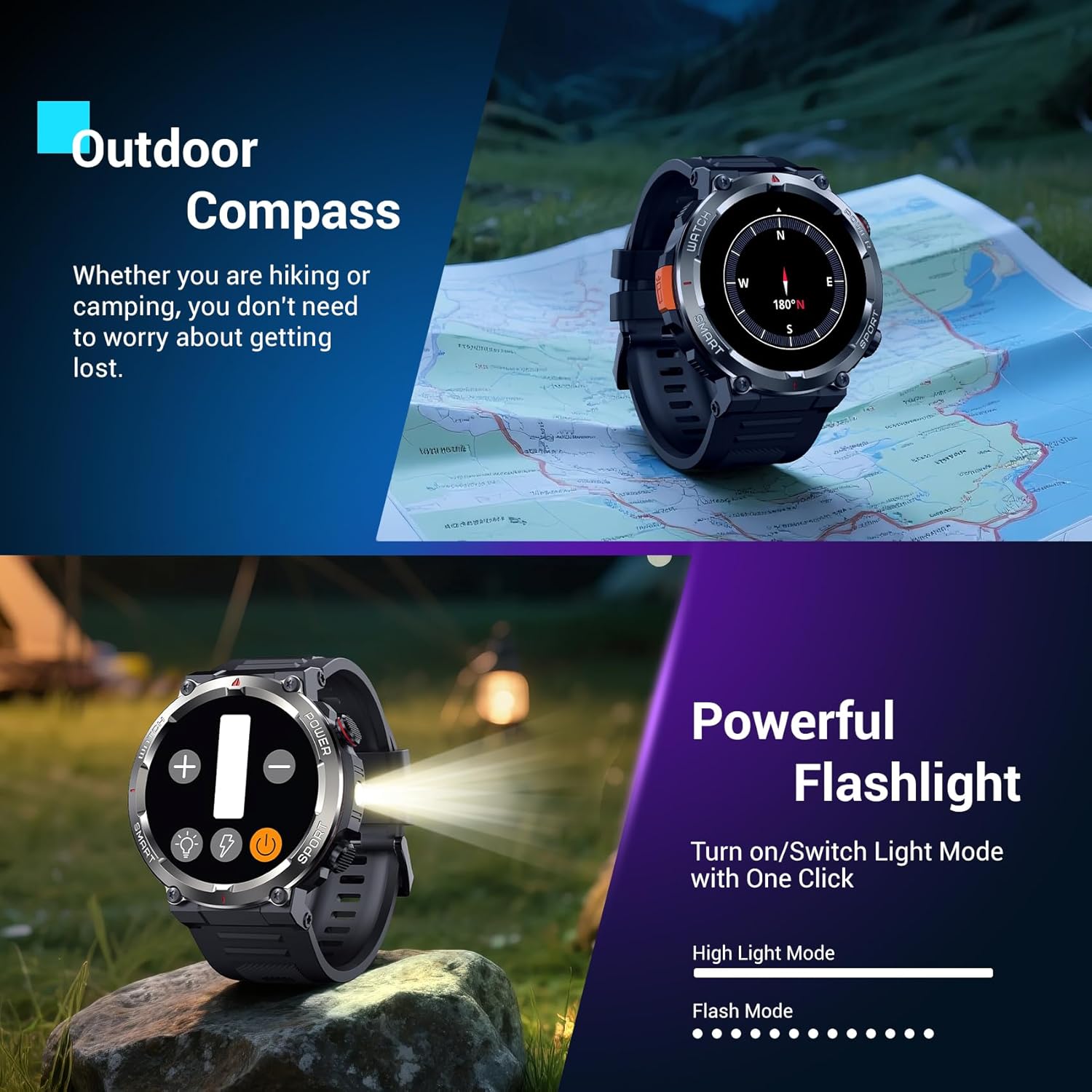
- Flach ki ap dirije: Activate the high-brightness LED flashlight with a single button for nighttime visibility or emergencies.
- Precision Compass: Navigate quickly when lost or without signal, providing essential direction for outdoor adventures.
Imaj: Nwa aview W50Pro Smart Watch highlighting its outdoor compass feature on the display and demonstrating its powerful LED flashlight in a dark environment.
More Useful Tools
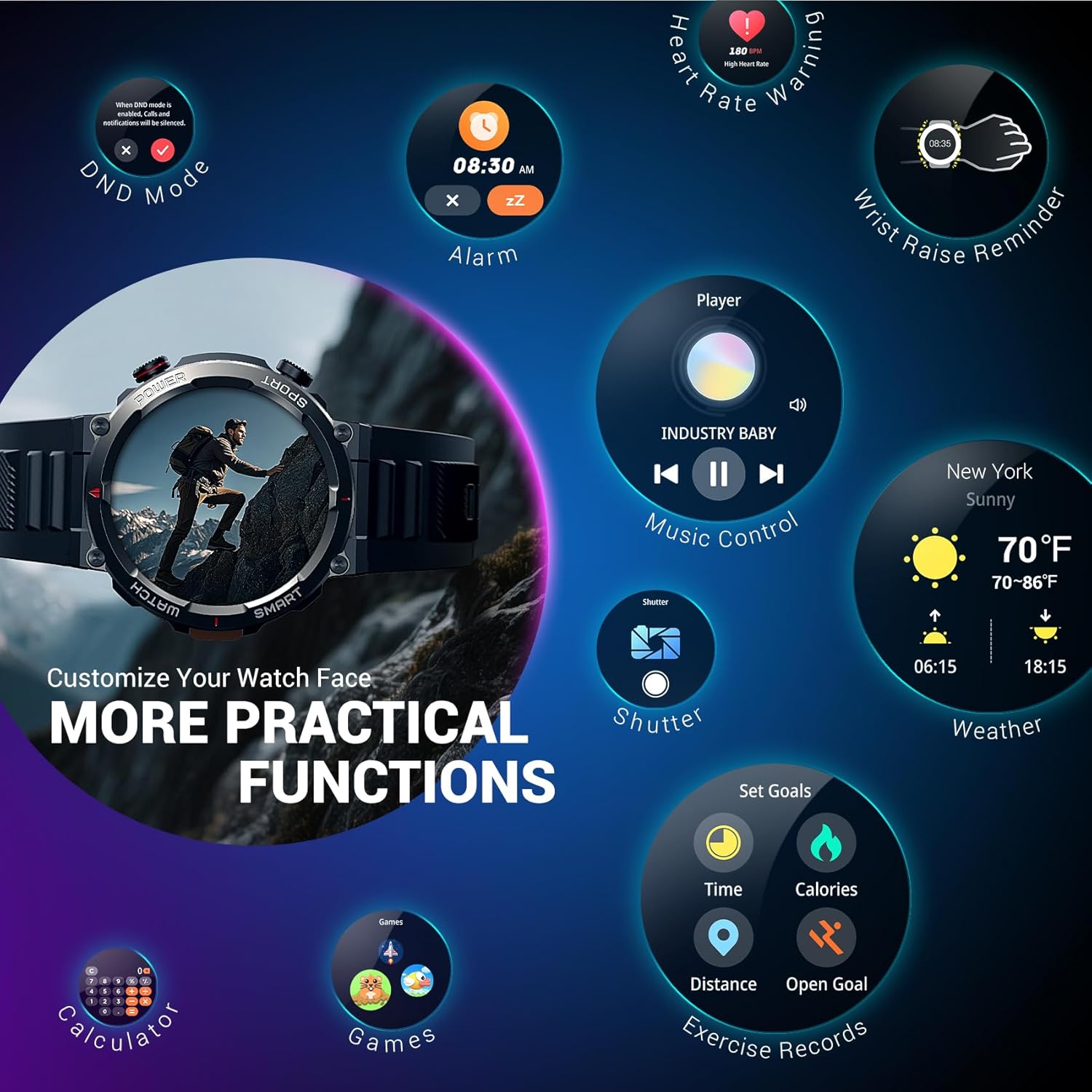
Nwa aview W50Pro includes additional practical functions:
- Kontwòl Mizik
- Kamera kontwòl
- Pwedi tan
- Revèy
- Kronomètr
- Revèy
- Kalkilatè
- Jwenn Telefòn
- Pa deranje (DND) Mode
Imaj: Nwa aview W50Pro Smart Watch screen showing icons for various practical functions such as music control, weather, calculator, and exercise records.
Durability and Waterproofing
The watch features a durable plastic case and zinc alloy housing, designed to withstand outdoor bumps, dust, and sand. It has an IP68 waterproof rating, making it safe for everyday use like hand washing or rain. However, it is not suitable for saunas, hot tubs, swimming, or diving.
Videyo: Yon ti prezantasyonview video demonstrating the IP68 waterproof rating of a KPEP smartwatch (similar model), showing it being submerged in water.
Espesifikasyon
| Dimansyon pwodwi | 7.19 x 3.5 x 0.79 pous |
| Pwa atik | 5.6 ons (0.16 kilogram) |
| Nimewo Modèl Atik | W50Pro |
| Batri | 1 A pil obligatwa (enkli) |
| Kanpe Screen Display Size | 1.45 pous |
| Kapasite Depo memwa | 1 GB |
| Gwosè memwa RAM enstale | 128 MB |
| Sistèm operasyon | Android & iOS |
| Kapasite batri | 960 Miliamp Orè |
| Koneksyon Teknoloji | Bluetooth |
| Wireless Kominikasyon Creole | Bluetooth |
| GPS | GPS Via Smartphone |
| Fòm | Round |
Antretyen
Pou asire lonjevite ak pèfòmans optimal Black ou aview W50Pro Smart Watch, follow these maintenance guidelines:
- Netwayaj: Regularly wipe the watch screen and straps with a soft, dry cloth. For stubborn dirt, use a slightly damp twal ak savon dou, apresa rense epi seche byen.
- Evite pwodwi chimik piman bouk: Do not expose the watch to strong chemicals, solvents, or detergents, as these can damage the materials.
- Chaje: Use only the provided magnetic charging cable. Avoid exposing the charging contacts to water or corrosive substances.
- Depo: Sere mont lan nan yon kote ki fre epi sèk, lwen limyè solèy dirèk ak tanperati ekstrèm.
- Ekspozisyon dlo: While IP68 waterproof, avoid prolonged submersion or exposure to high-pressure water jets. Dry the watch completely after contact with water.
Depanaj
Si ou rankontre pwoblèm ak Black ou aview W50Pro Smart Watch, try the following solutions:
- Mont lan pa limen: Asire w ke mont lan chaje nèt. Konekte l nan plato a pou omwen 30 minit.
- Pa ka konekte ak telefòn nan: Make sure Bluetooth is enabled on your phone and the watch is within range. Restart both devices and try pairing again. Ensure the "Da Fit" app has necessary permissions.
- Notifikasyon ki pa resevwa: Check app permissions on your phone and ensure notifications are enabled within the "Da Fit" app settings for specific applications.
- Done sou sante ki pa egzak: Asire w ke mont lan byen sere sou ponyèt ou, ni twò sere ni twò lach. Netwaye detèktè ki dèyè mont lan.
- Ekran an pa reponn: Restart the watch by long-pressing the power key. If unresponsive, allow the battery to drain completely and then recharge.
Garanti ak sipò
For warranty information or further support, please refer to the documentation included in your product packaging or contact Blackview customer service. Protection plans are available for purchase separately.