
SOLITY GP-6000BAK
Solity GP-6000BAK Smart Door Lock
Manyèl itilizatè
1. Entwodiksyon
The Solity GP-6000BAK Premium Smart Door Lock is designed to provide advanced security and convenient access to your home. Manufactured by Solity Korea, this digital lock integrates multiple authentication methods including 3D Face Recognition, Fingerprint, PIN Code, RFID Card, and a backup Mechanical Key. With built-in Wi-Fi and Bluetooth, it offers remote management via the Solity Smart Home App, real-time alerts, and enhanced security features like auto-lock and intrusion alarms. This manual provides essential information for setup, operation, and maintenance of your smart door lock.
2. Pwodwi Features
- Premium Korean Brand: High-end smart lock design for superior security and ease of use.
- Advanced 3D Face Recognition: Instant, touchless unlock by 3D face scan.
- Capteur anprent: High-speed biometric authentication for secure access.
- Metòd Aksè Plizyè: Supports Face ID, Fingerprint, PIN, RFID card, and mechanical key backup.
- Solity Smart Home App: Manage access, review entry logs, and control settings remotely.
- Koneksyon Wi-Fi entegre: Control the lock from anywhere without additional devices.
- Auto Lock & Intrusion Alarm: Automatic door locking and alerts for unauthorized attempts.
- Ergonomic & Durable Design: Sleek black finish with a modern, user-friendly interface.
- Internal Double Lock Function: Disables external access for enhanced security from inside.
- Electric Shock Neutralization: Pwoteksyon kont gwo voltage aparèy.

Figure 2.1: The Solity GP-6000BAK offers six authentication methods: Smart Solity App, Face Recognition, Wi-Fi, Passcode, RFID Card, Fingerprint, and Mechanical Key.
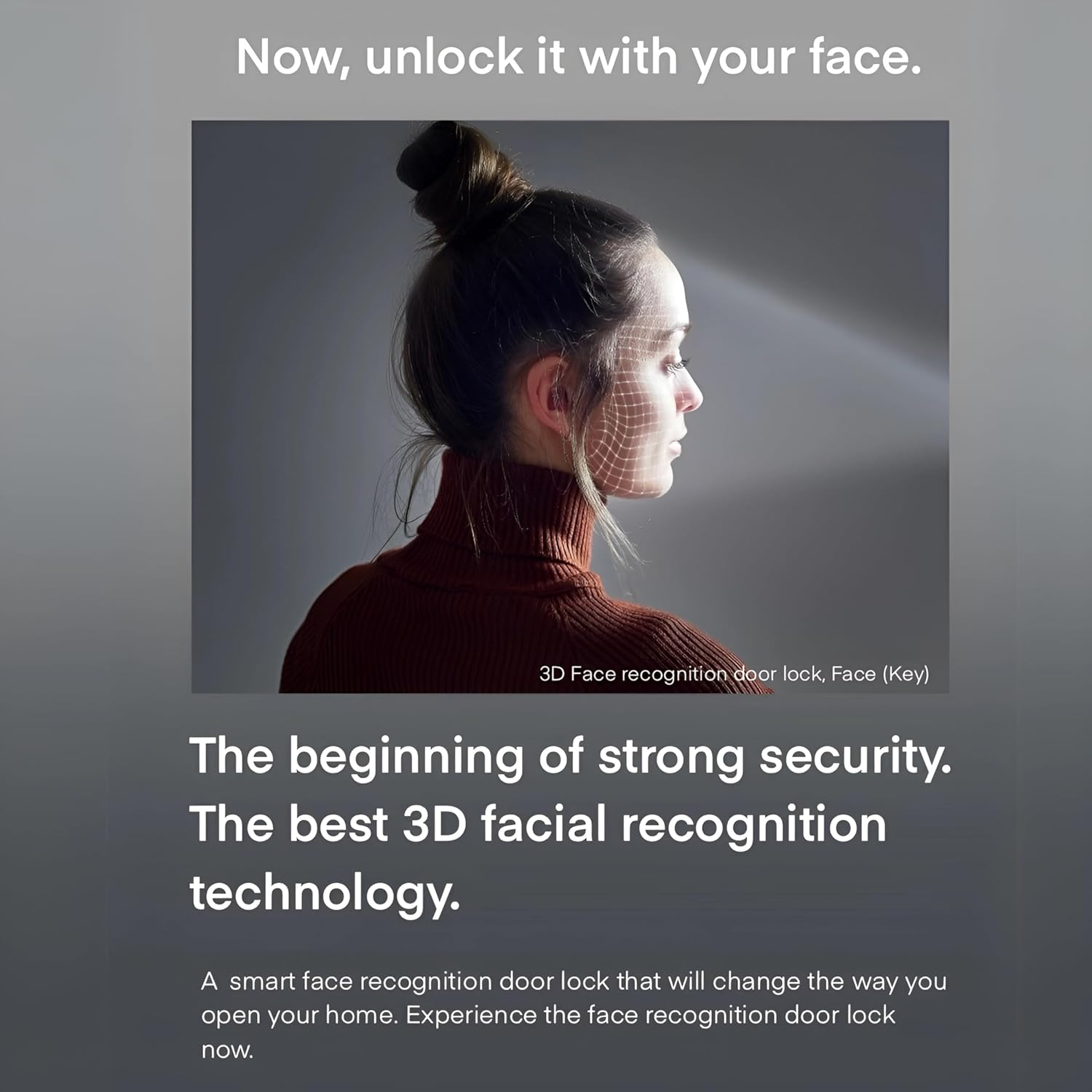
Figure 2.2: The advanced 3D facial recognition technology provides fast and secure touchless access.
3. Pake kontni
Tanpri verifye ke tout konpozan yo prezan nan pake a:
- Solity GP-6000BAK Smart Door Lock (Main Unit and Sub Unit)
- Sou entènèt jwèt Mortise Lock Kò
- Mechanical Keys (2 pcs)
- RFID Cards (Quantity may vary, typically 2 pcs)
- Installation Screws and Hardware
- Manyèl Itilizatè (dokiman sa a)

Figi 3.1: Plis paseview of the Solity GP-6000BAK Smart Door Lock and its included accessories.
4. Enstalasyon ak Enstalasyon
Professional installation is highly recommended for the Solity GP-6000BAK Smart Door Lock to ensure proper functionality and security. Refer to the detailed installation guide provided in the product packaging for step-by-step instructions.
4.1 Lis Enstriksyon Pre-Enstalasyon an
- Ensure your door meets the required thickness and backset specifications.
- Verifye tout sa ki nan pake a prezan.
- Prepare necessary tools (e.g., screwdriver, drill).
4.2 Enstalasyon batri
The lock operates on standard AA batteries. Open the battery cover on the indoor unit and insert the specified number of AA batteries, ensuring correct polarity. Replace the cover securely. A low battery warning will be indicated when replacement is needed.
4.3 Initial Setup and Registration
After physical installation, follow the on-screen prompts or refer to the quick start guide for initial setup, including setting up the master PIN code and connecting to your home Wi-Fi network via the Solity Smart Home App.
5. Operasyon Enstriksyon
5.1 Metòd pou debloke
- Rekonesans figi: Stand approximately 30-50 cm in front of the lock. The 3D face recognition sensor will scan your face and unlock the door within 1 second if a registered face is detected.
- Anprent: Place your registered finger flat on the fingerprint sensor. The lock will unlock upon successful recognition.
- Kòd PIN: Enter your registered PIN code on the keypad, followed by the '*' or '#' key (refer to specific model instructions).
- Kat RFID: Tap your registered RFID card on the card reader area of the lock.
- Kle mekanik: Nan ka ijans oswa batri a fin itilize, mete kle mekanik la nan twou kle kache a epi vire l pou debloke.
- Solity Smart Home App: Open the app, select your lock, and tap the unlock icon. Ensure your phone has an internet connection or is within Bluetooth range.
5.2 Metòd pou fèmen
- Bloke otomatik: The lock will automatically engage after a set period (configurable via app) once the door is closed.
- Manyèl bloke: Press the 'CLOSE' button on the indoor unit or use the app to manually lock the door.
5.3 Karakteristik Sekirite Sosyal
- Fake Passcode Function: Enter random numbers before or after your actual PIN code to prevent exposure of your code to onlookers.
- Intrusion and Breakage Alarm: The lock will sound an alarm if forced entry or abnormal intrusion is detected.
- Anti-Thief Function: If an incorrect password or card key is entered 5 times consecutively, an alarm will sound, and all operations will be stopped externally for 1 minute.
- Internal Double Lock Function: When activated from the inside, this function prevents external unlocking, even with a valid passcode, enhancing indoor security.

Figure 5.1: Illustrates the Fake Passcode Function and Intrusion and Breakage Alarm features.

Figure 5.2: Details on Anti-thief, Internal Double Lock, and Electric Shock Neutralization functions.
5.4 Solity Smart Home App Usage
The Solity Smart Home App allows comprehensive control and monitoring of your lock.
- Jesyon itilizatè: Add, modify, or delete user fingerprints, PINs, and RFID cards.
- Aksè mòso bwa: View yon istwa tout evènman blokaj ak deblokaj.
- Kontwòl Remote: Lock or unlock your door from anywhere with an internet connection.
- Anviwònman: Adjust auto-lock time, volume, alarm sensitivity, and Wi-Fi settings.
- Real-time Push Notifications: Receive alerts for door activity, low battery, or intrusion attempts.

Figure 5.3: The Solity Smart Home App provides comprehensive control and monitoring.
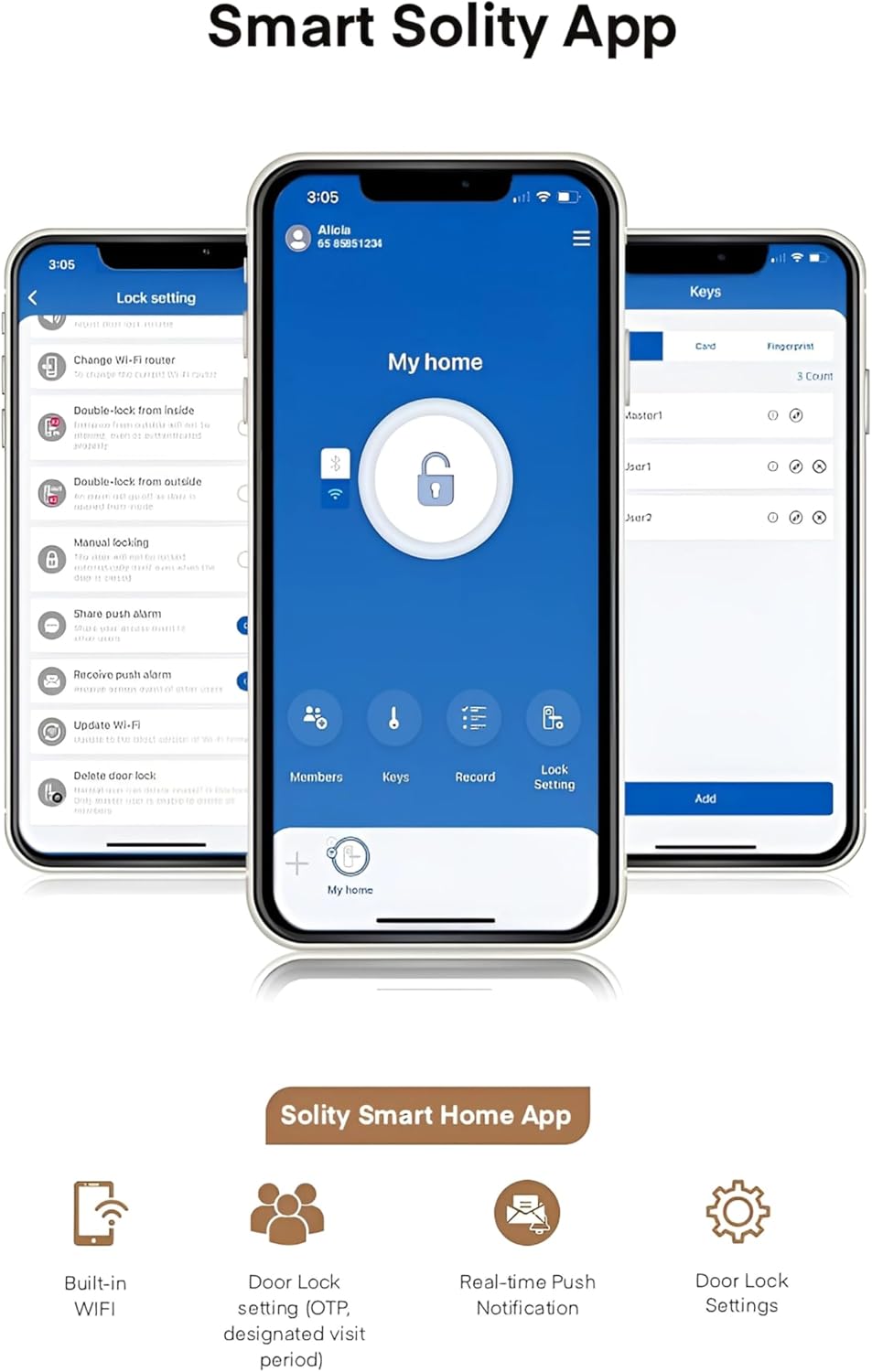
Figure 5.4: Key features of the Solity Smart Home App for enhanced smart home integration.
6. Antretyen
6.1 Ranplasman batri
When the low battery indicator appears or you receive a notification via the app, replace all batteries with new ones of the specified type (typically AA). Do not mix old and new batteries.
6.2 Netwayaj
Wipe the lock's surface with a soft, dry cloth. Avoid using abrasive cleaners, solvents, or harsh chemicals, as these can damage the finish and electronic components. Keep the fingerprint sensor and face recognition lens clean for optimal performance.
6.3 Mizajou lojisyèl
Periodically check the Solity Smart Home App for available firmware updates. Keeping your lock's software up-to-date ensures optimal performance, security, and access to new features.
NAN. Depanaj
- Kadna a pa reponn: Check battery levels and replace if necessary. Ensure the lock is properly installed and all cables are connected.
- Authentication failure (Face/Fingerprint/PIN/RFID): Ensure your credentials are correctly registered. Clean the sensor/lens. Re-register if issues persist. For PIN, ensure correct sequence and use fake passcode function if needed.
- Alam lan sonnen sanzatann: Check for physical obstructions or tampering. Review alarm settings in the app.
- Pwoblèm koneksyon aplikasyon an: Ensure your lock is connected to Wi-Fi and your phone has internet access. Restart the app or your router if necessary.
- Pòt la pa fèmen otomatikman: Verify the auto-lock setting in the app. Ensure the door sensor is not obstructed and the door closes completely.
For persistent issues, refer to the comprehensive troubleshooting guide on the Solity official websit oswa kontakte sipò kliyan.
8. Espesifikasyon
| Spesifikasyon | Detay |
|---|---|
| Mak | SOLITE |
| Nimewo Modèl | GP-6000BAK |
| Manifakti | SOLITE |
| Materyèl | Aliminyòm |
| Koulè | NWA |
| Pwa atik | 2 Kilogram |
| Dimansyon pwodwi | 2 x 9 x 38 cm |
| Karakteristik espesyal | Rekonesans figi |
| Kalite fèmen | Biometric, Smart Lock |
| Konpozan ki enkli | Smart Lock, Mortise |
| Peyi orijin | Kore di, Repiblik la |
9. Garanti ak sipò
The Solity GP-6000BAK Smart Door Lock comes with a manufacturer's warranty. Please refer to the warranty card included in your product packaging or visit the official Solity website for detailed warranty terms and conditions. For technical support, product inquiries, or service requests, please contact Solity customer service through their official channels.
Ask a question about this manual
Ask about setup, troubleshooting, compatibility, parts, safety, or missing instructions. Manuals+ will review the question and use this page’s manual context to help answer it.