
Pwodwi souview
The KAMABOKO LED Night Stand is a modern and stylish bedside table designed to enhance your living space with integrated smart features. It combines aesthetic appeal with practical functionality, offering customizable LED lighting, convenient charging solutions, and ample depo.

Figure 1: KAMABOKO LED Night Stand in a bedroom setting.
This image displays the KAMABOKO LED Night Stand in a bedroom setting, showcasing its sleek black finish and vibrant blue LED illumination. The top surface features a lamp, smartphone, and other small items, highlighting the integrated charging capabilities.
Enstalasyon ak Asanble
The KAMABOKO LED Night Stand is designed for straightforward assembly. All necessary parts are carefully labeled, and clear instructions are provided to guide you through the process. It is recommended to assemble the nightstand in the room where it will be used.
Etap asanble:
- Depake konpozan: Carefully remove all parts from the packaging and verify against the included parts list. Ensure no components are missing or damaged.
- Idantifye Materyèl: Separate and identify all screws, dowels, and other hardware using the provided labels.
- Rasanble ankadreman: Follow the step-by-step diagrams in the assembly guide to connect the main frame components.
- Enstale tiwa yo: Assemble the drawer components and install them into the designated slots within the nightstand frame.
- Konekte konpozan elektrik yo: Securely connect the LED lighting and charging station wiring as instructed. Ensure all connections are firm before plugging into a power source.
- Plasman Final: Position the assembled nightstand in your desired location.
For detailed visual instructions, please refer to the assembly guide included in your package.
Enstriksyon Operasyon
Sistèm ekleraj dirije:
The nightstand features an RGB sensor light system with three lighting modes, allowing for a customized ambiance. The lights can be controlled via the integrated control panel or the included remote control.
- Seleksyon koulè: Use the remote control or the control panel to select from 24 available colors. Slide the button on the control panel to change the color.
- Ajisteman klète: Long press the designated button on the control panel or remote to adjust the brightness of the LED lights.
- Mòd ekleraj: Cycle through the three pre-set lighting modes to suit your preference.
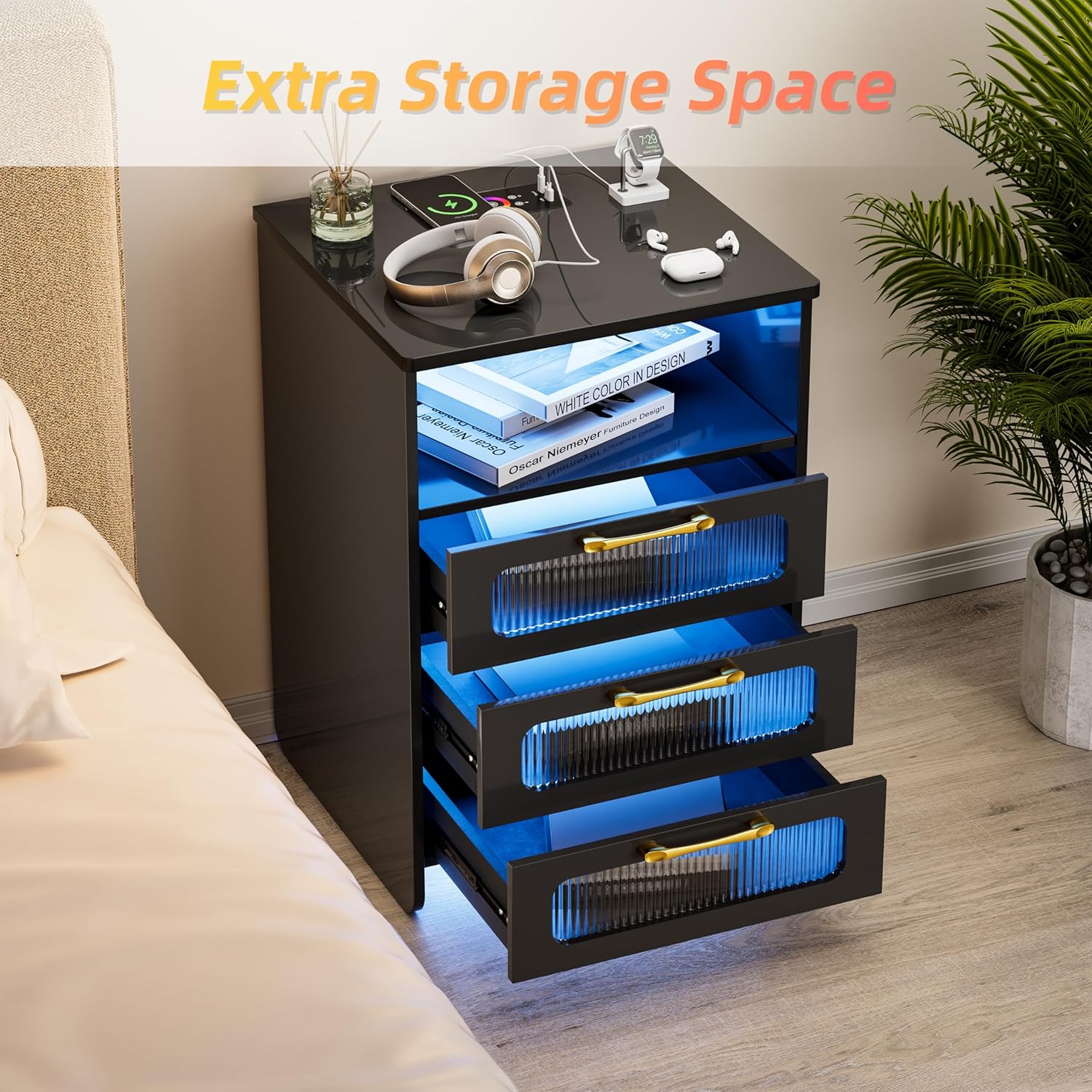
Figure 2: Remote control for LED lights.
This image illustrates the remote control functionality for the nightstand's LED lights, indicating a maximum range of 15 meters. A spectrum of 24 color dots is displayed, signifying the wide range of customizable lighting options available.
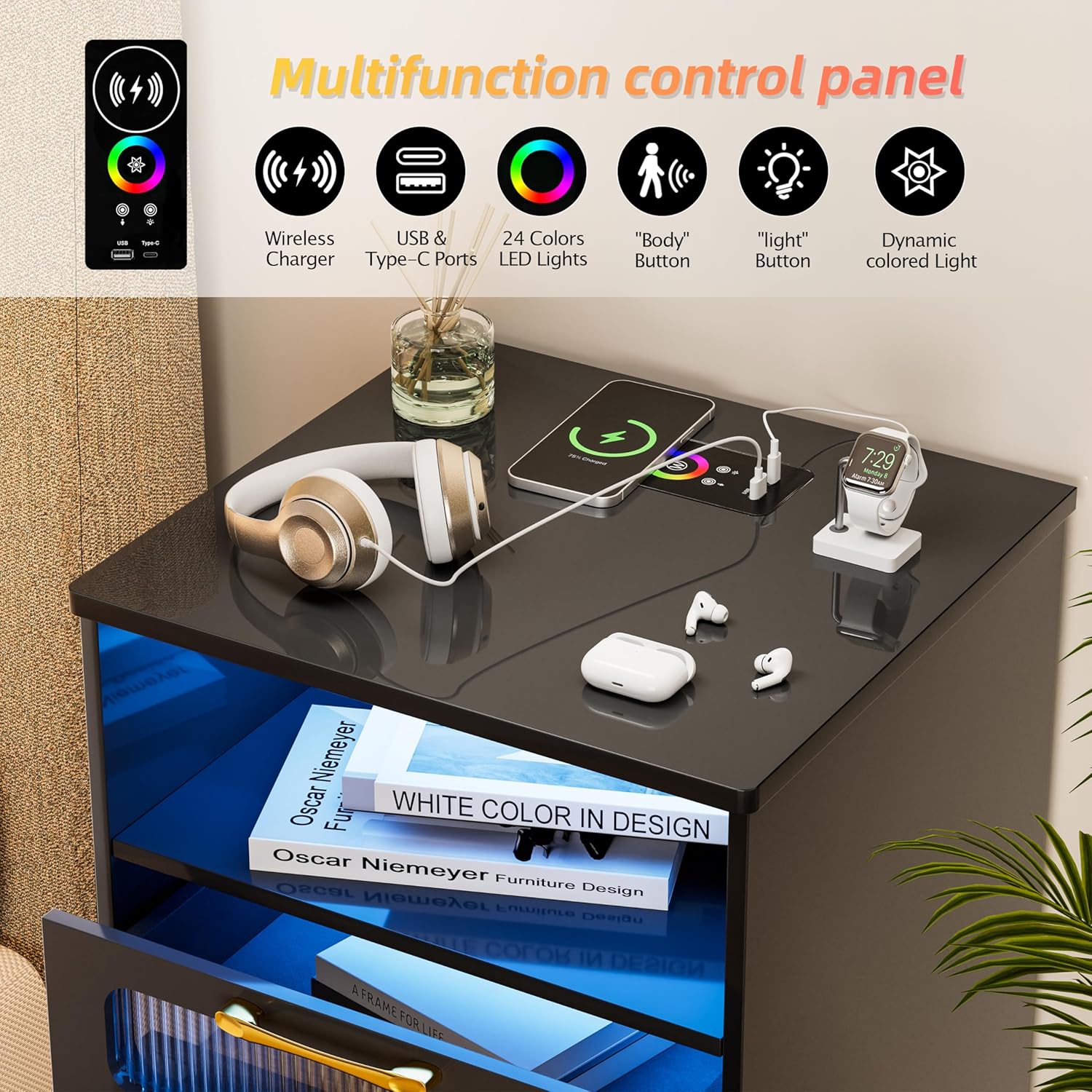
Figure 3: 24 LED Lights Mode and Brightness Adjustment.
This image demonstrates the nightstand's capability to display 24 different LED light colors and adjust brightness. It shows two nightstands, one with blue light and another with warm yellow light, highlighting the versatility of the lighting system.
Estasyon chaje:
The nightstand is equipped with a versatile charging station to power your electronic devices conveniently.
- Chaje san fil: Place your compatible smartphone or device on the designated wireless charging pad on the top surface. Ensure the device is centered for optimal charging.
- Pò USB: Utilize the standard USB port for charging various devices.
- Kalite-C Port: Use the Type-C port for faster charging of compatible devices.

Figure 4: Multifunction Control Panel.
Imaj sa a bay yon detay view of the nightstand's multifunction control panel located on its top surface. Icons represent features such as wireless charging, USB and Type-C ports, 24-color LED lights, a 'Body' button for human induction, a 'Light' button, and dynamic colored light settings.
Smart Human Induction:
The nightstand features a smart human induction sensor that automatically activates the LED lights when a person is detected within a certain range.
- Ranje Aktivasyon: The lights will come on when a person is approximately 2-3 meters near the bedside table.
- Plasman Capteur: The sensor is strategically placed to detect movement in the vicinity of the nightstand.
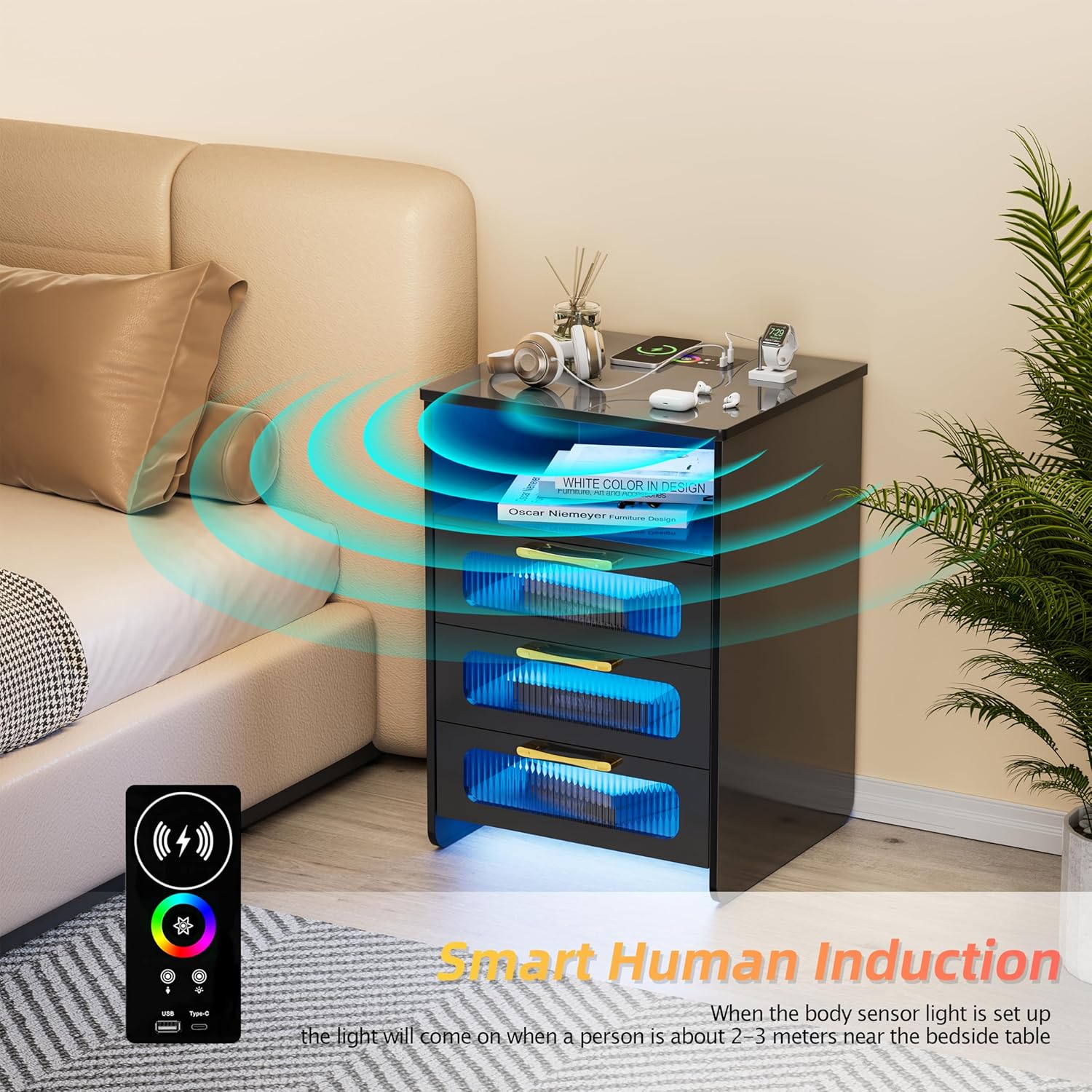
Figure 5: Smart Human Induction Feature.
This image demonstrates the smart human induction feature, where the nightstand's lights activate when a person is within 2-3 meters. Blue waves emanate from the nightstand, symbolizing the sensor's detection range, with a remote control shown in the foreground.
Kapasite Depo
The KAMABOKO LED Night Stand offers ample storage solutions to keep your bedside organized and clutter-free.
- Espas Ouvè: One open compartment provides easy access for frequently used items like books or decorative pieces.
- Tiwa: Two large drawers offer concealed storage for personal items, including a dedicated space suitable for jewelry.

Figure 6: Extra Storage Space.
This image highlights the nightstand's storage capacity, showing its two large drawers partially open. The blue LED lighting inside the open compartment and drawers illuminates the interior, emphasizing the practical storage solutions for various items.
Antretyen ak Swen
Proper maintenance will ensure the longevity and appearance of your KAMABOKO LED Night Stand.
- Netwayaj: Siye sifas yo ak yon mou, damp twal. Evite pwodui chimik ki agresif oswa pwodui netwayaj abrazif, ki ka domaje fini an.
- Époussetage: Regularly dust the nightstand with a dry, soft cloth to prevent buildup.
- Devèsman: Siye nenpòt debòdman imedyatman pou anpeche tach oswa domaje materyèl bwa a.
- Eleman elektrik: Ensure the charging station and LED lights are kept dry. Do not attempt to clean electrical components with liquids.
Depanaj
If you encounter any issues with your KAMABOKO LED Night Stand, please refer to the following common troubleshooting steps:
| Pwoblèm | Kòz posib | Solisyon |
|---|---|---|
| Limyè LED yo pa limen. | Not plugged in; loose connection; remote battery low; sensor obstructed. | Ensure power cord is securely plugged in. Check all internal wiring connections. Replace remote control batteries. Clear any obstructions from the sensor. |
| Estasyon chaje a pa fonksyone. | Device not compatible; device not properly aligned (wireless); cable faulty; power issue. | Verify device compatibility with wireless charging. Realign device on charging pad. Try a different USB/Type-C cable. Ensure nightstand is powered on. |
| Drawers are stiff or not closing smoothly. | Overloaded drawer; debris in runners; misaligned runners. | Reduce contents in the drawer. Clean drawer runners. Re-check assembly of drawer slides. |
Si pwoblèm nan pèsiste apre ou fin eseye solisyon sa yo, tanpri kontakte sèvis kliyan.
Espesifikasyon
Detailed specifications for the KAMABOKO LED Night Stand (Model: Nightstand With Charging Station):
| Karakteristik | Detay |
|---|---|
| Mak | KAMABOKO |
| Non modèl | Nightstand With Led Lights |
| Nimewo Modèl | Nightstand With Charging Station |
| Koulè | Bj028-bk |
| Dimansyon pwodwi (D x W x H) | 14.5"D x 15.75"W x 22.8"H |
| Pwa atik | 33.18 liv |
| Kalite Materyèl Ankadreman | Bwa |
| Kalite Materyèl Top | Bwa |
| Kalite baz | Janm |
| Kantite Atik | 1 |
| Konpozan ki enkli | Gid Asanble |
| Chaje Karakteristik | Wireless Charging, USB, Type-C |
| Karakteristik ekleraj | RGB Sensor Light, 3 Lighting Modes, 24 Colors, Brightness Adjustment, Human Induction |

Figi 7: Dimansyon pwodwi a.
This image provides a visual representation of the nightstand's dimensions, indicating its height, width, and depth for accurate placement and planning.
Garanti ak sipò
KAMABOKO is committed to providing high-quality products and customer satisfaction.
Enfòmasyon sou garanti:
While specific warranty details are typically provided with your purchase documentation, general product warranties cover manufacturing defects for a limited period from the date of purchase. Please refer to the warranty card included in your product packaging for precise terms and conditions.
Sipò Kliyan:
For any questions, concerns, or assistance with your KAMABOKO LED Night Stand, please contact our customer support team. When contacting support, please have your model number (Nightstand With Charging Station) and purchase details ready.
You can typically find contact information for KAMABOKO customer service on the official brand website or through the retailer where you purchased the product. For purchases made on Amazon, you may contact the seller "KAMABOKO-US" directly through your order history.