
1. Entwodiksyon
Welcome to the OUKITEL C59 Pro user manual. This guide provides detailed instructions on how to set up, operate, maintain, and troubleshoot your new Android 15 smartphone. Please read this manual thoroughly to ensure optimal performance and longevity of your device.
2. Enfòmasyon sou Sekirite
To prevent injury to yourself or others, or damage to your device, read all safety information before using the device. Keep this manual for future reference.
- Pa ekspoze aparèy la nan tanperati ekstrèm, limyè solèy dirèk, oswa imidite ki wo.
- Use only OUKITEL-approved chargers, batteries, and accessories.
- Evite lage aparèy la oswa soumèt li a gwo enpak.
- Pa demonte, modifye, oswa repare aparèy la tèt ou.
- Kenbe yon distans ki an sekirite ak aparèy medikal yo pou evite entèferans.
- Jete aparèy la ak konpozan li yo yon fason responsab dapre règleman lokal yo.
3. Pake kontni
Verifye ke tout atik yo prezan nan bwat pwodwi ou a:
- OUKITEL C59 Pro Smartphone
- Ka Telefòn
- USB kab (Tip-C)
- Zouti èkstrè SIM
- Adaptè pouvwa
4. Aparèy souview
Familiarize yourself with the physical features and components of your OUKITEL C59 Pro smartphone.

Image: General view of the OUKITEL C59 Pro smartphone, showcasing its sleek design and rear camera module.
4.1 Physical Buttons and Ports
- Bouton pouvwa: Located on the side, used to power on/off the device or wake/sleep the screen. Integrates fingerprint recognition.
- Bouton Volim: Located on the side, used to adjust media volume and ringtone volume.
- USB Kalite-C Port: Sitiye anba a, yo itilize li pou chaje ak transfere done.
- Plas pou kat SIM/MicroSD: Located on the side, for inserting Nano SIM cards and a MicroSD card.
- 110lm LED Flashlight: An exclusive physical flashlight located at the top of the device, activated by a dedicated button.
4.2 Montre
The OUKITEL C59 Pro features a large 6.88-inch HD+ display with a 90Hz refresh rate and 450 nits brightness, providing a clear and smooth visual experience.

Image: The OUKITEL C59 Pro's 6.88-inch HD+ display, highlighting its size and visual clarity.
4.3 Kamera
The device is equipped with a dual rear camera system, featuring a 13MP main camera, and a 5MP front camera for selfies and video calls.

Image: Close-up of the OUKITEL C59 Pro's rear camera module and exampmwens foto pran ak kamera prensipal 13MP a ak kamera devan 5MP a.
4.4 Flach
The OUKITEL C59 Pro features a powerful 110 lumen LED flashlight at the top. This flashlight can be activated instantly by pressing a dedicated physical button on the side of the phone, even when the screen is locked.

Image: The OUKITEL C59 Pro's 110lm LED flashlight illuminating dark environments, demonstrating its brightness and utility in various scenarios.
5. Enstalasyon
5.1 Mete kat SIM ak MicroSD
Your OUKITEL C59 Pro supports Dual Nano SIM cards and a MicroSD card for expandable storage up to 1TB.
- Jwenn plato kat SIM lan sou bò aparèy la.
- Mete zouti pou retire kat SIM lan nan ti twou ki akote plato a pou ouvri li.
- Place your Nano SIM cards and/or MicroSD card into the designated slots on the tray, ensuring correct orientation.
- Dousman pouse plato a tounen nan aparèy la jiskaske li klike an plas.

Image: The SIM card tray of the OUKITEL C59 Pro, showing slots for two Nano SIM cards and one MicroSD card.
5.2 Chaje Aparèy la
Before first use, fully charge your OUKITEL C59 Pro. The device supports 18W fast charging.
- Konekte kab USB Kalite-C a nan pò chaje ki anba telefòn nan.
- Konekte lòt bout kab USB a ak adaptè pouvwa a.
- Ploge adaptè pouvwa a nan yon priz miray.
- Yon chaj konplè pran apeprè kat èdtan anjeneral.
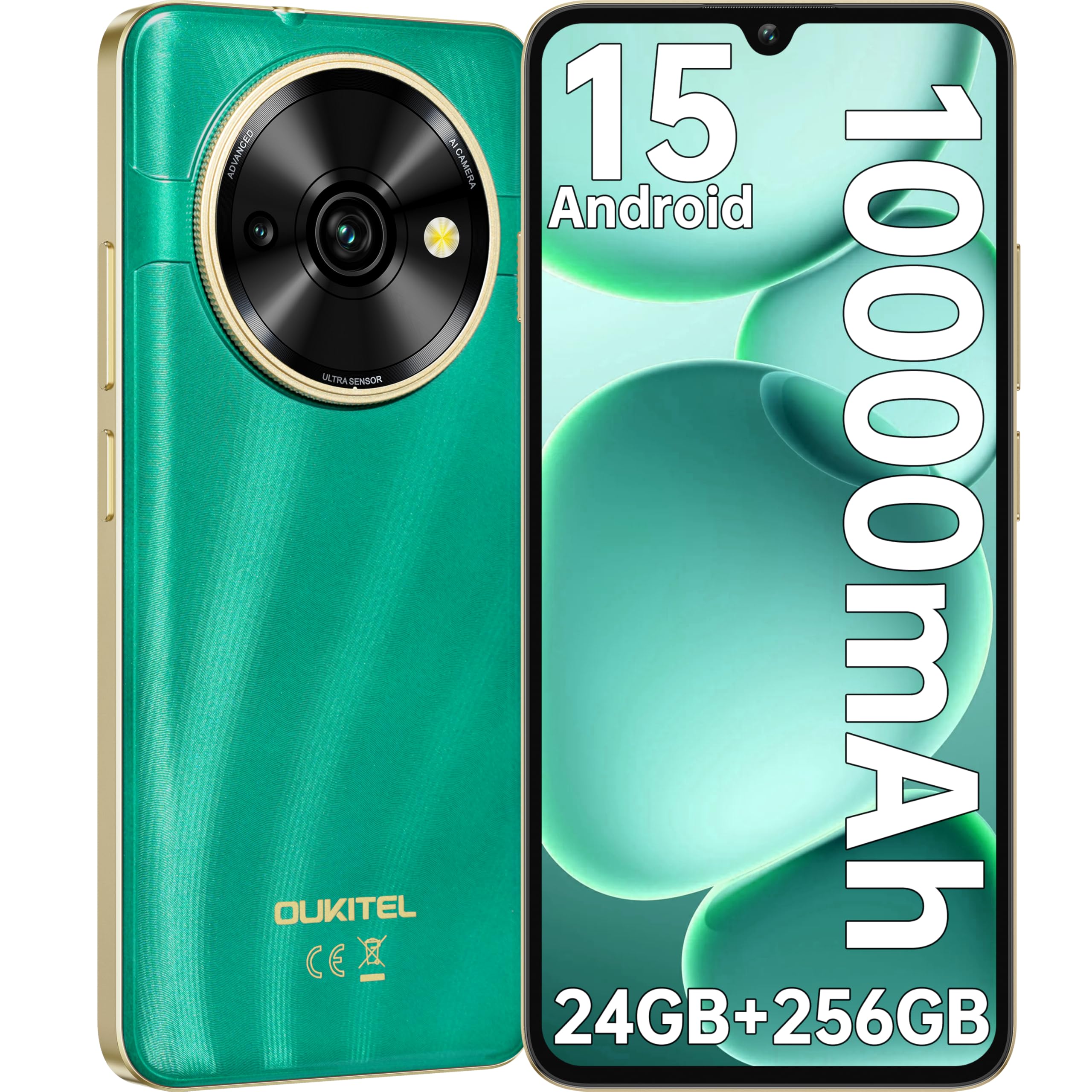
Image: Visual representation of the OUKITEL C59 Pro's 10000mAh battery capacity, indicating extended standby, talk, flashlight, and video playback times.
5.3 Limen/Etenyen
- Pou limen: Peze epi kenbe bouton Power la jiskaske logo OUKITEL la parèt.
- Pou etenn: Peze epi kenbe bouton Pouvwa a, answit chwazi 'Etenn' nan opsyon ki sou ekran an.
- Pou rekòmanse: Peze epi kenbe bouton Pouvwa a, answit chwazi 'Rekòmanse' nan opsyon yo.
6. Itilizasyon telefòn entelijan ou an
6.1 Sistèm operasyon Android 15
Your OUKITEL C59 Pro runs on the latest Android 15 operating system, offering enhanced energy efficiency, privacy protection, and multi-device integration capabilities optimized with artificial intelligence.

Image: A visual representation of the Android 15 operating system interface, showcasing its modern design and various application icons.
6.2 Biometric Security (Fingerprint & Face ID)
Unlock your device securely using the side-mounted fingerprint sensor or Face ID recognition.
- Rekonesans anprent: Register your fingerprints in the Security settings. To unlock, simply place your registered finger on the side power button.
- ID figi: Set up Face ID in the Security settings. To unlock, hold the phone in front of your face.
6.3 Connectivity Features (NFC, GPS)
The OUKITEL C59 Pro supports NFC for contactless payments and data transfer, and GPS for navigation and location services.
- NFC: Enable NFC in Settings > Connected devices > Connection preferences > NFC. Tap your phone to compatible devices for quick pairing or payments.
- GPS: Location services are enabled by default. You can manage them in Settings > Location.
6.4 Memwa ak Depo
The device comes with 24GB RAM (8GB physical + 16GB virtual) and 256GB internal storage, expandable up to 1TB via MicroSD card.

Image: A graphical representation of the OUKITEL C59 Pro's memory configuration, showing 24GB RAM (8GB + 16GB expansion) and 256GB ROM (expandable to 1TB).
6.5 Fonksyonalite OTG
The OUKITEL C59 Pro supports OTG (On-The-Go) reverse charging, allowing you to transfer data to other devices or use your phone as an emergency power bank.
7. Antretyen
Bon antretyen asire lonjevite ak pèfòmans optimal smartphone ou a.
- Netwayaj: Sèvi ak yon twal mou ki pa gen pousyè pou netwaye ekran an ak kò aparèy la. Evite itilize pwodui chimik ki agresif oswa materyèl abrazif.
- Mizajou lojisyèl: Tcheke epi enstale mizajou sistèm yo regilyèman pou asire aparèy ou an gen dènye fonksyonalite ak patch sekirite yo. Ale nan Anviwònman > Sistèm > Mizajou sistèm.
- Swen batri: Avoid fully discharging the battery frequently. For long-term storage, charge the battery to about 50%.
- Jesyon Depo: Netwaye sa ki pa nesesè detanzantan fileaparèy ak aplikasyon pou libere espas depo epi amelyore pèfòmans.
NAN. Depanaj
Si ou rankontre pwoblèm ak aparèy ou an, eseye solisyon sa yo:
- Aparèy pa reponn: Peze epi kenbe bouton Pouvwa a pandan apeprè 10-15 segonn pou fòse yon rekòmanse.
- Aplikasyon k ap kraze: Clear the cache and data of the problematic app in Settings > Apps > [App Name] > Storage. If the issue persists, uninstall and reinstall the app.
- Pòv lavi batri: Check battery usage in Settings > Battery to identify power-hungry apps. Reduce screen brightness, disable unnecessary features like GPS or Wi-Fi when not in use.
- Pwoblèm rezo: Ensure SIM cards are correctly inserted. Try restarting the device. Check network settings or contact your service provider.
- Surchof: Avoid using the device while charging or during prolonged heavy usage. Close background apps.
- Reset faktori: As a last resort, if software issues persist, you can perform a factory reset. Avètisman: Sa ap efase tout done ki sou aparèy ou an. Fè yon kopi done enpòtan yo anvan ou kontinye. Ale nan Anviwònman > Sistèm > Opsyon Reyajiste > Efase tout done yo (reyajisteman faktori).
9. Espesifikasyon
Detailed technical specifications for the OUKITEL C59 Pro smartphone.
| Karakteristik | Spesifikasyon |
|---|---|
| Mak | OUKITEL |
| Non modèl | OUKITEL C59 Pro |
| Sistèm operasyon | Android 15 |
| Gwosè RAM enstale a | 24 GB (8GB fizik + 16GB vityèl) |
| Kapasite Depo | 256 GB |
| Max Supported Flash Memory Size | 1024 GB (1TB) |
| Gwosè ekran | 6.88 pous |
| Rezolisyon | 1640 x 720 piksèl |
| Rafrechisman pousantaj | 90 Hz |
| Kalite ekspozisyon | LCD |
| Teknoloji selilè | 4G |
| Koneksyon Teknoloji | 4G |
| Koulè | VÈT |
| Number of SIM Card Slots | Doub SIM |
| SIM Kat gwosè | Nano |
| Kalite Connector | USB Kalite C |
| Faktè fòm | Bar |
| Biometric Security Feature | Fingerprint Recognition, Face ID |
| Nivo rezistans dlo | Pa enpèmeyab |
| Jack kas ekoutè | Okenn |
| Rezolisyon kamera dèyè | 13 MP |
| Number of Rear Cameras | 2 |
| Number of Front Cameras | 1 |
| Rezolisyon Capture Videyo | 1080p |
| To Frame | 30fps, 60fps, 120fps |
| Kapasite batri | 10000 mAh |
| Lavi batri | 50 èdtan (tan pou pale) |
| GPS | Wi |
| Konpozan ki enkli | Phone case, USB cable, SIM ejector tool, Power adapter |
| Itilizasyon pwodwi espesifik | Gaming, Photography, Streaming, Video Conferencing |
10. Garanti ak sipò
10.1 Enfòmasyon sou Garanti
The OUKITEL C59 Pro smartphone comes with a Garanti manifakti 2 zan. This warranty covers defects in materials and workmanship under normal use. It does not cover damage caused by misuse, accidents, unauthorized repairs, or normal wear and tear. Please retain your proof of purchase for warranty claims.
10.2 Sipò pou Kliyan
For technical assistance, warranty claims, or any other inquiries regarding your OUKITEL C59 Pro, please contact OUKITEL customer support through their official website or the contact information provided with your purchase. Ensure you have your device model and purchase details ready when contacting support.