
1. Entwodiksyon
The MINIX U8K-Ultra is an advanced 8K UHD AI Media Hub powered by Android. It is designed to provide a high-performance streaming and media playback experience with support for the latest video codecs and display technologies.
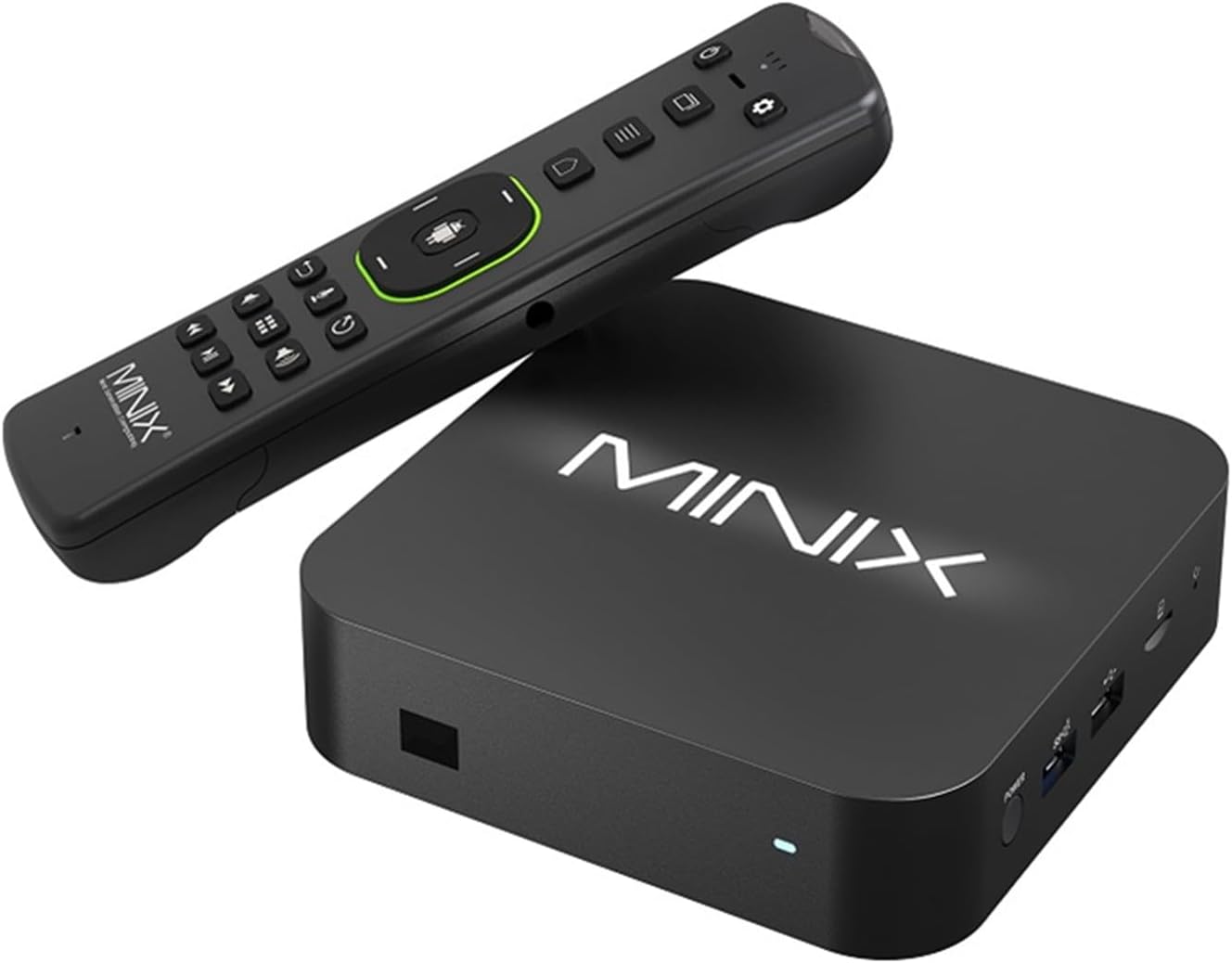
Figure 1: MINIX U8K-Ultra TV Box and MINIX A3 Pro remote control.
This image displays the MINIX U8K-Ultra TV Box, a compact black square device, alongside its accompanying MINIX A3 Pro remote control. The remote features a full QWERTY keyboard on one side and standard media playback and navigation buttons on the other.

Figi 2: Vizyèl souview of MINIX U8K-Ultra key features.
This image highlights the key features of the U8K-Ultra, including 8K UHD AI Media Hub capabilities, Dolby Vision, HDR10+, Wi-Fi 6, 8GB LPDDR4X RAM, 128GB eMMC storage, AI Picture Quality Enhancer, and Gigabit Ethernet connectivity.
2. Pake kontni
Ensure all items listed below are present in your MINIX U8K-Ultra package:
- 1 x MINIX U8K-ULTRA Device
- 1 x BLE AIR MOUSE (MINIX A3 PRO)
- 1 x PD30W Power Adapter
- 1 x 8K HD Cable (USB-A to USB-A)
- 1 x OTG Cable
- 1 x manyèl itilizatè

Figure 3: Retail packaging of the MINIX U8K-Ultra.
This image shows the black retail box of the MINIX U8K-Ultra, featuring the product name, brand logo, and key specifications like 8K UHD and HDR support.
3. Product Features & Ports
Familiarize yourself with the physical features and connectivity options of your MINIX U8K-Ultra device:
- IR Reseptè: Compatible with A3 PRO remote and Logitech Harmony.
- Pouvwa dirije: Glows BLUE when U8K-ULTRA is turned on, RED when suspended.
- Bouton pouvwa: Itilize pouvwa sou / koupe aparèy la.
- USB 3.0 / OTG Port: For connecting external high-speed USB devices like flash drives and SSDs. Can also function as an OTG port (enable in settings).
- USB 2.0 pò: For connecting other USB peripherals such as cameras, wireless keyboards, and mouse sets.
- Micro-SD Card Reader: Expand storage capacity or read files directly from a micro-SD card (supports up to 1TB).
- 3.5mm Audio Jack: Connect external audio output devices like speakers or earphones.
- USB-C Power-in Jack: Connect to the included USB-C PD power adapter.
- HD Port (HDMI 2.1): Connect the U8K-ULTRA to a TV or monitor using the included HD cable. Supports 8K 60Hz and 4K 120Hz.
- Gigabit Ethernet Port (RJ-45): Connect an Ethernet cable for wired Internet access up to 1000Mbps.
- Pò S/PDIF soti: Connect to an external sound processing unit, such as a sound bar or amplifier.

Figure 4: Detailed diagram of MINIX U8K-Ultra ports and dimensions.
Dyagram sa a bay yon enfòmasyon konplè view of all ports on the MINIX U8K-Ultra, including the USB-C Power-in Jack, HD Port, Gigabit Ethernet Port, S/PDIF Out Port, 3.5mm Audio Jack, Micro-SD Card Reader, USB 2.0 Port, USB 3.0/OTG Port, Power Button, IR Receiver, and Power LED. It also shows the device dimensions: Length: 135.6mm, Width: 135.6mm, Thickness: 34.9mm.
4. Gid Enstalasyon
- Konekte ak Display: Use the included HDMI cable to connect the U8K-ULTRA's HD Port to an HDMI input on your TV or monitor.
- Konekte pouvwa: Plug the USB-C PD power adapter into the USB-C Power-in Jack on the device, then plug the adapter into a wall outlet.
- Konekte sou Entènèt la (Si ou vle): For wired internet, connect an Ethernet cable from your router to the Gigabit Ethernet Port. For Wi-Fi, you will configure this during the initial setup or in system settings.
- Pouvwa sou: Press the Power Button on the device or the remote control. The Power LED will change from RED to BLUE.
- Premye konfigirasyon: Swiv enstriksyon ki sou ekran an pou w konplete premye konfigirasyon an, tankou seleksyon lang lan, koneksyon rezo a, ak koneksyon ak kont Google la.
5. Operasyon Enstriksyon
5.1 Power On/Off
- Pou limen: Press the power button once. The power LED will switch from red to blue.
- Pou etenn: Press and hold the power button until the display shows the power menu options. Select 'OK' to confirm your choice. The device can also be turned off using the bundled remote controller.
5.2 Remote Control (MINIX A3 Pro)
The MINIX A3 Pro remote offers versatile control:
- Standard Navigation: Use the directional pad for menu navigation.
- Sourit lè a: Activate the air mouse function to control an on-screen cursor by moving the remote.
- Klavye QWERTY: The reverse side of the remote features a full QWERTY keyboard for easy text input.
- Mikwofòn: Utilize the built-in microphone for voice commands (if supported by applications).
5.3 Anviwònman Sistèm
Access the 'Settings' icon from the home screen to configure various device options:
- MINIX Settings: Contains specific MINIX features such as USB OTG switch, MINIX LED Backlight (can be enabled/disabled), Processor Mode (Energy Efficient or Max Performance), and Refresh Rate Switching.
- Ekspozisyon ak son: Adjust screen resolution (up to 8K 60Hz, 4K 120Hz), screen position, HDMI CEC settings, and audio output.
- Depo: View internal storage usage (128GB eMMC 5.1, with approximately 113GB usable).
- AI Picture Processing: Enable AI Picture Quality Enhancer (AI-PQ) and AI Resolution Upscaler (AI-SR) functions for enhanced visual experience.
- Konsènan: View device name (U8K-ULTRA), Android TV OS Version (11), Kernel Version, and other system information.
5.4 App Management & Media Playback
The device comes with pre-installed applications and access to the Google Play Store for additional downloads. It supports various video formats including AV1, VP9, H.265-10, AVS3, and AVS2. High bitrate 4K content from USB storage plays smoothly. YouTube supports 4K 60fps with HDR.
5.5 Miroir ekran
The MINIX U8K-Ultra supports iOS screen mirroring via the pre-installed AirScreen application. This allows you to cast content from your Apple devices to your TV.
6. Espesifikasyon
| Karakteristik | Spesifikasyon |
|---|---|
| Processeur | Amlogic S928X-K (big.LITTLE ARM Cortex A76 + Quad-Core Cortex A55 Processor, 64-bit) |
| GPU | ARM G57 MC2 |
| NPU | Support INT8 Inference for Deep Learning |
| memwa | 8GB LPDDR4X |
| Depo Entèn | 128GB eMMC 5.1 |
| Koneksyon san fil | 802.11ax 2x2 MIMO Dual-Band Wi-Fi 6 (2.4GHz/5GHz), BT 5.2 |
| Sistèm operasyon | Android AOSP 11 (upgradeable via OTA) |
| Sòti videyo | HD 2.1 (8K 60Hz, 4K 120Hz), support HDCEC/DV/HDR10+/HDR10/HLG |
| Sòti odyo | HD 2.1, Optical S/PDIF, 3.5mm audio jack |
| AI Picture Processing | AI Picture Quality Enhancer (AI-PQ), AI Rezolisyon Upscaler (AI-SR) |
| Entèfas periferik | RJ-45 Gigabit Ethernet, lektè kat mikwo SD, pò USB 3.0, pò USB 2.0, jack odyo 3.5mm, reseptè IR |
| Antre pouvwa | DC12V/2.5A (30W USB-C PD adaptè enkli) |
| Dimansyon | 135.6mm (L) x 135.6mm (W) x 34.9mm (T) |
| Pwa | 253g |

Figure 5: Close-up of the Amlogic S928X-K processor.
Imaj sa a bay yon detay view of the Amlogic S928X-K chip, highlighting its role in supporting various video codecs such as AV1, VP9, AVS3, H.265-10, and AVS2 for 8K playback.

Figure 6: Visual representation of Dual-Band Wi-Fi 6.
This image emphasizes the device's Dual-Band Wi-Fi 6 (802.11ax 2x2 MIMO) capability, ensuring fast and stable wireless connectivity.
NAN. Depanaj
- Pa gen pouvwa: Ensure the USB-C PD power adapter is securely connected to both the device and a working power outlet. Check if the Power LED is illuminated.
- Pa gen ekspozisyon: Verify that the HDMI cable is correctly connected to both the U8K-ULTRA and your TV/monitor. Ensure your TV is set to the correct HDMI input source. Try a different HDMI port or cable.
- Pa gen koneksyon entènèt: For wired connection, check the Ethernet cable and router status. For Wi-Fi, ensure the correct network is selected and the password is entered accurately in the settings.
- Kontwòl Remote pa reponn: Ensure the AAA batteries in the MINIX A3 Pro remote are correctly inserted and have sufficient charge. If using the air mouse, ensure it is enabled.
- Netflix Playback Quality: Please note that Netflix playback on this device is limited to SD (Standard Definition) quality due to DRM limitations. HD or 4K playback is not supported for Netflix.
8. Garanti & Sipò
The MINIX U8K-Ultra comes with a standard manufacturer's warranty. For specific warranty terms, technical support, or service inquiries, please refer to the official MINIX websit la oubyen kontakte sèvis kliyan yo dirèkteman. Kenbe prèv acha ou pou reklamasyon garanti.