
1. Entwodiksyon
This manual provides essential instructions for the installation, operation, and maintenance of your WUPRO QuadraArc Electric Automatic Drop Projection Screen. This screen features Black Crystal Ambient Light Rejecting (ALR) technology, designed to deliver a superior viewing experience for 4K and 8K HD content, compatible with Short Throw (ST) and Long Throw (LT) projectors. Please read this manual thoroughly before use to ensure proper setup and optimal performance.
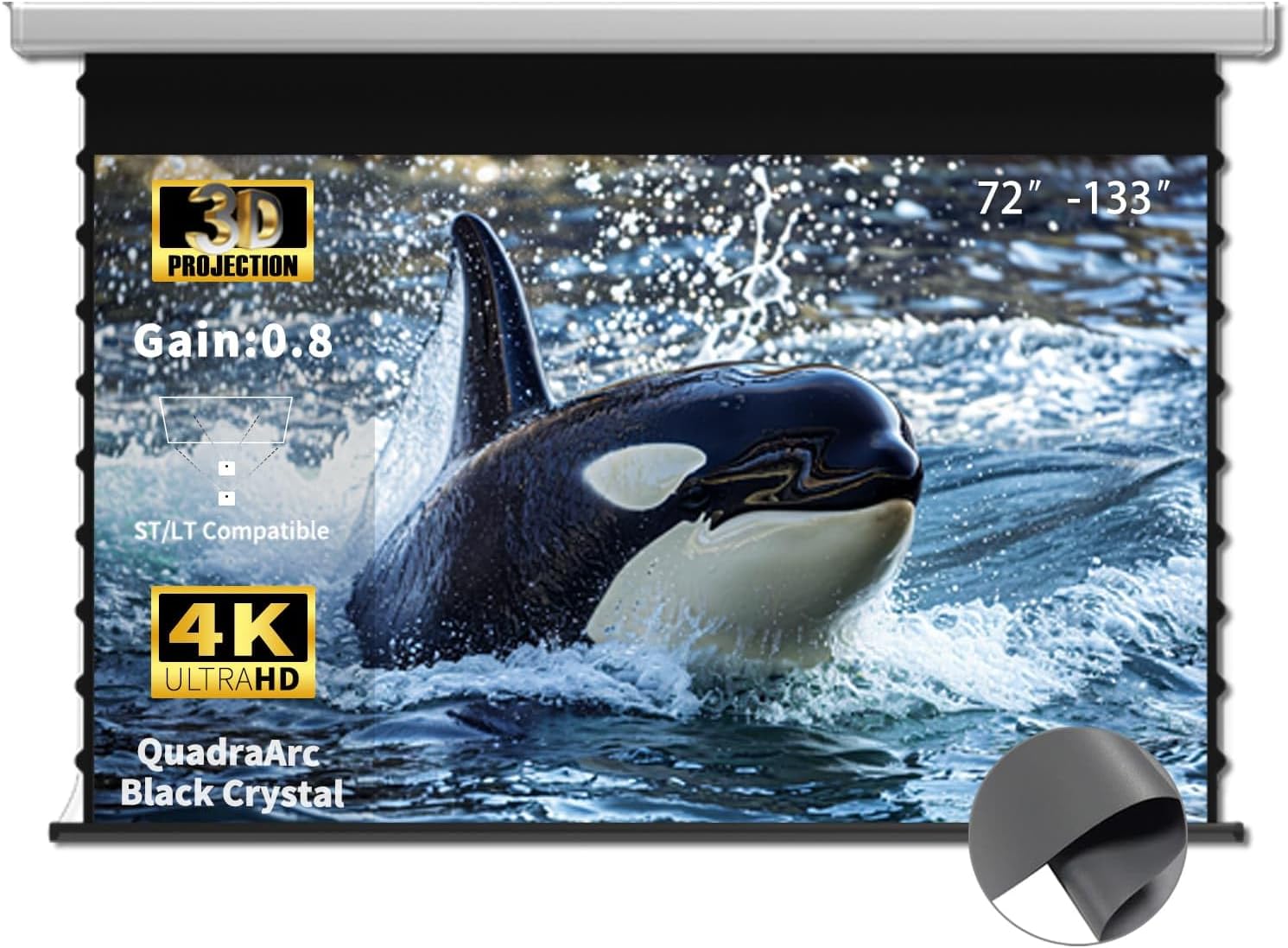
Image 1.1: WUPRO QuadraArc 110-inch projection screen in use, showcasing its visual capabilities.
2. Enfòmasyon sou Sekirite
Please observe the following safety precautions to prevent damage to the product or personal injury:
- Ensure the screen is installed by at least two people due to its size and weight.
- Verify that the mounting surface (wall or ceiling) can support the screen's weight.
- Do not attempt to disassemble or modify the screen's motor or electrical components.
- Keep the screen away from direct heat sources, open flames, and excessive moisture.
- Debranche kòd kouran an anvan ou netwaye oswa fè nenpòt antretyen.
- Keep children and pets away from the screen during operation.
3. Pake kontni
Debale bwat la ak anpil atansyon epi asire w tout bagay yo la:
- WUPRO QuadraArc Electric Automatic Drop Projection Screen
- Kontwòl Remote
- Pouvwa kab
- Mounting Brackets (for Wall/Ceiling)
- Materyèl enstalasyon (vis, lank)
- Manyèl Itilizatè (dokiman sa a)
4. Karakteristik
- Black Crystal ALR Screen: Features a gain of 0.8, enhancing image fullness and color vibrancy.
- Rejè limyè anbyen: Excellent rejection of ceiling ambient light (≥70%), allowing for clear viewing even in bright environments (1800 ANSI lumens or higher telephoto projectors recommended).
- High Definition Support: Optimized for Full HD 4K/8K movie-like picture quality.
- Lajè Viewing Ang: Yon 160° viewing angle ensures a broad field of view, suitable for various room layouts.
- Projector Compatibility: Designed for compatibility with both Short Throw (ST) and Long Throw (LT) projectors.
- Opsyon kontwòl miltip: Includes remote control, wired control, and projector sync capabilities for convenience.
- Konsepsyon minimalist: White rectangular casing for easy integration into any decor.

Image 4.1: Key features of the WUPRO QuadraArc screen.

Image 4.2: Visual representation of Black Crystal screen benefits.

Image 4.3: Compatibility with ST/LT projectors.

Image 4.4: Explanation of 70% Ambient Light Rejection (ALR).

Image 4.5: Illustration of the 160° wide viewang ang.
5. Enstalasyon ak Enstalasyon
The WUPRO QuadraArc screen is designed for manual installation. Please follow these steps carefully. It is recommended that two people perform the installation.
5.1 Chwazi yon kote
Select a flat, sturdy wall or ceiling area that can safely support the screen's weight. Ensure there is a power outlet nearby and sufficient space for the screen to fully extend.
5.2 Montaj Opsyon
The screen supports both wall and ceiling mounting.

Image 5.1: Wall Mount and Ceiling Mount options.
5.3 Etap enstalasyon yo
- Mezire ak make: Determine the desired position for the screen. Use a level to mark the drilling points for the mounting brackets on the wall or ceiling.
- Fè twou: Fè twou gid nan kote ki make yo. Mete lank miray ki apwopriye yo si sa nesesè.
- Tache parantèz: Securely fasten the mounting brackets to the wall or ceiling using the provided screws. Ensure they are level and firmly attached.
- Monte ekran: With assistance, carefully lift the projection screen and hook it onto the installed mounting brackets. Ensure the screen is securely seated in the brackets.
- Konekte pouvwa: Plug the power cable into the screen and then into a power outlet.
6. Operasyon
Your WUPRO QuadraArc screen offers multiple ways to control its extension and retraction.

Image 6.1: Multiple control options for the screen.
6.1 Kontwòl Remote
Use the included remote control to operate the screen wirelessly.
- Pwolonje: Peze a DESANN button to lower the screen.
- Retract: Peze a UP button to raise the screen.
- Sispann: Peze a SISPANN button to pause the screen at any desired position.
6.2 Kontwòl Filaire
The screen may also feature a wired control panel, typically located on the screen casing or a wall switch. The buttons function identically to the remote control (UP, DOWN, STOP).
6.3 Projector Sync
If your projector supports it, you can connect the screen to your projector for automatic synchronization. When the projector is turned on, the screen will automatically extend; when the projector is turned off, the screen will retract. Refer to your projector's manual for specific connection instructions for screen synchronization.
7. Antretyen
Proper maintenance ensures the longevity and optimal performance of your projection screen.
7.1 Cleaning the Screen Surface
- Gently wipe the screen surface with a soft, lint-free cloth.
- Pou mak ki difisil pou retire, pase yon ti krasampen the cloth with mild soap and water. Do not use harsh chemicals, abrasive cleaners, or excessive moisture.
- Avoid touching the screen surface with bare hands to prevent oil transfer.
7.2 Netwayaj C aasing
Wipe the screen casing ak yon sèk oswa yon ti kras damp twal pou retire pousyè ak pousyè tè.
7.3 Swen Jeneral
- Ensure the screen retracts fully when not in use to protect the surface.
- Avoid placing heavy objects on the screen casing.
- Regularly check mounting hardware for tightness.
NAN. Depanaj
If you encounter issues with your projection screen, refer to the following common problems and solutions:
| Pwoblèm | Kòz posib | Solisyon |
|---|---|---|
| Screen does not extend/retract | No power; Remote control battery low; Motor malfunction | Check power connection; Replace remote batteries; Contact support if motor issue persists. |
| Screen stops midway | Obstruction; Limit switch setting; Power interruption | Remove any obstructions; Consult manual for limit switch adjustment (if applicable); Check power. |
| Bon jan kalite imaj se pòv yo | Projector settings; Ambient light; Screen surface dirt | Adjust projector focus/resolution; Reduce ambient light; Clean screen surface as per maintenance section. |
| Remote kontwòl pa travay | Batteries dead/incorrectly inserted; Remote out of range; Interference | Replace batteries, ensure correct polarity; Move closer to screen; Remove sources of interference. |
9. Espesifikasyon
The following table outlines the technical specifications for the WUPRO QuadraArc 110-inch Electric Automatic Drop Projection Screen.

Image 9.1: Detailed dimensions and parameters for the QuadraArc screen series.
| Karakteristik | Detay |
|---|---|
| Mak | WUPRO |
| Modèl | QuadraArc Electric Automatic Drop Projection Screen |
| Gwosè ekran (dyagonal) | 110 pous |
| Aspè rapò | 16:9 |
| Sifas ekran | Black Crystal ALR (Matte) |
| Genyen | 0.8 |
| Anbyen limyè rejè | ≥70% (ceiling light) |
| Viewing Ang | 160° |
| Konpatibilite | ST/LT Projectors, 4K/8K HD |
| Kalite aliye | Mi mòn, plafon mòn |
| Dimansyon pwodwi (L x H) | 95.86" x 53.89" (Display Area) |
| Longè Lojman (L1) | 2730 mm (for 110" screen) |
| Pwa Brit | 22.4 kg (for 110" screen) |
10. Garanti ak sipò
10.1 Pwodwi Garanti
WUPRO products are covered by a manufacturer's warranty against defects in materials and workmanship. Please refer to the warranty card included with your product for specific terms and conditions. Keep your purchase receipt as proof of purchase for warranty claims.
10.2 30-Day Price Protection
If the price of your WUPRO screen drops within 30 days of purchase on Amazon, you may be eligible for a refund of the difference. To claim, purchase the screen on Amazon, spot a lower price within 30 days, take a screenshot, and contact WUPRO customer support. This applies solely to Amazon store prices.

Image 10.1: Details on the 30-Day Price Protection policy.
10.3 Sipò pou Kliyan
For technical assistance, warranty claims, or any questions regarding your WUPRO product, please contact WUPRO customer support through the Amazon platform or visit the official WUPRO websit pou enfòmasyon kontak.