
1. Entwodiksyon
The Sony WH-1000XM6 are over-ear wireless Bluetooth headphones designed to provide an immersive audio experience with advanced noise-cancelling capabilities. This manual provides essential information for the proper setup, operation, and maintenance of your headphones.
Key features include the HD Noise Cancelling Processor QN3, Multi Noise Sensor Technology, High-Resolution Audio support, DSEE Extreme, and a foldable design for portability. The headphones also offer up to 30 hours of battery life and support multipoint connection.
2. Ki sa ki nan bwat la
Verifye ke tout atik yo prezan nan anbalaj la:
- Sony WH-1000XM6 Headphones
- Compact Protective Carrying Case
- USB-C kab
- Dokimantasyon (manyèl sa a ak lòt gid yo)
3. Pwodwi souview
The WH-1000XM6 headphones feature a lightweight design with soft, cushioned ear pads and an adjustable headband for comfort during extended listening sessions. The headphones are foldable for easy storage and transport in the included carrying case.
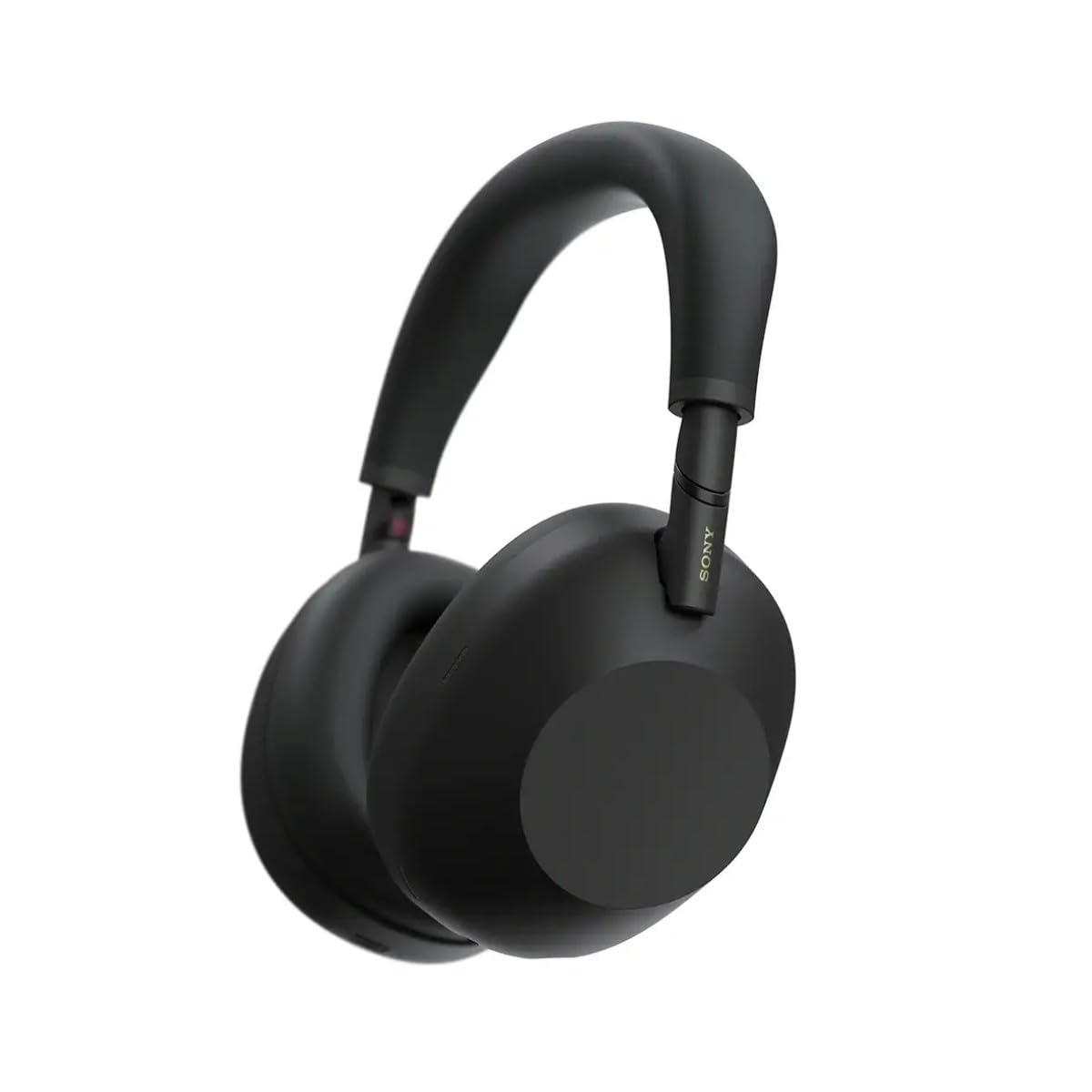
Figi 3.1: Devan view of the Sony WH-1000XM6 headphones in black.
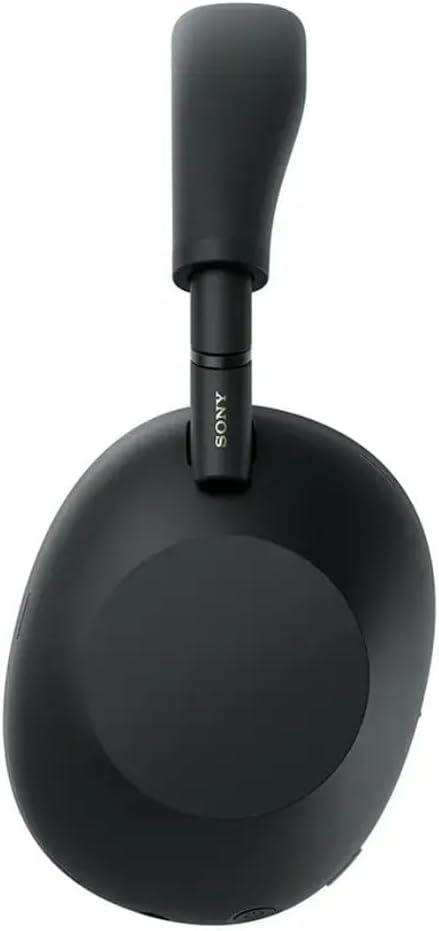
Figi 3.2: Side view nan kas ekoutè Sony WH-1000XM6 yo.

Figure 3.3: WH-1000XM6 headphones stored in their protective carrying case.
4. Enstalasyon
4.1. Chaje kas ekoutè yo
Before initial use, fully charge the headphones. Connect the supplied USB-C cable to the charging port on the headphones and to a USB power source. A full charge provides up to 30 hours of playback. A quick 3-minute charge can provide approximately 3 hours of playback. The headphones can be used while charging.
4.2. Power On/Off
- Pou limen: Peze epi kenbe bouton pouvwa a jiskaske limyè endikatè a limen.
- Pou etenn: Peze epi kenbe bouton pouvwa a jiskaske limyè endikatè a etenn.
4.3. Pè Bluetooth
Pou konekte kas ekoutè ou yo ak yon aparèy Bluetooth:
- Asire w ke kas ekoutè yo etenn.
- Press and hold the power button for approximately 7 seconds until the indicator light flashes blue rapidly and a voice guidance announces "Bluetooth pairing mode."
- Sou aparèy ou an (telefòn entelijan, tablèt, òdinatè), aktive Bluetooth epi chèche aparèy ki disponib yo.
- Select "WH-1000XM6" from the list of detected devices.
- Once connected, the indicator light will flash slowly, and a voice guidance will announce "Bluetooth connected."
4.4. Sony | Headphones Connect App
Download the Sony | Headphones Connect app from your device's app store. This app allows you to customize sound settings, manage noise cancellation, update firmware, and access additional features for your WH-1000XM6 headphones.
5. Operasyon Enstriksyon
5.1. Noise Cancelling and Ambient Sound Mode
The WH-1000XM6 features advanced noise cancellation powered by the HD Noise Cancelling Processor QN3 and Multi Noise Sensor Technology. The Auto NC Optimizer adapts to your environment for optimal performance.
- Anile bri: Redui bri anbyen pou yon eksperyans koute imersif.
- Mòd son anbyen: Allows you to hear surrounding sounds while listening to music, enhancing situational awareness. The Auto Ambient Sound Mode adjusts the level based on your environment.
- Quick Attention Mode: Cover the right earcup with your hand to instantly lower music volume and allow ambient sound in, useful for quick conversations.
5.2. Odyo lèktur
The headphones feature 30mm driver units, support High-Resolution Audio, and include DSEE Extreme for upscaling compressed digital music files. Audio playback can be controlled via the touch panel on the right earcup:
- Jwe/Poz: Double-tape panèl la manyen.
- Pwochen Track: Glise pou pi devan.
- Track Previous: Glise dèyè.
- Volim moute: Glise moute.
- Volim desann: Glise desann.
Pèsonalize pwofesyonèl son ou afile using the 10-band equalizer in the Sony | Headphones Connect app.
5.3. Fonksyon Apèl
The WH-1000XM6 features 6 AI-powered beam-forming microphones and AI Noise Reduction for clear call quality, even in noisy environments.
- Reponn/Fen Apèl: Double-tape panèl la manyen.
- Rejte apèl: Press and hold the touch panel.
- Mikwofòn bèbè: Double-press the ANC button during a call.
5.4. Multipoint Koneksyon
The Multipoint Connection feature allows you to connect the headphones to two Bluetooth devices simultaneously. This enables seamless switching between devices, such as a smartphone and a laptop, without needing to manually reconnect.
5.5. Adaptive Sound Control
Adaptive Sound Control automatically detects your activity (e.g., sitting, walking, traveling) and adjusts the noise cancellation or ambient sound settings accordingly. This feature can be configured via the Sony | Headphones Connect app.
5.6. Specialized Audio Features
- 360 Upmix for Cinema: Transforms stereo content into an immersive surround sound experience.
- Egalizatè jwèt: Enhances clarity and detail in gaming audio.
- Personalized Spatial Sound: Available through the app for an optimized listening experience.
6. Antretyen
6.1. Netwayaj
- Siye kas ekoutè yo ak yon twal mou epi sèk.
- Pa sèvi ak alkòl, benzèn, diluant, oswa lòt pwodui netwayaj chimik, paske yo ka domaje fini an.
- Clean the ear pads and headband gently to remove any buildup.
6.2. Depo
When not in use, store the headphones in their compact protective carrying case to prevent damage from dust, scratches, and impacts. Avoid storing in direct sunlight or in excessively hot or humid environments.
NAN. Depanaj
If you encounter issues with your WH-1000XM6 headphones, try the following steps:
- Pa gen pouvwa: Asire w ke kas ekoutè yo chaje. Konekte yo nan yon sous kouran avèk kab USB-C a.
- Pa gen son: Check the volume level on both the headphones and the connected device. Ensure the headphones are properly paired via Bluetooth.
- Kalite son pòv: Verify that the audio source is of good quality. Try moving closer to the connected device to avoid interference. Check equalizer settings in the Sony | Headphones Connect app.
- Pwoblèm Bluetooth Pairing: Ensure the headphones are in pairing mode. Turn off and on Bluetooth on your device. Delete the headphones from your device's Bluetooth list and attempt to pair again.
- Anilasyon bri a pa efikas: Ensure the headphones are properly seated on your ears. Use the Auto NC Optimizer feature via the app.
- Headphones Unresponsive: Perform a factory reset if available (refer to the Sony | Headphones Connect app or Sony support websit la pou enstriksyon espesifik).
For further assistance, refer to the Sony | Headphones Connect app or the official Sony support websit.
8. Espesifikasyon
| Mak | Sony |
| Non modèl | WH-1000XM6 |
| Koulè | Nwa |
| Plasman Zòrèy | Sou Zòrèy |
| Koneksyon Teknoloji | San fil (Bluetooth 5.1) |
| Kontwòl bri | Anile aktif bri |
| Kalite chofè odyo | Chofè dinamik |
| Repons Frekans | 20 Hz - 40,000 Hz |
| Enpedans | 48 Ohms |
| Lavi Mwayèn Batri | 30 èdtan |
| Tan chaj batri | 3 minit pou 3 èdtan lekti |
| Pwa atik | 250 gram |
| Materyèl | Aluminum (Enclosure) |
| Kalite kontwòl | Kontwòl Vwa, Aplikasyon |
| Nivo rezistans dlo | Pa reziste dlo |
9. Garanti ak sipò
Pou jwenn enfòmasyon detaye sou garanti a, tanpri gade kat garanti ki vini ak pwodwi w la oswa vizite sit sipò ofisyèl Sony a. website. For technical support, product registration, or service inquiries, please contact Sony customer service or visit their online support resources.